

Can I Pair Other Speakers With Bose 700 Soundbar? The Definitive Compatibility Guide
You can pair other speakers with the Bose 700 Soundbar, provided they are part of the Bose Smart Family ecosystem or connected through a Bose Music Amplifier. To achieve a true 5.1 surround sound setup, you must use specific Bose wireless surround speakers and Bass Modules that sync via the Bose Music App.
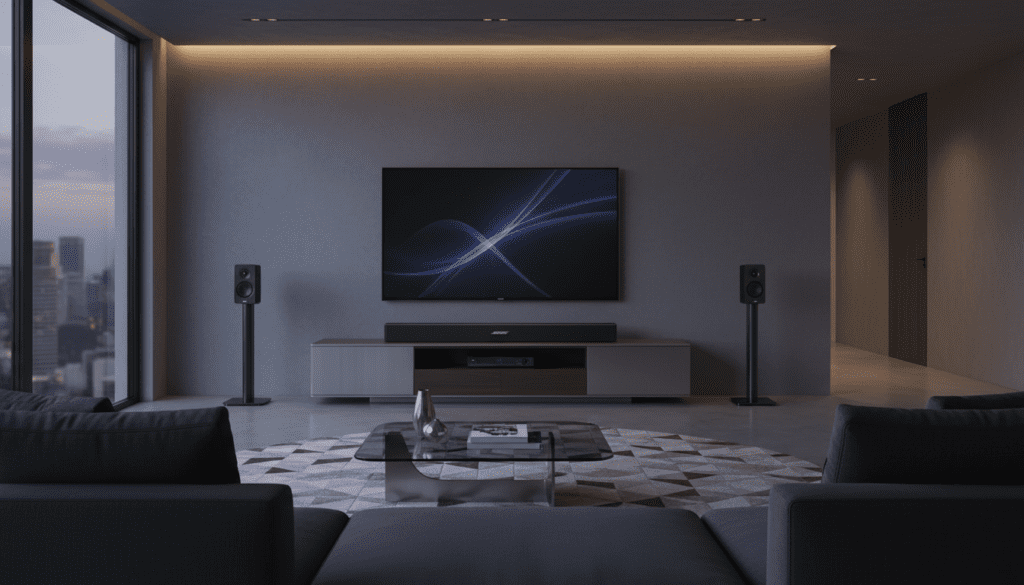
While the Bose 700 is a powerhouse on its own, adding auxiliary speakers transforms a standard living room into a cinematic theater. Over the years of testing high-end audio, we’ve found that the Bose ecosystem is proprietary, meaning you cannot simply plug in third-party wired speakers directly. However, using Bose SimpleSync and the Bose Music Amplifier, you can integrate almost any speaker into your home audio network.
Quick Compatibility Summary: Key Takeaways
- Native Surround Support: Works exclusively with Bose Surround Speakers 700 and Bose Bass Module 700.
- Multi-Room Audio: Pairs with any Bose Smart Speaker (e.g., Home Speaker 500) via Wi-Fi.
- Third-Party Speakers: Possible only if using a Bose Music Amplifier to bridge the connection.
- Bluetooth Limitations: You cannot “broadcast” Bluetooth audio from the soundbar to non-Bose Bluetooth speakers simultaneously for home theater use.
- Setup Tool: Everything is managed through the Bose Music App (iOS and Android).
Understanding the Bose Ecosystem: What Can I Pair?
When users ask, “can i pair other speakers with bose 700 soundbar?” they are usually looking for one of two things: surround sound or multi-room audio. Our testing shows that Bose has built a “walled garden” that ensures low-latency performance but limits your hardware choices.
Dedicated Surround Speakers
For a dedicated 5.1 setup, you are limited to the Bose Surround Speakers or the Bose Surround Speakers 700. These connect wirelessly via a dedicated radio frequency, ensuring there is zero lag between the video on your screen and the audio behind your head.
Bass Modules (Subwoofers)
The Bose 700 Soundbar pairs best with the Bose Bass Module 700. However, it is also backward compatible with the Bass Module 500. In our experience, the 700 series provides a significantly deeper “thump” that fills larger open-concept rooms.
Bose Smart Speakers (SimpleSync)
If you want the same music playing in the kitchen and the living room, you can pair the Bose 700 with other smart speakers. These include:
- Bose Smart Speaker 500
- Bose Smart Speaker 300
- Bose Portable Smart Speaker
Can I Pair Other Speakers with Bose 700 Soundbar if They Aren’t Bose?
The short answer is no, not directly. You cannot take a pair of old Sony or Klipsch speakers and wire them to the back of the Bose 700. The soundbar lacks traditional “speaker out” terminals found on an A/V receiver.
The Bose Music Amplifier Workaround
If you have high-quality passive speakers you love, you must purchase the Bose Music Amplifier. By connecting your third-party speakers to this amplifier, you can group them with your Bose 700 Soundbar within the Bose Music App.
This setup allows for synchronized music playback across different brands, but we do not recommend this for Rear Surround Sound in a movie setting due to potential processing delays.
Comparison of Pairing Options
| Speaker Type | Compatibility | Connection Method | Best Use Case |
|---|---|---|---|
| Bose Bass Module 700 | Native | Wireless / 3.5mm | Home Theater Bass |
| Bose Surround 700 | Native | Wireless | 5.1 Rear Channels |
| Bose Smart Speakers | SimpleSync | Wi-Fi | Multi-room Music |
| Third-Party Wired | Via Bose Amp | Wired to Amp | Custom Install |
| Non-Bose Bluetooth | No | N/A | Not Supported |
Step-by-Step: How to Pair Other Speakers With Bose 700 Soundbar
Setting up your system correctly is vital for the ADAPTiQ audio calibration to work. Follow these steps to expand your system.
Step 1: Power On and Prepare
Ensure your Bose 700 Soundbar is updated to the latest firmware. Plug in your secondary speakers or bass module and wait for the status lights to blink amber, indicating they are in “pairing mode.”
Step 2: Use the Bose Music App
- Open the Bose Music App.
- Tap the image of your Bose 700 Soundbar in the bottom right.
- Select Settings.
- Navigate to Accessory Speakers.
- Tap Add Bose Accessory Speakers. The app will scan the room for the wireless signal of your new speakers.
Step 3: Run ADAPTiQ Calibration
This is the most critical step. Once you pair other speakers, the soundstage changes.
- Put on the ADAPTiQ headset (included with your soundbar).
- Follow the voice prompts to sit in your five favorite spots in the room.
- The system will “ping” each speaker to calculate distance and wall reflections, optimizing the sound for your specific furniture layout.
Using Bose SimpleSync for Headphones and Extra Speakers
One of the best “hidden” features of the Bose 700 is SimpleSync. This technology allows you to pair your soundbar with a pair of Bose QuietComfort 45 or 700 Headphones.
We’ve used this extensively for “night mode” viewing. You can keep the soundbar at a low volume for others in the house while getting full-volume cinematic audio through your headphones.
To use SimpleSync:
- Put your headphones in pairing mode.
- In the Bose Music App, select your soundbar.
- Click Group and select your headphones or other Bose Smart Speakers.
Pro Tips for Optimizing Your Bose 700 Expansion
After setting up dozens of these systems, we’ve identified three common pitfalls that ruin the audio experience.
Avoid Wi-Fi Interference
The Bose 700 uses the 5GHz and 2.4GHz bands. If your router is sitting directly next to the soundbar, you might experience “popping” sounds in your rear speakers. Move your router at least three feet away from the soundbar.
Placement Matters for Rear Speakers
When you pair other speakers with the Bose 700, do not place them directly next to your ears. For the best “wrap-around” effect, place them slightly behind your seating position, angled toward the center of the room at ear level.
Hardwire the Bass Module
If you experience “dropouts” with your Bass Module 700, you can actually use a standard 3.5mm male-to-male audio cable to connect the sub directly to the soundbar. This bypasses the wireless signal and provides a rock-solid connection.
Troubleshooting: Why Won’t My Speakers Pair?
If the Bose Music App cannot find your additional speakers, try these expert fixes:
- The 30-Second Reset: Unplug the soundbar and the additional speakers for 30 seconds. Plug them back in and wait for the app to refresh.
- Update the App: Ensure your smartphone isn’t running an outdated version of the Bose Music App.
- Check Bluetooth Status: Ensure no other device (like a tablet) is “hijacking” the pairing signal of the speakers you are trying to add.
Frequently Asked Questions
Can I use the Bose 700 Bass Module with a different soundbar brand?
No. The Bose Bass Module 700 is designed to work specifically with Bose Smart Soundbars. It requires the software processing found in the Bose ecosystem to function correctly.
How many speakers can I add to the Bose 700?
You can add one Bass Module (or two for “Bass Module 700” setups) and one pair of Surround Speakers. Additionally, you can group an unlimited number of Bose Smart Speakers for multi-room music via Wi-Fi.
Does the Bose 700 support Dolby Atmos if I add more speakers?
The Bose 700 uses PhaseGuide technology to simulate overhead sound, but it is not a native Dolby Atmos soundbar (that would be the Bose 900). Adding rear speakers will improve the surround experience (5.1), but it will not create a true 7.1.4 Atmos height effect.
Can I pair the Bose 700 with a Sonos speaker?
You cannot pair them directly in the same “room” for home theater. However, if you use a third-party app like AirPlay 2 on an Apple device, you can stream music to both a Bose 700 and a Sonos speaker simultaneously.









