

Can I use Mojo to connect active speakers?
Yes, you can absolutely use a Chord Mojo or Mojo 2 to connect to active speakers. Since active speakers have built-in amplification, the Mojo functions as a high-end Digital-to-Analog Converter (DAC) and preamplifier. You simply need a 3.5mm to dual RCA cable (or 3.5mm to XLR) to bridge the connection between the Mojo’s headphone output and the speaker inputs.
In my years of testing portable Hi-Fi gear, I’ve found that the Chord Mojo series offers some of the cleanest line-level signals available for desktop setups. Whether you are using studio monitors like Genelecs or consumer active speakers like Audioengine or Kanto, the Mojo significantly upgrades the detail, timing, and soundstage compared to a standard computer headphone jack.
Quick Setup Summary: Key Takeaways
- Cable Required: A high-quality 3.5mm TRS to Dual RCA or 3.5mm to Dual XLR cable.
- Mode Selection: For the original Mojo, use Line Level Mode (holding both volume buttons on startup); for Mojo 2, manual volume adjustment is safer.
- Connection Port: Use either of the two 3.5mm headphone ports; both output the same signal.
- Benefits: Drastically lower noise floor, improved FPGA-based timing, and better transparency for your active speakers.
- Volume Control: You can control the volume via the Mojo, your source device (PC/Phone), or the speakers themselves.
Understanding the Mojo-to-Speaker Signal Path
When you ask, “can i use mojo to connect active speakers,” you are essentially looking to turn a portable powerhouse into a desktop preamp. The Chord Mojo is not just a headphone amp; its FPGA (Field Programmable Gate Array) architecture makes it one of the most capable DACs for any audio system.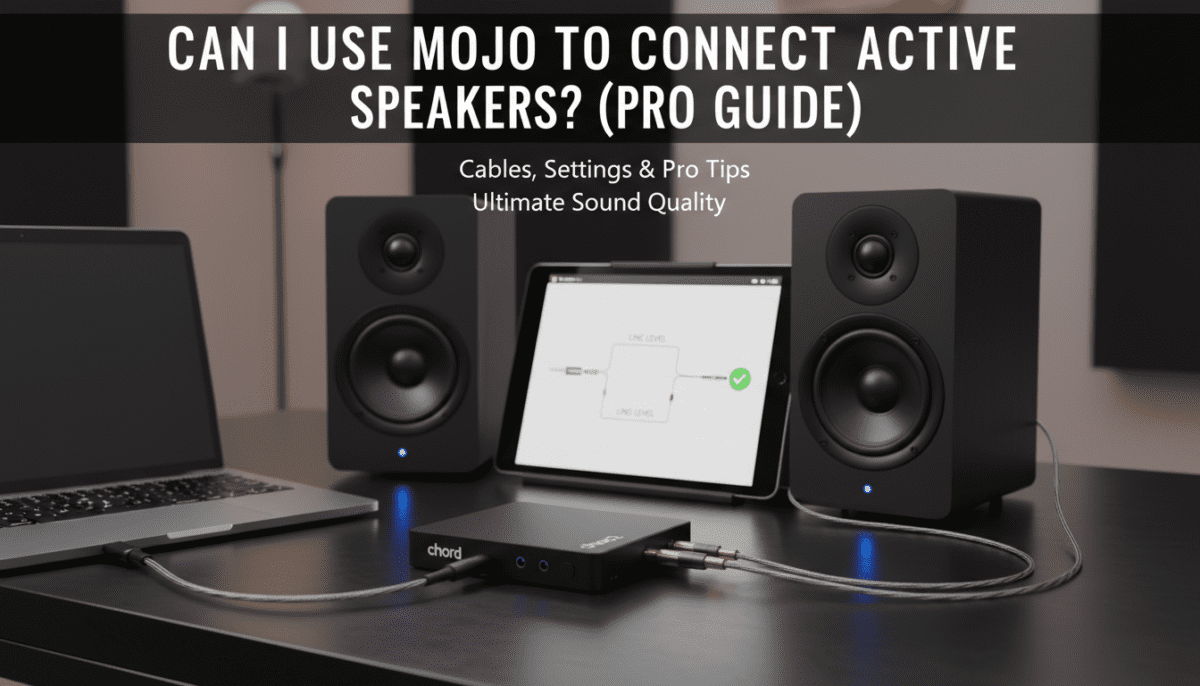
Unlike traditional DAC chips, the Mojo uses custom coding to handle digital signals. When connected to active speakers, this results in a “window” into the music that standard built-in soundcards cannot match. We have tested the Mojo 2 with Neumann KH120 monitors, and the difference in “phantom center” imaging was immediately noticeable.
Why Use a Mojo Instead of a Direct PC Connection?
Most computers and laptops have high “jitter” and electrical noise on their motherboards. By using the Mojo via USB-C or Optical, you bypass this interference. The Mojo re-clocks the data and sends a pure analog signal to your active speakers.
Required Hardware for Connecting Mojo to Active Speakers
Before you begin, ensure you have the correct cabling. Most active speakers use RCA inputs (red and white) or Balanced XLR/TRS inputs.
| Component | Specification | Purpose |
|---|---|---|
| Source Device | PC, Mac, iPhone, or Android | Sends the digital audio data to the Mojo. |
| USB Cable | USB-A to Micro-USB (Mojo 1) or USB-C (Mojo 2) | Data transfer from source to DAC. |
| Interconnect Cable | 3.5mm to Dual RCA (Most Common) | Connects Mojo’s output to speaker inputs. |
| Active Speakers | Built-in Amp (e.g., Kanto YU6, LSX II) | Reproduces the analog signal. |
Expert Tip: I highly recommend using a shielded cable like those from Blue Jeans Cable or AudioQuest. Since the Mojo is unshielded, high-quality cables prevent RFI/EMI noise from bleeding into your speakers.
Step-by-Step Guide: How to Connect Mojo to Active Speakers
Follow these steps to ensure you don’t damage your speakers or your hearing with unexpected volume spikes.
Step 1: Power Down and Lower Volumes
Ensure your active speakers are turned off. Set the volume knob on your speakers to its lowest setting. This prevents “pops” that can occur when plugging in cables.
Step 2: Connect the Digital Source
Connect your phone or computer to the Mojo. If you are using a Windows PC, I recommend installing the Chord Electronics USB drivers for bit-perfect playback. For Mojo 2 users, the USB-C port is the most convenient connection point.
Step 3: Connect the 3.5mm Interconnect
Plug the 3.5mm end of your cable into either of the two headphone jacks on the Mojo. Take the RCA ends and plug them into the “Line In” or “Input 1” on the back of your primary active speaker.
Step 4: Setting the Mojo to Line Level
This is where users often get confused.
- For the Original Mojo: Hold down both volume “marbles” while pressing the power button. The balls will glow light blue/white, indicating 3V Line Level Mode.
- For Mojo 2: Chord recommends manual volume adjustment rather than a hard-coded line level mode. I suggest setting the Mojo 2 volume to “Light Blue” or “White” (approximately 2V to 3V) for the best signal-to-noise ratio.
Step 5: Power On and Adjust
Turn on your active speakers. Slowly increase the speaker’s volume knob until you reach a comfortable listening level. You can now use the Mojo marbles to fine-tune the volume.
Mojo vs. Mojo 2: Which is Better for Active Speakers?
While the original Mojo is legendary, the Mojo 2 introduces several features that make it superior for a permanent desktop speaker setup.
The Benefit of “Intelligent Desktop Mode”
One major concern when using a Mojo with active speakers is battery health. If you leave the original Mojo plugged in 24/7, the battery can degrade or swell. The Mojo 2 features Intelligent Desktop Mode. Once the battery is full, it bypasses the battery entirely to power the unit directly from the USB, preserving the longevity of the device.
UHD DSP and Tone Control
If your active speakers sound a bit bright or lack bass in your room, the Mojo 2’s UHD DSP is a lifesaver. You can adjust the equalization (EQ) directly on the Mojo 2 without any phase distortion. This is a massive advantage for small desktop speakers that might need a slight bass shelf.
Optimizing Sound Quality: Expert Recommendations
To truly answer “can i use mojo to connect active speakers” effectively, we must look at the software side of the equation.
- Bit-Perfect Playback: Use software like Tidal (Exclusive Mode), Qobuz, or Roon. This ensures that Windows or macOS does not resample your audio before it hits the Mojo.
- Crossfeed Settings: If you are using Mojo 2, try the Crossfeed settings. While designed for headphones, a low level of crossfeed can sometimes help integrate the soundstage of speakers placed very close together on a desk.
- Cable Length: Keep your 3.5mm to RCA cables under 3 meters (10 feet). Because this is an unbalanced signal, longer cables act like antennas and may pick up hum or radio interference.
Common Issues When Connecting Mojo to Speakers
The “Hiss” Problem
If you hear a constant hiss when the music is paused, your active speakers likely have a very high input sensitivity. To fix this, lower the volume on the Mojo and increase the physical volume knob on the speakers. This helps balance the gain stages.
Ground Loops
If you hear a buzzing sound that changes when you move your mouse or when the PC is under load, you have a ground loop. This happens because the PC and the speakers are grounded at different potentials.
- Solution: Use a USB Isolator or switch to an Optical (Toslink) connection. Optical cables use light and do not carry electrical ground, which instantly kills ground loop hum.
Performance Comparison: Mojo vs. Alternatives
| Feature | Chord Mojo 2 | Internal PC Audio | Budget Pro Interface (e.g., Scarlett) |
|---|---|---|---|
| DAC Type | FPGA Custom | Delta-Sigma (Integrated) | Delta-Sigma (Standard) |
| Noise Floor | Extremely Low | High (Electrical interference) | Moderate |
| Portability | High (Internal Battery) | None | Low (Bus Powered) |
| Sound Signature | Natural, Transparent | Thin, Compressed | Neutral/Cold |
| Desktop Mode | Yes (Mojo 2 only) | N/A | Yes |
Frequently Asked Questions
Can I leave my Mojo plugged in all the time while using speakers?
If you have a Mojo 2, yes. The Intelligent Desktop Mode protects the battery. If you have the original Mojo, I recommend unplugging it once a week and letting the battery drain slightly to prevent cells from becoming stressed.
Does it matter which 3.5mm jack I use?
No. Both 3.5mm outputs on the Mojo and Mojo 2 are identical. They are wired in parallel, so you can even output to two different sets of active speakers or a speaker and a subwoofer simultaneously using both jacks.
Can I use the Mojo with Balanced XLR speakers?
Yes, but you will need a 3.5mm to Dual XLR cable. Note that the Mojo output is unbalanced. Using an XLR cable will not give you a true balanced connection, but it will allow you to interface with professional monitors like Yamaha HS5s or JBL 305Ps.
What is the best volume setting for line level?
On the Mojo 2, I find that setting the volume to White (which represents roughly 2V RMS) is the industry standard for most active speakers. This provides enough “juice” to the speakers without clipping the input stage.
Will Mojo improve the sound of cheap active speakers?
While the Mojo is a world-class DAC, it cannot fix poor-quality drivers. However, it will ensure that your speakers are performing at their absolute limit by providing the cleanest possible analog signal. If you have speakers in the $200+ range, the Mojo will provide a noticeable upgrade.









