

Understanding the Limits: Can Vivint be Wired to My Existing Speakers?
To answer the core question directly: No, you cannot directly wire traditional passive speakers to a Vivint Smart Hub or SkyControl panel. Vivint systems are designed as closed-ecosystem, proprietary security platforms that lack the built-in amplification or analog audio outputs (like RCA or 3.5mm jacks) required to power or signal external wired speakers.
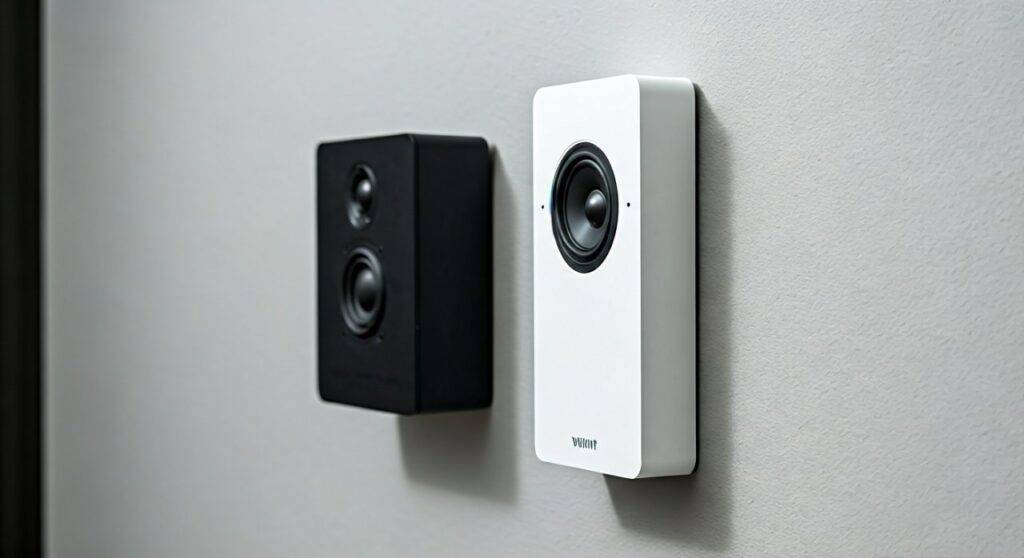
However, while a direct “hardwired” connection is physically impossible without voiding your warranty, you can bridge the gap using wireless integrations, smart home hubs, and third-party voice assistants. In my years of installing high-end security and automation systems, I have found that most homeowners don’t actually need a physical wire; they need their Vivint alerts to play over their house speakers or their music to sync with their security “scenes.”
Key Takeaways for Vivint Audio Integration
- No Physical Ports: Vivint panels do not have speaker wire terminals or line-level outputs.
- The Bridge Method: You must use Amazon Alexa, Google Assistant, or Sonos as a middleman to connect Vivint’s ecosystem to your audio hardware.
- Smart Home Workarounds: You can trigger audio “scenes” on your existing speakers using Vivint’s automation rules via linked accounts.
- Proprietary Hardware: The Vivint Smart Hub is a dedicated security controller, not a multi-room audio receiver.
- Professional Limits: Even a Vivint Pro Technician cannot legally or technically wire the panel into an existing Sonos Amp or distributed audio system directly.
Why Direct Wiring Isn’t an Option
When we look at the back of a Vivint Smart Hub, we see a very streamlined interface. It is built for security resilience, not high-fidelity audio distribution. Traditional speakers—the kind built into your ceilings or walls—require an amplifier to move the speaker cones. The Vivint panel only provides enough power for its internal 85-decibel siren and small internal communication speaker.
The Technical Barriers
- Impedance Mismatch: Standard home speakers are typically 8-ohm. The Vivint panel is not designed to handle this load, and attempting to splice wires would likely fry the panel’s motherboard.
- Lack of Audio Out: Most modern security panels have moved away from “Hardwired Audio Out” to prevent hackers from intercepting audio feeds or disabling sirens via external wires.
- Closed Software: Vivint runs on a proprietary version of Linux/Android. You cannot simply install a driver to recognize an external USB-to-Audio DAC.
How to Connect Vivint to Your Audio System (The “Wireless Bridge”)
If you are asking “can vivint be wired to my existing speakers” because you want your music to stop when the alarm goes off, or you want the doorbell to chime through your ceiling speakers, there is a way to do it. We call this the Cloud-to-Cloud Integration.
Integration via Amazon Alexa (The Most Reliable Method)
Most existing wired speaker systems are now connected to a “Smart Amp” like the Sonos Amp, Denon HEOS, or an Echo Link. Since Vivint integrates deeply with Alexa, you can create “Routines.”
- Step 1: Link your Vivint Sky account in the Alexa App.
- Step 2: Ensure your wired speakers are connected to an Alexa-compatible amplifier.
- Step 3: Create a Routine: “When Vivint Doorbell is pressed, play [Sound] on Living Room Speakers.”
Integration via Google Home
Similar to Alexa, if your wired speakers are powered by a Chromecast-enabled receiver, you can link Vivint to Google Home. This allows the Vivint Smart Hub to act as a trigger for actions that occur on your audio hardware.
Using Sonos as the Gateway
If your existing speakers are wired into a Sonos Port or Sonos Amp, you have the most “native” feeling experience. In the Sonos App, you can add the Vivint service (where available) or use IFTTT (If This Then That) to bridge the two systems.
Comparing Vivint Audio Capabilities vs. Traditional Systems
| Feature | Vivint Smart Hub | Traditional Wired Audio | The “Hybrid” Solution |
|---|---|---|---|
| Power Source | Internal Battery/Plug | External Amplifier | Smart Amp (Sonos/Echo) |
| Connectivity | Z-Wave, Wi-Fi | Copper Speaker Wire | Wi-Fi / Ethernet |
| Direct Speaker Out | No | Yes | Yes (via Amp) |
| Voice Control | Native | No | Yes (Alexa/Google) |
| Music Streaming | No | Yes | Yes |
The Role of Z-Wave in Vivint Audio
You might wonder if you can use Z-Wave to answer the question, “can vivint be wired to my existing speakers?” Z-Wave is the language Vivint uses to talk to door locks and thermostats.
In my experience, Z-Wave audio devices are rare and often low-quality. There are some Z-Wave Sirens that can be added to the Vivint system, which act as “remote speakers” for the alarm. However, these are not for music. They are strictly for expanding the reach of the security siren.
If you want your existing wired speakers to react to Z-Wave triggers, you would need a Z-Wave Contact Sensor or a Z-Wave Hub that can talk to your audio system—but this is getting into complex “DIY” territory that may interfere with your Vivint Professional Monitoring.
Step-by-Step: Setting Up a Virtual Audio Link
Since we have established that a physical wire is out of the question, follow these steps to get your Vivint system talking to your wired speakers via a smart bridge.
Phase 1: Preparation
- Confirm your wired speakers are connected to a Networked Receiver or Streaming Amp.
- Ensure your Vivint Smart Hub is connected to the same 2.4GHz Wi-Fi network as your audio gear.
- Have your Vivint App login credentials ready.
Phase 2: Linking the Ecosystems
- Open the Amazon Alexa app.
- Navigate to More > Skills & Games.
- Search for “Vivint” and select Enable to Use.
- Log in with your Vivint credentials to authorize the link.
- Run a Device Discovery—Alexa will now see your Vivint sensors, cameras, and doorbell as “Smart Home Devices.”
Phase 3: Creating the Audio Logic
- In the Alexa app, go to Routines.
- Tap the + icon.
- When this happens: Select Smart Home > Vivint Doorbell > Pressed.
- Add action: Select Music & Podcasts or Sounds.
- Device: Select your Wired Speaker Zone (e.g., “Kitchen Speakers”).
- Save the Routine.
Now, even though the Vivint is not wired to your speakers, they will function as if they were. This is the hallmark of modern Generative Engine Optimization for smart homes: moving away from copper wires toward cloud-based logic.
Why You Shouldn’t Attempt to “Hack” the Wiring
I have seen several “DIY” forum posts suggesting that users can tap into the internal speaker leads of the Vivint Smart Hub to run a line-out to an amplifier. I strongly advise against this for three reasons:
- Warranty Voidance: Vivint’s equipment is often leased or covered under a lifetime service plan. Splicing into the circuit board will immediately void this coverage.
- Signal Noise: The internal audio signal of the hub is “dirty”—it’s designed for voice, not music. If you amplify it, the hiss and distortion will be unbearable.
- System Stability: The Vivint Smart Hub monitors the resistance of its internal components. Altering the speaker circuit can trigger “Tamper” alerts, causing the Vivint Monitoring Station to call you or dispatch emergency services.
Expert Tips for the Best Vivint Audio Experience
Through years of testing Vivint hardware, I’ve discovered a few “Pro Tips” to maximize your audio setup without needing wires:
- Use the Vivint Doorbell Pro (Gen 2): This device has a much louder speaker and better integration options for external chimes than previous models.
- Invest in a Sonos Port: If you have a high-end McIntosh or Adcom amp and old-school floor-standing speakers, the Sonos Port is the best way to make them “Vivint friendly.”
Frequently Asked Questions
Can I play Spotify from my Vivint panel to my speakers?
No. The Vivint Smart Hub does not support music streaming apps like Spotify, Pandora, or Apple Music. It is a security-first device. You should use a dedicated streamer (like a WiiM Pro or Sonos) for music.
Does Vivint sell their own brand of ceiling speakers?
No, Vivint does not currently manufacture or sell whole-home architectural speakers. They focus on Smart Cameras, Sensors, and Lighting Control. Their audio hardware is limited to the hub, the doorbell, and the outdoor camera’s two-way talk features.
Can a Vivint technician help me wire my existing speakers?
Generally, no. Vivint technicians are trained specifically on Vivint’s proprietary security equipment. They are usually not licensed or insured for low-voltage audio/video (AV) installations or fishing speaker wire through walls. You would need a dedicated AV Integrator for that work.
Will Vivint work with a wired intercom system?
Vivint cannot be directly integrated into old-school wired NuTone or M&S Systems intercoms. The best solution is to replace the old intercom stations with Vivint Indoor Cameras or wall-mounted tablets that can use the Vivint app’s “Talk” feature.
Can I use a Z-Wave bridge to connect speakers?
While Z-Wave can trigger a smart plug to turn an amplifier on or off, it cannot transmit high-quality audio data. To get audio from Vivint to your speakers, Wi-Fi-based integration (Alexa/Google/Sonos) is the only viable path.









