Can You Add Speakers to Kuryakyn Road Thunder Systems?
Yes, you absolutely can add speakers to Kuryakyn Road Thunder systems, but the process depends heavily on the specific soundbar model you own. The most direct method is using the 3.5mm auxiliary output port found on the Kuryakyn Road Thunder Sound Bar Plus to daisy-chain additional amplified speaker pods. If you have the standard base model without an output port, you will need to use a Bluetooth audio splitter or a hardwired Y-splitter cable from your primary audio source.
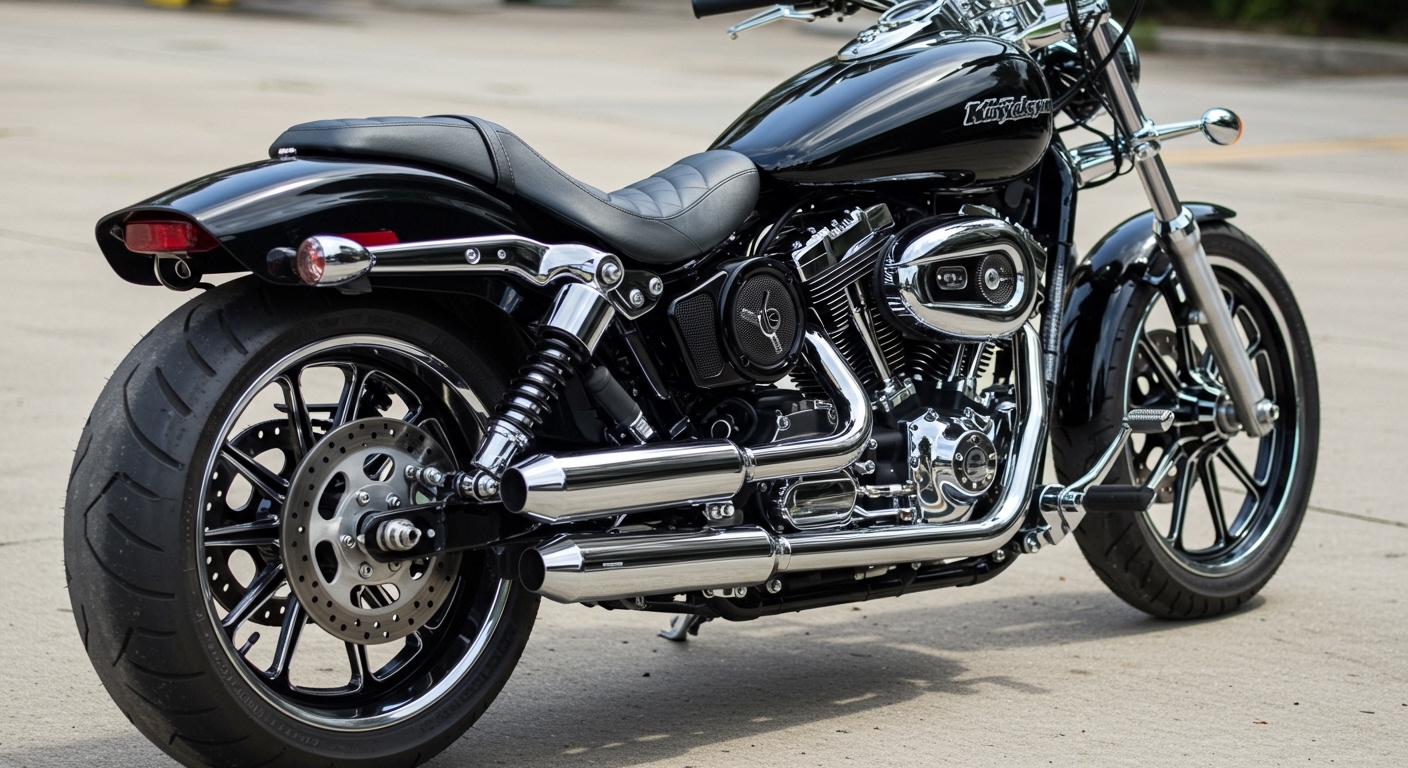
When you hit highway speeds, wind and engine noise can easily drown out a single motorcycle soundbar. I have spent years wiring custom audio systems on cruisers and touring bikes, and upgrading your setup is the best way to cut through that noise. By connecting secondary speakers to your primary MTX-powered bar, you create a much richer, immersive audio experience.
In this comprehensive guide, we will walk through exactly how to expand your motorcycle audio system safely and effectively.
TL;DR / Key Takeaways
- Identify your model: The Sound Bar Plus features a dedicated 3.5mm audio-out port, making expansion incredibly simple.
- Amplified speakers are required: The auxiliary output sends a low-level signal, so any added speakers must have their own built-in amplifier.
- Standard models need workarounds: Base models require source-level splitting (like a dual Bluetooth hub) since they lack output ports.
- Power management is critical: Adding components drains your battery faster; always use inline fuses and consider a dedicated relay harness.
- Weatherproofing matters: Ensure all extra wiring and connections are wrapped in dielectric grease and heat-shrink tubing to survive the elements.
Understanding How You Can Add Speakers to Kuryakyn Road Thunder Sound Bars
Before cutting wires or buying new audio gear, you must understand the architecture of your current setup. The Kuryakyn Road Thunder by MTX Audio lineup is incredibly popular, but not all units are designed for easy expansion.
The most common question I get in the shop is whether these units can power extra speakers. The short answer is no; the internal amplifier is perfectly matched to the soundbar’s internal speakers. You cannot wire passive speakers directly to the unit. You must use the low-level signal output to send music to secondary, self-powered speakers.
Comparing Kuryakyn Sound Bar Expandability
To determine how easily you can add speakers to your setup, check your model against this quick reference table:
| Soundbar Model | Internal Peak Power | 3.5mm Aux Output? | Best Expansion Method | Requires Amplified Pods? |
|---|---|---|---|---|
| Road Thunder Standard | 150 Watts | No | Bluetooth Source Splitter | Yes |
| Road Thunder Plus | 300 Watts | Yes | Direct Aux Daisy-Chain | Yes |
| Speaker Pods (Standalone) | 100 Watts | No | Combine with Plus Model | N/A |
Essential Tools and Materials for the Upgrade
To ensure a clean, professional, and rattle-free installation, you need the right tools. Do not attempt this install with just electrical tape and a pocket knife. Doing so risks shorting out your motorcycle’s electrical system.
Here is the checklist of tools and parts I use for every motorcycle audio upgrade:
- Amplified Speaker Pods: (e.g., Kuryakyn Road Thunder Speaker Pods by MTX).
- 3.5mm Auxiliary Audio Cable: Get a heavy-duty, shielded cable to prevent engine interference.
- Wiring Kit: 12-14 gauge power and ground wire, ring terminals, and butt connectors.
- Inline Fuse Holder: Crucial for protecting your battery (usually a 10A or 15A fuse).
- Dielectric Grease & Heat Shrink Tubing: Essential for waterproofing connections.
- Zip Ties and Wire Loom: To secure cables tightly against the motorcycle frame.
- Basic Hand Tools: Metric Allen wrenches, a socket set (for battery access), and wire strippers.
Step-by-Step Guide: Can You Add Speakers to Kuryakyn Road Thunder Setups?
This guide assumes you are pairing the Kuryakyn Road Thunder Sound Bar Plus with a set of Kuryakyn Amplified Speaker Pods. This is the most popular and reliable combination I install for clients.
If you are using a different brand of amplified speakers, the physical mounting might differ, but the electrical and audio routing will remain exactly the same.
Step 1: Locate and Prep the Audio Output
First, locate the output port on your primary soundbar. On the Sound Bar Plus, you will find a weather-resistant cap covering a series of ports on the side or rear of the unit.
Remove the rubber cap and locate the 3.5mm Output Port. It is vital to ensure this port is free of dust or debris before plugging anything in. I always recommend applying a tiny dab of dielectric grease to the rim of the plug to keep moisture out once connected.
Step 2: Mount the Additional Speaker Pods
Positioning is everything when it comes to motorcycle audio. You want the secondary speakers to complement, not fight, the primary soundbar. Most riders mount the soundbar on the center of the handlebars.
For the speaker pods, I recommend mounting them on the engine guards (crash bars) or the lower handlebar risers. Use the provided mounting clamps and ensure you use the correct rubber shims. Tighten the bolts securely with an Allen wrench, as motorcycle vibrations will quickly loosen poorly mounted gear.
Step 3: Route the Audio Signal Cable
Now you need to link the soundbar to the new speakers. Plug your shielded 3.5mm auxiliary cable into the output port of the soundbar. Route the other end to the input port on the new amplified speaker pods.
Keep this signal wire away from the engine coils, spark plug wires, and the main wiring harness if possible. High-voltage components can introduce an annoying “whining” noise into your audio system, known as alternator whine. Use zip ties to secure the cable tightly to the frame.
Step 4: Access the Motorcycle Battery
Because your new speakers are amplified, they need their own power source. You cannot tap into the soundbar’s power wire, as this will overload the circuit and blow a fuse. You must run a fresh power line back to the battery.
Remove your motorcycle seat to access the battery compartment. Disconnect the negative (black) terminal first, followed by the positive (red) terminal. This prevents accidental sparks or shorts while you are routing the new wires.
Step 5: Route the Power and Ground Wiring
Connect a dedicated ground wire from your new speaker pods to a solid metal chassis point, or run it directly back to the battery’s negative terminal. Running it to the battery generally provides the cleanest audio signal with the least amount of ground-loop interference.
Run the positive power wire from the speakers, under the gas tank, and back toward the battery. Always encase this wire in a protective plastic wire loom to prevent the engine heat from melting the insulation. Secure the loom with zip ties every few inches.
Step 6: Install the Inline Fuse and Relay (Crucial Step)
Never wire an amplifier directly to the battery without a fuse. Install an inline fuse holder on the red power wire, no more than six inches away from the positive battery terminal. Do not insert the fuse yet.
If your secondary speakers do not have an auto-turn-on feature, you should wire a 12V automotive relay into the circuit. Connect the relay’s trigger wire to an accessory power source (like a taillight or ignition wire). This ensures the speakers only draw power when the bike’s ignition is turned on, preventing a dead battery.
Step 7: Finalize Connections and Test
Reconnect the positive terminal to the battery, including your new speaker power wire. Then, reconnect the negative terminal. Finally, insert the fuse into the inline holder.
Turn on the motorcycle’s ignition. Pair your phone to the primary Road Thunder Sound Bar via Bluetooth. Play a track with a good mix of bass and treble. You should hear synchronized audio coming from both the main soundbar and your newly installed speaker pods.
Alternate Method: Adding Speakers When You Don’t Have an Aux Output
If you own the standard Kuryakyn Road Thunder model, you will notice there is no output port. This makes the question—can you add speakers to kuryakyn road thunder—a bit more complicated, but still entirely possible.
Because you cannot daisy-chain the hardware, you must split the audio signal before it reaches the speakers. Here are the two best workarounds.
The Bluetooth Hub Splitter Method
The cleanest way to send music to two separate Bluetooth devices simultaneously is by using a dual-audio Bluetooth transmitter. Many modern smartphones (like newer Samsung Galaxy models with “Dual Audio” features) can stream to two Bluetooth devices at once natively.
If your phone lacks this feature, you can purchase a 12V motorcycle-ready Bluetooth Hub. Your phone pairs to the hub, and the hub sends a wireless signal to both the soundbar and the secondary speaker pods. This keeps your handlebars entirely free of auxiliary cables.
The Hardwired Y-Splitter Method
If you prefer a wired connection, you can bypass Bluetooth entirely. Mount your smartphone on a secure handlebar mount. Run a 3.5mm Y-splitter cable from your phone’s headphone jack (or lightning/USB-C adapter).
Run one side of the split cable to the auxiliary input on the standard soundbar, and the other side to the auxiliary input of your new amplified speakers. This guarantees zero latency and perfectly synchronized audio, though it does add visible wire clutter to your dash.
Pro Tips from First-Hand Experience: Maximizing Your Motorcycle Audio
Wiring the speakers is only half the battle. Making them sound incredible at 70 MPH requires a bit of tuning and strategic placement. Based on my experience tuning baggers and cruisers, here is how you get the most out of your upgraded system.
Manage Your Gain Settings Carefully
If your secondary amplified speakers feature adjustable gain dials, do not immediately crank them to the maximum setting. This introduces severe distortion, known as clipping, which will permanently blow the speaker cones. Turn your smartphone volume to about 80%, and slowly turn up the speaker gain until the music is loud but crystal clear.
Use High-Quality Audio Files
When streaming over Bluetooth to a multi-speaker setup, audio compression becomes very obvious. Spotify’s standard settings often sound muddy over engine noise. Go into