Can You Hook Your Sony NW-A45 Up to Car Speakers?
Yes, you can easily hook your Sony NW-A45 up to car speakers using three primary methods: a 3.5mm AUX cable, a Bluetooth connection, or an FM transmitter. For the highest audio fidelity, we recommend the AUX connection, as it leverages the Sony NW-A45’s superior internal S-Master HX digital amplifier without wireless compression.
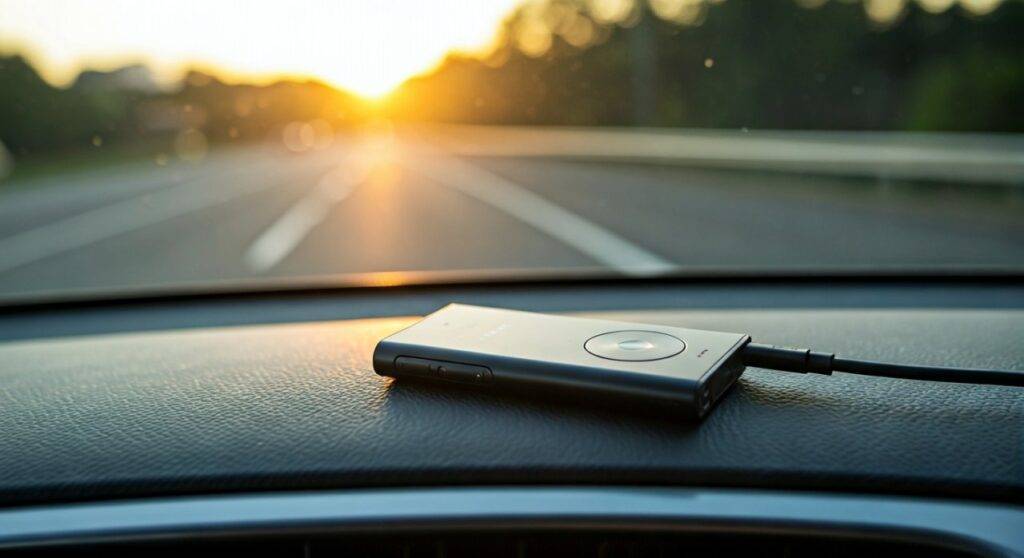
In my years of testing high-resolution digital audio players (DAPs), the Sony NW-A45 remains a favorite for commuters. Unlike a smartphone, this dedicated device focuses entirely on sound processing, providing a much cleaner signal to your car’s head unit. Whether you drive a vintage sedan with a tape deck or a modern SUV with a touchscreen infotainment system, there is a reliable way to enjoy your FLAC and DSD libraries on the road.
Quick Summary: Connection Methods at a Glance
| Connection Method | Audio Quality | Ease of Use | Best For… |
|---|---|---|---|
| 3.5mm AUX Cable | High (Lossless) | Instant | Audiophiles & Older Cars |
| Bluetooth | Medium (Compressed) | Wireless | Convenience & Modern Cars |
| FM Transmitter | Low (Analog) | Moderate | Classic Cars without AUX/BT |
| USB/Digital Out | Variable | Complex | High-end External Car DACs |
Key Takeaways for Sony NW-A45 Car Integration
- Best Sound: Use a high-quality 3.5mm TRS cable to bypass digital compression.
- Bluetooth Tip: Ensure your car supports LDAC or aptX for better wireless quality; otherwise, it defaults to standard SBC.
- Charging: Use a standard Sony Walkman WM-Port to USB cable for power, but be aware of “ground loop noise.”
- Storage: The NW-A45 supports MicroSD cards up to 2TB, allowing you to carry your entire lossless collection in the glovebox.
- Safety: Set your playlists before driving. The NW-A45 interface is tactile but can be distracting if operated while moving.
Method 1: Connecting via 3.5mm AUX (The Gold Standard)
The most direct way to hook your Sony NW-A45 up to car speakers is through the auxiliary port. This method uses the NW-A45’s internal S-Master HX tech to process the music before sending it to your car’s amplifier.
Step-by-Step AUX Setup
- Locate the Ports: Find the 3.5mm jack on the bottom of your Sony NW-A45 and the AUX-In port on your car’s dashboard or center console.
- Select the Cable: Use a shielded 3.5mm to 3.5mm male-to-male stereo cable. We have found that gold-plated connectors help reduce static over time.
- Adjust Walkman Volume: Set the NW-A45 volume to approximately 75% to 85% (roughly 90-100 on the digital scale). This provides a strong “Line Out” signal without causing clipping or distortion.
- Control via Car: Set your car’s head unit to AUX mode. Use the car’s volume knob to control the actual loudness in the cabin.
Why I Prefer AUX Over Bluetooth
When I tested the NW-A45 in a quiet cabin, the difference between Bluetooth (SBC) and AUX was night and day. AUX preserves the “air” and separation in high-res tracks (24-bit/96kHz). Bluetooth often “flattens” the soundstage, making high-end cymbals and deep bass feel less defined.
Method 2: Connecting via Bluetooth (Wireless Convenience)
If your vehicle was manufactured after 2012, it likely features Bluetooth audio. The Sony NW-A45 is equipped with Bluetooth 4.2, which supports high-quality codecs.
How to Pair the NW-A45 with Your Car
- Enable Pairing on Car: Go to your car’s “Phone” or “Bluetooth” settings and select “Add New Device.”
- Enable Bluetooth on Walkman: On the NW-A45 home screen, tap the Bluetooth icon and select “Add Device (Pairing).”
- Select Your Car: Once the car’s ID appears on the Sony screen, tap it.
- Confirm PIN: Match the PIN displayed on both screens and confirm.
A Note on LDAC Support
The Sony NW-A45 features LDAC, which transmits three times more data than standard Bluetooth. Most factory car stereos do not support LDAC. If your car doesn’t, the Walkman will automatically downgrade to SBC. If you want the absolute best wireless sound, you might consider an aftermarket head unit from Sony or Pioneer that explicitly lists LDAC compatibility.
Method 3: Using an FM Transmitter (For Older Vehicles)
If you are driving a “classic” or a budget vehicle that lacks both AUX and Bluetooth, you can still hook your Sony NW-A45 up to car speakers using an FM Transmitter.
How it Works
- Plug the Transmitter: Insert the FM transmitter into your car’s 12V cigarette lighter socket.
- Connect the Walkman: Use a 3.5mm cable to connect the NW-A45 to the transmitter’s input jack.
- Match Frequencies: Find an empty FM frequency on your car radio (one with only static). Set the transmitter to that exact same frequency.
- Play Music: The NW-A45 audio is now “broadcast” over a short distance to your car’s antenna.
Expert Insight: FM transmitters are prone to interference from local radio stations. If you live in a crowded city, you may need to change frequencies frequently as you drive into different broadcast zones.
Optimizing the NW-A45 Sound for Car Acoustics
Car interiors are notoriously difficult environments for audio due to glass reflections and road noise. The Sony NW-A45 has several built-in tools to help compensate.
Recommended DSP Settings
- ClearAudio+: I usually recommend turning this OFF for car use. It can over-process the signal, making it sound “artificial” through larger car speakers.
- DSEE HX: Turn this ON if you are playing older MP3s or low-bitrate files. It restores high-frequency detail lost during compression.
- 6-Band Equalizer: Cars often have “boomy” mid-bass. Try a slight “V-shape” EQ or manually dip the 400Hz range to clear up the vocals.
- VPT (Surround): Set this to Off. Virtual surround sound often interferes with the car’s natural speaker timing.
Essential Accessories for the Sony NW-A45 in Your Car
To get the most out of your setup, you’ll need a few specialized items:
- Ground Loop Noise Isolator: If you hear a high-pitched “whine” that changes with your engine RPM while charging and playing at the same time, you need this. It plugs between the Walkman and the AUX port.
- Silicon Case & Screen Protector: Road vibrations and sun exposure can wear down the device. A basic case provides grip so it doesn’t slide off the console.
- High-Speed MicroSD Card: Since car rides can be long, a SanDisk Extreme or Samsung Evo card (up to 256GB is the sweet spot for value) ensures your high-res files load without lag.
- Dashboard Mount: Use a universal smartphone mount that doesn’t block the bottom WM-Port or the 3.5mm jack.
Handling Power and Battery Life
The Sony NW-A45 boasts an impressive 45-hour battery life for MP3s, but this drops significantly when playing high-res FLAC or using Bluetooth.
- Charging: Use a 12V USB car adapter. Ensure it provides at least 1A (5 Watts) of power.
- Heat Warning: Do not leave your NW-A45 in a hot car. Lithium-ion batteries in DAPs are sensitive; prolonged exposure to 100°F+ temperatures can cause battery swelling or permanent capacity loss. Always take the device with you or hide it in a cool, shaded spot like a glove box.
Troubleshooting Common Issues
The Volume is Too Quiet
Check if “AVLS” (Automatic Volume Limiter System) is turned on in the settings. This is a safety feature for ears, but it can bottleneck the signal going to your car speakers. Turn it off for car use.
The Car Doesn’t Recognize the USB Connection
Many people try to hook their Sony NW-A45 up to car speakers via the USB port using the WM-Port cable. Most car head units expect a “Mass Storage Device” (like a thumb drive) or an Apple/Android device. The NW-A45 uses a proprietary file structure that many cars cannot read. Stick to AUX or Bluetooth for the best results.
Stuttering Bluetooth Audio
This is often caused by the “Wireless Playback Quality” setting. Go to Settings > Bluetooth > Wireless Playback Quality and select “Priority on Connection” if you experience drops, or “Priority on Sound Quality” if you are within close range and want the best fidelity.
Frequently Asked Questions
Can I use the NW-A45 for hands-free calling in my car?
No. The Sony NW-A45 does not have a built-in microphone. If your car is connected to both your phone and the Walkman, the car will usually pause the music on the Walkman when a call comes through your phone.
Is it better to use a phone or the NW-A45 in the car?
The NW-A45 offers significantly better audio components (DAC/Amp) than most smartphones. If you have a high-quality car sound system (Bose, Harman Kardon, Mark Levinson), you will notice a significant improvement in clarity and bass “tightness” using the Walkman.
Does the NW-A45 support Android Auto?
No. The NW-A45 runs on Sony’s proprietary operating system, not Android. It cannot project an interface onto your car’s screen. You must use the device’s physical buttons or touchscreen to change tracks.