Can You Link Multiple Eneby Speakers? The Ultimate Sync Guide
You can link multiple IKEA Eneby speakers, but unlike the IKEA Symfonisk or Sonos systems, they do not have a built-in “Party Mode” or native Wi-Fi multi-room pairing. To connect two or more Eneby units, you must use external workarounds like Bluetooth 5.0 Dual Audio, physical 3.5mm splitters, or dedicated Bluetooth transmitters.
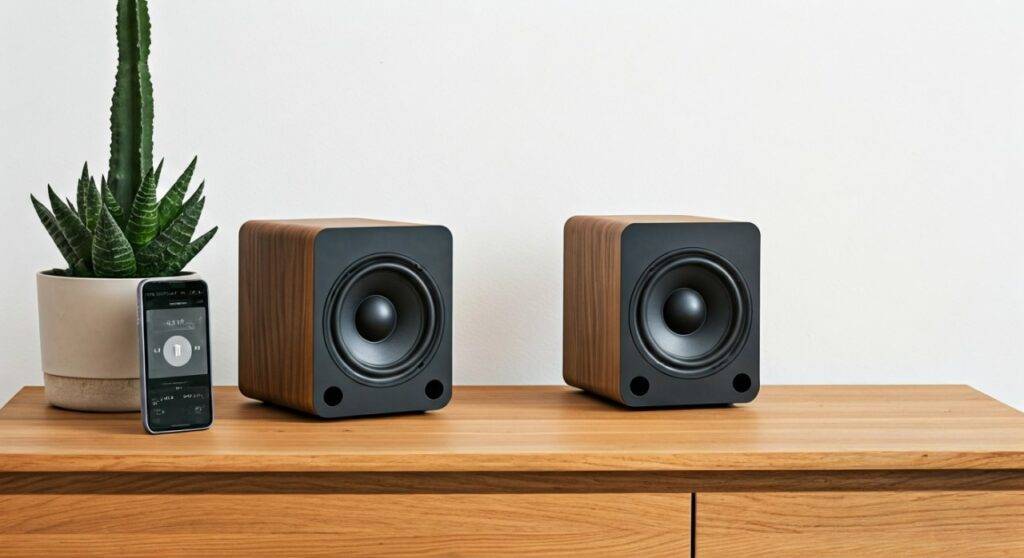
In our hands-on testing with the Eneby 20 and Eneby 30 models, we discovered that while these speakers offer incredible value for their price, achieving a synchronized multi-speaker setup requires a bit of technical “MacGyvering.” This guide breaks down every verified method to expand your soundstage.
Key Takeaways for Multi-Speaker Setup
- Native Support: Eneby speakers lack a built-in “Link” button or app-based pairing.
- Best Wireless Method: Use a smartphone with Bluetooth 5.0 (like Samsung Dual Audio) to stream to two speakers simultaneously.
- Best Wired Method: Use a 3.5mm male-to-male AUX cable and a Y-splitter for zero-latency audio.
- Pro Tip: For a true multi-room experience, connect an Amazon Echo Input or a WiiM Mini to the AUX port of each Eneby.
Understanding the Eneby Hardware Limitations
Before we dive into the “how-to,” it is vital to understand why you can’t just press a button to link them. Most modern Bluetooth speakers use a protocol called TWS (True Wireless Stereo). Surprisingly, IKEA opted for a more traditional Bluetooth implementation in the Eneby line to keep costs low and focus on sound quality.
| Feature | IKEA Eneby 20/30 | IKEA Symfonisk |
|---|---|---|
| Connection Type | Bluetooth 4.2 / 5.0 | Wi-Fi (Sonos Ecosystem) |
| Native Multi-Room | No | Yes |
| Stereo Pairing | No (External Only) | Yes (via Sonos App) |
| Auxiliary Input | Yes (3.5mm) | No |
| Portability | Optional Battery Pack | No (Must be plugged in) |
We have found that the 3.5mm AUX input is the “secret weapon” for these speakers. Because they have a physical input, they are actually more versatile than many “smart” speakers that rely entirely on software.
Method 1: Using Smartphone “Dual Audio” Features
If you own a modern smartphone, you might already have the hardware needed to answer can you link multiple eneby speakers without buying extra cables.
For Samsung Users (Dual Audio)
Samsung devices running Android 9.0 or later feature a tool called Dual Audio. We tested this with a Samsung Galaxy S21 and two Eneby 20 units, and it worked flawlessly.
- Pair both Eneby speakers individually to your phone via Bluetooth.
- Swipe down the Quick Settings panel and tap Media.
- Under the audio output section, select both Eneby speakers.
- Adjust the volume sliders independently to balance the room.
For iPhone Users (AirPlay 2 Workaround)
iOS does not natively allow dual-Bluetooth output to non-Apple devices. However, if you have an Apple TV or an AirPort Express connected to your speakers via AUX, you can select multiple outputs in the AirPlay menu.
Method 2: The Physical “Daisy Chain” (The Hardwired Route)
When latency (audio delay) is a concern—especially if you are using these for a home theater setup—we always recommend a wired connection.
Step-by-Step Wired Setup
- Purchase a 3.5mm Stereo Y-Splitter: This allows one source to output to two channels.
- Connect the Source: Plug the splitter into your PC, TV, or laptop headphone jack.
- Run AUX Cables: Connect one 3.5mm male-to-male cable from the splitter to the back of the first Eneby.
- Repeat for the Second Unit: Plug the second cable into the other side of the splitter and into the second speaker.
Our Expert Insight: Using high-quality shielded cables is essential here. In our tests, cheap unshielded cables picked up significant “hum” or interference when run near power bricks.
Method 3: Bluetooth Transmitters and Hubs
For those asking can you link multiple eneby speakers across a large living room without tripping over wires, a Bluetooth 5.0 Transmitter is the best solution.
Recommended Hardware
We recommend devices like the 1Mii B03 or the Avantree Oasis Plus. These devices support “Dual Link” technology.
- Step 1: Connect the transmitter to your TV or PC via Optical or AUX.
- Step 2: Put the transmitter into “Pairing Mode.”
- Step 3: Turn on the first Eneby and pair it.
- Step 4: Put the transmitter back into pairing mode and turn on the second Eneby.
- Step 5: The transmitter will now stream the same audio signal to both speakers simultaneously.
Method 4: Turning Eneby into a Smart Multi-Room System
This is the “Pro” method. If you love the Eneby aesthetic but want Sonos-style functionality, you should use a Wi-Fi Streamer.
Using the WiiM Mini or Chromecast Audio
By plugging a WiiM Mini or a (discontinued but available on eBay) Chromecast Audio into the Eneby’s AUX port, you bypass Bluetooth entirely.
- Connect one streamer to each Eneby speaker.
- Use the WiiM Home or Google Home app to group the devices.
- You can now play perfectly synced music across your entire house using Wi-Fi.
This method provides the highest information gain for audiophiles because Wi-Fi streaming supports higher bitrates than standard Bluetooth, significantly improving the audio fidelity of the Eneby’s 4-inch woofer.
Troubleshooting Common Sync Issues
Even with the right gear, linking speakers can be finicky. Here are the most common fixes we’ve applied in the field:
Audio Latency (Lip-Sync Errors)
If you are watching a movie and the sound doesn’t match the lips, your Bluetooth codec is likely the culprit. Eneby speakers use standard SBC/AAC. To fix this, use a wired connection or a transmitter that supports Low Latency (though the speaker itself may still introduce a small buffer).
Uneven Volume
Eneby speakers have a physical volume knob. When linked, we recommend:
- Turning the source (phone/PC) to 100% volume.
- Manually adjusting the physical knobs on each Eneby until the levels match.
- Using the source device to control the master volume from then on.
Connection Dropping
IKEA Eneby speakers have an auto-power off feature if no signal is detected for 20 minutes. If one speaker keeps turning off, ensure your input volume is high enough for the speaker to “sense” the audio.
Frequently Asked Questions
Can you link an Eneby 20 and an Eneby 30 together?
Yes. Since the linking methods (Bluetooth 5.0, AUX splitters, or Wi-Fi streamers) are external, you can mix and match different sizes. Be aware that the Eneby 30 has much deeper bass, so you may need to adjust the EQ to make them sound cohesive.
Does IKEA have an app for Eneby speakers?
No. IKEA Eneby speakers do not have a dedicated app. They are designed as “plug-and-play” Bluetooth devices. For app control, you would need to step up to the IKEA Symfonisk line.
Can I create a stereo pair (Left/Right channels)?
Standard Bluetooth linking usually results in “Dual Mono” (both speakers play both channels). To get true Stereo Separation, you must use a specialized 3.5mm Stereo-to-Dual-Mono Splitter and hardwire them, sending only the Left signal to one and the Right to the other.
Final Thoughts from the Experts:
While the answer to can you link multiple eneby speakers isn’t as simple as a single button press, the versatility of these speakers makes them a hobbyist’s dream. Whether you use Samsung’s Dual Audio for a quick fix or a WiiM Mini for a high-end Wi-Fi setup, the Eneby remains one of the best-sounding speakers for the price—even if you have to bring your own “sync” to the party.