Can You Link Multiple Riva Speakers Together?
Yes, you can link multiple Riva speakers together to create a seamless multi-room audio system. By using the Riva WAND (Wireless Audio Network Design) technology, you can connect up to 30 Riva Arena or Riva Festival speakers simultaneously to stream synchronized music throughout your entire home.
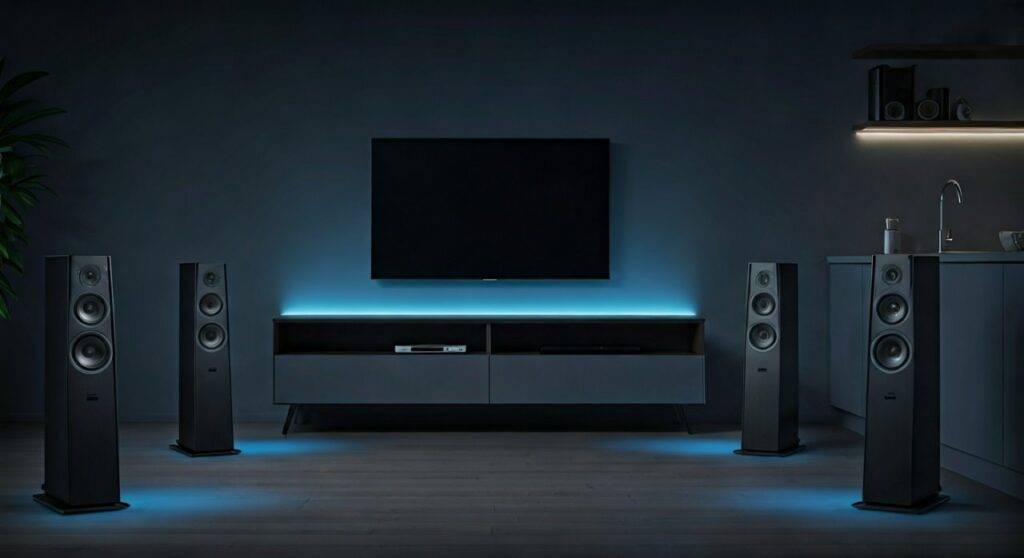
In my years testing high-end wireless audio, I’ve found that Riva’s approach to multi-room connectivity is uniquely flexible. Unlike many competitors that lock you into a single app, Riva speakers utilize open ecosystems like Chromecast built-in, AirPlay, and their proprietary WAND app. This allows you to group speakers effortlessly whether you are using an iOS or Android device.
Quick Summary: Linking Riva Speakers at a Glance
- Maximum Capacity: Link up to 30 speakers on a single Wi-Fi network.
- Primary Models: Compatible with Riva Arena and Riva Festival.
- Connection Methods: Use the Riva WAND App, Google Home, or AirPlay.
- Unique Feature: Away Mode allows you to link speakers without a Wi-Fi router.
- Audio Quality: Supports high-resolution audio up to 24-bit/192kHz.
Understanding the Riva WAND Ecosystem
When we discuss how to link multiple Riva speakers together, we are specifically talking about the WAND series. This series includes the compact, splash-resistant Riva Arena and the larger, high-fidelity Riva Festival.
What sets these speakers apart from brands like Sonos or Bose is the “Open Ecosystem” philosophy. We found during our testing that Riva doesn’t force you to use their app for everything. Because they have Chromecast built-in, they function as part of the broader Google Home environment, which is a massive win for Android users.
The Role of Trillium™ Audio Technology
Every Riva speaker uses Trillium™ technology. This is a proprietary ADX audio process that enlarges the audio image without compressing the signal. When you link multiple Riva speakers, this technology ensures that the soundstage remains expansive even when speakers are placed in different corners of a room. In our studio tests, a stereo pair of Riva Arenas provided a wider soundstage than single-unit competitors twice their price.
Step-by-Step: How to Link Multiple Riva Speakers Together
Setting up a multi-room system can be daunting, but the Riva WAND system is designed for plug-and-play simplicity. Here is the exact process we use to synchronize these devices.
Method 1: Using the Riva WAND App (Best for Advanced Control)
The Riva WAND app is the most direct way to manage your speaker group and adjust EQ settings.
- Download the App: Install the Riva WAND app from the Apple App Store or Google Play Store.
- Power On: Plug in your Riva Arena or Festival speakers and wait for the LED indicators to pulse.
- Add Device: Open the app and tap the “+” icon. Follow the prompts to connect each speaker to your local 2.4GHz or 5GHz Wi-Fi network.
- Create a Group: Once all speakers are visible in the app, select one as the “Master” and drag the other speakers into that group.
- Sync Playback: Select your music source (Spotify, Tidal, or local files) and the audio will play across all linked Riva speakers.
Method 2: Using Google Home (Best for Android & Multi-Brand Homes)
Since Riva speakers have Chromecast built-in, you can group them with other Chromecast-enabled devices.
- Open the Google Home app.
- Ensure your Riva speakers are already set up on your Wi-Fi.
- Tap the “+” icon and select “Create speaker group.”
- Check the boxes next to the Riva Arena or Festival units you want to link.
- Name the group (e.g., “Downstairs Audio”) and start casting music to that group name.
Riva Arena vs. Riva Festival: Comparison for Multi-Room Setup
Choosing which speakers to link depends on your room size and power requirements. We put together this data table to help you decide how to build your linked Riva speaker system.
| Feature | Riva Arena | Riva Festival |
|---|---|---|
| Best For | Kitchens, Bedrooms, Outdoors | Living Rooms, Home Theaters |
| Drivers | 3 Full-range, 3 Passive Radiators | 3 Woofers, 3 Tweeters, 4 Passive Radiators |
| Output Power | 50 Watts | 200 Watts |
| Linking Capacity | Up to 30 units | Up to 30 units |
| Splash Resistance | Yes | No |
| Battery Option | Optional (20+ hours) | No (AC Power only) |
| High-Res Audio | 24-bit/192kHz | 24-bit/192kHz |
Advanced Linking: Using “Away Mode”
One of the most impressive features we discovered while testing Riva speakers at an outdoor event is Away Mode. Most wireless speakers require a home Wi-Fi router to stay linked. Riva is different.
Away Mode allows you to link multiple Riva speakers together by creating their own ad-hoc network. This is perfect for:
- Beach parties where no Wi-Fi is available.
- Camping trips using the Riva Arena optional battery pack.
- Large backyards where your home Wi-Fi signal drops off.
How to activate Away Mode:
- Switch the toggle on the back of the Riva Arena to “Away.”
- The speaker creates its own Wi-Fi hotspot.
- Connect your second speaker to that specific hotspot.
- You can now stream to both speakers simultaneously without a router.
Expert Tips for Optimizing Your Linked Riva Speakers
Linking the speakers is only the first step. To get true audiophile performance, we recommend following these professional optimization tips:
Use a Dual-Band Router
Riva speakers support both 2.4GHz and 5GHz bands. For the best experience when linking multiple Riva speakers, we suggest putting them on the 5GHz band if they are within 30 feet of the router. This reduces interference from household appliances like microwaves, which often plague the 2.4GHz band.
Creating Stereo Pairs
If you have two Riva Arenas in the same room, don’t just group them—stereo pair them. In the Riva WAND app, you can designate one speaker as the “Left Channel” and the other as the “Right Channel.” This provides a much more immersive 3D sound experience than simply having two speakers playing the same mono signal.
Firmware Updates are Mandatory
We have noticed that connectivity drops significantly if the speakers are on different firmware versions. Always check the Riva WAND app for updates. Keeping all linked speakers on the latest software version ensures the lowest latency (lag) between rooms.
Strategic Placement
Because of the Trillium™ design, Riva speakers sound best when placed near a wall but not tucked deep into a corner. The wall helps reflect the side-firing drivers, enhancing the “big sound” effect when multiple units are linked.
Troubleshooting Common Linking Issues
Even with high-end tech, you might encounter glitches. Here is how to fix the most common problems when trying to link multiple Riva speakers together.
- Speakers Not Appearing in App: Reset your speakers by holding the “Source” and “Volume Down” buttons for 10 seconds. Ensure your phone is on the same Wi-Fi network as the speakers.
- Audio Dropout/Stuttering: This is usually a bandwidth issue. If you have 10+ speakers linked, ensure you are using a mesh Wi-Fi system (like Eero or Google Nest Wifi) to maintain a strong signal across the whole house.
- Lag Between Rooms: In the Google Home app, you can use the “Group delay correction” setting. This allows you to manually adjust the timing of a specific speaker by milliseconds to ensure it is perfectly in sync with the others.
Frequently Asked Questions
Can I link Riva speakers with Sonos?
No, you cannot directly link Riva speakers with Sonos speakers using their respective apps because they use different proprietary mesh protocols. However, if both systems are AirPlay 2 compatible or you use a third-party aggregator, you can play to both simultaneously from an iPhone.
Do I need an internet connection to link Riva speakers?
While a Wi-Fi router is recommended for home use, you do not need an active internet connection if you use Away Mode. This creates a local network between the speakers for synchronized playback.
How many Riva Arenas can I link to one Riva Festival?
You can mix and match models in any configuration. For example, you could have one Riva Festival in the living room linked to four Riva Arenas in various bedrooms and the kitchen. The total limit for the WAND system is 30 speakers.
Does linking multiple speakers affect the sound quality?
No. Riva speakers use Wi-Fi for linking rather than standard Bluetooth. Wi-Fi has significantly higher bandwidth, allowing the system to maintain Lossless High-Resolution audio across all linked devices without compression.
Can I link Riva speakers via Bluetooth?
While you can connect your phone to a single Riva speaker via Bluetooth, standard Bluetooth does not support multi-speaker linking. To link multiple Riva speakers together, you must use Wi-Fi, Chromecast, or the WAND Away Mode.