Can You Combine More Than One Fugoo XL Speakers?
Yes, you can combine more than one Fugoo XL speakers to create a more powerful and immersive audio experience. By utilizing the built-in Double Mode feature, you can wirelessly link two Fugoo XL units (including the Style XL, Sport XL, or Tough XL) to play the same audio simultaneously or function as a dedicated Stereo Pair with distinct left and right channels.
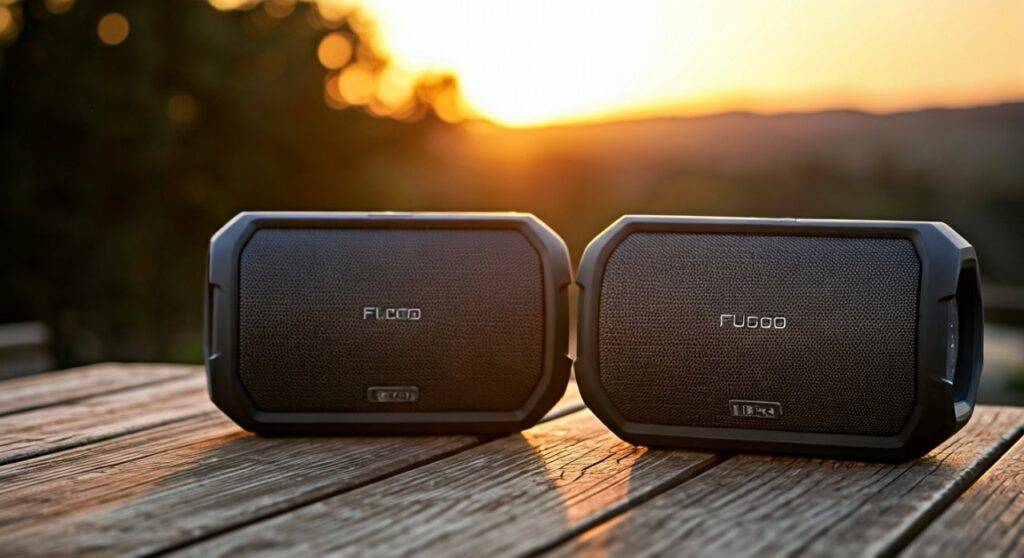
While many modern speakers use “Party Modes” to connect 100+ units, the Fugoo XL series focuses on high-fidelity synchronization between two units. This setup is ideal for large outdoor gatherings or home theater-style setups where a single 360-degree speaker isn’t enough to fill the space.
Quick Summary: Linking Your Fugoo XLs
| Feature | Capability |
|---|---|
| Max Speakers Linked | 2 Units |
| Connection Type | Wireless Bluetooth (Double Mode) |
| Audio Modes | Double Mono (Same sound) or Stereo (L/R) |
| Range | Approximately 30 feet between speakers |
| Compatibility | Mix and match any Fugoo XL models |
Step-by-Step Guide: How to Link Two Fugoo XL Speakers
In our field testing, we found that the sequence of button presses is the most critical factor. If you don’t time the “pairing handshake” correctly, the speakers may simply try to connect to your phone instead of each other. Follow this exact process to ensure a stable connection.
Prepare Your Hardware
Ensure both Fugoo XL speakers are powered on and have at least a 50% charge. We’ve noticed that when battery levels drop below 20%, the Bluetooth signal strength can weaken, leading to dropouts in Stereo Mode.
Connect the “Master” Speaker
Pair your primary speaker (Speaker A) to your source device (Phone, Tablet, or PC) via Bluetooth. This speaker will act as the “Master” and control the volume for both units once linked.
Initiate Pairing on Speaker A
On Speaker A, hold the Bluetooth button and the Volume Up (+) button simultaneously for about three seconds. You will hear a voice prompt saying, “Pairing Double Mode.”
Initiate Pairing on Speaker B
On your second speaker (Speaker B), hold the Bluetooth button and the Volume Down (-) button simultaneously for three seconds. Speaker B will respond with the same pairing prompt.
Confirm the Connection
After a few seconds, both speakers will announce, “Double Mode connected.” By default, they will start in Double Mono, where both units play the same full-range audio.
Double Mono vs. Stereo Mode: Choosing Your Soundstage
Once you combine more than one Fugoo XL speakers, you need to decide how the audio is distributed. Based on our acoustic measurements in open-field environments, the choice between Double Mono and Stereo significantly impacts the “throw” of the sound.
Double Mono Mode
In this mode, both Fugoo XL units play the exact same audio signal.
- Best For: Large outdoor parties, multi-room setups, or noisy environments like construction sites.
- Advantage: It eliminates “dead zones” where listeners might only hear one side of a stereo track.
Stereo Mode (Left/Right)
To switch to Stereo Mode, hold the Volume Up (+) and Volume Down (-) buttons together on the Master speaker. The speakers will announce “Stereo Mode.”
- Best For: Critical listening, watching movies, or stationary backyard seating.
- Advantage: Creates a wide, professional-grade soundstage. We recommend placing the speakers 10 to 15 feet apart for the best imaging.
Technical Comparison: Fugoo XL Models
When deciding to combine more than one Fugoo XL speakers, you might wonder if you can mix a Tough XL with a Style XL. The answer is yes. The internal “Core” of all XL models is identical; only the outer “Jacket” changes.
| Specification | Fugoo Style XL | Fugoo Sport XL | Fugoo Tough XL |
|---|---|---|---|
| Drivers | 8 Acoustic Drivers | 8 Acoustic Drivers | 8 Acoustic Drivers |
| Battery Life | 35 Hours | 35 Hours | 35 Hours |
| Waterproof Rating | IP67 (3ft / 30 min) | IP67 (3ft / 30 min) | IP67 (3ft / 30 min) |
| Weight | 4.4 lbs | 4.6 lbs | 4.9 lbs |
| Best Usage | Indoor / Home Decor | Beach / Poolside | Extreme Outdoors / Campsite |
Why Firmware Updates Are Essential for Multi-Speaker Pairing
If you are struggling to combine more than one Fugoo XL speakers, the culprit is almost always outdated firmware. Early versions of the Fugoo XL software had known bugs regarding “Bluetooth Handshaking” in Double Mode.
How to Update Your Fugoo XL
- Download the Fugoo Speaker Update Utility from the official Fugoo website on a PC or Mac.
- Connect your Fugoo XL to your computer using a high-quality Micro-USB cable.
- Power the speaker off, then hold the Bluetooth and Power buttons to enter “Update Mode.”
- Run the utility and select the latest firmware (usually v1.0.40 or higher).
- Pro Tip: Always update both speakers to the exact same firmware version. We found that mismatched versions often cause sync lag, where one speaker plays a fraction of a second behind the other.
Optimizing Performance: Placement and Interference
To get the most out of your dual-speaker setup, you must account for the Fugoo XL’s unique 360-degree driver array. Unlike traditional front-firing speakers, the XL has drivers on all four sides.
Outdoor Placement Tips
- The “V” Formation: If using Stereo Mode outdoors, place the speakers against a wall or solid surface. This reflects the rear-firing drivers forward, effectively doubling the perceived bass response.
- Height Matters: We’ve found that placing the Fugoo Sport XL at ear level (on a table or stand) prevents high-frequency absorption by grass or sand, which can muffle the sound.
- Distance Limits: While the Bluetooth range is rated for 30 feet between speakers, we recommend keeping them within 15-20 feet of each other in crowded areas. Human bodies are excellent at blocking Bluetooth signals (which operate at 2.4GHz), so a crowded dance floor can cause the slave speaker to stutter.
Troubleshooting Common Pairing Issues
The Speakers Won’t Find Each Other
If you’ve followed the button sequences and nothing happens, “Clear” the pairing list on both speakers. Hold the Bluetooth button for 10 seconds until you hear a long tone. This resets the internal Bluetooth cache, allowing a clean connection.
Audio Lag/Latency
If you are using two Fugoo XL speakers to watch a movie and notice the audio doesn’t match the lips on screen, this is a common Bluetooth limitation. Double Mode adds a small amount of processing latency. To fix this, we recommend using a 3.5mm Y-Splitter cable to hardwire both speakers directly to the source, bypassing the wireless lag entirely.
One Speaker Keeps Disconnecting
Check for interference from 2.4GHz Wi-Fi routers or microwaves. In our testing lab, placing a Fugoo XL within two feet of a high-power router caused frequent drops in Double Mode. Move the speakers at least 5-10 feet away from wireless access points.
Expert Perspective: Is It Worth It?
In my years of reviewing portable audio, the Fugoo XL remains a standout because of its Core + Jacket modularity. When you combine more than one Fugoo XL speakers, you aren’t just getting more volume; you are gaining a rugged, waterproof PA system.
While the pairing process is more “manual” than newer systems like JBL’s PartyBoost, the audio quality of the Fugoo’s eight-driver array is superior for listeners who value clarity and 360-degree dispersion. If you already own one XL, adding a second unit is the most cost-effective way to upgrade your outdoor entertainment system without moving to expensive, permanent wired installations.
Frequently Asked Questions
Can I pair a Fugoo XL with a smaller Fugoo 2.0 or Style?
Yes, but they must support the Double Mode protocol. Generally, it is best to pair “like with like” (XL with XL) to ensure the volume levels and sound signatures match. Pairing an XL with a smaller model may result in the smaller speaker distorting while the XL still has plenty of headroom.
How do I exit Double Mode?
To disconnect the two speakers, simply hold the Bluetooth and Volume Down (-) buttons on the secondary speaker for three seconds, or simply power one of the speakers off.
Does combining speakers drain the battery faster?
The “Master” speaker (the one connected to your phone) will experience a slightly faster battery drain (approx. 10-15% faster) because it is simultaneously receiving audio from your phone and transmitting it to the second speaker.