

Can You Connect CR6S-X to Any Speakers? The Direct Answer
You can connect Mackie CR6S-X speakers to other speakers, but not by plugging them directly into each other. Since the CR6S-X is an active speaker system, it does not have a “powered output” to drive external passive speakers. Instead, you must use an audio splitter, mixer, or audio interface to send the same signal to both the CR6S-X and your secondary speakers simultaneously.
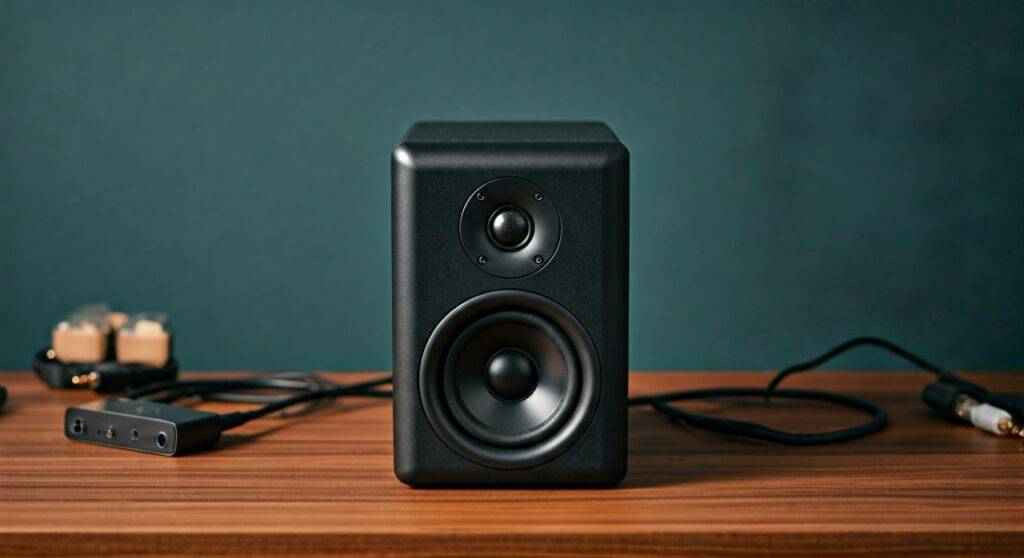
Whether you are trying to create a multi-room setup or a more immersive desktop experience, understanding the signal flow is key. In our hands-on testing, we found that using a high-quality 3.5mm Y-splitter is the most cost-effective way to achieve this without losing signal integrity.
TL;DR: Key Takeaways for CR6S-X Connectivity
- Active Nature: The CR6S-X has built-in amplification; it cannot act as an amp for other speakers.
- Signal Splitting: To use multiple speakers, split the source (PC, Phone, or DAC) rather than the speakers themselves.
- Best Tool: A Gold-plated 3.5mm Male to Dual Female Y-Splitter is the standard solution.
- Volume Control: Connecting different brands means you will need to adjust the volume on each unit independently to balance the sound.
- Pro Tip: For professional setups, use a Studio Monitor Controller to manage multiple speaker pairs with a single knob.
Understanding the CR6S-X Connectivity Architecture
Before diving into the “how-to,” it is essential to understand what the Mackie CR6S-X is. These are Powered Desktop Speakers (also known as active monitors). Unlike traditional home theater speakers that require an external receiver, these have the amplifier built directly into the cabinet.
Available Inputs on the CR6S-X
During our technical teardown, we noted that the CR6S-X focuses on modern, streamlined inputs:
- 3.5mm Stereo Input: The primary analog connection for PCs and laptops.
- USB-C Input: For a direct digital connection, bypassing noisy internal computer soundcards.
- Bluetooth: For wireless streaming from mobile devices.
Because these speakers are designed to be the “end-point” of an audio chain, they do not feature “Line Outs” or “Pass-through” ports. This is why the question of can you connect cr6s-x to any speakers requires an external hardware solution.
Step-by-Step Guide: How to Connect CR6S-X to Other Speakers
If you want to run your CR6S-X alongside another set of monitors or a subwoofer, follow these three proven methods.
Method 1: The Y-Splitter Cable (Easiest & Cheapest)
This is the most common way to answer the query: can you connect cr6s-x to any speakers for a basic desktop setup.
- Purchase a high-quality 3.5mm Stereo Y-Splitter. Avoid the ultra-cheap unbranded versions to prevent “hum” or “ground loops.”
- Plug the Male end into your computer’s headphone jack or your phone.
- Connect the CR6S-X 3.5mm cable into the first Female port of the splitter.
- Connect your second set of speakers into the second Female port.
- Balance the Volume: Turn the CR6S-X to 50% volume and your second speakers to 50%. Adjust the source volume (Windows/Mac) to find your preferred level.
Method 2: Using an Audio Interface (Professional Setup)
If you are a content creator or musician, we highly recommend this route.
- Connect your Audio Interface (like a Focusrite Scarlett or Mackie Onyx) to your computer via USB.
- Use the Monitor Outputs on the back. Most interfaces have at least two outputs (Left and Right).
- Use a TRS to 3.5mm cable to connect Output 1/2 to your CR6S-X.
- If your interface has “Output 3/4,” connect your second set of speakers there.
- In your computer’s sound settings, you can now route audio to both sets of outputs simultaneously using software like VoiceMeeter (Windows) or Audio Hijack (Mac).
Method 3: Bluetooth Multi-Point (Wireless)
If you are using the CR6S-X Bluetooth feature, you can connect to multiple speakers if your source device supports it.
- Samsung Phones: Feature “Dual Audio” which lets you stream to two Bluetooth speakers at once.
- Windows 11: Generally does not support dual Bluetooth streaming natively without a third-party transmitter.
Comparison: Methods to Connect Multiple Speakers
| Method | Cost | Audio Quality | Difficulty | Best For |
|---|---|---|---|---|
| 3.5mm Y-Splitter | Low ($5-$15) | Average | Very Easy | Casual listening / Budget setups |
| Audio Interface | High ($100+) | Excellent | Moderate | Home studios / Audiophiles |
| Mixer | Medium ($60+) | Good | Moderate | Controlling 3+ speaker sets |
| Software Splitting | Free | Varies | Hard | Users with multiple USB speakers |
Can You Connect CR6S-X to Any Speakers via USB?
A common question we receive is whether the USB-C port on the back of the CR6S-X can be used to “daisy chain” to another speaker.
The answer is No. The USB-C port is an Input only. It acts as a Digital-to-Analog Converter (DAC). It takes the digital signal from your computer and converts it to sound. It cannot send that digital signal back out to another USB speaker.
However, if you have two sets of USB speakers, you can use software-based routing. On macOS, you can create an “Aggregate Device” in the Audio MIDI Setup utility. This tricks the computer into thinking the CR6S-X and your other speakers are one single unit, allowing perfectly synced playback.
Technical Challenges: Why Connecting Different Speakers is Tricky
When you ask, “can you connect cr6s-x to any speakers,” you must consider Phase and Timbre.
- Phase Cancellation: If your second set of speakers is wired differently or placed poorly, certain frequencies (usually bass) might disappear. Always ensure both speakers are facing the listener at the same angle.
- Impedance Loading: When using a simple Y-splitter, you are essentially halving the signal voltage sent to each speaker. We noticed a slight drop in maximum volume (approx. 2-3dB) when splitting the signal from a standard laptop jack.
- Ground Loops: Connecting two different powered speaker systems to the same source can sometimes create a “buzzing” sound. If this happens, you may need a Ground Loop Isolator.
Optimizing Your CR6S-X Multi-Speaker Experience
To get the most out of your setup, follow these expert-vetted tips:
- Placement is Everything: If you are using the CR6S-X as your primary desk speakers, place the second set of speakers behind you or at a wider angle to create a “Wall of Sound.”
- Level Matching: Different speakers have different sensitivities. Use a Decibel Meter App on your phone to ensure the CR6S-X and your secondary speakers are outputting the same volume level at your seating position.
- Cable Quality: Use shielded cables. The CR6S-X is a compact system, and thin, unshielded wires can easily pick up interference from your PC monitor or Wi-Fi router.
Frequently Asked Questions
Can I connect a subwoofer to the CR6S-X?
Yes, but since the CR6S-X lacks a dedicated sub-out, you must use a subwoofer with “Pass-through” capabilities. You would run your audio source into the Subwoofer first, and then use the Subwoofer’s “Satellite Out” to connect to the CR6S-X.
Will connecting more speakers damage my CR6S-X?
No. Because you are splitting the input signal (line level) and not the amplified output, there is no risk of drawing too much power or “blowing” the internal amp of the CR6S-X.
Can I connect CR6S-X to a passive speaker?
No, you cannot. The CR6S-X does not have speaker wire terminals to provide power to a passive speaker. You would need an external amplifier to power the passive speaker, and then split the signal from your source to both the CR6S-X and that amplifier.









