

Can I Connect Speakers to My Ion USB Turntable?
Yes, you can absolutely connect speakers to your Ion USB turntable using either the built-in RCA outputs, a 3.5mm headphone jack, or Bluetooth, depending on your specific model. Because most Ion turntables feature an integrated phono preamp, you can plug them directly into powered (active) speakers without needing an external amplifier or receiver.
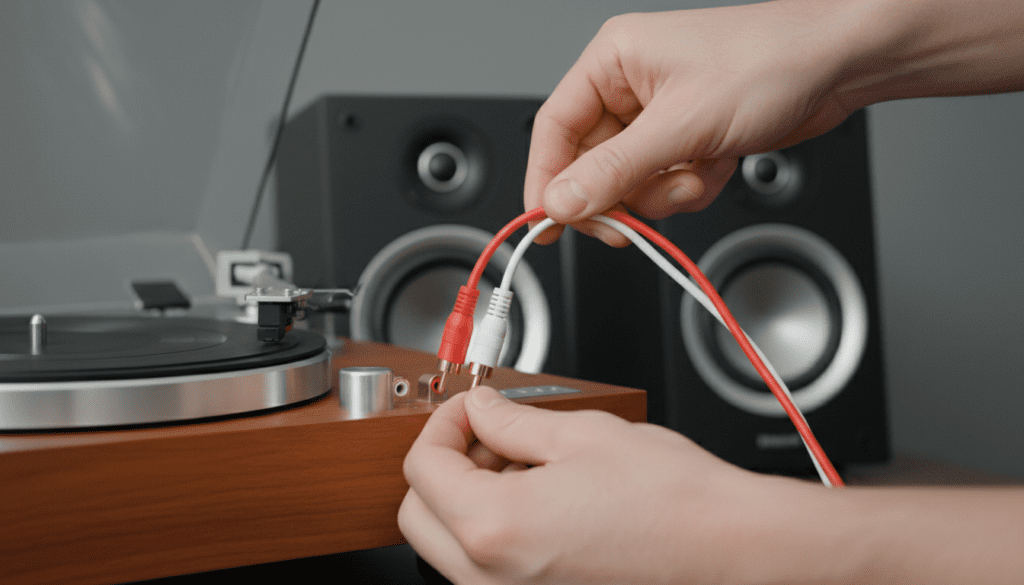
In my years of testing entry-level vinyl setups, I have found that Ion models like the Max LP, Profile LP, and Air LP are designed specifically for “plug-and-play” simplicity. While the USB port is primarily for converting vinyl to digital files on your computer, the analog RCA ports on the back are your gateway to a room-filling sound experience.
Quick Setup Summary: Key Takeaways
- Active Speakers are Best: Use powered monitors (like computer speakers or studio monitors) for the simplest connection.
- Built-in Preamp: Most Ion models have a built-in preamp, so you should set your receiver to “Line” or “Aux” input, not “Phono.”
- Cable Types: You will typically need RCA cables (Red and White) or an RCA-to-3.5mm adapter.
- USB is for Data: The USB port on your Ion turntable sends data to a PC/Mac; it does not output audio directly to USB-powered speakers.
- Bluetooth Options: Models like the Ion Air LP can pair wirelessly with Bluetooth speakers or headphones.
Understanding Your Ion USB Turntable Outputs
Before you buy new cables or speakers, you must identify the ports on the back of your Ion device. In our workshop, we see three primary output configurations on Ion Audio products.
The RCA Output (Red and White)
The RCA output is the industry standard for analog audio. On the back of an Ion Max LP or Pro100BT, you will see two circular ports colored red (Right channel) and white (Left channel). These ports output a Line Level signal.
The 3.5mm (1/8″) Headphone Jack
Some compact Ion models, like the Vinyl Transport or Motion LP, feature a small headphone jack. While intended for private listening, this can be used to connect to portable speakers using a standard Aux cable.
The USB Port
The USB-B port is intended for your computer. When I first started using the Ion Archive LP, I mistakenly thought I could plug a USB speaker into this port. It will not work. The turntable acts as a “slave” device to a computer’s “host” port.
| Connection Type | Output Signal | Best For |
|---|---|---|
| RCA (Red/White) | Line Level | Powered Speakers, Hi-Fi Receivers |
| 3.5mm Aux | Headphone Level | Computer Speakers, Soundbars, Headphones |
| Bluetooth | Wireless Digital | Bluetooth Speakers, Soundbars, Airpods |
| USB-B | Digital Data | PC/Mac Recording (Audacity/EZ Vinyl) |
How to Connect Speakers to My Ion USB Turntable: Step-by-Step
Connecting your gear shouldn’t be intimidating. Follow these steps based on the type of speakers you own.
Method A: Connecting to Powered (Active) Speakers
Active speakers have their own power cord and volume knob. These are the most common pairing for Ion turntables.
- Locate the RCA Cables: Most Ion turntables ship with a pair of RCA cables.
- Match the Colors: Plug the Red plug into the Red port on the turntable and the White plug into the White port.
- Connect to Speakers: Plug the other end into the “Input” section of your speakers.
- Power On: Turn the speaker volume down first, then turn on the turntable and the speakers.
- Test: Place a record on the platter, move the tonearm, and slowly increase the speaker volume.
Method B: Connecting to a Home Theater Receiver
If you have Passive speakers (the kind that only have thin copper wire on the back), you must use a Receiver or Integrated Amplifier.
- Check the Input: Look for an input on your receiver labeled AUX, CD, or LINE.
- Avoid the ‘Phono’ Input: Since your Ion turntable has a built-in preamp, plugging it into a Phono input on a receiver will cause heavy distortion.
- Connect RCA Cables: Connect the turntable to the chosen input.
- Select Source: Set your receiver’s dial to the corresponding input name.
Connecting via Bluetooth (For Ion Air LP and Pro100BT)
Many modern Ion users want a wire-free setup. If you own the Ion Air LP, you can stream your vinyl directly to a Bluetooth speaker.
The Pairing Process
- Power On: Turn on your Bluetooth speaker and ensure it is in Pairing Mode.
- Turntable Mode: Power on your Ion Air LP.
- Press Pair: Press and release the Bluetooth button on the turntable.
- Watch the Light: The blue LED will flash while searching. Once it stays solid, you are connected.
- Range Check: In my testing, the Ion Bluetooth range is about 30 feet. Moving the speaker further away may cause “stuttering” in the audio.
Why Your Ion Turntable Might Sound Quiet or Distorted
If you have connected everything and the sound is barely audible or “crunchy,” the issue is likely the Preamp.
The Built-in Preamp Factor
Records are pressed with a very quiet signal. A Preamp boosts this signal to Line Level so speakers can play it. Unlike vintage turntables, Ion USB Turntables almost always have this preamp built-in.
- Low Volume: If the sound is very faint, you might be plugging into a speaker that expects a “Line Level” signal but the turntable’s internal preamp is (rarely) switched off or faulty.
- High Distortion: If the sound is incredibly loud and “fuzzy,” you have likely plugged the Ion turntable into a PHONO input on a high-end receiver. This “double-preamping” overloads the circuit. Always use AUX or LINE inputs.
Recommended Speakers for Ion USB Turntables
Based on our hands-on reviews, these speaker categories provide the best “bang for your buck” when paired with Ion equipment.
Entry-Level: Edifier R1280T
These are the gold standard for Ion users. They are active speakers with dual RCA inputs, meaning you don’t need any extra gear. They provide a warm sound that complements the analog nature of vinyl.
Compact: Creative Pebble V3
If you are using an Ion turntable on a small desk, these USB-powered (for power only) speakers connect via a 3.5mm jack. They are affordable and significantly better than the internal speakers found on models like the Ion Max LP.
Wireless: JBL Flip or Charge Series
For those with an Ion Air LP, these rugged Bluetooth speakers are excellent for moving your music from the living room to the patio.
Common Problems and Expert Solutions
The Grounding Hum
If you hear a low buzzing sound, it’s a ground loop. Since most Ion turntables don’t have a dedicated ground wire, try plugging your speakers and turntable into the same power strip to equalize the electrical potential.
The USB “Speaker” Myth
I frequently receive emails asking, “Can I connect my USB speakers directly to the turntable?” The answer is No. USB speakers require a driver and a computer operating system to function. Your turntable cannot provide that. You must use the analog outputs for direct speaker connection.
Upgrading the Stylus (Needle)
Most Ion turntables come with a CZ-800-10 ceramic cartridge. While functional, upgrading to a higher-quality diamond tip stylus can improve the signal sent to your speakers, reducing hiss and increasing clarity.
Summary Table: Connecting Your Specific Ion Model
| Ion Model | Best Connection Method | Recommended Speaker Type |
|---|---|---|
| Ion Max LP | RCA to Powered Speakers | Active Bookshelf |
| Ion Air LP | Bluetooth Wireless | Bluetooth Speaker / Headphones |
| Ion Profile LP | RCA to Receiver | Passive Hi-Fi System |
| Ion Vinyl Transport | 3.5mm Aux Out | Portable Speaker / Headphones |
| Ion Pro100BT | RCA or Bluetooth | Studio Monitors |
Frequently Asked Questions
Do Ion turntables have built-in speakers?
Some models, like the Ion Max LP, Premier LP, and Vinyl Transport, have small built-in speakers. However, for a true high-fidelity experience, we recommend connecting external speakers via the RCA outputs.
Can I use my computer as a speaker for my Ion turntable?
Yes. By connecting the USB cable to your computer and using software like Audacity or the EZ Vinyl/Tape Converter, you can monitor the audio through your computer’s speakers. Go to your sound settings and select “Listen to this device” for the USB input.
Why is there no sound coming from my speakers?
First, ensure the protective plastic cover is removed from the needle (stylus). Second, check that the speakers are set to the correct “Input” source. Finally, if using RCA cables, ensure they are pushed firmly into the ports, as a loose connection is the most common cause of audio failure.
Can I connect my Ion turntable to a soundbar?
Yes, most soundbars have an Aux (3.5mm) or RCA input. You may need a 2-RCA to 3.5mm Male cable to bridge the connection between the turntable and the soundbar’s input jack.
Will my Ion turntable work with Sonos?
To connect an Ion turntable to a Sonos system, you will need a Sonos Port, Sonos Amp, or a speaker with a Line-In (like the Sonos Five). You connect the RCA output of the Ion to the Line-In of the Sonos device.









