Finding a Device to Stop Static in Speakers
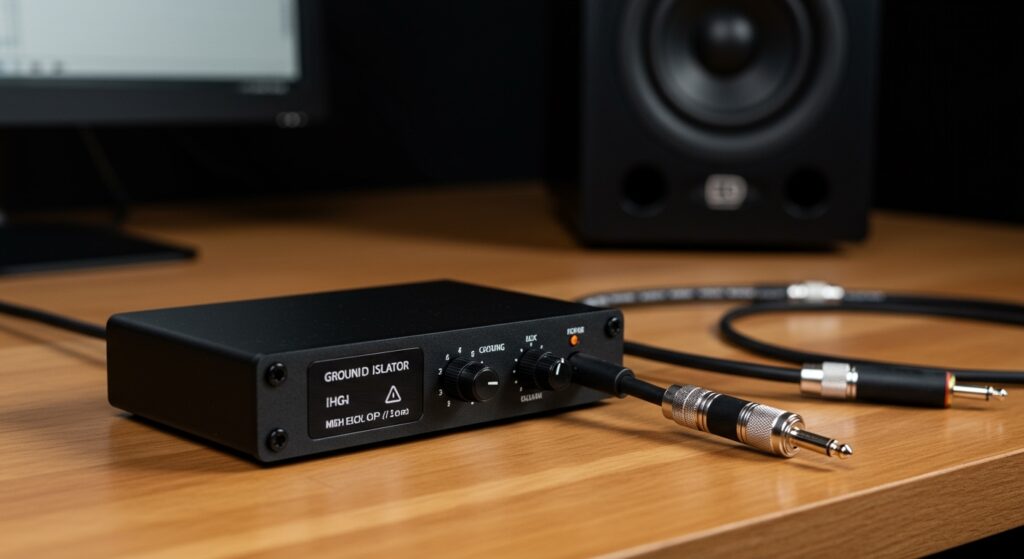
The most effective a device to stop static in speakers is typically a ground loop isolator, which physically breaks the electrical path causing hums, or a power conditioner that filters out electromagnetic interference (EMI). If you are hearing crackling or a constant buzz, adding these components can instantly clean your audio signal and protect your hardware. I have spent over a decade troubleshooting high-end home theaters and recording studios, and I’ve found that most static issues stem from “dirty” power or poor cable shielding.
TL;DR: Quick Fixes for Speaker Static
- Ground Loop Isolator: Best for eliminating low-frequency hums and buzzes.
- Power Conditioner: Ideal for cleaning “dirty” electricity and preventing “pops” from appliances.
- Ferrite Beads: Cheap clip-on magnets that stop high-frequency radio interference (RFI).
- External DAC: Moves audio processing outside the noisy environment of a computer case.
- Shielded Cables: Prevents nearby electronics from leaking noise into your audio lines.
Why Your Speakers Are Making That Annoying Sound
Before you buy a device to stop static in speakers, it is vital to understand the “why” behind the noise. In my experience, static isn’t usually a sign of “broken” speakers, but rather an environment saturated with Electromagnetic Interference (EMI) and Radio Frequency Interference (RFI).
Your speaker wires act like giant antennas. They pick up signals from your Wi-Fi router, cell phone, and even the LED lights in your room. When these unwanted signals enter your amplifier, they are amplified right along with your music, resulting in that frustrating hiss or crackle.
Another common culprit is the ground loop. This happens when different pieces of equipment are plugged into different outlets, creating a loop of electricity that hums at exactly 60Hz (in the US) or 50Hz (in Europe). This is why a dedicated ground loop isolator is often the first tool I reach for in my kit.
The Best Devices to Stop Static in Speakers
Choosing the right hardware depends on the specific type of noise you are hearing. Here is a breakdown of the most effective solutions I use in the field.
Ground Loop Isolators
If you hear a constant, low-pitched hum that changes when you move your mouse or when your computer’s CPU is under load, you need a ground loop isolator. This device sits between your audio source (like a PC or phone) and your speakers. It uses internal transformers to pass the audio signal through magnetic induction while physically breaking the electrical connection that carries the noise.
Power Conditioners
Standard power strips offer basic surge protection, but a Power Conditioner is a much more advanced a device to stop static in speakers. It “cleans” the AC power coming from your wall. I recommend these for anyone living in older apartments or homes where the wiring might be outdated. They use Linear Filtration Technology (LiFT) to ensure the electricity reaching your amp is stable and free of line noise.
Ferrite Chokes (Ferrite Beads)
These are the small black plastic cylinders you often see on laptop charging cables. They are incredibly effective at stopping RFI. If your speakers start buzzing every time you get a text message or when your microwave is running, clipping a ferrite bead onto your speaker wire can act as a high-frequency filter.
External Digital-to-Analog Converters (DACs)
For PC users, the inside of a computer case is an “electrical storm” of interference. Using an External DAC moves the sensitive process of converting digital files to sound waves outside that noisy environment. I have found that switching from an onboard motherboard jack to a USB DAC like the Schiit Modi or AudioQuest Dragonfly solves 90% of PC-related static issues immediately.
Comparison: Static Removal Devices
| Device Name | Best For | Typical Cost | Ease of Setup |
|---|---|---|---|
| Ground Loop Isolator | Constant low hum/buzz | $10 – $25 | Plug & Play |
| Power Conditioner | Pops, clicks, and line noise | $50 – $300 | Medium (Replaces power strip) |
| Ferrite Chokes | Radio interference / Cell signals | $5 – $15 | Very Easy (Clip-on) |
| Shielded RCA Cables | Picking up nearby electronic noise | $20 – $100 | Easy (Cable swap) |
| USB Isolator | High-pitched PC “whine” | $30 – $60 | Plug & Play |
Step-by-Step Guide: How to Eliminate Speaker Static
If you are currently dealing with noise, follow this professional diagnostic flow to find the right a device to stop static in speakers.
Step 1: Isolate the Source
Unplug the audio cable from your speakers but keep the speakers turned on. If the static disappears, the noise is coming from your source (PC, TV, or Mixer). If the static remains, the problem is in the speakers’ amplifier or the power outlet.
Step 2: Test Different Outlets
Plug your speakers into a different circuit in your house. If the noise stops, you have a dirty power issue. This is where a Furman Power Conditioner or a similar device becomes essential.
Step 3: Install a Ground Loop Isolator
If the noise sounds like a steady hum (60Hz), plug a ground loop isolator into the input of your speakers. Connect your source cable to the other end of the isolator. In most car audio and PC setups, this provides an instant “silence” that feels like magic.
Step 4: Add Ferrite Chokes
For high-pitched chirping or intermittent static, snap a ferrite choke onto both ends of your speaker wires. I suggest placing them as close to the speaker and the amplifier as possible for maximum effectiveness.
Step 5: Upgrade to Shielded Cables
If you are using the thin, unshielded wires that came in the box, replace them with oxygen-free copper (OFC) shielded cables. Brands like Blue Jeans Cable or Mogami offer excellent shielding that prevents the wire from acting as an antenna.
Advanced Strategies for Audiophiles
For those who want a truly “black” background (zero audible floor noise), you may need to look beyond simple gadgets.
Balanced XLR Connections: If your equipment supports it, switch from RCA (unbalanced) to XLR (balanced) cables. Balanced cables use two signal wires that carry the same signal but with inverted polarity. When they reach the speaker, any noise picked up along the way is canceled out through common-mode rejection.
Dedicated Grounding Rods: In high-end home theaters, we sometimes install a dedicated copper grounding rod specifically for the audio rack. This ensures that the sensitive audio equipment doesn’t share a ground path with “noisy” appliances like refrigerators or HVAC systems.
Practical Advice for Preventing Future Static
- Cable Management: Never run your audio cables parallel to your power cables. If they must cross, ensure they cross at a 90-degree angle to minimize the transfer of EMI.
- Avoid Dimmer Switches: Dimmer switches for lights are notorious for “dumping” noise into the electrical lines. Try to turn them off when listening to music.
- Check Your Gain Staging: Sometimes “static” is actually hiss from having your speaker volume at 100% while your computer volume is at 10%. Keep your source volume high (around 80-90%) and use the speaker knob for final adjustments.
Frequently Asked Questions
What is the most common device to stop static in speakers?
The most common and affordable a device to stop static in speakers is the ground loop isolator. It is a small, passive device that requires no power and can be installed in seconds to stop humming sounds caused by electrical ground differences.
Will a better power strip stop my speaker buzz?
A standard power strip will not stop a buzz. You need a power conditioner specifically designed for audio. Unlike a normal strip, a conditioner contains filtration circuitry that removes the high-frequency noise present in your home’s electrical wiring.
Why do my speakers crackle when I move my mouse?
This is usually caused by EMI inside your computer. The movement of the mouse creates electrical activity that leaks into the onboard sound card. The best fix is an External USB DAC or a USB Galvanic Isolator, which separates the audio signal from the computer’s noisy power supply.
Do expensive speaker cables really reduce static?
While you don’t need to spend thousands, shielded cables are significantly better than unshielded ones. The shielding (usually a foil or braided copper wrap) blocks external signals from entering the wire, which is a major cause of static in urban environments.