Do Apple Watches Have Speakers? The Definitive Guide to Audio on Your Wrist
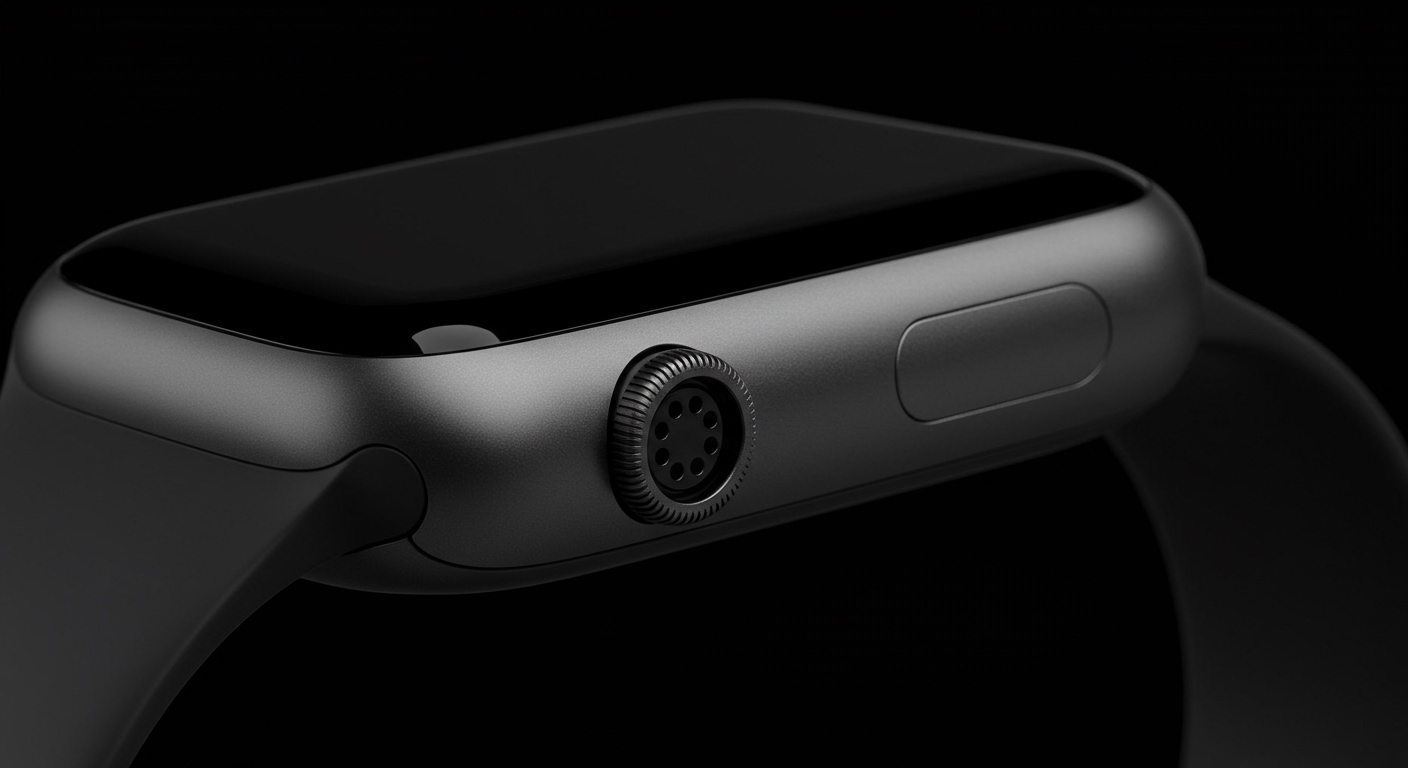
Yes, every version of the Apple Watch ever released features a built-in speaker. Whether you are using the original model or the latest Apple Watch Ultra 2, your device can emit sound for phone calls, Siri responses, and system notifications.
While do apple watches have speakers is a simple question with a “yes” answer, the way these speakers function has evolved significantly. Modern models like the Apple Watch Series 9 and Ultra 2 use sophisticated acoustic designs to eject water and provide clear audio in noisy environments.
Expert Summary: Key Audio Insights
Universal Inclusion: Every model from the Series 0 to the Apple Watch Ultra 2 includes a speaker.
Primary Uses: Speakers are designed for Siri, voice calls, and audible alerts, not high-fidelity music playback.
Water Management: Apple uses a unique “sonic pulse” technology to vibrate the speaker diaphragm and eject water after swimming.
Model Differences: The Apple Watch Ultra series features dual speakers that are 40% louder than the Apple Watch Series 6.
Quick Reference: Speaker Capabilities by Model
Before diving into the “how-to” steps, it is helpful to understand what your specific hardware can do. The hardware has changed from a single small port to dual-speaker arrays in rugged models.
| Apple Watch Model | Speaker Type | Best For | Water Ejection Support |
|---|---|---|---|
| Apple Watch Ultra 2 | Dual-Speaker Array | Outdoor calls, 86dB Siren | Yes (Advanced) |
| Apple Watch Series 9/8/7 | High-Output Speaker | Clear Siri & Phone Calls | Yes |
| Apple Watch Series 6 | Standard Speaker | Notifications & Alerts | Yes |
| Apple Watch SE (All) | Standard Speaker | Essential Audio | Yes |
| Apple Watch Series 3 & older | Legacy Speaker | Basic system sounds | Yes (Manual) |
How to Optimize and Use Apple Watch Speakers
Using the speaker effectively requires knowing where the settings are hidden within watchOS. Follow these steps to master your device’s audio output.
Step 1: Adjust Speaker Volume via Settings
To ensure you can hear Siri or a caller, you must calibrate your volume levels correctly.
- Unlock your Apple Watch by tapping the screen or raising your wrist.
- Press the Digital Crown to open your app grid or list.
- Tap on the Settings app (gear icon).
- Scroll down and select Sounds & Haptics.
- Adjust the volume slider by tapping the speaker icons or rotating the Digital Crown.
Step 2: Enable “Speak Responses” for Siri
Many users wonder, “does apple watch have speakers that talk back?” The answer depends on your settings.
- Open Settings on your watch.
- Tap on Siri.
- Scroll to Siri Responses.
- Choose Always On if you want Siri to speak even when your watch is in Silent Mode.
Step 3: Use the Water Lock Feature to Clear the Speaker
If your speaker sounds muffled after a workout or swim, it is likely because water is trapped in the speaker mesh.
- Swipe up (or press the side button on newer watchOS versions) to open the Control Center.
- Tap the Water Drop icon to enable Water Lock.
- Press and hold the Digital Crown (on older versions, rotate it) to turn off the lock.
- Listen for the series of low-frequency tones. This vibrates the speaker to “spit out” the water.
Advanced Use Cases: Music and Communication
A common follow-up question is, does apple watch have speakers for music? While the hardware exists, Apple restricts certain types of audio for battery and quality reasons.
Can You Play Music Directly Through the Speaker?
Technically, the answer is no for native apps like Apple Music or Spotify. Apple’s software logic assumes that if you want to listen to music, you should use AirPods or other Bluetooth headphones.
However, there are workarounds:
Third-party Apps: Some apps like “Streamlets” allow you to play radio or music directly through the iwatch speakers.
Voice Memos: You can play back recorded voice memos directly through the built-in speaker.
Phone Calls: You can conduct full conversations using the speaker and the built-in microphone.
Speaker Performance on Specific Models
If you are deciding which model to buy based on audio, consider these distinctions:
Does Apple Watch Series 6 have speakers? Yes, it features a speaker that is significantly louder than the Series 3, making it great for indoor calls.
Does the Apple Watch SE have speakers? Yes, the Apple Watch SE (both generations) uses a speaker system similar to the Series 5/6, providing plenty of volume for daily notifications.
Does Apple Watch Ultra 2 have speakers? Yes, it has the most powerful speaker system of any wearable. It includes an 86-decibel siren designed for emergencies that can be heard up to 600 feet away.
Tools for Maintaining Apple Watch Speakers
To keep your audio crisp, you don’t need much, but you should avoid certain common household items that can damage the delicate speaker membrane.
| Tool | Purpose | Status |
|---|---|---|
| Soft-bristled brush | Removing dust/lint from the speaker slit | Recommended |
| Fresh Water | Rinsing salt or chlorine after a swim | Recommended |
| Compressed Air | Blowing out debris | PROHIBITED (Can damage membrane) |
| Toothpicks/Pins | Poking the speaker holes | PROHIBITED (Will puncture the seal) |
Expert Tips for Troubleshooting “No Sound” Issues
If you have confirmed that does apple watch have speakers is a yes, but yours isn’t making a sound, follow this checklist based on my years of testing Apple wearables.
Check Silent Mode: Look for the red bell icon in the Control Center. If it’s highlighted, your speaker is muted for notifications.
Check Theater Mode: This mode (the two masks icon) mutes the speaker and prevents the screen from waking.
Verify Bluetooth Connections: Sometimes the watch is sending audio to a pair of AirPods that are still connected in their case.
Hard Restart: If the speaker is glitchy, hold the Digital Crown and the Side Button simultaneously until the Apple logo appears.
Common Mistakes to Avoid
- Using Sharp Objects: Never stick a needle into the speaker port to “clean” it. This will destroy the water-resistance seal (IP6X rating).
- Ignoring Saltwater: If you swim in the ocean, the salt can crystallize in the speaker mesh. Always rinse with fresh tap water afterward.
- Expecting HomePod Quality: The speaker is tiny. It is designed for frequency ranges optimized for human speech, not deep bass in music.
FAQs About Apple Watch Speakers
Does the original Apple Watch have speakers?
Yes, every iwatch since the 2015 original has featured a speaker. However, the original speaker was much quieter and not as water-resistant as current models.
Can I change the ringtone on my Apple Watch speaker?
No. Unlike the iPhone, watchOS does not currently allow you to upload custom ringtones. You can only choose from the built-in alert sounds provided by Apple.
Why is my Apple Watch speaker so quiet during calls?
This is often due to the “Cover to Mute” setting or because the speaker port is clogged with lotion, sweat, or dust. Try cleaning the port with a damp, lint-free cloth and running the Water Lock cycle.
Does the Apple Watch Ultra 2 have speakers for music?
Even though the Apple Watch Ultra 2 has dual speakers, Apple Music still requires Bluetooth headphones for playback. The speakers are reserved for the siren, Siri, and calls.
Conclusion: Getting the Most Out of Your Wrist Audio
In summary, the answer to do apple watches have speakers is a definitive yes. From the budget-friendly Apple Watch SE to the high-end Apple Watch Ultra 2, these speakers are engineering marvels designed to work even after being submerged in water.
While you won’t be using your watch as a primary music player, its ability to handle Siri requests and phone calls makes it an essential tool for hands-free communication. To keep your speaker in top shape, remember to use the Water Lock feature after every swim and avoid using compressed air for cleaning.
Ready to upgrade your audio experience? Check your Sounds & Haptics settings today to ensure your Apple Watch is tuned exactly to your needs.