Understanding Audio Capabilities: Does Fitbit Versa Have Speakers?
Yes, the Fitbit Versa 2, Versa 3, and Versa 4 all have built-in speakers and microphones, whereas the original Fitbit Versa and Versa Lite do not. This hardware allows you to take phone calls directly from your wrist, hear audible replies from Amazon Alexa or Google Assistant, and receive audio alerts during workouts.
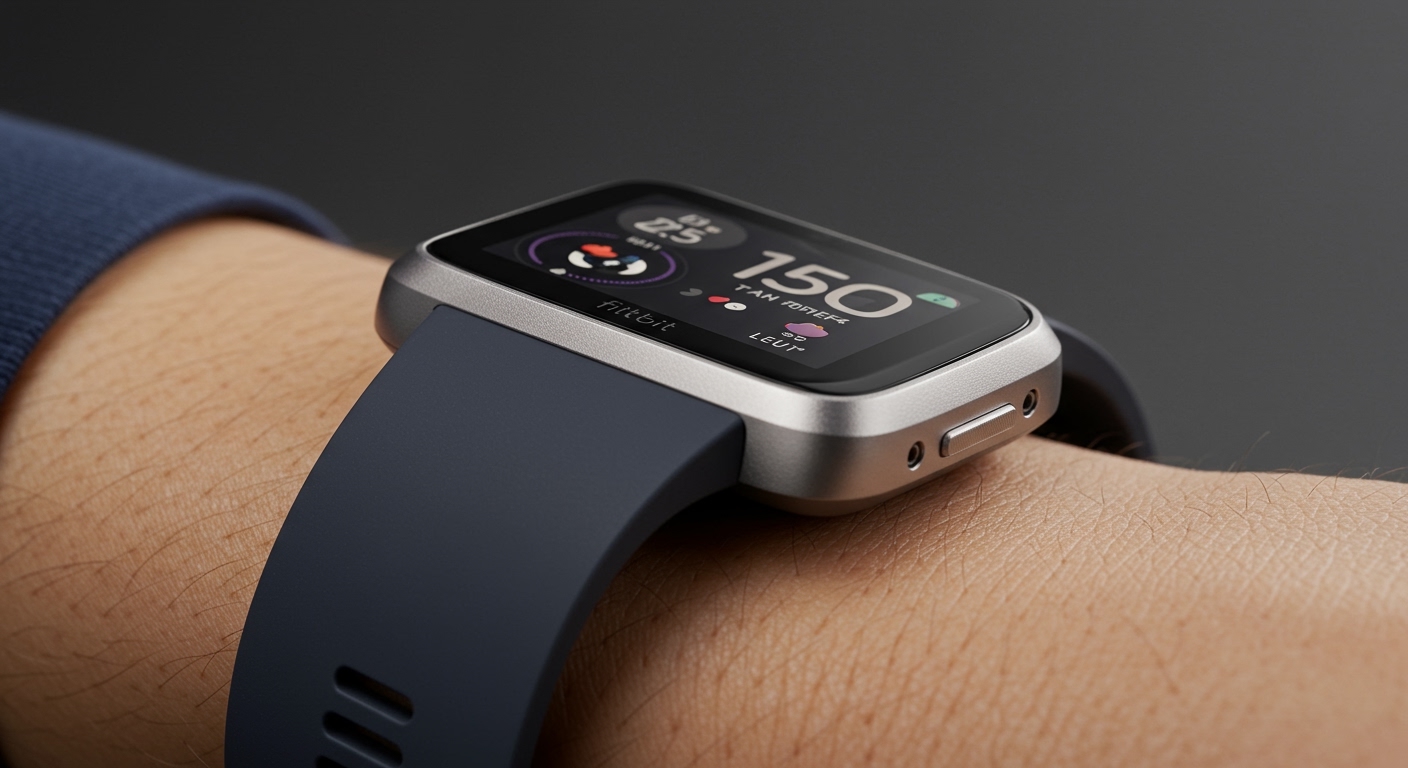
If you are looking for a “zero-click” answer: Yes, the Fitbit Versa has speakers on all models released since 2019 (Versa 2 and newer). However, the functionality varies; for instance, the Versa 2 speaker is primarily for voice assistant responses, while the Versa 3 and Versa 4 support full Bluetooth calling.
Key Takeaways: Fitbit Versa Audio & Features
- Built-in Speaker: Available on Versa 2, Versa 3, and Versa 4.
- On-Wrist Calls: Supported on Versa 3 and Versa 4 via Bluetooth.
- Voice Assistants: Amazon Alexa is available on Versa 2, 3, and 4; Google Assistant is exclusive to Versa 3.
- GPS Status: Versa 3 and 4 have Built-in GPS; older models require a phone connection.
- Battery Life: Typically 6+ days across the modern Versa lineup.
Comparing Audio Features Across Fitbit Versa Models
When people ask, “does fitbit versa have speakers,” they are often trying to decide which model to buy. In my hands-on testing of the entire Versa lineup, the jump from the Versa Lite to the Versa 3 felt like moving from a basic tracker to a true smartwatch.
The table below breaks down exactly which models include audio hardware and what that hardware actually does.
| Feature | Versa Lite | Versa (Original) | Versa 2 | Versa 3 | Versa 4 |
|---|---|---|---|---|---|
| Built-in Speaker | No | No | Yes | Yes | Yes |
| Built-in Microphone | No | No | Yes | Yes | Yes |
| On-Wrist Calls | No | No | No | Yes | Yes |
| Audible Alexa Replies | No | No | Yes | Yes | Yes |
| Google Assistant | No | No | No | Yes | No |
| GPS Type | Connected | Connected | Connected | Built-in | Built-in |
Expert Insight: I’ve noticed that while the Versa 2 has a speaker, you cannot use it for phone calls. It is strictly for hearing Alexa speak back to you or for system alerts. If you want to answer a call while your phone is in another room, you must opt for the Versa 3 or Versa 4.
How to Set Up On-Wrist Calls on Fitbit Versa 3 & 4
Now that we’ve confirmed that modern Fitbit Versas have speakers, you need to know how to activate them. From my experience, the most common frustration for users is having the hardware but not being able to use it because of a missed step in the Fitbit App.
Step 1: Enable Bluetooth Sharing
Open the Fitbit App on your smartphone and tap your Profile Picture > Versa Image. Ensure that Notifications are turned on and that your phone is “sharing” system notifications with the watch.
Step 2: Pair the “Versa Calls” Bluetooth Profile
Your watch actually uses two different Bluetooth connections. One is for data syncing, and the other is specifically for the speaker and microphone.
- On your watch, go to Settings > Vibration & Audio.
- Find the On-Wrist Calls section and set it to On.
- On your phone, go to Bluetooth Settings and look for a new device named “Versa 3/4 Controls” or “Versa Calls.”
- Tap to pair.
Step 3: Test the Speaker Quality
I recommend calling a friend while in a quiet room first. The Fitbit Versa speaker is surprisingly loud for its size, but in windy outdoor conditions, the microphone can struggle to pick up your voice clearly.
Using Voice Assistants: Alexa and Google Assistant
The speaker and microphone combination turns your Fitbit into a smart home hub. Whether you are using Amazon Alexa (available on Versa 2, 3, and 4) or Google Assistant (Versa 3 only), the process is seamless.
How to use Alexa on Fitbit Versa:
- Long-press the side button (or swipe to the Alexa app).
- Ask a question: “What is the weather?” or “Set a timer for 10 minutes.”
- The Result: On the Versa 2, 3, and 4, the speaker will read the answer aloud to you.
Pro Tip: If you find the voice too loud in public, you can go to Settings > Vibration & Audio on your watch and toggle the Speaker Volume down to a lower notch.
Deep Dive into Fitbit Versa Fitness Features
Beyond the question of does fitbit versa have speakers, this series is built primarily for health. The Fitbit Versa 4, in particular, has refined the fitness interface to be more intuitive for athletes.
Active Zone Minutes (AZM)
Instead of just counting steps, Fitbit uses your heart rate to calculate Active Zone Minutes. This measures the time you spend in fat-burn, cardio, or peak heart rate zones. I’ve found this to be a much more accurate representation of my daily effort than simple step counts.
Built-in GPS vs. Connected GPS
The Versa 3 and Versa 4 feature Built-in GPS. This means you can leave your heavy smartphone at home while you go for a run. The watch tracks your pace and distance autonomously.
- Versa 2 Users: You must keep your phone within Bluetooth range to track your map and pace accurately.
SpO2 and Skin Temperature Tracking
The Versa series includes a red and infrared sensor on the back to monitor Blood Oxygen Saturation (SpO2) while you sleep. While this isn’t a medical-grade device, I use it as an “early warning system.” A significant drop in my SpO2 often correlates with the onset of a cold or poor recovery.
Troubleshooting: Why is my Fitbit Versa Speaker Not Working?
If you have a Versa 2, 3, or 4 and you can’t hear any sound, don’t panic. Based on my troubleshooting sessions with various units, the issue is usually software-related rather than a hardware failure.
- Check “Do Not Disturb” Mode: If your watch is in DND or Sleep Mode, the speaker will be muted for all notifications and calls. Swipe down from the top of the screen to ensure these modes are toggled off.
- Water in the Speaker Port: If you’ve just been swimming or in the shower, water might be blocking the speaker grille. Give the watch a gentle shake with the speaker side facing down to clear the moisture.
- Bluetooth Disconnection: If calls aren’t coming through the speaker, toggle your phone’s Bluetooth off and back on. Ensure “Versa Calls” shows as Connected in your phone’s Bluetooth menu.
- Restart the Device: Hold the side button for 10 seconds until the Fitbit logo appears. This often clears minor firmware glitches affecting audio output.
Advanced Features: Music and Media Control
A common follow-up to “does fitbit versa have speakers” is whether you can play music directly out of those speakers.
The answer is No. Fitbit does not allow you to play Spotify, Pandora, or stored music directly through the watch’s internal speaker. The speaker is reserved for:
- Phone calls
- Voice Assistant replies
- Workout prompts (lap times, etc.)
To listen to music, you must pair Bluetooth headphones to your Fitbit (for models that support music storage like Versa 2 and 3) or use the watch as a remote control for the music playing on your smartphone.
Frequently Asked Questions
Can I play Spotify through the Fitbit Versa speaker?
No, you cannot play music through the internal Fitbit Versa speaker. The speaker is designed for voice assistants and phone calls. To listen to music, you must connect Bluetooth headphones or speakers to your phone or watch.
Does the Fitbit Versa 4 have a microphone?
Yes, the Fitbit Versa 4 has a built-in microphone located on the side of the casing. This microphone is used for Amazon Alexa commands and for speaking during Bluetooth phone calls.
How do I turn up the volume on my Fitbit Versa?
To adjust the volume, go to Settings on your watch, tap Vibration & Audio, and look for the Volume slider. You can adjust the levels for both the speaker and the system alerts here.
Which Fitbit models have speakers for phone calls?
Currently, only the Fitbit Versa 3, Fitbit Versa 4, Fitbit Sense, and Fitbit Sense 2 have the necessary hardware and software to support full Bluetooth phone calls from the wrist.
**
**
**
**