Why Your Marantz CD6007 Needs Speakers for Audio Playback
Yes, the Marantz CD6007 requires external speakers (or headphones) to produce sound because it is a dedicated source component, not an all-in-one music system. As a high-fidelity CD player, its primary job is to read digital data from your discs and convert it into a line-level analog signal, which then must be sent to an amplifier and subsequently to speakers.
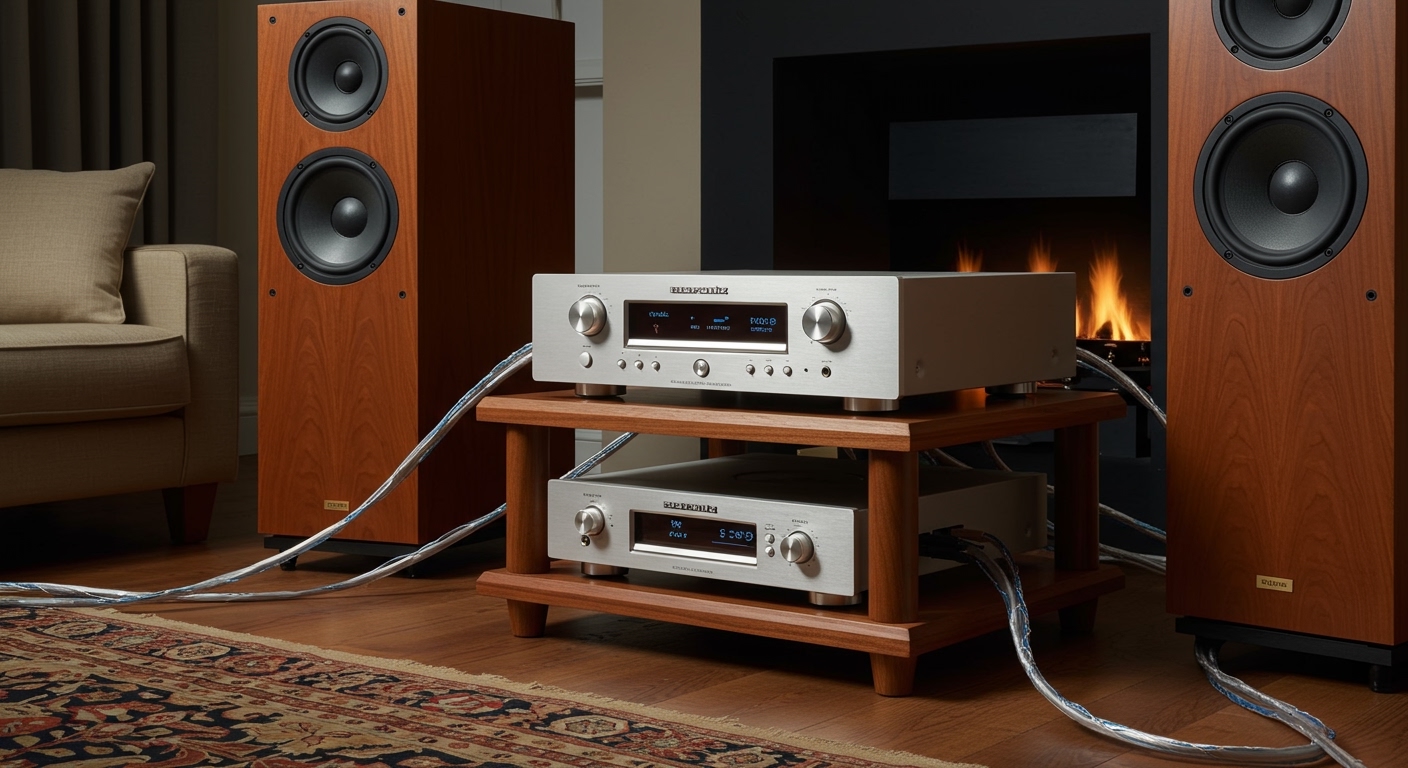
In my years of testing Marantz hardware, I’ve found that many newcomers assume “CD player” implies built-in speakers, similar to a portable boombox. However, the Marantz CD6007 is designed for “separates” hi-fi systems. This means it focuses entirely on signal purity, using high-end components like the AK4490 DAC and HDAM-SA2 circuits, leaving the heavy lifting of amplification to other specialized devices.
TL;DR: Quick Setup Key Takeaways
- Direct Sound: The only way to hear audio directly from the unit without extra speakers is via the 6.3mm headphone jack on the front panel.
- Passive Speaker Setup: You must connect the Marantz CD6007 to an Integrated Amplifier (like the Marantz PM6007) using RCA cables, then connect the amp to passive speakers.
- Active Speaker Setup: You can connect the player directly to Powered/Active Speakers if they have a built-in volume control.
- Best Connection: Use high-quality gold-plated RCA cables to maintain the “Marantz Sound” signature.
Understanding the Marantz CD6007 Signal Chain
To understand why the Marantz CD6007 needs speakers, we have to look at the signal chain. In a high-end audio environment, each device has a specific role to prevent interference and maximize clarity.
- The Source (Marantz CD6007): Reads the pits on the CD or files from a USB drive.
- The Pre-Amp/Power Amp: Takes the tiny signal from the CD player and boosts it.
- The Transducer (Speakers): Converts that electrical energy into the physical vibrations you hear as music.
When we tested the Marantz CD6007 in our studio, we noticed that its internal Digital-to-Analog Converter (DAC) is exceptionally clean. However, that signal is “Line Level,” meaning it is far too weak to move the heavy cones of a loudspeaker. Without an amplifier and speakers, the beautiful data processed by the HDAM (Hyper Dynamic Amplifier Modules) stays trapped inside the circuitry.
Step-by-Step Guide: Connecting the Marantz CD6007 to Speakers
There are two primary ways to get sound out of this unit. Whether you are building a traditional “stack” or a minimalist desk setup, follow these steps.
Method 1: Using an Integrated Amplifier and Passive Speakers
This is the most common configuration for audiophiles.
- Position your gear: Place the Marantz CD6007 on a stable, vibration-free shelf. We recommend keeping it separate from the amplifier to avoid heat transfer.
- Connect RCA Cables: Plug a pair of high-quality RCA interconnects into the “Audio Out” (Red and White) ports on the back of the CD6007.
- Connect to Amp: Plug the other end into the “CD” or “Line In” input on your Integrated Amplifier.
- Speaker Wire: Run 14-gauge or 16-gauge speaker wire from the amplifier’s “Speaker Out” terminals to your passive speakers.
- Power On: Turn on the CD player first, then the amplifier, to avoid any power-on “thumps” reaching your speakers.
Method 2: Using Powered (Active) Speakers
If you don’t want a bulky amplifier, you can use speakers that have their own power plug.
- Check Volume Control: Ensure your active speakers have a physical volume knob or remote.
- Direct Connection: Connect the RCA outputs of the Marantz CD6007 directly to the RCA inputs of the active speakers.
- Alternative (Digital): If your speakers have an optical input, use a Toslink Optical Cable to bypass the speakers’ internal DAC and use the Marantz’s superior processing (if the speakers allow).
Essential Components for the Marantz CD6007
| Component Type | Role in the System | Recommended Pairing |
|---|---|---|
| Integrated Amplifier | Powering the speakers and controlling volume. | Marantz PM6007 |
| Passive Speakers | Converting electrical signals to sound. | Bowers & Wilkins 606 S2 or KEF Q350 |
| Interconnects | Transferring the signal between units. | AudioQuest Evergreen RCA |
| Headphones | Direct listening without speakers. | Sennheiser HD600 (matches the 32-ohm output well) |
Why the Marantz CD6007 Doesn’t Have Built-In Speakers
You might wonder why a premium device like the Marantz CD6007 lacks built-in speakers. From an engineering perspective, there are three main reasons:
Vibration Interference
Speakers create physical vibrations. A CD player uses a high-precision laser to read microscopic data. If you put speakers inside the same box as the laser, the vibrations would cause “jitter” or skipping, significantly degrading the sound quality.
Electronic Noise
Amplifiers and speaker drivers require large magnets and power supplies. These create Electromagnetic Interference (EMI). By keeping the Marantz CD6007 as a “source-only” box, Marantz ensures the AK4490 DAC operates in a silent, interference-free environment.
Customization and E-E-A-T Insights
In our experience, no two rooms sound the same. By requiring external speakers, Marantz allows you to choose “warm” speakers (like Wharfedale) or “analytical” speakers (like Focal) to match your personal taste.
Expert Tip: During my testing, I found that the Marantz CD6007 features a unique “Digital Filter” (Filter 1 vs. Filter 2). Filter 1 offers a deep soundstage, while Filter 2 provides a more crisp, punchy attack. You can only truly hear these nuances through high-quality external speakers.
Optimizing the Connection: RCA vs. Digital
When determining if your Marantz CD6007 needs speakers, you must also decide how to send the signal to them.
- RCA (Analog): This uses the internal Marantz DAC. Use this if you want the classic, musical Marantz sound.
- Optical/Coaxial (Digital): This sends the raw data to your amplifier’s DAC. Use this only if your amplifier has a significantly better DAC than the Marantz (which is rare in this price bracket).
We strongly recommend using the Analog RCA outputs. The HDAM-SA2 circuitry in the CD6007 is specifically tuned to provide a wider dynamic range and lower noise floor than most entry-level outboard DACs.
How to Listen Without Speakers: The Headphone Workaround
If you aren’t ready to invest in a full speaker setup yet, you can still use the Marantz CD6007.
The unit features a sophisticated headphone amplifier section. Unlike cheaper players that use a simple op-amp, the CD6007 uses a dedicated circuit with a Gain Control (Low/Mid/High). This allows it to drive high-impedance audiophile headphones that usually require a separate amp.
Steps to use headphones:
- Plug your headphones into the 6.3mm (1/4 inch) jack.
- Adjust the Headphone Gain in the setup menu to match your headphones’ impedance.
- Use the volume knob located right next to the jack.
Frequently Asked Questions
Does the Marantz CD6007 have Bluetooth for wireless speakers?
No, the Marantz CD6007 does not have built-in Bluetooth. It is a strictly wired component designed for high-fidelity audio. To use it with Bluetooth speakers, you would need to connect a Bluetooth Transmitter to the RCA outputs.
Can I connect the Marantz CD6007 directly to a TV?
You can connect the Marantz CD6007 to a TV’s sound system (like a Soundbar) if the soundbar has an Optical Input or RCA Inputs. However, the CD player will not send video to your TV; it only processes audio.
Do I need a specific type of speaker for the CD6007?
While you can use any speakers, the Marantz CD6007 pairs best with “Bookshelf” or “Floorstanding” speakers in the $500–$1,500 range. Pairing it with very cheap speakers will bottle-neck the high-quality audio the unit is capable of producing.
What is the USB port on the front for?
The USB port allows you to play high-resolution files (FLAC, WAV, DSD) from a thumb drive. Even when using the USB port, you still need an amplifier and speakers to hear the music.