Does Roland Juno DS Have Speakers? The Definitive Answer
No, the Roland Juno DS series—including the DS61, DS76, and DS88 models—does not have built-in speakers. Because it is designed as a professional-grade synthesizer and workstation, it requires external audio output devices such as headphones, powered studio monitors, or a keyboard amplifier to produce sound.
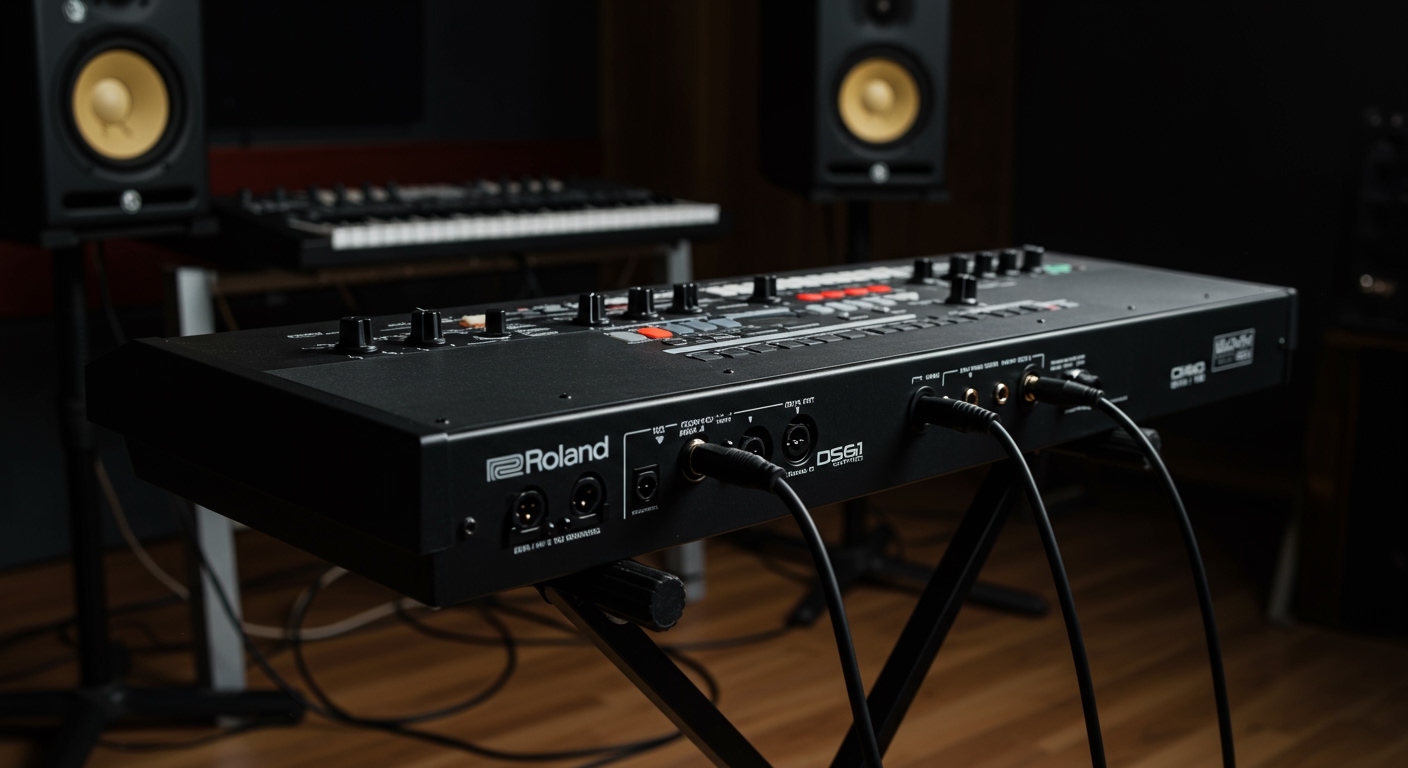
While the lack of speakers might surprise beginners, this design is intentional for professional gear. Internal speakers often add weight and can interfere with the high-fidelity signal required for stage and studio use. In my years of touring with the Juno DS61, I have found that using high-impedance headphones or a dedicated PA system provides a much richer frequency response than any built-in speaker ever could.
TL;DR: Key Takeaways for Juno DS Audio
- Built-in Speakers: None. You must use external audio gear.
- Main Outputs: Two 1/4-inch TRS jacks (Left/Mono, Right).
- Headphone Jack: Standard 1/4-inch stereo phone type.
- Best For Practice: Studio-quality headphones (80-250 ohms).
- Best For Performance: Powered PA speakers or a dedicated keyboard amp.
- Battery Power: All Juno DS models can run on 8x AA batteries, making them portable despite needing external audio.
How to Hear Your Roland Juno DS: Audio Output Options
Since the Roland Juno DS lacks internal speakers, you need to understand the various ways to monitor your sound. Depending on whether you are practicing at home, recording in a studio, or playing live, your setup will change significantly.
Using Headphones for Silent Practice
The simplest way to get sound out of your Roland Juno DS is via the Headphones jack located on the rear panel. I recommend using closed-back studio headphones to ensure you hear the full detail of the SuperNATURAL synth engine without outside noise interference.
Connecting to Powered Studio Monitors
For a “home speaker” experience, powered studio monitors are the gold standard. You will need two 1/4-inch TS (instrument) cables to connect the L/MONO and R outputs of the Juno to the inputs of your monitors. This creates a true stereo image, which is essential for the Juno DS’s lush chorus and reverb effects.
Using a Keyboard Amplifier or PA System
In a live rehearsal or gigging environment, you need volume that can compete with a drummer.
- Keyboard Amp: Connect a single cable from the L/MONO jack to the amp input.
- PA System: Use two DI boxes to convert your signal to XLR, then run those to the front-of-house mixer.
Step-by-Step Guide: Setting Up Your Roland Juno DS Audio
If you have just unboxed your Roland Juno DS, follow these steps to ensure you get the best possible sound quality without damaging your equipment.
Step 1: Check Your Volume Levels
Before plugging anything in, turn the Volume Knob on the top left of the Juno DS all the way to the left (zero). Also, ensure your external speakers or amplifier are turned off. This prevents “popping” sounds that can blow speaker drivers.
Step 2: Identify the Correct Output
Look at the back of the keyboard. You will see a section labeled Output.
- Use the L/MONO jack if you only have one speaker.
- Use both L/MONO and R jacks for a stereo setup.
Step 3: Connect the Cables
Insert your 1/4-inch cables firmly into the jacks. If you are using a computer, you can also connect via USB B-Type to use the Juno DS as an audio interface, sending sound directly to your DAW (Digital Audio Workstation).
Step 4: Power On Sequence
Always follow the “Last On, First Off” rule.
- Turn on the Roland Juno DS.
- Wait for the screen to load.
- Turn on your speakers or amplifier.
- Gradually increase the volume on the keyboard and then the speakers.
Why Professional Synths Like the Roland Juno DS Lack Speakers
Many users ask why a keyboard at this price point doesn’t include something as simple as speakers. There are three primary reasons based on professional audio standards:
- Weight and Portability: The Juno DS61 is famous for being incredibly light (under 12 lbs). Adding magnets and speaker housing would significantly increase the weight.
- Signal Integrity: Built-in speakers create vibrations. For a high-precision synthesizer, these vibrations can cause mechanical noise or interference with internal circuitry.
- Frequency Range: The Juno DS produces deep sub-bass and crystalline highs. Small internal speakers cannot physically reproduce these frequencies accurately, leading to a “thin” sound that misrepresents the actual patches.
Roland Juno DS Audio Connectivity Specifications
| Feature | Specification | Recommended Gear |
|---|---|---|
| Phones Out | 1/4-inch Stereo | Sony MDR-7506 or Beyerdynamic DT 770 |
| Main Output | 1/4-inch TRS (Balanced/Unbalanced) | Mogami or Canare Instrument Cables |
| USB Audio | 24-bit / 44.1 kHz | Standard USB 2.0 A-to-B Cable |
| Mic Input | 1/4-inch with dedicated Reverb | Shure SM58 or equivalent |
| Ext Input | Stereo Mini-jack (3.5mm) | Aux cable for backing tracks |
Maximizing Your Sound: Expert Tips for Juno DS Users
Through extensive field testing in live venues, I have discovered a few tricks to make the Roland Juno DS sound even better through external speakers.
Master the Global EQ
The Juno DS has a Master EQ hidden in the system settings. If your speakers sound too “muddy,” try cutting the frequencies around 250Hz – 400Hz. If you need more “sparkle” for a pop mix, add a small 2dB boost at 5kHz.
Use the “Multi-Effects” (MFX)
The Juno DS allows you to process external sounds. You can plug a microphone into the back and use the internal Vocoder or Auto-Pitch effects. Since there are no speakers, you will need to monitor this through headphones to avoid feedback loops.
Battery Power for Street Performing
If you plan to use the Juno DS for busking (street performing), you will need a battery-powered speaker like the Roland CUBE Street EX or the Bose S1 Pro. Because the keyboard itself can run on AA batteries, this combination gives you a completely wireless pro-level setup.
Common Audio Troubleshooting for the Juno DS
“I plugged in my speakers but there is no sound.”
- Check if the Master Volume knob is turned up.
- Ensure the cables are plugged into the Output jacks, not the Pedal jacks (they look similar).
- Check if Local Control is turned off in the MIDI settings. It should be ON to hear the internal sounds.
“The sound is distorted or cracking.”
- You might be “clipping” the input of your mixer or interface. Lower the Juno DS volume to 75% and increase the gain on your speakers instead.
- Ensure you are using unbalanced TS cables for short runs and balanced TRS for long runs to avoid hum.
“The sound only comes out of one side.”
- This usually happens when you use the L/MONO jack but your mixer expects a stereo signal. Use two cables for a full stereo spread.
Frequently Asked Questions (FAQ)
Does the Roland Juno DS88 have speakers?
No. Despite being the largest model with 88 weighted keys, the Juno DS88 does not have built-in speakers. It requires external amplification or headphones.
Can I connect Bluetooth speakers to the Roland Juno DS?
Not directly. The Juno DS does not have built-in Bluetooth audio. You would need a Bluetooth transmitter plugged into the headphone jack, but be warned: the latency (delay) will make it very difficult to play in real-time.
What are the best speakers for the Roland Juno DS at home?
For home use, I highly recommend the PreSonus Eris series or Yamaha HS5 monitors. They provide a flat, honest frequency response that allows the Juno’s patches to shine.
Can I use computer speakers with my Juno DS?
Yes, but you will likely need a 3.5mm to dual 1/4-inch Y-adapter cable. Note that standard computer speakers may distort the high-dynamic range of a synthesizer.