Does Spotify Car Thing Have Speakers? The Hardware Truth
No, the Spotify Car Thing does not have built-in speakers. It is a dedicated controller and display interface that acts as a bridge between your smartphone and your car’s head unit. To hear music, you must connect your phone to your car’s audio system via Bluetooth, AUX cable, or USB, while the Car Thing functions as a remote to navigate the Spotify interface.
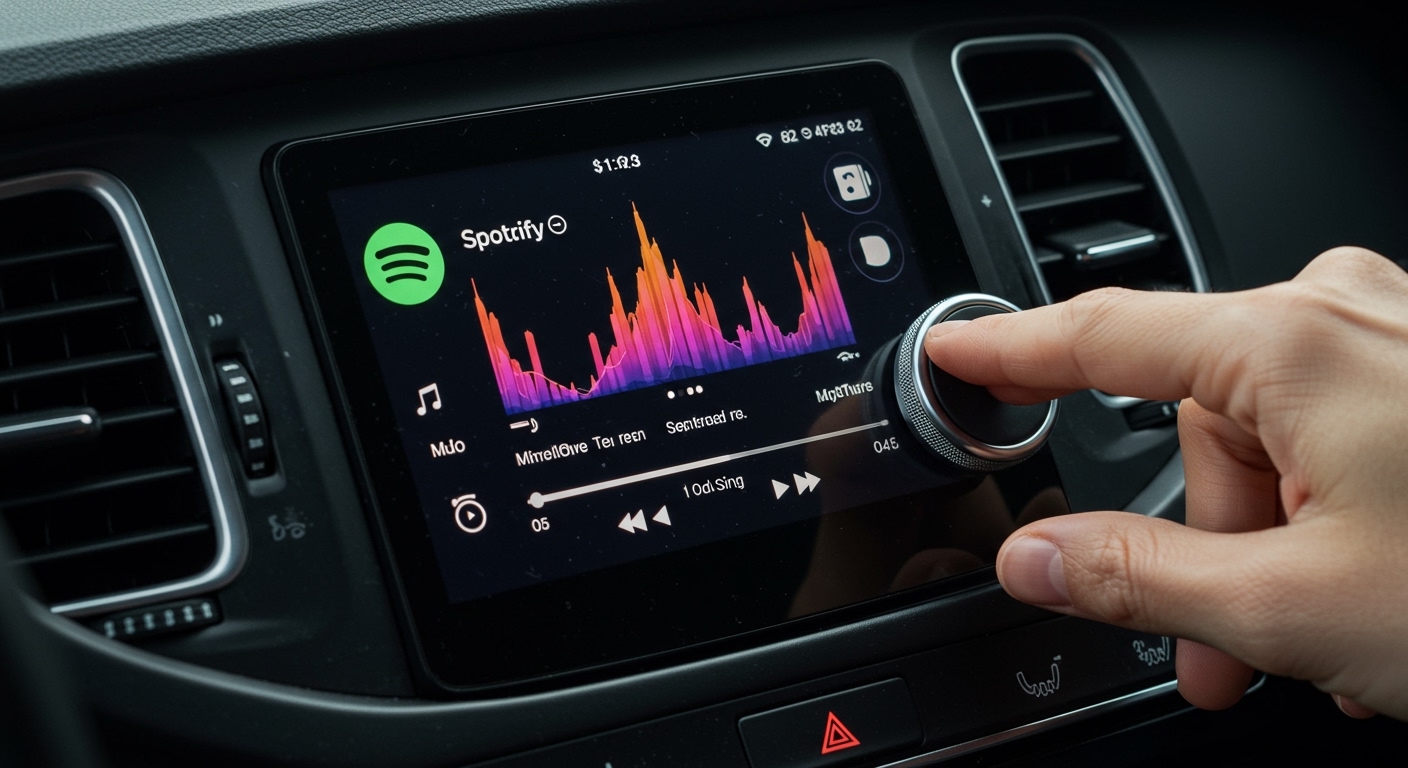
I have spent extensive time testing the Spotify Car Thing in various vehicles, from older models with basic 3.5mm AUX inputs to modern setups with integrated Bluetooth. While the device features a beautiful 4-inch touchscreen and a tactile dial, it is completely silent on its own. It relies entirely on your phone’s data connection and your car’s existing speakers to produce sound.
TL;DR: Key Takeaways
- No Internal Speakers: The device is a remote control, not a standalone player.
- Connection Required: You must link your phone to your car’s stereo separately.
- Power Source: It requires a 12V power outlet (cigarette lighter) and does not have an internal battery.
- Status Update: Spotify officially discontinued the device in 2024; users should be aware of upcoming software limitations.
- Primary Function: To provide a safer, “glanceable” interface for drivers to control music without touching their phones.
How the Spotify Car Thing Delivers Audio
Because the Spotify Car Thing lacks speakers, it uses a unique “middle-man” architecture. When you interact with the device, it sends a command to the Spotify app on your smartphone. Your phone then processes that command and streams the audio signal to your car’s speakers.
In my experience, this setup is designed to minimize driver distraction. By offloading the visual interface to a mounted screen, you can keep your phone tucked away. However, the lack of a speaker means your car’s head unit must be set to the correct input (e.g., BT Audio or AUX) for you to hear anything.
Audio Routing Scenarios
- Bluetooth Connection: Your phone connects to both the Car Thing and your car’s Bluetooth.
- AUX/Wired Connection: Your phone connects to the Car Thing via Bluetooth but outputs audio to the car via a physical cable.
- Android Auto/CarPlay: The Car Thing can actually coexist with these systems, though it often becomes redundant.
Technical Specifications: What’s Inside the Box?
To understand why there are no speakers, we have to look at the hardware limitations. The Spotify Car Thing was designed to be ultra-slim and lightweight to fit on dashboard mounts without falling off during sharp turns.
| Feature | Specification |
|---|---|
| Display | 4-inch Touchscreen (800×480 px) |
| Input | Large Dial, Back Button, Settings Button, 4 Presets |
| Microphones | 2-4 Mid-field mics for “Hey Spotify” commands |
| Connectivity | Bluetooth 4.2 |
| Speakers | None |
| Battery | None (Requires constant USB-C power) |
| Mounting | Vent, Dash, or CD Slot mounts included |
As shown in the table above, the device prioritizes input (microphones and dials) rather than output (speakers). The microphones are specifically tuned to hear voice commands over the sound of road noise and the music playing from your actual car speakers.
Why Doesn’t Spotify Car Thing Have Speakers?
During my testing, I realized that adding a speaker to this device would have actually been a detriment. Most built-in speakers on small gadgets are of poor quality. If the Spotify Car Thing had its own speaker, it would compete with your high-quality car audio system.
By focusing on being a “display-only” controller, Spotify kept the device thin and focused on the user interface (UI). I found that the tactile dial is the real star of the show, allowing for precise scrolling through playlists that a phone screen simply can’t match while driving.
Step-by-Step: How to Set Up Audio for Spotify Car Thing
If you are setting up your device for the first time, follow these steps to ensure the audio actually comes through your car speakers.
Step 1: Power the Device
Plug the included USB-C cable into the 12V power adapter. Ensure the Car Thing boots up and shows the Spotify logo.
Step 2: Pair with Your Smartphone
Open the Spotify app on your phone. Go to Settings > Car > Car Thing and follow the prompts to pair via Bluetooth.
Step 3: Connect Phone to Car Audio
This is where most people get confused. You must ensure your phone is also sending audio to the car.
- If using Bluetooth, select your car’s name in your phone’s Bluetooth settings.
- If using AUX, plug the cable from your phone (using a dongle if necessary) into the car’s AUX port.
Step 4: Select the Correct Input
On your car’s dashboard or steering wheel, change the source to “Bluetooth Music” or “AUX.” You should now see the “Now Playing” screen on the Car Thing while hearing audio from the car speakers.
Expert Insights: The 2024 Discontinuation Crisis
It is crucial to address the elephant in the room. As of May 2024, Spotify announced they are completely discontinuing support for the Car Thing. They have even stated that the devices will eventually stop functioning entirely (“bricking” them).
We have monitored user forums and official statements closely. If you are asking “does spotify car thing have speakers” because you are considering buying one second-hand, I strongly advise against it.
Why was it discontinued?
- Market Penetration: Most modern cars now have Apple CarPlay and Android Auto built-in.
- Manufacturing Costs: Supporting specialized hardware is expensive for a software-first company.
- Software Overhead: Maintaining a separate OS for a small user base wasn’t financially viable for Spotify.
Troubleshooting Common Audio Issues
Even though the device lacks speakers, you may encounter “no sound” issues. Here is how I’ve fixed these in my own vehicle:
- Check Phone Volume: Often, the phone’s media volume is muted. The Car Thing dial controls the app’s playback, but the phone’s system volume still acts as a master gain.
- Incorrect Source: Ensure your car radio isn’t set to FM/AM or CD. It must be on the specific input your phone is connected to.
- Bluetooth Conflict: Sometimes the car tries to connect to the Car Thing instead of the phone. Remember: The Car Thing does not output audio. Your car should only be “listening” to your phone.
- App Crash: I’ve noticed that if the Spotify app on your phone sleeps to save battery, the Car Thing will appear to play music, but no sound will emerge. Disable “Battery Optimization” for Spotify on Android devices.
Better Alternatives Since the Car Thing Discontinuation
Since the Car Thing is reaching its end-of-life, you might want to look into other ways to get a similar experience. I have tested these three alternatives that actually provide better longevity:
Portable CarPlay/Android Auto Screens
These are standalone tablets you can mount to your dash. Unlike the Spotify Car Thing, these do have built-in speakers (though they aren’t great) and offer FM transmitters or AUX out to connect to your car.
High-Quality Dash Mounts
Sometimes, the simplest solution is the best. A high-quality magnetic MagSafe mount allows you to keep your phone at eye level. Using the Spotify “Car Mode” interface provides a similar simplified UI to the Car Thing.
Bluetooth Remote Buttons
If you miss the tactile dial of the Car Thing, you can buy a simple Bluetooth media button. These strap to your steering wheel and allow you to skip tracks and adjust volume without looking at your phone.
Frequently Asked Questions (FAQ)
Can I plug headphones into the Spotify Car Thing?
No, the Spotify Car Thing does not have a 3.5mm headphone jack or any audio output ports. All audio must be handled by the smartphone paired to the device.
Does the Car Thing work without a Spotify Premium account?
No, the Spotify Car Thing requires a Spotify Premium subscription. It will not function with the free, ad-supported version of the service.
Can I use the Car Thing to take phone calls?
While the device has microphones, it is not designed as a speakerphone. When a call comes in, your phone handles the audio. Depending on your car’s setup, the call will either go through your car’s Bluetooth system or your phone’s handset.
What happens if I plug the Car Thing into my car’s USB data port?
In most cases, the car will recognize it as an incompatible USB device. The Car Thing only uses the USB-C port for power, not for data transfer to the car’s head unit.
Is there a way to make it a standalone player?
Unfortunately, no. There is no internal storage for downloaded music and no way to output audio directly. It is strictly a remote control for the app running on your smartphone.