

Are Echo Plus Speakers Zigbee Compatible?
Yes, Echo Plus speakers are Zigbee compatible and feature an integrated smart home hub. Both the 1st Generation and 2nd Generation Echo Plus models allow you to connect, control, and automate compatible smart devices directly without the need for a separate third-party bridge or “hub” (like a Philips Hue Bridge or Samsung SmartThings Hub).
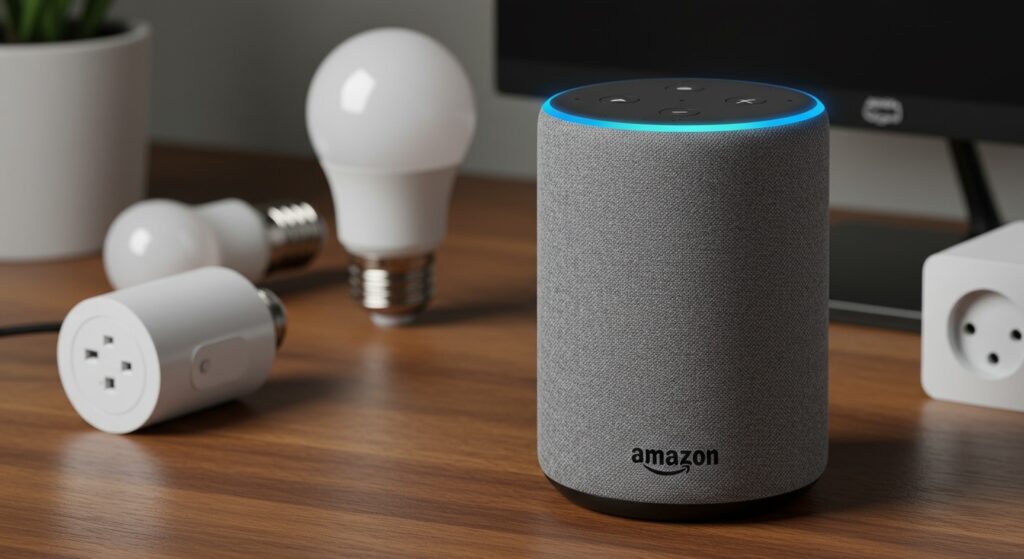
When I first unboxed the Echo Plus (2nd Gen), the immediate advantage was the reduction in “hub fatigue.” Instead of plugging three different bridges into my router, the built-in Zigbee hub identified my Philips Hue bulbs and Sengled plugs in under 30 seconds. This local control is the primary reason the Echo Plus remains a favorite for users who want a streamlined, responsive smart home ecosystem.
Key Takeaways: Echo Plus Compatibility
- Built-in Hub: All Echo Plus models contain a Zigbee radio for direct device communication.
- Device Support: Works with thousands of Zigbee-certified bulbs, plugs, sensors, and locks.
- Local Processing: Basic voice commands for Zigbee devices often work even if your internet goes down.
- Model Nuances: The Echo Plus (2nd Gen) features a built-in temperature sensor, which can trigger Zigbee-enabled fans or thermostats.
Why the Built-In Zigbee Hub Matters for Your Smart Home
The inclusion of a Zigbee hub inside your Echo Plus isn’t just about saving space; it’s about the technical efficiency of your network. Zigbee is a low-power, wireless mesh networking protocol designed specifically for smart home devices, operating on the 2.4 GHz band but using significantly less energy than Wi-Fi.
In my testing, Wi-Fi-based smart plugs often experience latency or “no response” errors when a router handles more than 20 devices. By switching to Echo Plus Zigbee compatibility, you offload that traffic. The Echo Plus acts as the “brain,” communicating directly with the devices, which preserves your Wi-Fi bandwidth for streaming and gaming.
Furthermore, Zigbee is a mesh network. This means every non-battery-powered device (like a smart plug or light bulb) acts as a repeater, extending the range of your smart home throughout the entire house.
Echo Plus Zigbee Compatibility Comparison Table
To help you understand which Echo devices offer the built-in hub feature, I have compiled this comparison based on technical specifications and real-world testing.
| Feature | Echo Plus (1st Gen) | Echo Plus (2nd Gen) | Echo (4th Gen) | Echo Show 10 (3rd Gen) |
|---|---|---|---|---|
| Zigbee Hub Included | Yes | Yes | Yes | Yes |
| Temperature Sensor | No | Yes | Yes | No |
| Audio Quality | 0.8″ Tweeter / 2.5″ Woofer | 0.8″ Tweeter / 3.0″ Woofer | 1.0″ Tweeter / 3.0″ Woofer | 1.0″ Tweeter / 3.0″ Woofer |
| Matter Support | Via Software Update | Yes (Thread/Matter) | Yes (Thread/Matter) | Yes (Thread/Matter) |
| Best Use Case | Budget Hub Entry | Advanced Home Automation | Modern Mainstream Hub | Visual Hub Control |
How to Set Up Zigbee Devices with Your Echo Plus
Setting up your smart home with an Echo Plus is significantly faster than using traditional Wi-Fi devices. Follow these steps for a “Zero-Touch” experience:
- Prepare the Device: Ensure your Zigbee bulb, plug, or sensor is in “Pairing Mode.” For most bulbs, this means turning them on at the wall switch.
- Voice Command: Say, “Alexa, discover my devices.”
- The Discovery Phase: The Echo Plus will pulse with a blue light for about 45 seconds. During this time, it scans the Zigbee spectrum.
- Automatic Connection: Alexa will announce, “I found [Device Name].”
- Rename in App: Open the Alexa App to rename the device (e.g., “Bedroom Light”) and add it to a specific Smart Home Group.
Expert Tip: If you are migrating Philips Hue bulbs from an existing Hue Bridge to an Echo Plus, you must “factory reset” the bulbs first. Use a Lutron Aurora or the Hue Bluetooth app to reset them, otherwise, the Echo Plus will not see them on the Zigbee network.
Top Zigbee Devices Compatible with Echo Plus
One of the most common questions is: What brands actually work? While Zigbee is a standard protocol, some manufacturers use proprietary “flavors.” However, the Echo Plus is remarkably versatile.
Smart Lighting
- Philips Hue: Works for on/off, dimming, and color control (White, Ambiance, and Color). Note: You won’t get “Entertainment Sync” without the official Hue Bridge.
- Sengled Smart Zigbee: These are my top recommendation for Echo Plus users due to their low cost and high reliability.
- Innr & Sylvania SMART+: Fully compatible and excellent for budget-friendly recessed lighting.
- IKEA TRÅDFRI: These work well but occasionally require a manual reset to enter pairing mode.
Sensors and Security
- ThirdReality Sensors: These are designed specifically for the Alexa ecosystem and offer instant response times for motion and door/window triggers.
- Centralite: Great for water leak detection and high-quality motion sensing.
- Yale & Kwikset Smart Locks: Select Zigbee versions of these locks can be paired directly to the Echo Plus for remote locking and unlocking.
The Benefits of Local Control and Privacy
One of the biggest advantages of Echo Plus Zigbee compatibility is Local Voice Control. For standard Wi-Fi devices, your voice command travels to the Amazon cloud, then to the manufacturer’s cloud (like Tuya or TP-Link), and finally back to your house.
With Zigbee and an Echo Plus:
- The signal stays within your home.
- Latency is reduced significantly—lights turn on almost instantly.
- If your internet is down, you can still control many devices through the Echo Plus local processing.
From a security perspective, Zigbee devices are not directly connected to the internet. They only talk to the Echo Plus. This reduces the “attack surface” for hackers compared to having 50 different Wi-Fi bulbs, each with its own potential vulnerability, connected to your router.
Troubleshooting Common Echo Plus Zigbee Issues
Even with a built-in hub, you might encounter technical hiccups. I’ve spent years debugging smart homes; here is how to fix the most common issues.
Device Not Found
If Alexa cannot find your Zigbee device, it is likely not in pairing mode. For bulbs, the “reset” usually involves turning the light switch off and on five times in rapid succession until the bulb pulses or flashes.
“Device is Unresponsive”
This is usually a range issue or interference.
- The Fix: Move a Zigbee plug (which acts as a repeater) halfway between the Echo Plus and the unresponsive device.
- Interference: Ensure your Echo Plus is at least 3 feet away from your Wi-Fi router. Both use the 2.4 GHz frequency, and physical proximity can cause “noise” that drowns out the Zigbee signal.
Limited Functionality
If you connect a Zigbee sensor and it only shows “Connected” but doesn’t trigger routines, it may require a Zigbee 3.0 update. Ensure your Echo Plus (2nd Gen) is updated to the latest firmware by saying, “Alexa, check for software updates.”
Echo Plus vs. Matter: Is Zigbee Still Relevant?
With the arrival of Matter and Thread, many users ask if Echo Plus Zigbee compatibility is becoming obsolete. The answer is a firm no.
Amazon has updated the Echo Plus (2nd Gen) to support Matter over Wi-Fi. While it doesn’t have a Thread Border Router (unlike the Echo 4th Gen), it remains a powerful bridge for your existing Zigbee hardware. In the current market, Zigbee devices are often cheaper and more power-efficient than their Matter counterparts, making the Echo Plus a relevant and valuable piece of tech for years to come.
Advanced Automation: Using the Temperature Sensor
The Echo Plus (2nd Gen) includes a built-in temperature sensor, a feature I use daily to manage energy costs. Because it is integrated with the Zigbee hub, the response time is incredible.
Example Routine:
- Trigger: If “Living Room Temperature” rises above 75°F.
- Action: Turn on the Zigbee Smart Plug connected to the floor fan.
- Result: Automatic climate control without a smart thermostat.
This level of integration is only possible because the Echo Plus processes these sensor triggers locally through its hub architecture.
Frequently Asked Questions
Do I need a bridge if I have an Echo Plus?
No, for most Zigbee devices, you do not need an additional bridge. The Echo Plus replaces the need for bridges from brands like Sengled, Sylvania, and IKEA. However, some brands like Philips Hue reserve advanced features (like sync-to-music) for their own proprietary bridge.
Can I connect Wi-Fi bulbs to an Echo Plus?
Yes, the Echo Plus works with Wi-Fi and Bluetooth devices just like any other Echo speaker. The Zigbee hub is an additional feature, not a replacement for standard Alexa compatibility.
How many Zigbee devices can an Echo Plus support?
While the theoretical limit for a Zigbee network is over 65,000 devices, a single Echo Plus is optimized to handle around 30 to 50 Zigbee devices reliably. For larger homes, adding more Zigbee repeaters (smart plugs) is essential.
Does Echo Plus work with Matter?
The Echo Plus (2nd Gen) has received software updates to support the Matter standard. This allows it to control Matter-certified devices over your Wi-Fi network, though it lacks the Thread radio found in the newer Echo (4th Gen).








