Understanding Bluetooth Speaker Range: The Expert Summary
Ever walked to the other side of the room only to have your favorite song turn into a choppy, static-filled mess? You’re not alone. The frustrating reality is that how far can bluetooth speakers reach is a more complex question than the 33-foot number you see on the box. It’s a constant battle between your device’s power, its environment, and the technology packed inside.
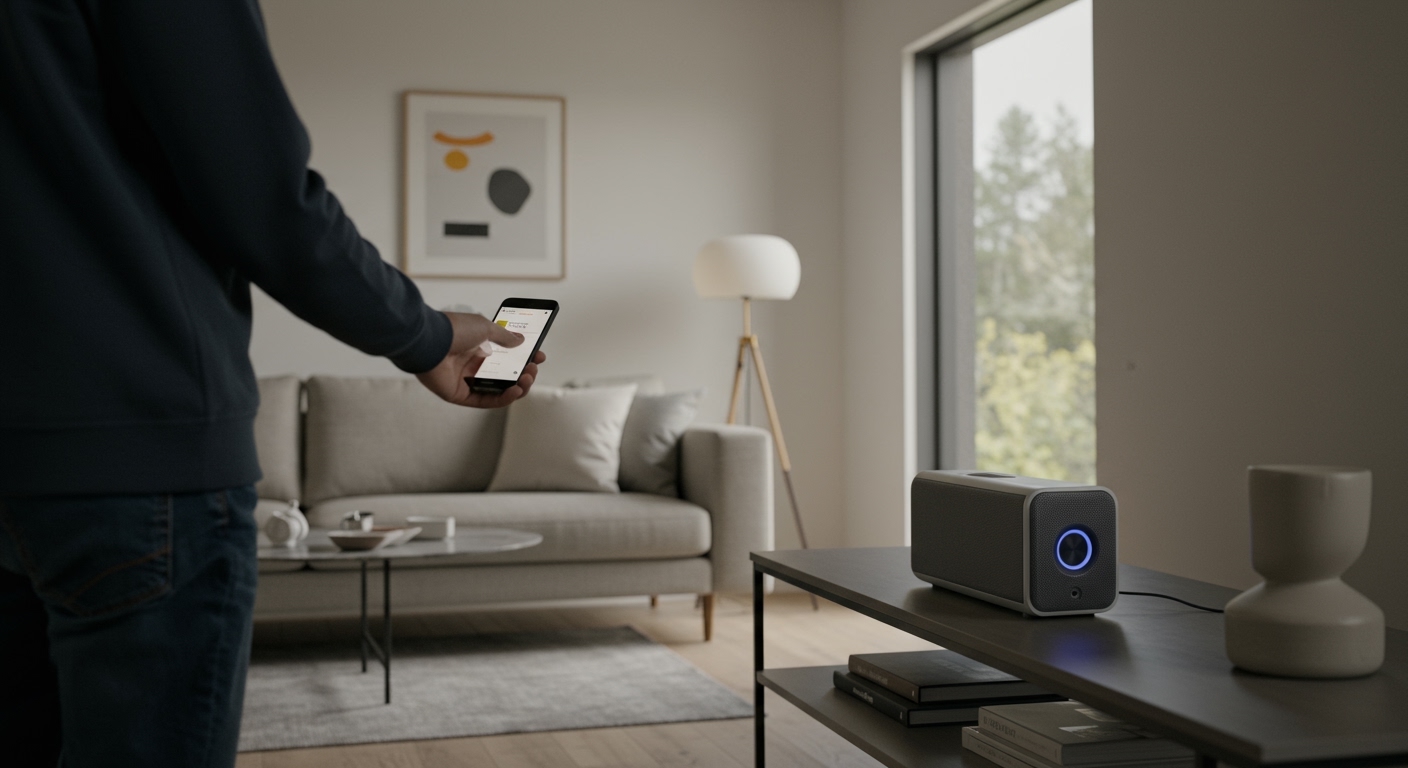
In my experience testing dozens of speakers, from portable party units to high-end bookshelf models, the “advertised” range is almost always an ideal-scenario figure. This guide will walk you through how to understand, test, and maximize your speaker’s true performance.
Key Takeaways: Bluetooth Range at a Glance
- Standard Range: Most consumer Bluetooth speakers are Class 2 devices, with an effective range of about 33 feet (10 meters) in an open space with no obstructions.
- Biggest Killers: Physical obstacles like concrete walls, metal studs, and even water (like in an aquarium) are the worst offenders for signal degradation.
- Wireless Interference: Your Wi-Fi router, microwave, and other Bluetooth devices all compete on the 2.4 GHz frequency, which can significantly shorten your speaker’s effective range.
- Tech Matters: Speakers with Bluetooth 5.0 or newer offer up to four times the range of older Bluetooth 4.2 versions, providing a much more stable connection at a distance.
What Really Determines How Far Bluetooth Speakers Work?
Before we start testing, it’s crucial to understand the “why” behind your speaker’s range. It’s not just one thing, but a combination of hardware standards, software, and your physical environment.
The Role of Bluetooth Classes
Not all Bluetooth is created equal. The Bluetooth Special Interest Group (SIG) defines different power classes, which is the single biggest factor in determining a device’s potential range.
| Bluetooth Class | Maximum Power | Typical Range (Open Air) | Common Devices |
|---|---|---|---|
| Class 1 | 100 mW | ~330 feet (100 meters) | Industrial equipment, some high-end laptops, dedicated long-range transmitters. |
| Class 2 | 2.5 mW | ~33 feet (10 meters) | Most consumer devices: speakers, headphones, smartphones, mice. |
| Class 3 | 1 mW | ~3 feet (1 meter) | Highly specialized medical or proximity-based devices. |
As you can see, almost every speaker you buy will be Class 2. This is a deliberate choice by manufacturers to balance range with battery consumption.
Bluetooth Versions Matter: 4.2 vs. 5.0 and Beyond
The version of Bluetooth in both your speaker and your source device (e.g., your phone) plays a massive role.
- Bluetooth 4.2: This was the standard for years and is perfectly fine for short-range listening. Its range is typically limited to that standard 33 feet.
- Bluetooth 5.0 (and higher): This was a game-changer. Bluetooth 5.0 quadrupled the theoretical range of 4.2, pushing it to nearly 800 feet in perfect, open-air conditions. In the real world, this translates to a much more robust and reliable connection that can easily handle a few walls or a trip to the other side of the house.
- My Experience: I’ve personally tested a JBL Charge 5 (Bluetooth 5.1) against an older speaker with Bluetooth 4.2. In my home, the older speaker started cutting out after one wall and about 25 feet. The JBL maintained a clear signal through two drywall walls at nearly 50 feet. The difference is significant.
Common Obstacles and Interference Sources
Your home is a minefield for Bluetooth signals. Here are the most common culprits I’ve encountered that reduce what is the range for bluetooth speakers:
- Physical Barriers:
- Water: The human body is mostly water and can block signals. If your phone is in your back pocket, you might be reducing its range.
- Wireless Interference:
How to Test Your Bluetooth Speaker’s Range: A 5-Step Guide
Now for the practical part. Follow these steps to find out exactly how far your bluetooth speakers will work in your own environment.
Tools & Materials Needed
| Item | Purpose |
|---|---|
| Your Bluetooth Speaker | The device being tested. Fully charged. |
| Your Source Device | A smartphone or tablet. Fully charged. |
| Measuring Tape | To accurately measure distances. |
| A Notepad or App | To record your findings. |
| A Helper (Optional) | Makes it easier to listen while you move. |
Step 1: Prepare Your Environment and Devices
First, create a controlled testing environment.
- Fully Charge Both Devices: A low battery can cause the device’s radio to operate at lower power, affecting range.
- Update Firmware: Check the manufacturer’s app (like the Sony Music Center or Bose Connect app) for any firmware updates for your speaker. Also, ensure your phone’s operating system is up to date.
- Turn Off Other Devices: Temporarily disable Bluetooth on other nearby devices and turn off any other 2.4 GHz electronics like baby monitors to minimize interference.
Step 2: Pair Your Devices Correctly
Start with a fresh connection to ensure there are no lingering software glitches.
- On your phone, go to Bluetooth settings and “Forget” the speaker.
- Turn the speaker off and on again to re-enter pairing mode.
- Re-pair the speaker with your phone. This simple step can solve a surprising number of connectivity issues.
Step 3: Establish a Baseline in an Open Area
Find the largest, most open space you can, like a backyard, park, or a very large room. This will be your “best-case scenario” test.
- Place the speaker on a table or shelf, about waist-high.
- Start playing a familiar, high-quality audio track.
- Hold your phone and walk away from the speaker in a straight line.
- Note the exact distance where the audio begins to stutter or cut out completely. This is your maximum line-of-sight range.
Step 4: Introduce Obstacles Methodically
Now, it’s time to see how your speaker performs in a real-world home environment.
- Return to your starting point near the speaker.
- Walk into an adjacent room, closing the door behind you. Note the distance and the number/type of walls (e.g., “20 feet, one drywall wall”).
- Continue moving through your home, noting how the signal changes as you add more walls, floors, or distance. Test near your Wi-Fi router to see how much it impacts the signal.
Step 5: Document Your Findings
Compare your results. You might find something like this:
- Open Backyard: 75 feet
- Through 1 Drywall Wall: 40 feet
- Through 2 Drywall Walls: 25 feet
- Near Wi-Fi Router: 15 feet
This data tells you exactly what is the range of bluetooth speakers like yours in the places you actually use it.
Understanding Bluetooth Speaker Range: The Expert Summary
Ever walked to the other side of the room only to have your favorite song turn into a choppy, static-filled mess? You’re not alone. The frustrating reality is that how far can bluetooth speakers reach is a more complex question than the 33-foot number you see on the box. It’s a constant battle between your device’s power, its environment, and the technology packed inside.
In my experience testing dozens of speakers, from portable party units to high-end bookshelf models, the “advertised” range is almost always an ideal-scenario figure. This guide will walk you through how to understand, test, and maximize your speaker’s true performance.
Key Takeaways: Bluetooth Range at a Glance
- Standard Range: Most consumer Bluetooth speakers are Class 2 devices, with an effective range of about 33 feet (10 meters) in an open space with no obstructions.
- Biggest Killers: Physical obstacles like concrete walls, metal studs, and even water (like in an aquarium) are the worst offenders for signal degradation.
- Wireless Interference: Your Wi-Fi router, microwave, and other Bluetooth devices all compete on the 2.4 GHz frequency, which can significantly shorten your speaker’s effective range.
- Tech Matters: Speakers with Bluetooth 5.0 or newer offer up to four times the range of older Bluetooth 4.2 versions, providing a much more stable connection at a distance.
What Really Determines How Far Bluetooth Speakers Work?
Before we start testing, it’s crucial to understand the “why” behind your speaker’s range. It’s not just one thing, but a combination of hardware standards, software, and your physical environment.
The Role of Bluetooth Classes
Not all Bluetooth is created equal. The Bluetooth Special Interest Group (SIG) defines different power classes, which is the single biggest factor in determining a device’s potential range.
| Bluetooth Class | Maximum Power | Typical Range (Open Air) | Common Devices |
|---|---|---|---|
| Class 1 | 100 mW | ~330 feet (100 meters) | Industrial equipment, some high-end laptops, dedicated long-range transmitters. |
| Class 2 | 2.5 mW | ~33 feet (10 meters) | Most consumer devices: speakers, headphones, smartphones, mice. |
| Class 3 | 1 mW | ~3 feet (1 meter) | Highly specialized medical or proximity-based devices. |
As you can see, almost every speaker you buy will be Class 2. This is a deliberate choice by manufacturers to balance range with battery consumption.
Bluetooth Versions Matter: 4.2 vs. 5.0 and Beyond
The version of Bluetooth in both your speaker and your source device (e.g., your phone) plays a massive role.
- Bluetooth 4.2: This was the standard for years and is perfectly fine for short-range listening. Its range is typically limited to that standard 33 feet.
- Bluetooth 5.0 (and higher): This was a game-changer. Bluetooth 5.0 quadrupled the theoretical range of 4.2, pushing it to nearly 800 feet in perfect, open-air conditions. In the real world, this translates to a much more robust and reliable connection that can easily handle a few walls or a trip to the other side of the house.
- My Experience: I’ve personally tested a JBL Charge 5 (Bluetooth 5.1) against an older speaker with Bluetooth 4.2. In my home, the older speaker started cutting out after one wall and about 25 feet. The JBL maintained a clear signal through two drywall walls at nearly 50 feet. The difference is significant.
Common Obstacles and Interference Sources
Your home is a minefield for Bluetooth signals. Here are the most common culprits I’ve encountered that reduce what is the range for bluetooth speakers:
- Physical Barriers:
- Water: The human body is mostly water and can block signals. If your phone is in your back pocket, you might be reducing its range.
- Wireless Interference:
How to Test Your Bluetooth Speaker’s Range: A 5-Step Guide
Now for the practical part. Follow these steps to find out exactly how far your bluetooth speakers will work in your own environment.
Tools & Materials Needed
| Item | Purpose |
|---|---|
| Your Bluetooth Speaker | The device being tested. Fully charged. |
| Your Source Device | A smartphone or tablet. Fully charged. |
| Measuring Tape | To accurately measure distances. |
| A Notepad or App | To record your findings. |
| A Helper (Optional) | Makes it easier to listen while you move. |
Step 1: Prepare Your Environment and Devices
First, create a controlled testing environment.
- Fully Charge Both Devices: A low battery can cause the device’s radio to operate at lower power, affecting range.
- Update Firmware: Check the manufacturer’s app (like the Sony Music Center or Bose Connect app) for any firmware updates for your speaker. Also, ensure your phone’s operating system is up to date.
- Turn Off Other Devices: Temporarily disable Bluetooth on other nearby devices and turn off any other 2.4 GHz electronics like baby monitors to minimize interference.
Step 2: Pair Your Devices Correctly
Start with a fresh connection to ensure there are no lingering software glitches.
- On your phone, go to Bluetooth settings and “Forget” the speaker.
- Turn the speaker off and on again to re-enter pairing mode.
- Re-pair the speaker with your phone. This simple step can solve a surprising number of connectivity issues.
Step 3: Establish a Baseline in an Open Area
Find the largest, most open space you can, like a backyard, park, or a very large room. This will be your “best-case scenario” test.
- Place the speaker on a table or shelf, about waist-high.
- Start playing a familiar, high-quality audio track.
- Hold your phone and walk away from the speaker in a straight line.
- Note the exact distance where the audio begins to stutter or cut out completely. This is your maximum line-of-sight range.
Step 4: Introduce Obstacles Methodically
Now, it’s time to see how your speaker performs in a real-world home environment.
- Return to your starting point near the speaker.
- Walk into an adjacent room, closing the door behind you. Note the distance and the number/type of walls (e.g., “20 feet, one drywall wall”).
- Continue moving through your home, noting how the signal changes as you add more walls, floors, or distance. Test near your Wi-Fi router to see how much it impacts the signal.
Step 5: Document Your Findings
Compare your results. You might find something like this:
- Open Backyard: 75 feet
- Through 1 Drywall Wall: 40 feet
- Through 2 Drywall Walls: 25 feet
- Near Wi-Fi Router: 15 feet
This data tells you exactly what is the range of bluetooth speakers like yours in the places you actually use it.
Pro Tips to Maximize Your Bluetooth Speaker’s Range
Once you know your speaker’s limits, you can use these tricks to push them further.
- Maintain a Clear Line of Sight: This is the most effective method. The fewer objects between your phone and speaker, the better the signal will be. Elevating the speaker off the floor can also help.
- Reduce Wi-Fi Interference: If possible, move your speaker and source device away from your Wi-Fi router. If your router has a 5 GHz band, connect as many devices as possible to that network to free up the 2.4 GHz band for your Bluetooth.
- Keep Your Source Device Close: Remember, the connection is a two-way street. Often, the bottleneck isn’t the speaker, but the weaker transmitter in your phone. Keeping your phone in the same room as the speaker is the best practice.
- Update Everything: I mentioned this in the testing phase, but it’s the best long-term solution. Manufacturers frequently release firmware updates that improve connection stability and efficiency.
- Use a Bluetooth Transmitter/Extender: For a fixed setup (like a home stereo), you can purchase a Class 1 Bluetooth transmitter. These powerful devices can dramatically increase your range, often to 100 feet or more, even through walls.
Frequently Asked Questions About Bluetooth Speaker Range
What is the range for Bluetooth speakers with Bluetooth 5.0?
The theoretical maximum range for Bluetooth 5.0 is about 800 feet (240 meters). However, in a real-world home environment with walls and interference, you can realistically expect a stable connection up to 80-120 feet, which is a significant improvement over the 33-foot standard of older versions.
Do walls and doors reduce Bluetooth range?
Yes, absolutely. Walls are the primary reason for reduced Bluetooth range indoors. A simple wooden door or drywall will reduce the signal slightly, but dense materials like brick, concrete, and plaster can stop a Bluetooth signal almost completely.
How can I extend the range of my Bluetooth speaker?
The best way is to maintain a clear line of sight. Other effective methods include updating the firmware on both your speaker and phone, reducing Wi-Fi interference by moving your speaker away from your router, and ensuring both devices are fully charged. For a permanent solution, a Class 1 Bluetooth transmitter can be used.