Understanding the Real Cost of MacBook Speaker Repairs
If your audio is crackling or silent, you likely want to know how much does it cost to fix MacBook Pro speakers. Generally, professional repairs range from $150 to $500 at the Apple Store, while DIY replacement parts cost between $30 and $90. This guide provides a comprehensive breakdown of costs, diagnostic steps, and a professional-grade repair walkthrough.
Expert Summary: Key Takeaways
Official Apple Cost: Typically $200 – $500 if out of warranty, as they often replace the entire “Top Case” assembly.
Independent Shop Cost: Usually $100 – $200 including parts and labor.
DIY Cost: Approximately $30 – $80 for the speaker parts and a basic toolkit.
Complexity: Moderate. Requires steady hands and specific tools like P5 Pentalobe and T5 Torx screwdrivers.
Primary Symptom: Distorted “buzzing” at high volumes usually indicates a torn speaker membrane.
How Much Does It Cost to Fix MacBook Pro Speakers? (Price Comparison)
The price you pay depends heavily on whether you choose Apple Authorized Service Providers (AASP), independent repair shops, or the DIY route. Apple frequently treats speaker issues as part of a larger assembly repair, which can inflate the price.
| Repair Method | Estimated Cost (Parts + Labor) | Turnaround Time | Warranty |
|---|---|---|---|
| Apple Store (Out of Warranty) | $250 – $500+ | 3-7 Business Days | 90 Days |
| AppleCare+ (Accidental Damage) | $99 (Service Fee) | 3-7 Business Days | Remaining Plan |
| Independent Repair Shop | $120 – $220 | 1-2 Business Days | Varies (usually 6 mo) |
| DIY Repair (Self-Fix) | $30 – $90 | 1-2 Hours | None (Self-guaranteed) |
Why is the Apple Store price so high?
When asking how much to fix MacBook Pro speakers at the Genius Bar, the quote often includes the replacement of the entire Top Case with Battery. On newer models (2016 and later), the speakers are sometimes glued or integrated in a way that makes individual replacement labor-intensive for Apple’s standard protocols.
Factors Influencing the Price
- Model Year: Repairs for M1/M2/M3 MacBook Pros are currently more expensive due to part scarcity.
- Speaker Side: The left and right speakers are often sold as a pair, but some models allow individual replacement.
- Damage Type: If the Audio IC on the logic board is failed, costs can exceed $500.
Step-by-Step Guide: How to Replace MacBook Pro Speakers
Before spending money, confirm the hardware is actually broken. How much to replace MacBook Pro speakers becomes irrelevant if the issue is a software glitch.
Phase 1: Diagnostic and Software Troubleshooting
- Reset NVRAM/PRAM: Shut down your Mac, then hold Option + Command + P + R for 20 seconds during boot (Intel Macs only).
- Check Audio MIDI Setup: Open Audio MIDI Setup in Applications > Utilities. Ensure the output format matches the speaker’s native sample rate (usually 44.1 kHz or 48.0 kHz).
- Safe Mode Boot: Restart and hold Shift. If the crackling stops, a third-party driver is the culprit.
Phase 2: Tools and Materials Needed
If software fixes fail, you need the right hardware. Do not attempt this with standard household tools, as you will strip the proprietary Apple screws.
| Tool Name | Purpose | Importance |
|---|---|---|
| P5 Pentalobe Screwdriver | Removing the bottom case screws. | Essential |
| T5/T3 Torx Screwdriver | Removing internal speaker and battery screws. | Essential |
| Spudger (Antistatic) | Prying connectors and cables safely. | High |
| Tweezers (ESD-Safe) | Handling small screws and delicate flex cables. | High |
| Replacement Speaker Set | New OEM or high-quality third-party speakers. | Essential |
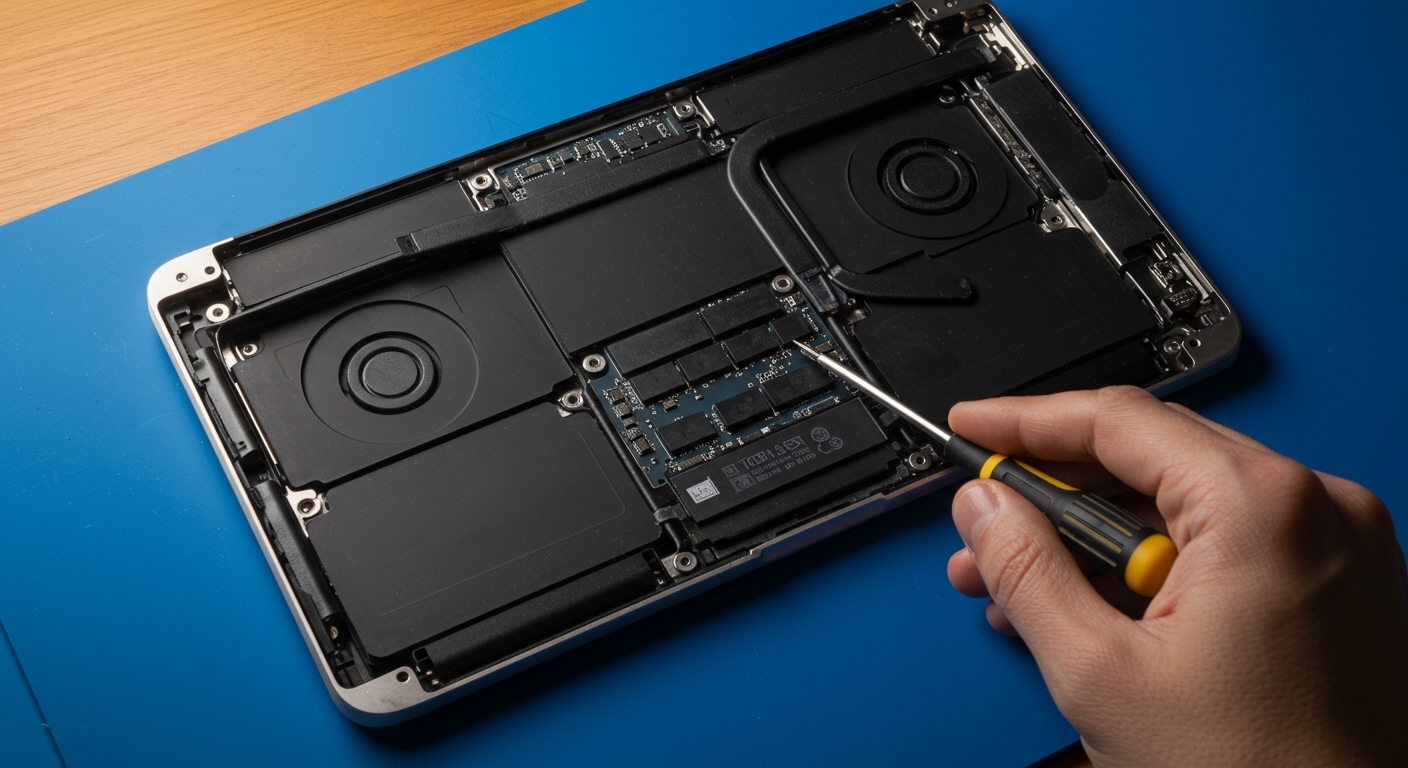
Phase 3: Hardware Replacement Process
Caution: Always back up your data before opening the device. Disconnect the battery immediately after removing the bottom cover to prevent short-circuiting the Logic Board.
Remove the Bottom Case
Use the P5 Pentalobe screwdriver to remove the screws on the underside.
Note that screws are often of different lengths; keep them organized using a magnetic mat.
Use a suction cup or thin prying tool to pop the clips holding the center of the case.
Disconnect the Battery (Critical Step)
Locate the battery connector (usually under a large “BMU” flex cable or a silver shield).
Use a Spudger to gently lift the connector. This cuts power to the board, preventing accidental damage.
Access the Speakers
On most MacBook Pro models, speakers are located on the far left and right edges.
Remove any Antenna Cables or Flex Cables obstructing the speaker housing.
Pro Tip: Take a photo of the cable routing before disconnecting anything to ensure perfect reassembly.
Unscrew and Extract the Failed Speaker
Remove the T5 Torx screws securing the speaker assembly to the chassis.
If the speaker is glued (common in MacBook Air or 12-inch models), use a small amount of 90% Isopropyl Alcohol to soften the adhesive.
Gently lift the speaker out, ensuring the flex cable connector is fully detached.
Install the New Speaker
Align the new speaker with the screw holes.
Reconnect the speaker flex cable to the Logic Board until you feel a “click.”
Replace the T5 screws, but do not over-tighten, as the speaker housing is often plastic and can crack.
Reassemble and Test
Reconnect the battery.
Snap the bottom case back on and tighten the Pentalobe screws.
Power on and play a high-frequency audio test to check for clarity.
Expert Advice: Avoiding Common Repair Pitfalls
Based on years of technical teardowns, here is how to avoid turning a simple speaker fix into a dead laptop:
The “Screw Sandwich” Trap: Never mix up the bottom case screws. Putting a long screw into a short screw hole can pierce the Logic Board or the Display Cable, leading to a $700+ repair.
Watch the Magnets: Speakers contain powerful magnets. Keep them away from loose screws that might get sucked into the speaker cone during installation, which causes immediate buzzing.
Check the Gasket: High-quality replacement speakers come with a foam gasket. Ensure this is seated perfectly; if air leaks around the speaker, the bass will sound “tinny” and weak.
Is it just dust? Sometimes, “blown” speakers are just filled with metallic debris. Before buying new ones, try cleaning the speaker grilles with compressed air or a soft brush.
Frequently Asked Questions
(FAQs)
Can MacBook speakers be replaced individually?
Yes, in almost all MacBook Pro and MacBook Air models, the left and right speakers are separate components. However, how much to replace MacBook speakers is often lower if you buy them as a pair, as many vendors bundle them together.
How much to fix speakers on MacBook Pro if I have AppleCare+?
If you have active AppleCare+, the cost is significantly reduced. You will likely pay a flat $99 accidental damage fee (plus tax). If the speaker failed due to a manufacturing defect and there is no liquid damage, the repair should be $0.
Why is my MacBook Pro speaker crackling at high volume?
This is usually caused by a physical tear in the speaker’s vibrating membrane or “cone.” Over time, the materials degrade, or high-volume peaks cause the edges to fray. Replacing the hardware is the only permanent fix.
Is it worth fixing speakers on an older MacBook?
If your MacBook is from 2015 or earlier, the repair is very easy and parts are cheap ($20-$30). For 2016-2019 models with the “butterfly” keyboard, consider the overall health of the laptop before investing how much it costs to replace MacBook Pro speakers, as those models have other known failure points.
How much to fix MacBook speakers at a local repair shop vs. Apple?
A local shop will typically charge $100 to $150 less than Apple. They are more likely to replace just the speaker component rather than the entire top case assembly, saving you money on parts.
Final Thoughts on MacBook Audio Repair
Determining how much to fix MacBook Pro speakers depends on your comfort level with small electronics. While Apple offers the highest “peace of mind,” the $300+ savings of a DIY repair is enticing for many users. If you choose to do it yourself, invest in high-quality tools and take your time with the internal connectors.
If you are unsure about your technical skills, seeking a quote from a reputable independent technician is the best middle ground for balancing cost and quality.