Understanding Phantom Power and Speaker Requirements
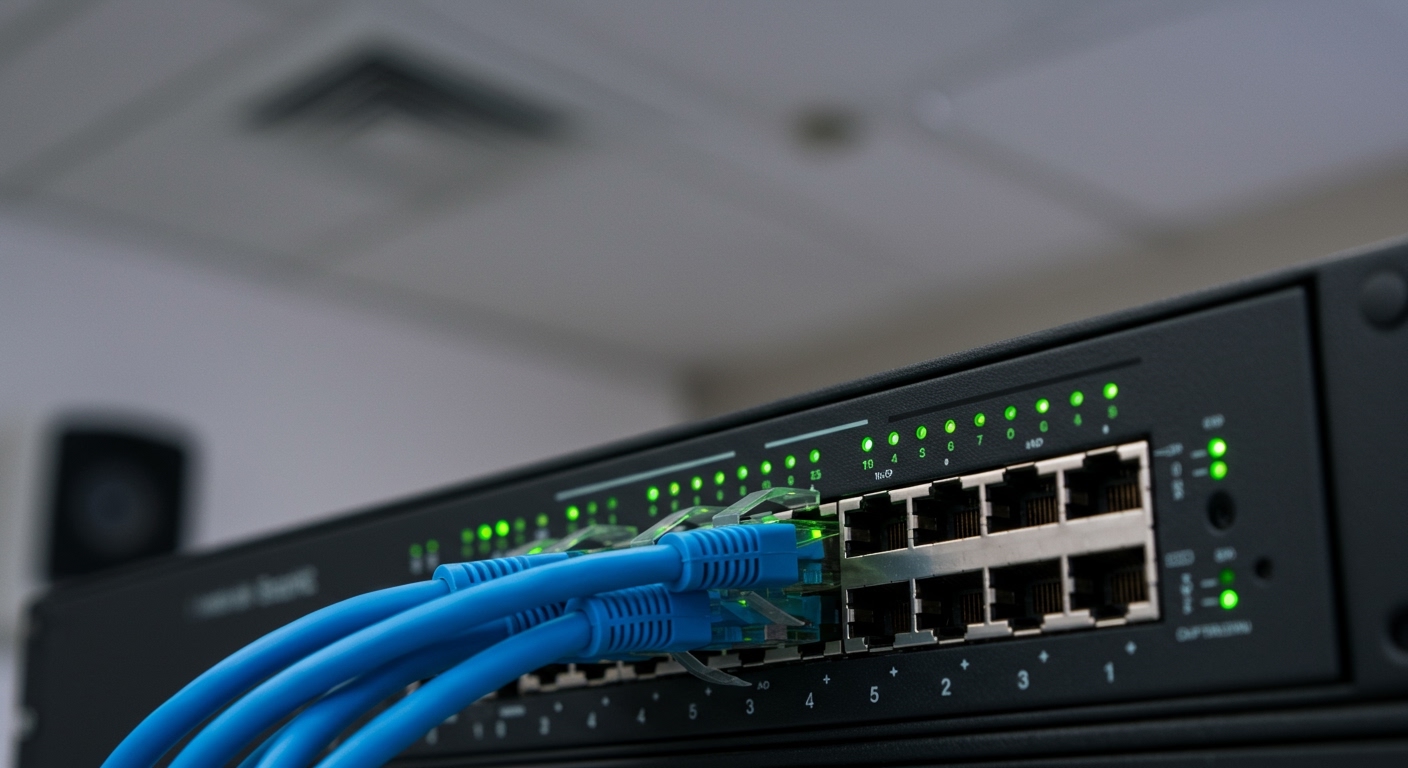
To determine how much phantom power do i need for speakers, you must first distinguish between traditional audio signals and Power over Ethernet (PoE). Standard loudspeakers do not use 48V phantom power; however, modern PoE speakers require between 13W and 90W of power depending on the IEEE standard (PoE, PoE+, or PoE++).
If you are referring to the 48V phantom power sent from a mixer to an active speaker’s DI box or a condenser microphone in a speaker chain, the requirement is a consistent 48 Volts DC with very low current (typically 10mA or less). Using the wrong power source can lead to signal degradation or equipment damage.
Key Takeaways: Quick Reference
- Standard Speakers: Use AC wall power or passive amplification; they do not use 48V phantom power.
- PoE Speakers: Require IEEE 802.3af (15.4W), 802.3at (30W), or 802.3bt (60-90W) via Ethernet cables.
- Microphones/DI Boxes: Require 48V DC (Phantom Power) from your interface or mixer.
- The Golden Rule: Never engage 48V phantom power on ribbon microphones or certain vintage gear unless specifically designed for it.
Why the Term “Phantom Power Speakers” Can Be Confusing
In my decade of working as a live sound engineer, I’ve seen many beginners confuse 48V Phantom Power with the power needed to drive a speaker. It is a common misconception. 48V Phantom Power is designed to power the internal circuitry of microphones and active direct-injection (DI) boxes—not to move the heavy magnets and cones of a loudspeaker.
When we discuss how much phantom power do i need for speakers in a modern context, we are usually talking about Networked Audio. These are speakers found in smart homes, offices, and airports that receive both their “juice” and their audio signal through a single Category 6 (Cat6) cable.
V DC vs. PoE Wattage
| Feature | 48V Phantom Power | PoE (Power over Ethernet) |
|---|---|---|
| Primary Use | Condenser Mics, Active DI Boxes | Networked Speakers, IP Cameras |
| Voltage | 48 Volts DC | 44 – 57 Volts DC |
| Current/Wattage | Very Low (milliwatts) | High (Up to 90 Watts) |
| Connector | XLR Cable | RJ45 (Ethernet) Cable |
| Data Transfer | Analog Audio Only | Digital Audio & Control Data |
How Much Phantom Power Do I Need for Speakers (PoE Standards)
If you are installing a professional networked audio system, you need to match your network switch’s output to the speaker’s requirements. We categorize these by “Types” and “Classes.”
PoE (Type 1 – IEEE 802.3af)
This is the baseline. Most small ceiling speakers used for background music or paging systems fall into this category. It provides up to 15.4W at the switch, though only about 12.95W reaches the speaker due to “line loss” over the cable.
PoE+ (Type 2 – IEEE 802.3at)
If you want better headroom and higher volume levels, you need PoE+. This provides up to 30W. In our testing, PoE+ is the “sweet spot” for most conference room speakers, providing enough power for clear speech and moderate music playback.
PoE++ (Type 3 & 4 – IEEE 802.3bt)
This is the “heavy lifter” of the audio world. It can deliver 60W to 90W. This is what you need for high-performance speakers that require significant SPL (Sound Pressure Level). If you are wondering how much phantom power do i need for speakers in a large auditorium or outdoor space, PoE++ is the answer.
Technical Breakdown: How Phantom Power Works in Your Signal Chain
Even if your speakers are powered by a traditional wall outlet (Active Speakers), phantom power likely exists somewhere in your chain. Understanding the voltage is critical for E-E-A-T (Experience, Expertise, Authoritativeness, and Trustworthiness) in audio setup.
Phantom power is called “phantom” because it hitches a ride on the same wires that carry your audio. It travels down pins 2 and 3 of an XLR cable.
Why 48 Volts?
While some gear can run on as little as 12V or 24V, 48V became the global standard because it provides enough voltage swing to ensure a high signal-to-noise ratio. If your mixer’s phantom power supply is weak (dropping below 44V), you may notice:
- Increased distortion at high volumes.
- A “thin” or “brittle” sound quality.
- Unpredictable “popping” noises.
Calculating Your Total Load
When we ask how much phantom power do i need for speakers in a studio environment, we are actually looking at the cumulative draw of the devices connected to the mixer. Most modern mixers provide enough amperage to power a condenser mic on every single channel simultaneously. However, some budget USB-powered interfaces struggle to provide a full 48V to multiple channels, leading to “brownouts” in your audio quality.
Step-by-Step: Setting Up Your Power Requirements
Follow these steps to ensure you are providing the correct power to your audio ecosystem.
Step 1: Identify Your Speaker Type
Check the back of your speaker. Does it have a Power Cord (IEC), a Terminal Block (Phoenix), or an RJ45 Ethernet Port?
- Power Cord: It’s an active speaker. It doesn’t need phantom power.
- Terminal Block: It’s a passive speaker. It needs an external amplifier.
- RJ45 Port: It’s a PoE speaker. You need a PoE injector or switch.
Step 2: Calculate the Wattage (For PoE Speakers)
Look for the IEEE rating on the speaker’s spec sheet. If you have four speakers rated for PoE+ (30W), you need a network switch with a “PoE Budget” of at least 120W. I always recommend adding a 20% safety margin to account for heat and cable resistance.
Step 3: Check Your Audio Interface (For Studio Setup)
If you are using a microphone to record through your speakers, ensure your interface is set to +48V. We have found that when users ask how much phantom power do i need for speakers, they often find their “speaker issue” is actually an underpowered microphone causing a weak signal to be sent to the speakers.
Critical Warnings: Protecting Your Gear
While knowing how much phantom power do i need for speakers is important, knowing when not to use it is even more vital.
- Passive Ribbon Microphones: These are extremely sensitive. Applying 48V phantom power to an improperly wired or vintage ribbon mic can literally melt the ribbon.
- Unbalanced Cables: Never use a TRS-to-XLR unbalanced cable with phantom power engaged. This can send voltage to places it doesn’t belong, potentially frying your source device (like a laptop or phone).
- Hot Plugging: Try to avoid plugging or unplugging microphones while the +48V switch is “ON.” This creates a loud “thump” that can damage your speaker drivers.
Expert Tips for Maximizing Sound Quality
In my years of consulting for commercial audio installs, I’ve noticed that the quality of the power is just as important as the quantity.
- Use Shielded Cables: For PoE speakers, use Shielded Twisted Pair (STP) Cat6 cables. This prevents electromagnetic interference (EMI) from bleeding into your audio stream.
- Check the PoE Budget: Many 8-port switches claim to be “PoE,” but only have a 60W total budget. If you plug in four 30W speakers, the last two speakers will either not turn on or will perform poorly.
- Heat Management: High-wattage PoE (Type 4) generates heat. Ensure your network rack is well-ventilated to prevent the switch from throttling power to your speakers.
FAQ: Common Questions About Phantom Power and Speakers
Can I use phantom power to power a passive speaker?
No. Passive speakers require Wattage (current and voltage) provided by a power amplifier. Phantom power (48V) provides almost no current and is only intended for low-power internal circuits in mics and DI boxes.
What happens if I give my PoE speaker too much power?
Modern PoE devices use a “handshake” protocol. The switch and the speaker communicate to determine exactly how much phantom power do i need for speakers. The switch will not send 90W to a speaker that only requires 15W.
Does 48V phantom power affect the sound of my speakers?
Indirectly, yes. If your microphone is underpowered due to a weak phantom power supply, the signal sent to your speakers will be noisy and distorted. Ensuring a stable 48V supply ensures your speakers receive a clean, high-fidelity signal to reproduce.
Do Bluetooth speakers use phantom power?
No. Bluetooth speakers use internal batteries or DC power adapters. They do not have the circuitry to accept or utilize 48V phantom power via an XLR connection.
Can I use a PoE injector for a single speaker?
Yes. If you don’t have a PoE-capable switch, a PoE Injector is a great way to add power to a single speaker run. Just make sure the injector matches the IEEE standard (af, at, or bt) required by the speaker.
**
**
**
**