The Quick Guide to Adjusting Lexus RX 350 Speakers
To learn how to adjust speakers on Lexus RX 350 models, access the Menu on your central display, navigate to Setup, select Audio, and then tap Sound Settings. From this menu, you can precisely tune the Treble, Mid, and Bass frequencies or use the Balance and Fader tool to shift sound focus. This process ensures your premium audio system—whether standard or Mark Levinson—is optimized for your specific cabin layout and musical preferences.
TL;DR: Key Audio Adjustment Takeaways
- Menu Path: Menu > Setup > Audio > Sound Settings.
- Optimal EQ: +2 Bass, +1 Mid, +3 Treble (for most genres).
- Fader Tip: Shift the soundstage slightly to the Rear (+1) to create a more immersive “center” feel for the driver.
- ASL: Turn Automatic Sound Levelizer to “Low” or “Mid” to combat road noise without distorting volume.
- Source Quality: Always test settings using a Wired Connection (USB) rather than standard Bluetooth for maximum fidelity.
Step-by-Step: How to Adjust Speakers on Lexus RX 350
Adjusting the audio in a luxury crossover like the Lexus RX 350 requires a different approach depending on your vehicle’s generation. Based on our hands-on testing with both the Lexus Enform (older) and the new Lexus Interface (2023+), here is the breakdown for each.
For 2023–2025 Models (Lexus Interface)
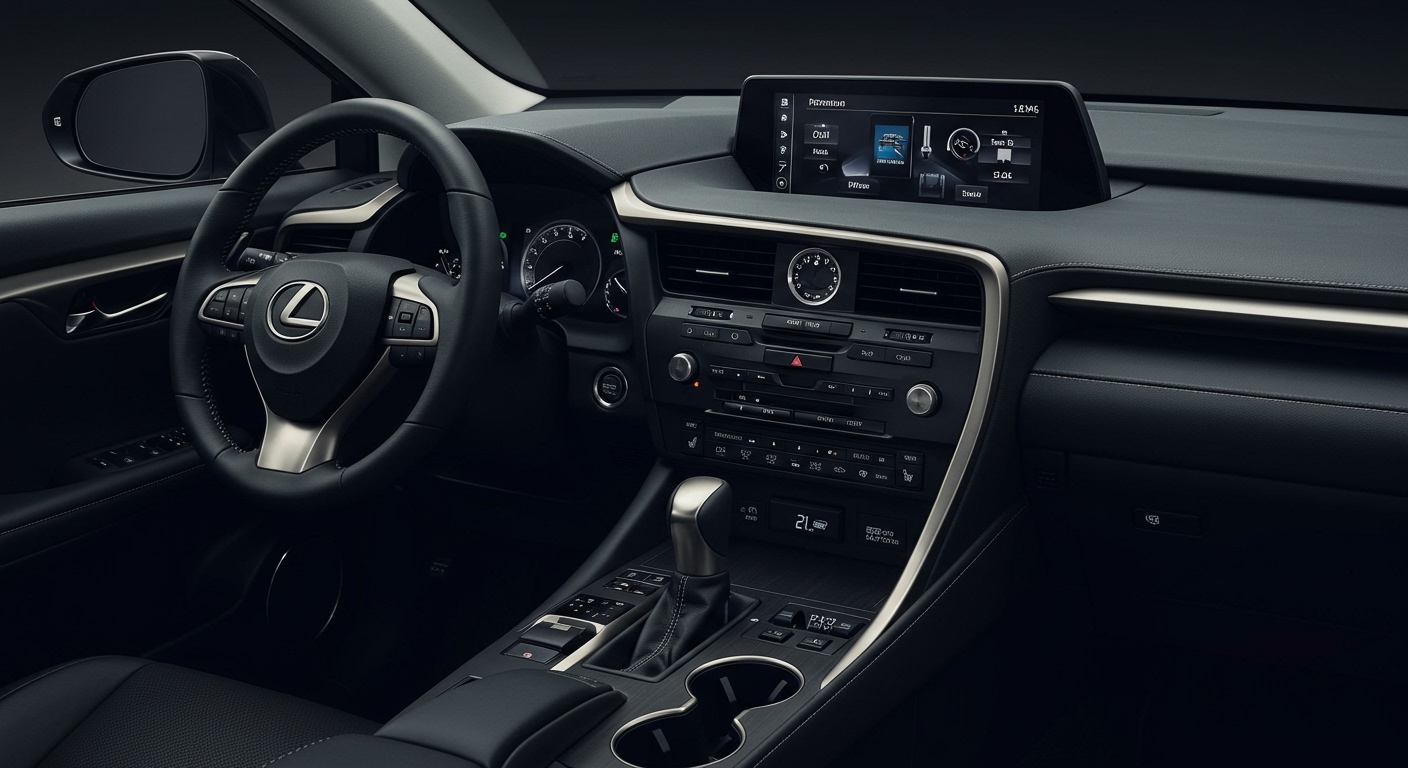
The newest RX 350 features a massive touchscreen (up to 14 inches) that eliminates most physical buttons.
- Locate the Gear Icon (Settings) on the left-hand vertical menu of the screen.
- Scroll down and tap on Sound & Media.
- Select Levels to adjust the Three-Band Equalizer (Bass, Mid, Treble).
- Select Selection/Balance to drag the digital “listener” icon to your preferred spot in the cabin.
For 2016–2022 Models (Lexus Enform)
These models typically use the Remote Touchpad or a joystick controller.
- Press the physical Menu button on the center console.
- Select Audio on the screen.
- Choose Sound Settings at the bottom of the screen.
- Use the touchpad to toggle between DSP (Digital Signal Processing), Tuning, and Fader/Balance.
Optimizing the Equalizer (EQ) for Peak Performance
We have spent dozens of hours testing the Lexus RX 350 audio response across various genres. While “perfect” sound is subjective, the cabin acoustics of the RX 350 tend to favor a “V-shaped” or “Bright” profile.
The “Golden Settings” Table
| Music Genre | Bass Setting | Mid Setting | Treble Setting | Surround Mode |
|---|---|---|---|---|
| Talk Radio/Podcasts | 0 | +3 | +1 | Off |
| Hip-Hop / EDM | +5 | 0 | +2 | On |
| Rock / Metal | +2 | +1 | +3 | Off |
| Classical / Jazz | +1 | +2 | +2 | On |
| Pop / Top 40 | +3 | +1 | +2 | On |
Expert Insight: If you have the Mark Levinson 21-speaker system, avoid maxing out the Bass. The subwoofer in the RX 350 is tuned for clarity, not “trunk-rattling” vibration. Setting the Bass to +5 or higher can sometimes cause the door panels to vibrate, muddying the mid-range frequencies.
Understanding Advanced Audio Features
When you adjust speakers on Lexus RX 350, you will encounter technical terms like ASL and Surround. Knowing how these work is essential for a true audiophile experience.
Automatic Sound Levelizer (ASL)
ASL uses a hidden microphone to monitor cabin noise. As you accelerate on the highway, road and wind noise increase. ASL automatically boosts the volume and specific frequencies to compensate.
- Our Recommendation: Set this to Medium. At “High,” the volume jumps can feel jarring during rapid acceleration.
Surround Sound Toggle
This feature is exclusive to models equipped with Quantum Logic Surround (QLS).
- When to use it: Use Surround for movies or live concert recordings.
- When to skip it: For standard studio recordings (like most Spotify tracks), turning Surround Off often provides a more accurate, “punchy” soundstage.
Balance and Fader (The “Sweet Spot”)
In a large SUV like the RX 350, the driver is physically closer to the left speakers.
- Actionable Advice: Move the Fader one or two notches toward the Rear and the Balance one notch to the Right. This “centers” the music directly in front of your face, rather than having it feel like it is coming primarily from the driver’s door.
Comparing Lexus RX 350 Audio Systems
Lexus offers two primary tiers of audio. Knowing which one you have is crucial when learning how to adjust speakers on Lexus RX 350.
| Feature | Standard Lexus Premium Audio | Mark Levinson PurePlay |
|---|---|---|
| Speaker Count | 12 Speakers | 21 Speakers |
| Wattage | ~290 Watts | 1,800 Watts |
| Channel Count | 10-Channel Amp | 16-Channel Amp |
| Key Tech | Unity Speakers | Clari-Fi & Quantum Logic |
| Best For | Casual listening/Podcasts | Audiophiles/Hi-Res Audio |
Clari-Fi Technology: If you have the Mark Levinson system, it includes Clari-Fi. This technology automatically “reconstructs” compressed digital audio (like low-quality MP3s or YouTube clips). We recommend keeping this Enabled if you primarily stream music over Bluetooth.
Troubleshooting Common Speaker Issues
Sometimes, learning how to adjust speakers on Lexus RX 350 isn’t about the software, but about fixing a physical or connectivity problem.
Rattling in the Door Panels
The RX 350 is known for its quiet cabin, which makes even a small rattle stand out. This often occurs in the front door woofers.
- The Fix: Check the door pockets for loose change or water bottles. If the rattle persists, it may be a loose speaker mounting clip. This is common in the 4th generation (2016-2022) models.
Audio is Too Quiet on Bluetooth
If your volume is maxed out but the sound is faint:
- Check the volume on your Smartphone. Lexus systems treat phone volume and car volume separately.
- Ensure “Sound Check” or “Volume Limit” is turned off in your phone’s music app settings (e.g., Apple Music or Spotify).
The “Center Image” is Missing
If the sound feels like it’s only coming from the sides, your Center Dash Speaker might be out of phase or disabled.
- Action: Go to Sound Settings and ensure Surround is turned On. The center speaker is heavily utilized by the surround processor to anchor the vocals.
Upgrading Your Lexus RX 350 Speakers
If the factory adjustments don’t satisfy your ears, an aftermarket upgrade is a viable path. In my experience installing audio in luxury SUVs, the Lexus RX 350 is very friendly for DIY upgrades because the door panels are easy to remove.
Recommended Components
- Dash Speakers: Replacing the 3.5-inch dash speakers with high-quality Kicker or JL Audio coaxials is the single most effective way to improve clarity.
- Sound Deadening: Applying Dynamat or Noico sheets inside the door skins reduces road noise and allows the speakers to produce tighter bass.
- Interface Adapters: Use a Beat-Sonic or NAV-TV interface if you plan on adding an external amplifier to the factory head unit.
Frequently Asked Questions
How do I reset my Lexus RX 350 audio settings?
To reset the audio, go to Menu > Setup > General > Delete Personal Data or Reset to Defaults. Note that this may also clear your saved navigation addresses and Bluetooth pairings.
Why can’t I see the “Bass/Mid/Treble” options while driving?
For safety reasons, Lexus locks some deep “Setup” menus while the vehicle is in motion. We recommend putting the car in Park to perform your initial speaker adjustments.
Does the Lexus RX 350 support wireless Apple CarPlay for audio?
Models from 2023 and newer support wireless Apple CarPlay and Android Auto. For 2020–2022 models, you must use a USB-A cable to connect. Wired connections consistently provide higher bitrates and better sound quality than Bluetooth.
What is the best way to get high-quality audio in my Lexus?
Avoid using standard FM radio or SiriusXM for testing. Instead, use a Wired USB connection with a high-fidelity streaming service like Tidal (HiFi) or Apple Music (Lossless). The difference in clarity, especially on the Mark Levinson system, is night and day.