How to Buy Computer Speakers: The Ultimate Expert Selection Guide
To buy computer speakers that deliver premium audio, you must first identify your primary use case—gaming, music production, or office work—and then match the speaker configuration (2.0, 2.1, or 5.1) to your available desk space. Prioritize RMS wattage over “Peak Power” and ensure the connectivity options (USB, 3.5mm, or Bluetooth) are compatible with your PC’s output.
🚀 Key Takeaways: TL;DR
Best for Music: Choose a 2.0 system (two speakers) with high-quality Silk Dome Tweeters for clarity.
Best for Gaming/Movies: Opt for a 2.1 system (two speakers + one subwoofer) to feel the deep bass of explosions.
Connectivity: USB-C or Optical connections provide the cleanest digital signal compared to the older 3.5mm analog jack.
Placement: Keep speakers at ear level and angled toward your seat to create the “sweet spot” for stereo imaging.
🛠️ Tools & Materials Needed for Setup
| Item | Purpose | Importance |
|---|---|---|
| PC/Laptop | The primary audio source. | Essential |
| Available Ports | 3.5mm, USB-A/C, or Bluetooth capability. | Essential |
| Desk Space | Measuring the “footprint” of the speakers. | High |
| Acoustic Pads | Prevents desk vibration and clears up the sound. | Optional (Recommended) |
| External DAC | Converts digital signal to high-fidelity analog. | Optional (For Audiophiles) |
Step 1: Define Your Audio Primary Use Case
Before you learn how to choose computer speakers, you must decide what you will listen to most often. Audio equipment is rarely “one size fits all.”
Identify Your “Listener Profile”
The Casual User: If you mainly watch YouTube and attend Zoom calls, a simple 2.0 USB-powered setup is sufficient. Look for brands like Logitech or Creative.
The Hardcore Gamer: You need “spatial awareness.” Look for speakers with Virtual Surround Sound or a dedicated Subwoofer to hear footsteps and cinematic scores.
The Music Enthusiast (Audiophile): Focus on Studio Monitors. These provide a “flat” frequency response, meaning you hear the music exactly as the artist intended without artificial bass boosting.
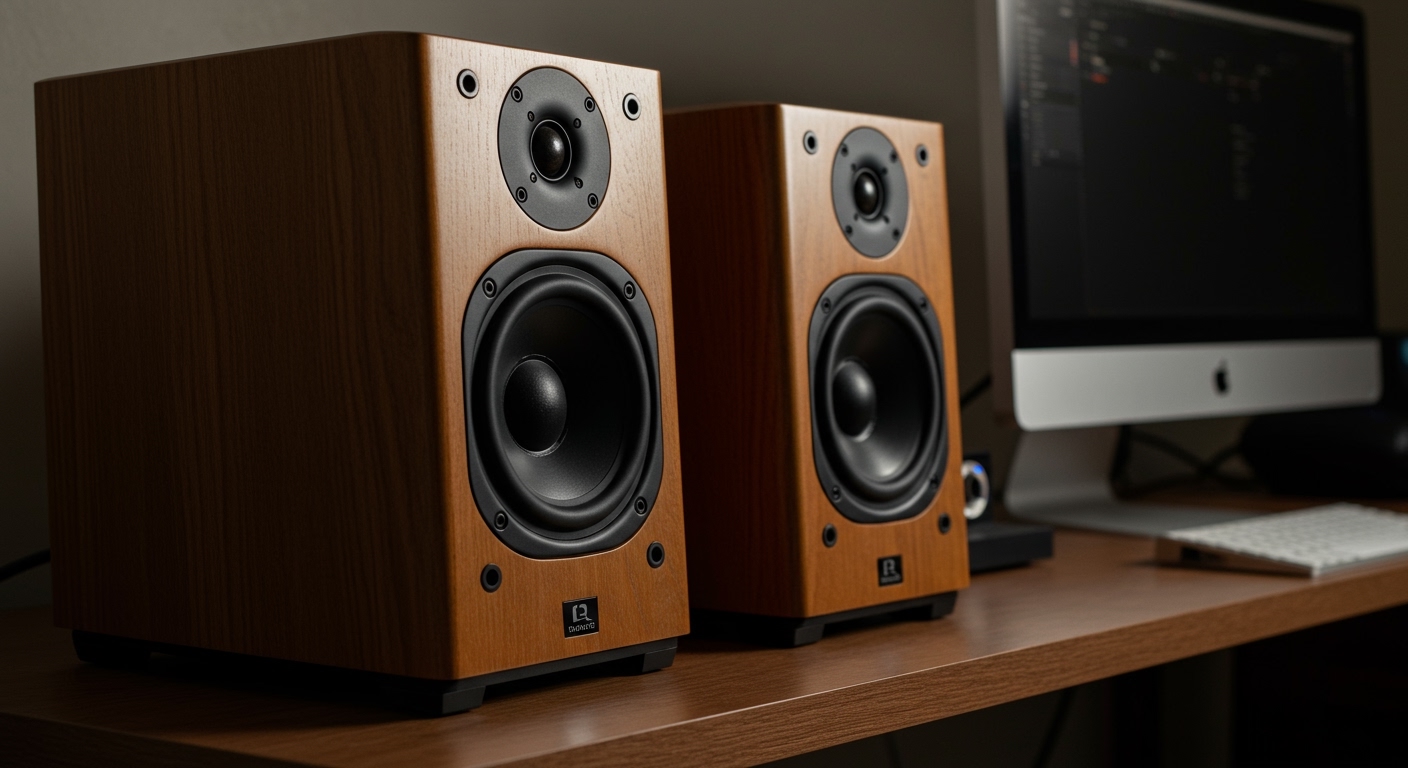
The Content Creator: If you edit video or produce music, you need Active Bookshelf Speakers with balanced inputs to ensure your audio mix translates well to other devices.
Step 2: Choose Your Speaker Configuration (2.0 vs 2.1 vs 5.1)
Understanding the numbering system is the most critical part of how to buy pc speakers.
The 2.0 System (Stereo)
This consists of two speakers (Left and Right). It is the most common choice for how to choose speakers for pc users with limited desk space.
Pros: Compact, fewer cables, excellent for vocal clarity.
Cons: Often lacks deep, “thumping” bass.
The 2.1 System (Stereo + Subwoofer)
This adds a dedicated Subwoofer to the two satellite speakers.
Pros: Deep low-end frequencies. Perfect for EDM, Hip-Hop, and action movies.
Cons: The subwoofer is bulky and usually sits on the floor, requiring more cable management.
The 5.1 System (Surround Sound)
This includes a center channel, two front satellites, two rear satellites, and a subwoofer.
Pros: True immersive cinema experience.
Cons: Extremely difficult to set up around a computer desk. Most PC sound cards require specific multi-channel support.
Step 3: Evaluate Connectivity and Inputs
What you look for in computer speakers should always include compatibility with your existing hardware.
Wired Connections
3.5mm Auxiliary: The universal standard. It’s simple but prone to “electronic hum” or interference from the motherboard.
USB (Digital): These speakers have a built-in Digital-to-Analog Converter (DAC). This usually results in cleaner sound because it bypasses the low-quality sound chip inside your PC.
Optical (Toslink): Found on high-end motherboards and speakers like the Edifier S1000DB. It provides a lossless digital signal.
Wireless Options
Bluetooth: Great for reducing clutter. However, look for aptX or LDAC codecs to minimize “audio lag” (latency) when watching videos or gaming.
Step 4: Analyze Technical Specifications (Avoiding the Fluff)
When researching what to look for when buying computer speakers, don’t get distracted by flashy RGB lighting. Focus on these three metrics:
RMS Wattage vs. Peak Power
Ignore Peak Power: This is a marketing gimmick representing the maximum volume a speaker can handle for a split second before exploding.
Focus on RMS (Root Mean Square): This measures continuous power. For a small desk, 15W – 30W RMS is plenty. For a large room, look for 60W+ RMS.
Frequency Response
Human hearing ranges from 20Hz to 20,000Hz (20kHz).
A good speaker should cover at least 50Hz to 20kHz. If the low end is only 100Hz, you will notice a significant lack of bass.
Signal-to-Noise Ratio (SNR)
Look for an SNR of 80dB or higher. A higher number means less background “hiss” when the music is quiet.
Step 5: Consider Controls and Ergonomics
A common mistake in how to buy pc speakers is forgetting how you will actually interact with them daily.
Physical Knobs: Having a dedicated volume and bass knob on the speaker (or a desktop “pod”) is much faster than clicking volume sliders in Windows.
Headphone Jack Pass-through: If your speakers have a headphone jack, you can easily switch to private listening without reaching behind your PC case.
Auto-Standby Mode: Some speakers automatically turn off after 10 minutes of silence. This is eco-friendly but can be annoying if there is a “pop” sound when they wake up.
💡 Expert Pro Tips for Better Sound
The 60-Degree Rule: Position your speakers so they form an equilateral triangle with your head. This creates the best Stereo Image.
Decouple from the Desk: Speakers placed directly on a wooden desk cause “muddy” bass due to vibrations. Use Foam Isolation Pads or even a stack of books to lift them up.
Check the “Hiss”: Before keeping a new pair, turn them on with no music playing and crank the volume. If you hear a loud “white noise,” the internal shielding is poor—return them.
Burn-in Period: High-end speakers like Kanto or Audioengine often sound “stiff” out of the box. Give them about 20-40 hours of playback to loosen the drivers.
⚠️ Common Mistakes to Avoid
- Buying “Gaming” Brands for Music: Many gaming-branded speakers over-emphasize bass to hide poor-quality drivers. If you value music, buy from dedicated audio brands like PreSonus, Mackie, or Edifier.
- Ignoring the Size: Measure your monitor height. You don’t want your speakers blocking the corners of your screen.
- Underestimating Cables: Cheap speakers often have short, non-replaceable wires. Ensure the cable connecting the left and right speakers is long enough for your ultra-wide monitor setup.
❓ Frequently Asked Questions (FAQs)
Are USB speakers better than 3.5mm speakers?
Generally, yes. USB speakers use their own internal sound processing, which is often superior to the basic audio hardware found on most computer motherboards. This results in less static and interference.
Do I really need a subwoofer for my PC?
If you primarily play FPS games (like Call of Duty) or watch action movies, a subwoofer is essential for immersion. However, for podcasts, office work, or classical music, a high-quality pair of 2.0 bookshelf speakers will provide a cleaner, more accurate sound.
Can I use studio monitors as computer speakers?
Absolutely. In fact, many experts recommend this. Studio monitors (like the JBL 305P) offer incredible detail. Just be aware that they are “active” speakers and might require a Balanced TRS or XLR cable setup for the best results.
How much should I spend on computer speakers?
$20 – $50: Budget territory. Expect basic sound and plastic builds.
$100 – $200: The “Sweet Spot.” You can find excellent 2.1 systems or entry-level audiophile 2.0 speakers.
- $300+: Premium territory. High-end materials (wood/carbon fiber) and professional-grade components.
Conclusion
Learning how to buy computer speakers is about balancing your budget with your specific listening habits. If you want the most “bang for your buck,” prioritize a 2.0 setup with 4-inch drivers from a reputable audio brand. If you crave deep immersion, a 2.1 system is your best bet. Remember to check your desk dimensions and available ports before hitting the “buy” button.
Invest in quality audio today—your ears will thank you during those long gaming sessions or work-from-home marathons!