

Understanding How to Connect a Synthesizer to Speakers
To learn how to connect a synthesizer to speakers, you must identify your synth’s line-level outputs and connect them to powered studio monitors or an audio interface using 1/4-inch TS or TRS cables. Most modern synthesizers use dual-mono (Left/Right) outputs that require two cables for a full stereo image. Simply plug one end into the synth and the other into your speakers, ensuring the volume is turned down first to prevent a speaker-damaging “pop.”
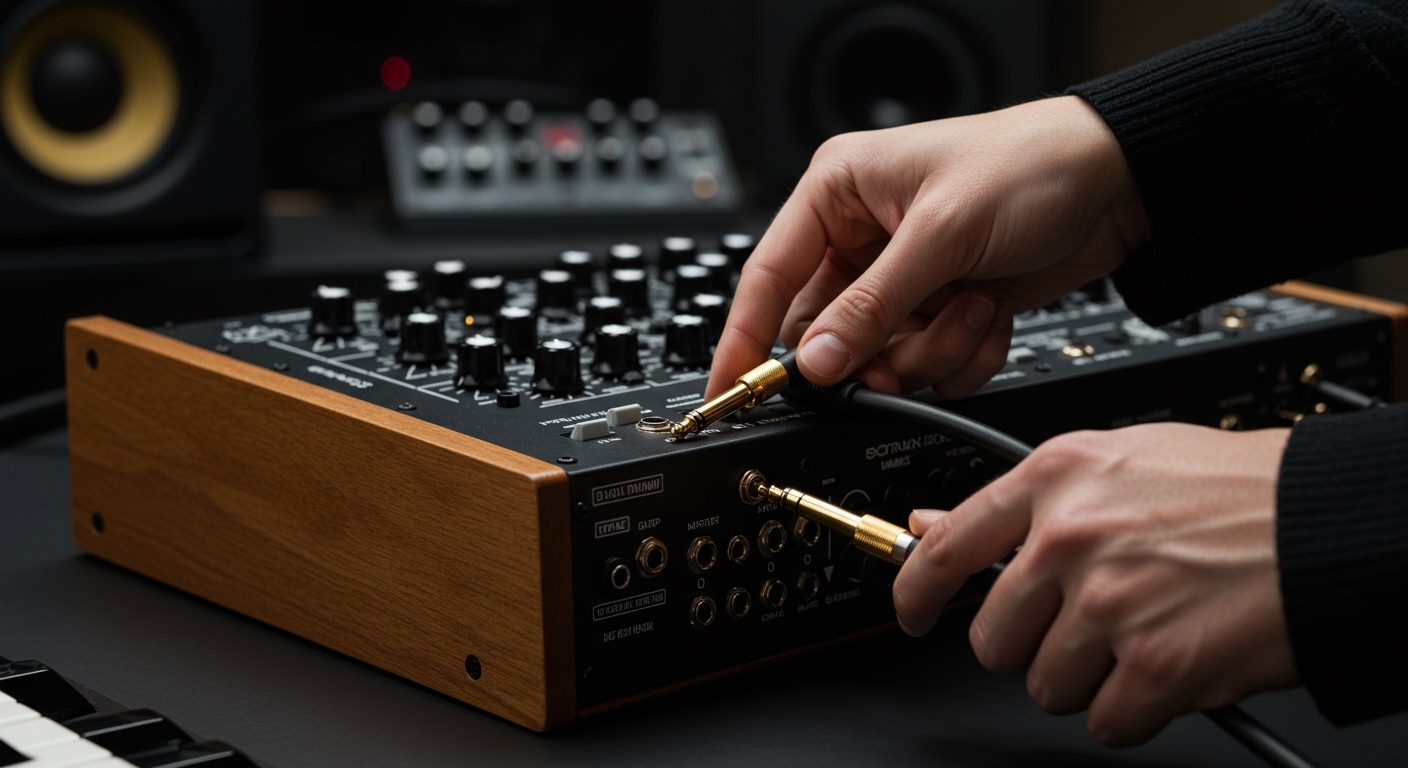
TL;DR: Quick Setup Guide
- Identify Outputs: Look for 1/4-inch (6.35mm) jacks labeled “L/Mono” and “R.”
- Choose Cables: Use TS (unbalanced) cables for short runs or TRS (balanced) for long runs if your synth supports them.
- Power Order: Connect cables first, then turn on the synth, and finally the speakers.
- Stereo vs. Mono: If using one speaker, use the L/Mono jack. For two speakers, use both.
Identifying Your Synthesizer’s Audio Outputs
Before you can master how to connect a synthesizer to speakers, you need to understand what you are looking at on the back of your instrument. Most synthesizers, like the Korg Minilogue or the Roland GAIA, feature standard analog outputs.
Mono vs. Stereo Connections
Almost all professional synthesizers output a Line Level signal. This signal is much stronger than what a guitar produces but weaker than what a power amplifier sends to passive speakers.
- L/Mono Output: If you only have one speaker, plug into this jack. The synth will automatically sum the internal sounds into a single channel.
- Stereo (L + R) Outputs: To experience wide pads and spatial effects, you must use two cables—one for the left speaker and one for the right.
Jack Sizes and Types
- 1/4-inch (6.35mm) Jacks: The gold standard for synths like the Moog Grandmother or Sequential Prophet-6.
- 3.5mm (1/8-inch) Jacks: Common on “Boutique” synths or “Pocket Operators.” These usually require an adapter or a “Y-splitter” cable to reach professional speakers.
Choosing the Right Cables for Your Signal Chain
Using the wrong cable is the most common reason for unwanted noise or “hum” in a studio setup. When learning how to connect a synthesizer to speakers, cable selection is your first line of defense against poor audio quality.
TS vs. TRS: What Is the Difference?
I have spent years troubleshooting “mystery buzzes” in my home studio, and 90% of the time, the issue was using unbalanced (TS) cables in an environment filled with electronic interference.
| Cable Type | Abbreviation | Use Case | Pros/Cons |
|---|---|---|---|
| Tip-Sleeve | TS | Unbalanced mono signals (Guitar style) | Cheap; prone to noise over 10 feet. |
| Tip-Ring-Sleeve | TRS | Balanced mono or Stereo headphone | Cancels out noise; requires balanced ports. |
| XLR | XLR | Professional balanced audio | Usually found on high-end monitors/mixers. |
The “Balanced” Secret
If your synthesizer and your speakers both support balanced connections, always use TRS cables. Balanced cables use a phase-reversal trick to cancel out electromagnetic interference (EMI). This is essential if your cables are running near power bricks or computer monitors.
Step-by-Step: How to Connect a Synthesizer to Powered Speakers
Most home producers use Powered Studio Monitors (like the Yamaha HS5 or KRK Rokit series). These have built-in amplifiers, meaning you can plug your synth directly into them.
Step 1: Safety First (Volume Down)
Always ensure your speakers are turned off and the volume knobs on both the synth and the speakers are at zero. This prevents “transient spikes” that can blow out a tweeter.
Step 2: Plug Into the Synthesizer
Locate the Main Out section. Insert your 1/4-inch cables into the Left and Right jacks. If you are using a mono synth (like a Moog Sub Phatty), you only need one cable.
Step 3: Plug Into the Speakers
Connect the other end of the cables to the Input on the back of each speaker. Most monitors offer a choice between XLR and TRS inputs. Use the one that matches your cable.
Step 4: The Power-On Sequence
Follow this specific order to protect your gear:
- Turn on the Synthesizer.
- Wait 5 seconds for the synth’s internal circuitry to stabilize.
- Turn on the Speakers.
Step 5: Gain Staging
Set your synthesizer volume to about 75% (3 o’clock). Then, slowly turn up the volume on your speakers until you reach a comfortable listening level. This provides the best signal-to-noise ratio.
Connecting via an Audio Interface (The Modern Method)
If you want to record your synth into a computer while hearing it through speakers, you shouldn’t connect the synth to the speakers directly. Instead, you connect to an Audio Interface (like the Focusrite Scarlett or Universal Audio Apollo).
Why Use an Interface?
We use interfaces to convert the analog signal into digital data for your DAW (Digital Audio Workstation). This also allows the interface to act as a master volume control for your entire desk.
- Synth to Interface: Run two TS/TRS cables from the synth into Inputs 1 and 2 on the interface.
- Interface to Speakers: Run two TRS cables from the Monitor Out section of the interface to your speakers.
- Direct Monitoring: Engage the “Direct Monitor” button on your interface to hear the synth with zero latency (no delay).
Common Issues and Expert Troubleshooting
Even if you know how to connect a synthesizer to speakers perfectly, you might encounter technical hurdles. Here is how I handle the most common “studio gremlins.”
The Dreaded Ground Loop (60Hz Hum)
If you hear a low-frequency hum, it’s likely a ground loop. This happens when your synth and speakers are plugged into different power outlets.
- Solution: Plug all your audio gear into the same high-quality power conditioner or surge protector.
Low Volume or “Thin” Sound
If the sound is extremely quiet or lacks bass, you might be using a Stereo TRS cable in a Mono Balanced port.
- Solution: Ensure you are using two separate cables for stereo, not one single “splitter” unless specifically required by the hardware.
Distortion and Clipping
If the sound is crunchy and harsh, your signal is too “hot.”
- Solution: Check if your speaker inputs are set to +4dBu (Professional) or -10dBV (Consumer). Most synths work best at the +4dBu setting.
Frequently Asked Questions
Can I connect a synthesizer directly to passive speakers?
No. Passive speakers require an external power amplifier. You must connect the synthesizer to an amplifier or receiver first, which then sends the amplified signal to the passive speakers via speaker wire.
Do I need a DI box to connect to speakers?
In a home studio, usually not. However, if you are performing on a live stage and need to send your signal over 50 feet to a PA system, a DI (Direct Injection) Box is required to convert your signal to a balanced XLR format.
Can I use guitar cables for my synthesizer?
Yes, standard guitar cables (TS) work perfectly for most synthesizers. However, they are unbalanced, so keep them under 15 feet to avoid picking up radio interference or hum.
How do I connect a synth with only a headphone jack?
If your synth only has a headphone output (like some Teenage Engineering gear), use a 3.5mm TRS to Dual 1/4-inch TS Breakout Cable. This splits the stereo headphone signal into two separate mono signals for your speakers.








