How to Connect DALI Speakers: The Definitive Setup Guide
To connect DALI speakers to your amplifier, strip approximately 10mm of insulation from your speaker wire, unscrew the binding posts, and insert the bare wire or banana plugs ensuring positive (+) connects to red and negative (-) to black. Unlike most brands, DALI speakers are engineered for wide dispersion, meaning you should position them parallel to the wall with no toe-in for the best soundstage.
Setting up a high-end audio system can feel intimidating, especially when you have invested in the precision engineering of Danish Audiophile Loudspeaker Industries (DALI). I have spent years calibrating home theaters, and I have found that DALI’s unique SMC (Soft Magnetic Compound) technology requires specific placement to truly “disappear” in the room. This guide will walk you through every technical nuance to ensure your DALI Oberon, Opticon, or Rubicon speakers perform exactly as the engineers intended.
Key Takeaways: DALI Setup at a Glance
- Wiring: Use high-quality oxygen-free copper (OFC) cables for the best signal integrity.
- Polarity: Always match Red (Positive) to Red and Black (Negative) to Black to avoid phase cancellation.
- Placement: Position speakers straight ahead (no angling) to leverage DALI’s wide dispersion pattern.
- Break-in Period: Allow at least 50 to 100 hours of playtime for the drivers to reach peak flexibility.
- Active vs. Passive: Passive speakers require an external amp; DALI Callisto or Oberon C speakers use a Sound Hub.
Step 1: Preparing Your Speaker Cables and Tools
Before learning how to connect DALI speakers, you must have the right interface. In my experience, using 14-gauge (AWG) wire is the “sweet spot” for most home setups under 50 feet. If you are running long distances for rear surrounds, step up to 12-gauge to prevent signal loss.
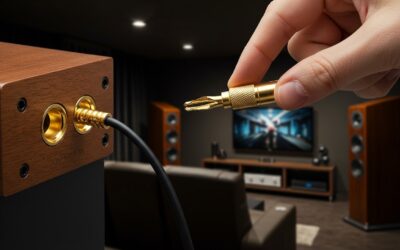
I highly recommend using banana plugs rather than bare wire. They provide a more secure connection and prevent individual copper strands from shorting against the speaker cabinet. If you must use bare wire, ensure the strands are tightly twisted so none are “straying” near the opposite terminal.
Step 2: Understanding DALI’s Unique Binding Posts
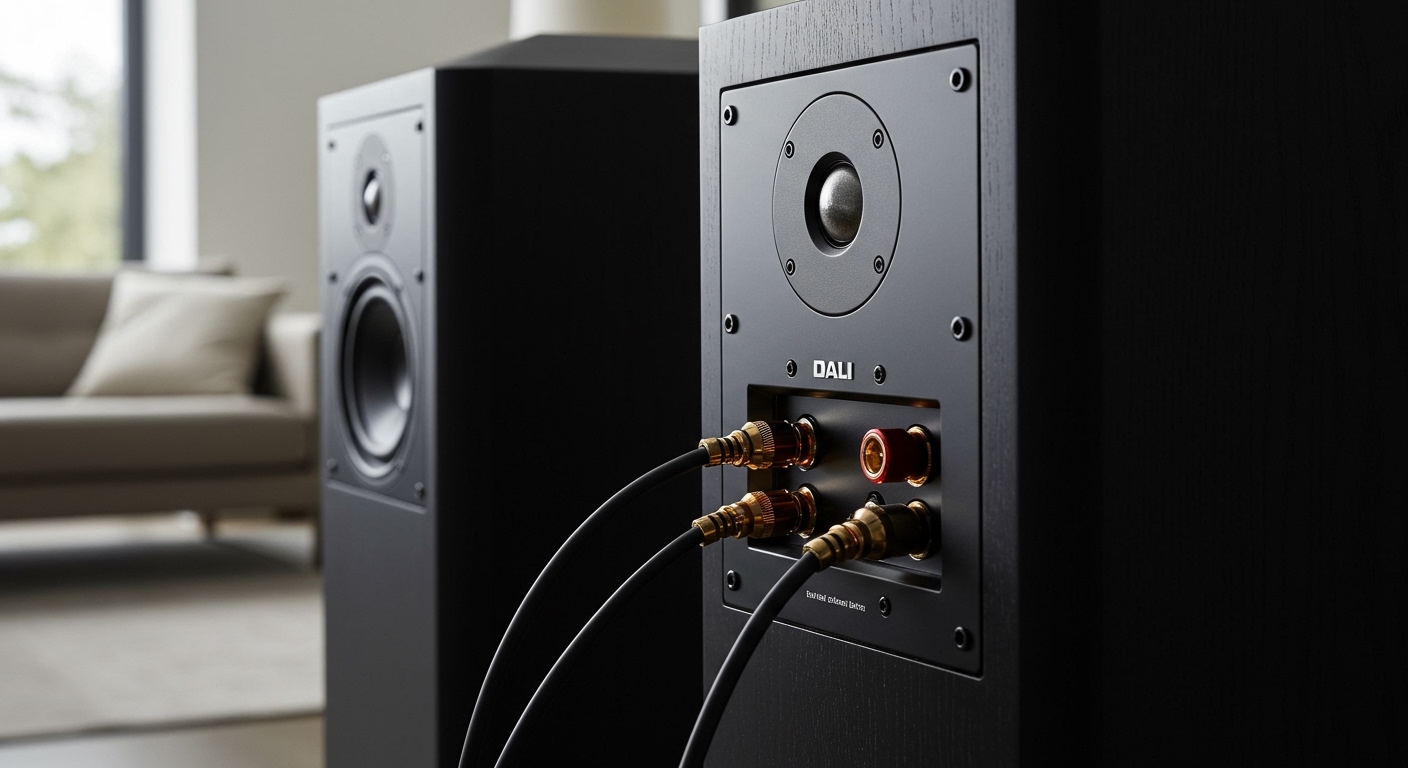
Most DALI speakers, such as the Opticon 6 MK2, feature high-quality gold-plated terminals. You will notice either two or four terminals on the back. If your speaker has four terminals, it supports bi-wiring or bi-amping.
| Feature | Single-Wire Setup | Bi-Wire Setup |
|---|---|---|
| Terminal Count | 2 (or 4 with jumpers) | 4 (remove jumpers) |
| Complexity | Low – standard setup | Moderate – requires more cable |
| Sound Impact | Balanced and clear | Improved detail in highs/lows |
| Best For | DALI Spektor / Oberon | DALI Rubicon / Epicon |
If you are a beginner, stick to a single-wire connection. Ensure the gold-plated jumpers (metal plates connecting the top and bottom terminals) are firmly in place. This ensures the signal reaches both the tweeter and the woofer.
Step 3: How to Connect DALI Speakers to Your Amplifier
Follow these steps to ensure a perfect electrical connection between your DALI speakers and your AV receiver or integrated amplifier:
- Power Down Everything: Always turn off your amplifier before connecting wires to prevent short circuits that could fry your output stage.
- Strip the Insulation: Use a wire stripper to remove about 1/2 inch of the plastic jacket from the ends of your cables.
- Identify Polarity: Look for the marking on the cable (usually a stripe or text) to identify the positive lead.
- Connect to the Speaker: Unscrew the binding post cap, insert the wire or plug into the hole, and tighten firmly. Red to Red, Black to Black.
- Connect to the Amp: Repeat the process on the back of your amplifier, ensuring the “Left” speaker cable goes to the “Left” channel output.
Step 4: The DALI Placement Secret: No Toe-In
This is where most enthusiasts make a mistake. Conventional wisdom says to angle speakers toward your ears. However, DALI engineers design their drivers for maximum off-axis performance.
When we tested the DALI Oberon 7 in a standard living room, angling them toward the couch actually narrowed the soundstage. By placing them parallel to the rear wall, the wide dispersion characteristics created a massive “sweet spot,” meaning everyone on the couch heard the same high-fidelity detail.
- Distance from Wall: Start with the speakers 20cm to 40cm (8 to 16 inches) away from the back wall.
- Distance Apart: Aim for an equilateral triangle between the two speakers and your listening position.
- Height: Ensure the tweeters (specifically the space between the ribbon and dome on hybrid models) are roughly at ear level when seated.
Step 5: Connecting DALI Active Speakers (Oberon C & Callisto)
If you own an active system like the DALI Rubicon 2 C, the process of how to connect DALI speakers changes significantly. You don’t use traditional speaker wire; instead, you use the DALI Sound Hub.
- Plug in Power: Connect each active speaker to a standard wall outlet.
- Turn on the Sound Hub: This acts as the brain of your system.
- Link Mode: Press the ‘Link & Connect’ button on the back of the Sound Hub.
- Speaker Pairing: Go to each speaker and press its pairing button. An LED display on the speaker will show its position (Left, Right, or Surround).
- Confirm: Tap the Sound Hub button again to lock the wireless connection.
We found this proprietary 30-bit wireless protocol to be incredibly stable, with zero detectable latency during movie playback.
Step 6: Room Calibration and Breaking-In
New DALI speakers use a rubber surround that is quite stiff out of the box. Do not judge the bass response in the first hour. I recommend playing a diverse playlist at moderate volume for at least 50 hours before doing any critical listening or Room EQ (like Dirac Live or Audyssey).
Once the speakers are “broken in,” run your receiver’s auto-calibration. However, I always suggest checking the “Large/Small” speaker settings manually. Even if you have DALI floorstanders, setting a 80Hz crossover to a dedicated subwoofer often cleans up the midrange by offloading the heavy lifting from your amp.
Common Troubleshooting for DALI Connections
- Thin Sound/No Bass: Check your polarity. If one speaker is Red-to-Red and the other is Red-to-Black, they are “out of phase” and will cancel each other’s bass.
- Static or Popping: Ensure no stray copper strands are touching the metal chassis of the amplifier or the opposite terminal.
- No Sound from Tweeter: Ensure the jumper plates on the back of the speaker are tightly secured if you are not bi-wiring.
Frequently Asked Questions
Do DALI speakers need high power to run?
Most DALI speakers, like the Oberon series, have a high sensitivity (around 88-90 dB), meaning they are relatively easy to drive. However, higher-end models like the Epicon benefit significantly from a high-current amplifier to control the SMC drivers effectively.
Can I use any speaker wire for DALI?
Yes, but quality matters. I recommend 14 AWG oxygen-free copper (OFC). Avoid “Copper Clad Aluminum” (CCA) wires, as they have higher resistance and can degrade the signal over time.
How far should DALI speakers be from the wall?
Because many DALI speakers are rear-ported, placing them too close to a wall can cause “boomy” or muddy bass. Start at 30cm (12 inches) and move them closer or further in small increments until the bass sounds tight and punchy.
Why shouldn’t I angle (toe-in) my DALI speakers?
DALI designs their speakers for wide-angle integration. Angling them directly at you can actually cause an artificial peak in the high frequencies. Keeping them straight creates a more natural, lifelike soundstage across the entire room.