

Can I Connect Speakers to My Crosley Record Player?
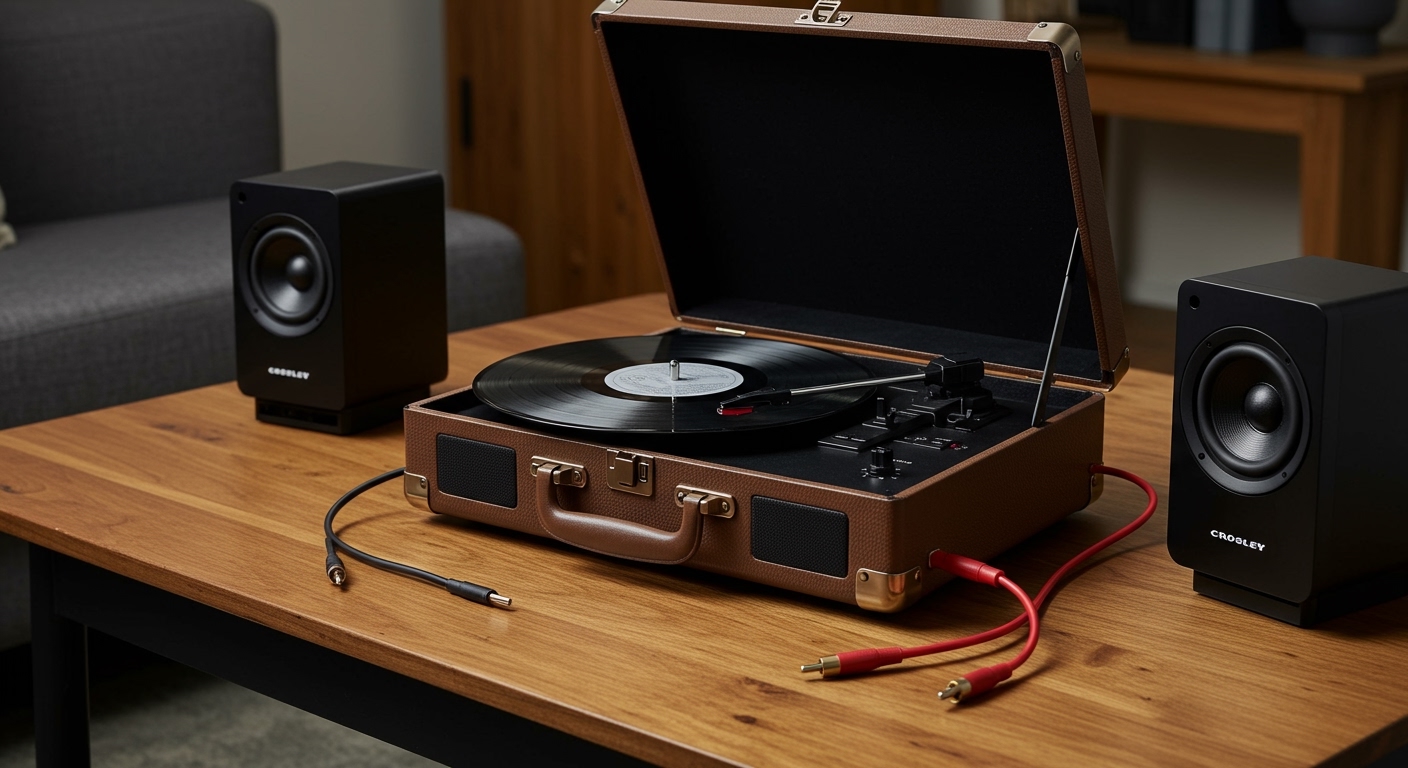
Yes, you absolutely can connect speakers to your Crosley record player to significantly improve your listening experience. Most Crosley models, including the popular Cruiser and C-series, feature RCA outputs, a 3.5mm headphone jack, or Bluetooth Out capabilities that allow for external audio connections. By bypassing the small internal speakers, you can achieve the rich, warm analog sound that vinyl enthusiasts crave.
Expert Summary: Key Takeaways
Check Your Outputs: Look for Red and White RCA ports or a 3.5mm Aux-Out jack on the back or side of your player.
Powered vs. Passive: Use Active (Powered) speakers for a direct “plug-and-play” setup; Passive speakers require an external amplifier or receiver.
The Preamp Factor: Most modern Crosley turntables have a built-in preamp, but you must ensure the switch is set to “Line” when connecting to powered speakers.
Bluetooth Connectivity: Newer “Bluetooth Out” models can pair wirelessly with portable speakers or headphones, though wired connections offer superior sound quality.
Tools and Materials Needed for Connection
Before you begin, identify which cables and equipment you currently have. Use the table below to determine what you need based on your Crosley model’s ports.
| Connection Type | Required Cable/Hardware | Best For |
|---|---|---|
| RCA Connection | RCA Cable (Red & White) | Home stereo systems and studio monitors. |
| 3.5mm Aux | 3.5mm to 3.5mm or 3.5mm to RCA | Computer speakers, portable speakers, or soundbars. |
| Bluetooth | None (Wireless) | Bluetooth headphones or smart speakers. |
| Passive Setup | Speaker Wire + Integrated Amplifier | High-fidelity (Hi-Fi) home theater setups. |
Step 1: Identify the Outputs on Your Crosley Record Player
The first step in answering how to connect speakers to a Crosley record player is identifying your specific hardware. Turn your record player around and inspect the interface panel.
Locating RCA Jacks
Most Crosley suitcase players and consoles feature RCA Line-Out ports. These are circular ports colored Red (Right channel) and White (Left channel). These are the gold standard for connecting to external audio gear.
Finding the Headphone/Aux Jack
If you don’t see RCA ports, look for a small hole labeled “Headphone” or “Line Out.” This is a 3.5mm jack. While often used for private listening, it can also send audio to any speaker with an Aux-In port.
Checking for Bluetooth Out
Check your manual or the labels on the device. Many newer Crosley units have “Bluetooth Out” (different from Bluetooth In, which only lets you play phone music through the record player). This allows you to stream your vinyl wirelessly.
Step 2: Choose the Right Type of Speakers
You cannot simply hook up any speaker to a turntable without understanding the difference between Active and Passive equipment.
Using Powered (Active) Speakers
Powered speakers have a built-in amplifier and their own power cord. These are the easiest way to hook up speakers to a Crosley record player. Popular examples include brands like Edifier, Klipsch, or Audioengine.
Using Passive Speakers
Passive speakers (like traditional bookshelf speakers) do not have a power cord. They require an external amplifier or stereo receiver. If you choose this route, you will connect the Crosley to the Receiver, and the Receiver to the speakers using speaker wire.
Step 3: How to Connect Crosley Turntable to Speakers (Wired)
Follow these steps to establish a secure physical connection.
Method A: Connecting via RCA Cables
- Power Off: Ensure both the Crosley and your speakers are turned off.
- Plug into Turntable: Insert the Red and White RCA plugs into the corresponding ports on the back of the Crosley.
- Plug into Speakers: Insert the other end into the RCA Input on your powered speakers or receiver.
- Check the Switch: If your Crosley has a Phono/Line switch, set it to “Line.”
- Test: Turn on the devices and lower the volume before playing a record.
Method B: Connecting via 3.5mm Aux Cable
- Obtain Cable: Use a 3.5mm to 3.5mm cable (if the speaker has an Aux-In) or a 3.5mm to RCA Y-adapter.
- Insert Jack: Plug the cable into the Headphone/Line Out port on the Crosley.
- Connect Speaker: Plug the other end into your speaker’s input.
- Adjust Volume: Note that the Crosley’s volume knob may control the output level when using the headphone jack, so start low to avoid distortion.
Step 4: How to Hook Up External Speakers to Crosley via Bluetooth
If your model supports Bluetooth Out (like the Crosley C6 or newer Cruiser Plus), you can ditch the wires.
- Enable Pairing Mode: Turn on your Bluetooth speaker or headphones and set them to pairing mode.
- Switch to BT Out: Switch your Crosley to the Bluetooth function. A flashing light usually indicates it is searching for a device.
- Wait for Sync: Keep the devices close together. The light on the Crosley will typically turn solid once the connection is successful.
- Play: Place the needle on the record. The sound should now stream to your wireless device.
Pro Tips for Better Sound Quality
As someone who has tested dozens of Crosley setups, I recommend these expert tweaks to get the most out of your audio:
Avoid “Double Preamping”: If you are connecting to a high-end receiver that has its own “Phono” input, do NOT set your Crosley to “Line.” This will cause heavy distortion. Either use a standard “Aux/CD” input on the receiver or switch the Crosley to “Phono” mode.
Surface Isolation: Never place your external speakers on the same surface as the Crosley. The vibrations from the speakers can cause the needle to skip or create a feedback loop known as “rumble.”
Upgrade the Stylus: Even with great speakers, a cheap needle limits sound quality. Consider replacing the stock red plastic needle with a Diamond-tipped stylus (like the Crosley NP5) for clearer highs.
Cable Quality Matters: Avoid using the thin, unshielded cables that sometimes come in the box. A basic pair of shielded RCA cables can reduce hum and interference.
Common Mistakes to Avoid
Forgetting the Power: Passive speakers won’t work if you plug them directly into a Crosley using an adapter. They must have an amplifier.
Setting the Wrong Input: Ensure your speakers are set to the correct source (Aux 1, Aux 2, or BT) to hear the audio.
- Ignoring the Ground: If you hear a loud buzzing sound, you may have a ground loop. Ensure all devices are plugged into the same power strip.
Frequently Asked Questions (FAQs)
Can I replace the speakers in a Crosley record player?
While you can technically disassemble the unit to swap the internal drivers, it is not recommended. The housing is too small for high-quality speakers. It is much more effective to connect external speakers via the RCA or Aux ports.
Why is the volume so low when I connect my speakers?
This usually happens because the Crosley’s built-in preamp is turned off. Check for a switch on the back labeled Phono/Line and ensure it is set to Line. If your player lacks a preamp, you will need to buy an external Phono Preamp.
Can I connect my Crosley to a soundbar?
Yes. Most soundbars have an Optical or HDMI input, but many also include a 3.5mm Aux input. Use a 3.5mm to 3.5mm cable or an RCA-to-Aux adapter to connect your Crosley to the soundbar.
Do I need a receiver to connect speakers to my Crosley?
Only if you are using passive speakers. If you have active/powered speakers (like computer speakers), you can plug them directly into the Crosley without a receiver.
Conclusion
Learning how to connect speakers to a Crosley record player is the single best way to upgrade your vinyl hobby. Whether you use RCA cables for a classic wired setup or Bluetooth for modern convenience, the difference in audio clarity is night and day.
By following the steps outlined above—identifying your ports, choosing the correct speaker type, and setting your preamp to “Line”—you can transform a basic suitcase player into a respectable home audio system. Stop settling for thin, “tinny” sound and let your records breathe with a quality set of external speakers today.









