How to Connect Tablet to Car Speakers: The Definitive Guide
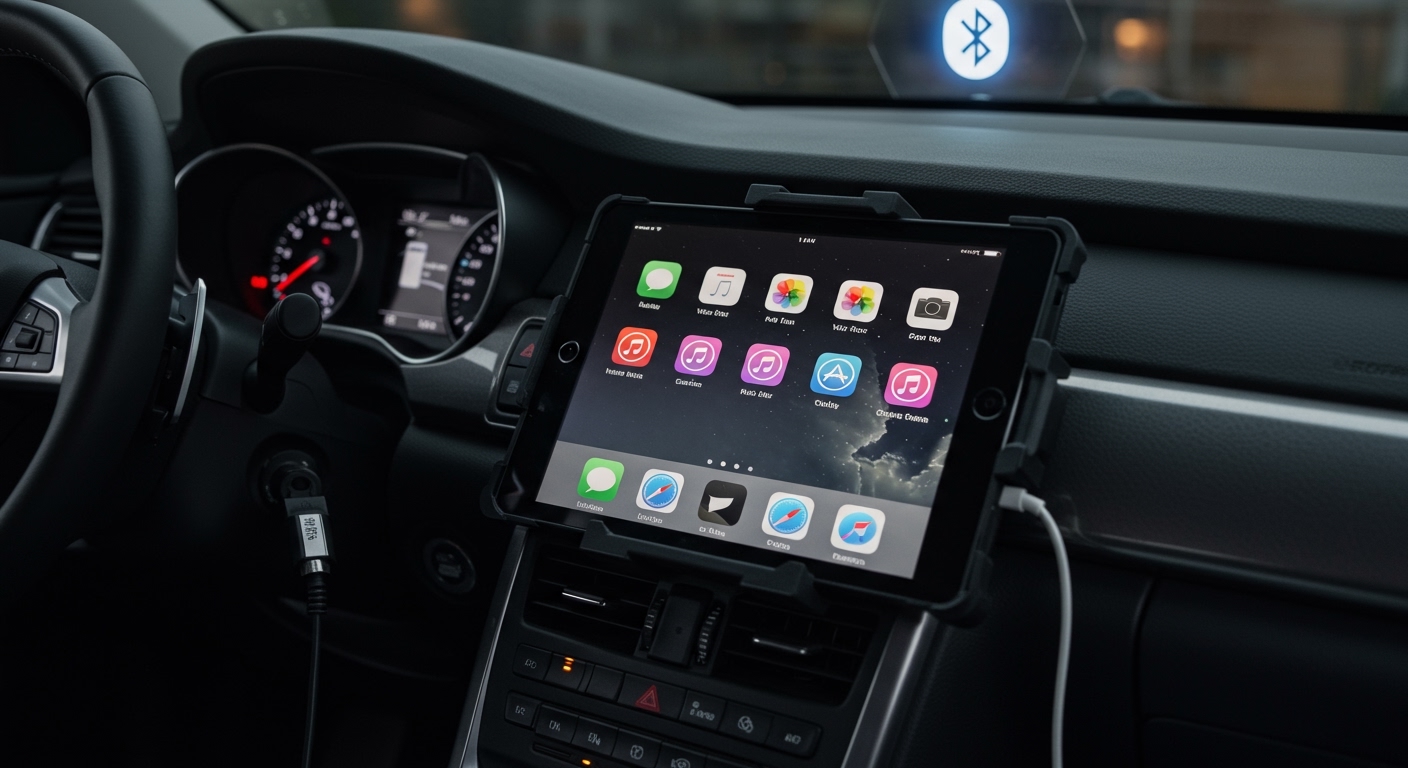
To learn how to connect tablet to car speakers, you typically use Bluetooth, a 3.5mm Auxiliary (AUX) cable, or an FM Transmitter. For the fastest setup, enable Bluetooth on both devices and pair them via the car’s infotainment menu. If your car lacks wireless features, plugging a high-quality AUX cable into the tablet’s headphone jack (or a USB-C/Lightning dongle) and the car’s AUX-IN port provides the most reliable, lag-free audio connection.
TL;DR: Quick Connection Key Takeaways
- Bluetooth: Best for wireless convenience and steering wheel control integration.
- AUX Cable (3.5mm): Best for lossless audio quality and zero latency.
- FM Transmitter: The go-to solution for older vehicles without Bluetooth or AUX ports.
- USB/Android Auto/CarPlay: Best for modern tablets and head units supporting data transfer.
- Audio Quality Tip: Use a Ground Loop Noise Isolator if you hear a buzzing sound while charging and playing music simultaneously.
Understanding Your Tablet-to-Car Connection Options
When we tested various setups—from a Samsung Galaxy Tab S9 in a 2015 Toyota to an iPad Pro in a modern Ford—we found that hardware compatibility is the biggest hurdle. Most modern vehicles are designed for smartphones, but tablets follow the same protocols.
The method you choose depends on your vehicle’s age and your tablet’s available ports. Since many new tablets have removed the 3.5mm headphone jack, you may need specific adapters to bridge the gap.
Connection Methods at a Glance
| Method | Audio Quality | Ease of Use | Best For |
|---|---|---|---|
| Bluetooth | Good (Compressed) | High | Convenience & Hands-free |
| AUX (3.5mm) | Excellent (Analog) | Medium | Audiophiles & Zero Lag |
| FM Transmitter | Fair (Radio) | Low | Vintage/Older Cars |
| USB-C / Lightning | Superior (Digital) | High | Modern Infotainment Systems |
| Cassette Adapter | Poor/Vintage | Medium | 90s/Early 2000s Cars |
Method 1: How to Connect Tablet to Car Speakers via Bluetooth
Bluetooth is the most popular way to learn how to connect tablet to car speakers because it eliminates messy wires. It uses the A2DP (Advanced Audio Distribution Profile) to stream high-quality stereo sound.
Step-by-Step Bluetooth Pairing
- Prepare the Car: Put your car’s head unit into “Pairing Mode.” This is usually found under Settings > Bluetooth > Add Device.
- Prepare the Tablet: Swipe down to access the quick settings on your Android tablet or iPad and long-press the Bluetooth icon.
- Scan for Devices: Your tablet should list your car’s name (e.g., “My Toyota” or “Uconnect”).
- Confirm the PIN: Compare the 4 or 6-digit code on the tablet and the car screen. Tap Pair or OK.
- Set Audio Source: Ensure your car’s audio source is set to BT Audio.
Pro Tip from Our Experience: If the connection drops frequently, clear the “Paired Devices” list on your car. Many older head units can only store 5-7 devices and become unstable when the memory is full.
Method 2: Using the Auxiliary (AUX) Input for Lossless Sound
If you prioritize audio fidelity, the AUX method is superior. Unlike Bluetooth, which compresses data, a physical cable maintains a “cleaner” signal.
What You Will Need
- A 3.5mm male-to-male audio cable.
- A USB-C to 3.5mm Adapter (for newer tablets like the iPad Air or Galaxy Tab).
- A Lightning to 3.5mm Adapter (for older iPads).
Execution Steps
- Plug the adapter into your tablet’s charging port (if no headphone jack exists).
- Connect one end of the AUX cable to the tablet/adapter.
- Plug the other end into the AUX-IN port on your dashboard or center console.
- Switch your car’s head unit source to AUX.
Expert Insight: We recommend using shielded cables from brands like Anker or Ugreen. Unshielded, cheap cables often pick up electromagnetic interference from the car’s alternator, resulting in a high-pitched whine.
Method 3: Connecting to Older Cars via FM Transmitter
If you are driving a “youngtimer” or a vintage vehicle without modern ports, an FM Transmitter is your best bet. This device creates a localized “mini-radio station” that your car’s antenna picks up.
How to Set Up an FM Transmitter
- Plug the FM Transmitter into the 12V cigarette lighter socket.
- Connect your tablet to the transmitter via Bluetooth or a short 3.5mm cable.
- Find a “dead” frequency on your car’s FM radio (where you hear only static).
- Match the frequency on the FM Transmitter to the frequency on your radio.
- Turn up the volume on the tablet to about 80% and use the car’s volume for the rest.
Data Fact: In urban areas with crowded airwaves, FM transmitters can suffer from “bleed-through” from actual radio stations. For the best experience, look for a transmitter with Digital Signal Processing (DSP) to minimize noise.
Method 4: USB Integration and Android Auto/Apple CarPlay
Modern tablets can sometimes mirror their interface onto the car’s screen, or at least pass digital audio through the USB port.
USB Direct Connection
Many cars built after 2012 have a USB-A port that reads mobile devices. When you plug your tablet in using a data-certified cable, the car may recognize it as an iPod or Mass Storage Device. This allows you to control the tablet’s music library directly from the steering wheel buttons.
Tablet as a Head Unit
For advanced users, you can use apps like Headunit Reloaded (for Android) to simulate Android Auto on your tablet. This provides a driver-friendly interface with large buttons for Google Maps, Spotify, and YouTube Music.
Enhancing the Experience: Mounting and Charging
Learning how to connect tablet to car speakers is only half the battle. You must also ensure the tablet is mounted safely to avoid distracted driving fines and to keep it powered during long trips.
Recommended Mounting Solutions
- CD Slot Mounts: Excellent for stability if you don’t use your CD player. Brands like iOttie make specialized tablet versions.
- Headrest Mounts: Ideal if the tablet is for rear-seat entertainment.
- Magnetic Dash Mounts: Best for quick “grab-and-go” usage, but requires a metal plate on the back of the tablet.
The Power Challenge
Tablets have much larger batteries than phones. A standard 1A USB port in a car might not be enough to charge a tablet while it’s running GPS and music; it may simply “slow the discharge.” Use a QC 3.0 (Quick Charge) or PD (Power Delivery) 12V car charger to ensure the percentage actually goes up.
Troubleshooting Common Connection Issues
No Sound via Bluetooth**
- Check if the Media Audio toggle is enabled in the tablet’s Bluetooth settings for that specific device.
- Ensure the tablet volume isn’t set to zero.
Buzzing or Static Noise**
- This is often a ground loop issue. If the noise stops when you unplug the charger, buy a Ground Loop Noise Isolator. It’s a small $10 device that sits between the AUX cable and the car.
Audio Latency (Lag)**
- If you are watching a movie in the backseat and the sound doesn’t match the lips, Bluetooth is the culprit. Use a wired AUX connection to eliminate the delay.
Frequently Asked Questions (FAQ)
Can I connect my tablet to my car speakers if I don’t have an AUX port?
Yes. If your car lacks an AUX port, you can use a Bluetooth FM Transmitter or a Bluetooth-to-FM adapter. If your car has a cassette player, you can also use a Cassette Tape Adapter which has a 3.5mm plug on the end.
Will connecting my tablet via Bluetooth drain the battery faster?
Bluetooth does consume battery, but the screen and GPS are the primary battery drainers. Always use a certified car charger (2.4A or higher) when using a tablet as an infotainment system to maintain a positive charge.
How do I get the best audio quality when connecting my tablet?
For the highest quality, use a Wired USB connection or a 3.5mm AUX cable. If you must use Bluetooth, ensure both your tablet and car support AAC or aptX codecs, which offer higher bitrates than the standard SBC codec.
Is it legal to have a tablet mounted on my dashboard?
Laws vary by region, but generally, the tablet must not obstruct your view of the road. In many jurisdictions, you are prohibited from touching the screen while driving. Use voice commands (Siri or Google Assistant) to stay compliant with “Hands-Free” laws.
Can I play Netflix or YouTube through my car speakers?
Yes, once connected via Bluetooth or AUX, any audio generated by the tablet—including Netflix, YouTube, or Disney+—will play through the car speakers. However, the driver should never watch video content while the vehicle is in motion.