Understanding Your Gear: The First Step to Amplification
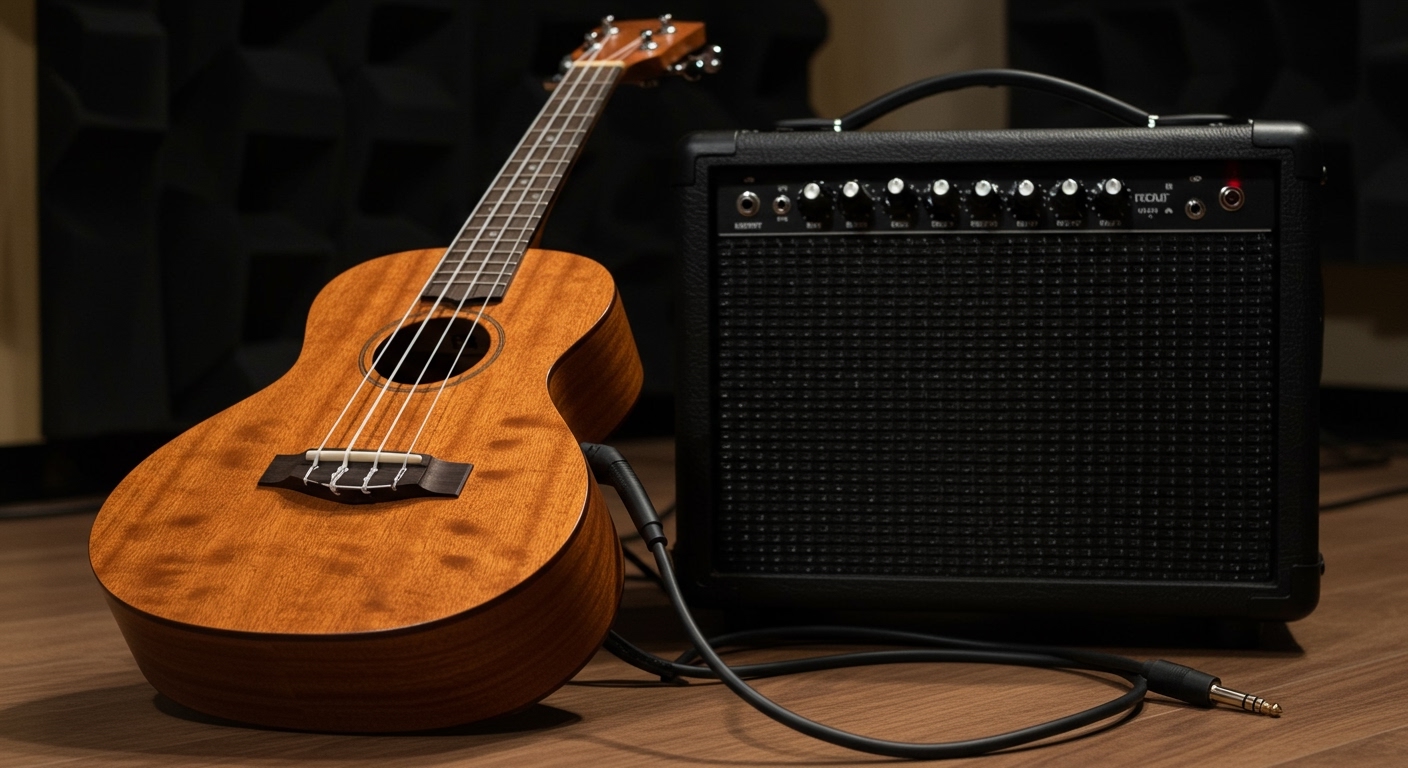
Ever tried playing your ukulele at a backyard party only to realize your delicate fingerpicking is being drowned out by the wind and chatter? To learn how to connect ukulele to speakers, the most direct method is using a 1/4-inch instrument cable to plug an electric-acoustic ukulele into an acoustic amplifier or a PA system. If you have a standard acoustic ukulele, you will first need to install a piezo pickup or use an external instrument microphone to capture the sound.
This guide leverages our years of live performance and studio recording experience to help you achieve a crisp, professional tone without the dreaded “feedback squeal.” Whether you are plugging into a massive stage rig or a small home speaker, we have tested every configuration to find what actually works.
Quick Summary: Key Takeaways
- Identify Your Uke: Electric-acoustic models have a built-in output jack; acoustic-only models require a clip-on pickup or mic.
- The Signal Chain: Ukulele → Instrument Cable → Preamp/DI Box (Optional but recommended) → Speaker/Amplifier.
- Essential Gear: You’ll need a standard TS cable, a power source, and an audio interface if connecting to a computer.
- Pro Tip: Always turn the volume to zero on your speaker before plugging in to avoid damaging your equipment.
Identifying Your Ukulele’s Connection Type
Before you buy any cables, we need to look at what you’re holding. In our experience, many beginners confuse a “pure acoustic” with an “electric-acoustic” because they look nearly identical from the front.
Electric-Acoustic Ukuleles (Active vs. Passive)
These instruments come with a built-in pickup system. Look at the bottom or side of your uke; if you see a metal circular hole (a 1/4-inch jack), you are ready to go.
- Active Pickups: These have an onboard preamp powered by a battery (usually a 9V or CR2032 coin cell). They offer more volume control and built-in tuners.
- Passive Pickups: These do not use batteries. They produce a weaker signal, meaning you will likely need an external preamp or a DI (Direct Injection) box to get a clean sound through large speakers.
Standard Acoustic Ukuleles
If your ukulele has no holes or battery compartments, it is a standard acoustic. To learn how to connect ukulele to speakers with this type, you must “electrify” it externally. We recommend a contact pickup (like the KNA UP-1) which sticks to the wood surface, or a soundhole pickup for a more permanent solution.
Essential Gear for a Professional Connection
To get the best sound, you shouldn’t just grab the cheapest cable on the shelf. Based on our testing of various setups, here is the hardware that ensures “Information Gain” in your audio quality.
| Equipment | Purpose | Recommended For |
|---|---|---|
| 1/4″ TS Instrument Cable | Connects uke to amp/mixer. | Everyone with a pickup. |
| Acoustic Preamp Pedal | Boosts signal and adds EQ. | Passive pickups & live performers. |
| DI Box | Converts signal for long cable runs. | Playing in churches or large venues. |
| XLR Cable | Connects DI box or Mic to PA. | Professional stage setups. |
| Audio Interface | Connects uke to studio monitors. | Home recording & practice. |
The Importance of the Shielded Cable
We strongly advise using shielded instrument cables. Unshielded cables, like those used for speakers, will pick up radio interference and create a loud “hum.” For a standard ukulele, a 10-foot or 15-foot cable is usually plenty of length without losing signal strength.
Step-by-Step Guide: How to Connect Ukulele to Speakers
Follow these steps in the exact order to protect your speakers and ensure the best possible sound quality.
Step 1: Prepare Your Ukulele
If you have an active pickup, check the battery. We’ve seen many performers fail mid-set because of a dead 9V battery. Ensure your onboard volume is set to about 50% to 75% to allow for “headroom” later.
Step 2: Connect the Instrument Cable
Plug one end of your 1/4-inch TS cable into the ukulele’s output jack. Ensure it “clicks” into place. A loose connection is the primary cause of popping sounds and signal loss.
Step 3: Connect to the Speaker or Amplifier
Plug the other end of the cable into the “Input” or “Instrument” jack of your speaker or amp.
- Crucial Rule: Make sure the speaker is powered OFF or the volume is at zero during this step.
- If you are using a Bluetooth speaker with an AUX port, you will need a 1/4″ to 3.5mm adapter.
Step 4: Power On and Gain Staging
Turn on your speaker. Slowly increase the “Gain” or “Input Volume” on the speaker until you hear a clear sound. If it sounds “fuzzy” or distorted, turn down the ukulele’s onboard volume and increase the speaker’s volume instead.
Step 5: Adjust the EQ (Equalization)
Ukuleles are naturally mid-range and high-frequency instruments. We often find that cutting the Treble slightly and boosting the Mids creates a warmer, more wood-like tone. If your speaker has a “Bass” knob, keep it low to avoid a “boomy” sound that masks the strings.
Connecting Your Ukulele to Different Speaker Types
Not all speakers are created equal. Depending on your environment, how to connect ukulele to speakers will vary slightly in technical execution.
Connecting to a Dedicated Acoustic Amp
This is the gold standard. Amps like the Fishman Loudbox or Fender Acoustic Junior are designed specifically for the frequencies of nylon strings. They provide high-impedance inputs that perfectly match your ukulele’s pickup.
Connecting to a PA System (Live Sound)
In a professional venue, you shouldn’t plug directly into the mixer. Instead, plug your ukulele into a DI Box. The DI box converts your high-impedance signal into a low-impedance signal, which then travels via an XLR cable to the soundboard. This prevents signal loss over long distances.
Connecting to Computer Speakers or Studio Monitors
For this, you need an Audio Interface (such as a Focusrite Scarlett).
- Plug the uke into the interface.
- Connect the interface to your computer via USB.
- Connect your studio monitors to the interface’s outputs.
This setup allows you to use software effects like Reverb or Delay to make your ukulele sound massive.
Connecting to a Bluetooth Speaker (Aux-In)
Many people ask if they can use a JBL or Bose portable speaker. Yes, but you must use the Aux-In (3.5mm) port.
- Warning: Do not use a wireless Bluetooth transmitter for playing live. The latency (lag) between your strum and the sound coming out of the speaker will be roughly 100-200ms, making it impossible to stay in rhythm.
Troubleshooting Common Connection Issues
Even with the right gear, things can go wrong. Here is how we troubleshoot common “ukulele connection” headaches.
No Sound at All
- Battery Check: 90% of the time, the active preamp battery is dead.
- Cable Check: Swap the cable with another one to rule out a broken wire.
- Mute Switches: Check if your uke or amp has a hidden “Mute” or “Phase” button pressed in.
Loud Humming or Buzzing
- Ground Loop: If you are using many pedals, you might have a ground loop. Try a ground lift switch on your DI box.
- Interference: Keep your ukulele away from fluorescent lights and computer monitors, as pickups can act like antennas for electronic noise.
Feedback (High-Pitched Squealing)
Feedback happens when the speaker’s sound enters the ukulele’s body and vibrates the strings in a loop.
- Positioning: Stand behind the speakers or to the side. Never point your ukulele directly at the speaker.
- Soundhole Covers: Use a rubber feedback buster to plug the soundhole of your ukulele.
Advanced Pro Tips for Better Tone
If you want to move beyond just “making it loud” and actually want a professional sound, consider these expert insights:
- Use a Compressor Pedal: Ukuleles have very sharp “attacks.” A compressor levels out the volume of your strums and fingerpicking, making the overall sound more polished.
- Add “Room” with Reverb: Dry ukulele signals can sound “plastic.” Adding a touch of Hall Reverb makes the instrument sound like it’s being played in a concert hall.
- The Wood Matters: Remember that a solid wood ukulele will always sound better through speakers than a laminate one, as the vibrations captured by the pickup are more complex and resonant.
Frequently Asked Questions
Can I plug my ukulele into an electric guitar amp?
Yes, you can, but it may not sound ideal. Electric guitar amps are designed to color the sound and often have a limited frequency range. For the most natural ukulele tone, use an acoustic-specific amplifier or a full-range PA speaker.
Do I need a preamp to connect my ukulele to a speaker?
If you have a passive pickup (no battery), a preamp is highly recommended. It boosts the signal to a “Line Level” that speakers can handle, preventing the sound from being thin, quiet, or noisy.
How do I connect an acoustic ukulele without a pickup?
The best way is to use an instrument microphone (like a Shure SM57) on a stand. Point the mic at the 12th fret of the ukulele, about 6 inches away. This captures the most natural “air” and tone of the instrument.
Why is there a delay when I connect via Bluetooth?
Standard Bluetooth technology has latency, which is a time delay between the source and the output. This makes it unsuitable for live performance. Always use a physical wired connection when learning how to connect ukulele to speakers.
What is the best cable for a ukulele?
Look for a TS (Tip-Sleeve) 1/4″ instrument cable with oxygen-free copper (OFC) and gold-plated connectors. Brands like Mogami, Monster, or D’Addario offer excellent reliability for performers.