Understanding How Do You Hook Up Bose Speakers to Your Television
Learning how do you hook up bose speakers to your television is the single fastest way to upgrade your home cinema from mediocre to immersive. Most modern TVs lack the physical space for high-quality drivers, resulting in “thin” sound that makes dialogue hard to hear. By connecting a Bose Soundbar, Home Speaker, or Companion system, you unlock the deep bass and crisp highs that the brand is famous for.
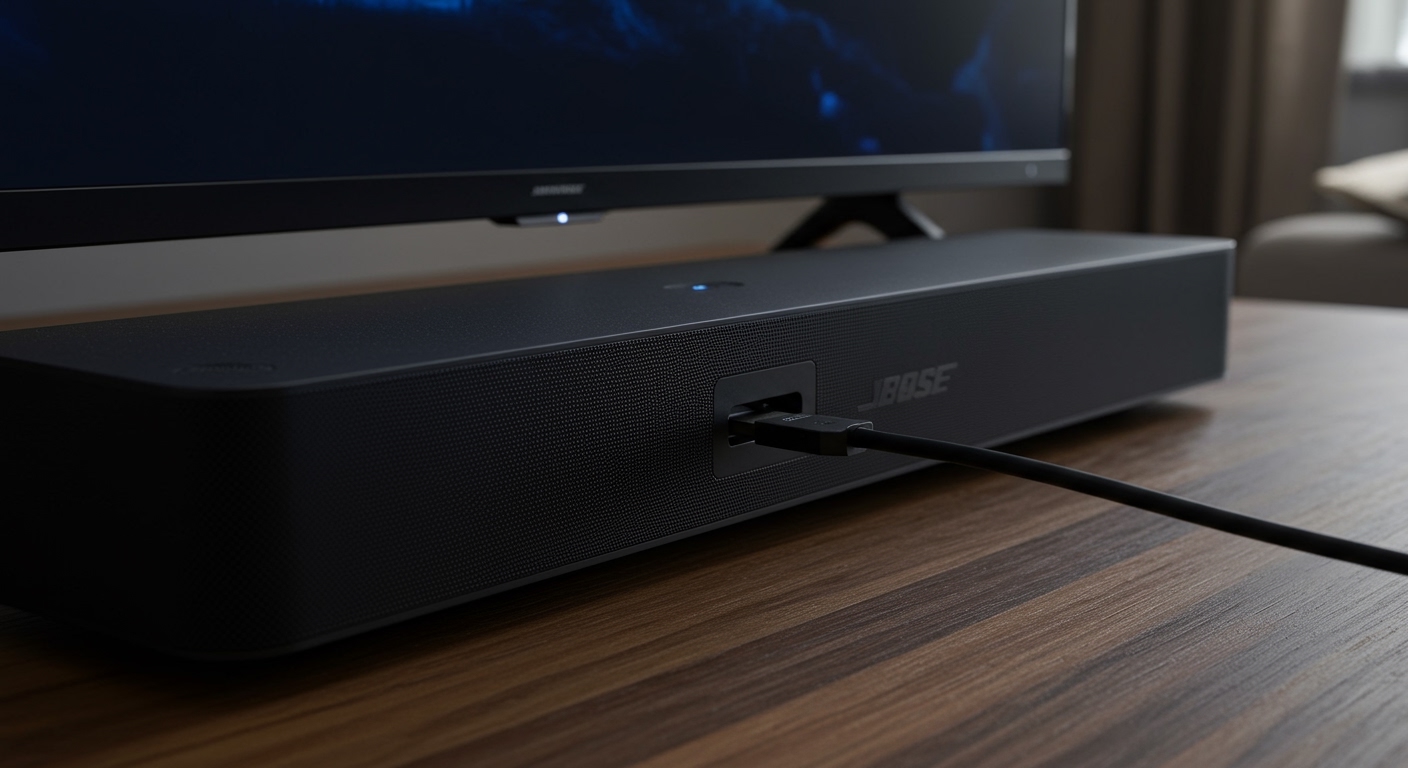
To connect your speakers, you primarily use an HDMI ARC/eARC cable, a Digital Optical cable, or a 3.5mm AUX cable depending on your specific Bose model and TV ports. For the best experience, HDMI ARC is the gold standard because it allows your TV remote to control the speaker volume automatically.
Key Takeaways for Quick Setup
Best Quality: Use HDMI eARC/ARC for lossless audio and “one-remote” convenience.
Most Compatible: Digital Optical (Toslink) works with almost every TV made in the last 15 years.
Computer Speakers: Use a 3.5mm to RCA or 3.5mm to 3.5mm cable for Bose Companion models.
Settings Change: You must change your TV’s “Audio Output” or “Speaker” setting from “Internal” to “External/Optical/HDMI.”
App Control: Use the Bose Music App or Bose Connect App for wireless calibration and firmware updates.
Required Tools and Cables for Bose Connection
Before you begin the physical setup, you need to identify which ports are available on both your Bose speaker and your television. Using the wrong cable can result in distorted audio or no sound at all.
| Connection Type | Cable Needed | Audio Quality | Best For |
|---|---|---|---|
| HDMI ARC / eARC | High-Speed HDMI Cable | Excellent (Dolby Atmos) | Bose Smart Soundbar 600/900/Ultra |
| Digital Optical | Toslink Optical Cable | Good (5.1 Surround) | Older Bose Solo 5, Cinemate Systems |
| Analog (AUX) | 3.5mm Male-to-Male | Standard (Stereo) | Bose Companion 2, Computer Speakers |
| RCA | Red/White to 3.5mm | Standard (Stereo) | Vintage Bose Acoustimass or Lifestyle |
| Bluetooth | None (Wireless) | Fair (Potential Latency) | Bose Portable Smart Speaker, Revolve |
Step 1: Connecting via HDMI ARC or eARC (Recommended)
If you own a newer Bose Smart Soundbar, this is the most effective way to hook up bose speakers to tv. HDMI ARC (Audio Return Channel) sends audio from the TV to the speaker while allowing the devices to “talk” to each other via CEC (Consumer Electronics Control).
- Locate the HDMI ARC port on the back of your television. It is usually labeled specifically as HDMI (ARC) or HDMI (eARC).
- Plug one end of a high-speed HDMI cable into the TV’s ARC port.
- Plug the other end into the HDMI (ARC) port on your Bose Soundbar.
- Power on both devices.
- Navigate to TV Settings: Go to Settings > Sound > Audio Output and select HDMI Receiver or ARC.
- Enable CEC: Ensure “Anynet+” (Samsung), “SimpLink” (LG), or “Bravia Sync” (Sony) is turned ON in your TV settings to control volume with your TV remote.
Step 2: How to Hook Bose Speakers to TV Using Optical Cables
If your TV doesn’t have an HDMI ARC port, or if you are using an older system like the Bose Solo 5, the Digital Optical (Toslink) connection is your best alternative. It provides a reliable digital signal that supports 5.1 surround sound.
- Remove the plastic caps from both ends of the optical cable (many users forget this, which prevents a connection).
- Align the cable with the Optical Out port on your TV. The connector is shaped like a “D.”
- Insert the cable until you hear a slight “click.”
- Connect the other end to the Optical In port on the back of the Bose speaker.
- Adjust TV Settings: Change the “Digital Audio Format” in your TV menu to PCM or Auto. If you hear stuttering, PCM is the safest choice for older Bose models.
Step 3: How to Connect Bose Computer Speakers to TV
Many users wonder, “can you hook up bose computer speakers to a tv?” The answer is yes, provided your TV has a headphone jack or RCA outputs. This is a popular way to hook up bose companion 2 speakers to tv for a desktop or small bedroom setup.
Using the 3.5mm Headphone Jack
- Identify the Audio Out: Look for a small round port labeled “Headphones” or “Audio Out” on your TV.
- Plug in the cable: Connect a 3.5mm stereo cable from the TV jack to the Input on the back of your Bose Companion or Computer Speakers.
- Set Volume: Turn your TV volume to about 80%, then use the physical knob on the Bose speakers to set the master volume. This prevents “hissing” or white noise.
Using RCA to 3.5mm Adapter
If your TV only has Red and White circular ports:
- Get an RCA-to-3.5mm Y-cable.
- Plug the Red and White ends into the TV’s Audio Out.
- Plug the 3.5mm end into your Bose computer speakers.
Step 4: Brand-Specific Setup Guides
Different TV manufacturers use different terminology for their audio menus. Here is how to navigate the most popular brands to ensure your Bose speaker connection is active.
How to Hook Up Bose Speakers to Samsung TV
Path: Settings > Sound > Sound Output.
Action: Select Receiver (HDMI) or Optical.
Expert Tip: Enable Expert Settings > HDMI-eARC Mode to Auto for the best high-bitrate audio.
How to Hook Up Bose Speakers to LG TV
Path: All Settings > Sound > Sound Out.
Action: Select HDMI (ARC) Device or Optical Out.
Expert Tip: LG TVs often require you to turn on LG Sound Sync if using an optical connection with compatible Bose models.
How to Connect Bose Speakers to Sony Bravia TV
Path: Settings > Display & Sound > Audio Output.
Action: Set Speakers to Audio System.
Expert Tip: On Sony Bravia, ensure Digital Audio Out is set to PCM if you experience audio lag or “pops” during playback.
Understanding How Do You Hook Up Bose Speakers to Your Television
Learning how do you hook up bose speakers to your television is the single fastest way to upgrade your home cinema from mediocre to immersive. Most modern TVs lack the physical space for high-quality drivers, resulting in “thin” sound that makes dialogue hard to hear. By connecting a Bose Soundbar, Home Speaker, or Companion system, you unlock the deep bass and crisp highs that the brand is famous for.
To connect your speakers, you primarily use an HDMI ARC/eARC cable, a Digital Optical cable, or a 3.5mm AUX cable depending on your specific Bose model and TV ports. For the best experience, HDMI ARC is the gold standard because it allows your TV remote to control the speaker volume automatically.
Key Takeaways for Quick Setup
Best Quality: Use HDMI eARC/ARC for lossless audio and “one-remote” convenience.
Most Compatible: Digital Optical (Toslink) works with almost every TV made in the last 15 years.
Computer Speakers: Use a 3.5mm to RCA or 3.5mm to 3.5mm cable for Bose Companion models.
Settings Change: You must change your TV’s “Audio Output” or “Speaker” setting from “Internal” to “External/Optical/HDMI.”
App Control: Use the Bose Music App or Bose Connect App for wireless calibration and firmware updates.
Required Tools and Cables for Bose Connection
Before you begin the physical setup, you need to identify which ports are available on both your Bose speaker and your television. Using the wrong cable can result in distorted audio or no sound at all.
| Connection Type | Cable Needed | Audio Quality | Best For |
|---|---|---|---|
| HDMI ARC / eARC | High-Speed HDMI Cable | Excellent (Dolby Atmos) | Bose Smart Soundbar 600/900/Ultra |
| Digital Optical | Toslink Optical Cable | Good (5.1 Surround) | Older Bose Solo 5, Cinemate Systems |
| Analog (AUX) | 3.5mm Male-to-Male | Standard (Stereo) | Bose Companion 2, Computer Speakers |
| RCA | Red/White to 3.5mm | Standard (Stereo) | Vintage Bose Acoustimass or Lifestyle |
| Bluetooth | None (Wireless) | Fair (Potential Latency) | Bose Portable Smart Speaker, Revolve |
Step 1: Connecting via HDMI ARC or eARC (Recommended)
If you own a newer Bose Smart Soundbar, this is the most effective way to hook up bose speakers to tv. HDMI ARC (Audio Return Channel) sends audio from the TV to the speaker while allowing the devices to “talk” to each other via CEC (Consumer Electronics Control).
- Locate the HDMI ARC port on the back of your television. It is usually labeled specifically as HDMI (ARC) or HDMI (eARC).
- Plug one end of a high-speed HDMI cable into the TV’s ARC port.
- Plug the other end into the HDMI (ARC) port on your Bose Soundbar.
- Power on both devices.
- Navigate to TV Settings: Go to Settings > Sound > Audio Output and select HDMI Receiver or ARC.
- Enable CEC: Ensure “Anynet+” (Samsung), “SimpLink” (LG), or “Bravia Sync” (Sony) is turned ON in your TV settings to control volume with your TV remote.
Step 2: How to Hook Bose Speakers to TV Using Optical Cables
If your TV doesn’t have an HDMI ARC port, or if you are using an older system like the Bose Solo 5, the Digital Optical (Toslink) connection is your best alternative. It provides a reliable digital signal that supports 5.1 surround sound.
- Remove the plastic caps from both ends of the optical cable (many users forget this, which prevents a connection).
- Align the cable with the Optical Out port on your TV. The connector is shaped like a “D.”
- Insert the cable until you hear a slight “click.”
- Connect the other end to the Optical In port on the back of the Bose speaker.
- Adjust TV Settings: Change the “Digital Audio Format” in your TV menu to PCM or Auto. If you hear stuttering, PCM is the safest choice for older Bose models.
Step 3: How to Connect Bose Computer Speakers to TV
Many users wonder, “can you hook up bose computer speakers to a tv?” The answer is yes, provided your TV has a headphone jack or RCA outputs. This is a popular way to hook up bose companion 2 speakers to tv for a desktop or small bedroom setup.
Using the 3.5mm Headphone Jack
- Identify the Audio Out: Look for a small round port labeled “Headphones” or “Audio Out” on your TV.
- Plug in the cable: Connect a 3.5mm stereo cable from the TV jack to the Input on the back of your Bose Companion or Computer Speakers.
- Set Volume: Turn your TV volume to about 80%, then use the physical knob on the Bose speakers to set the master volume. This prevents “hissing” or white noise.
Using RCA to 3.5mm Adapter
If your TV only has Red and White circular ports:
- Get an RCA-to-3.5mm Y-cable.
- Plug the Red and White ends into the TV’s Audio Out.
- Plug the 3.5mm end into your Bose computer speakers.
Step 4: Brand-Specific Setup Guides
Different TV manufacturers use different terminology for their audio menus. Here is how to navigate the most popular brands to ensure your Bose speaker connection is active.
How to Hook Up Bose Speakers to Samsung TV
Path: Settings > Sound > Sound Output.
Action: Select Receiver (HDMI) or Optical.
Expert Tip: Enable Expert Settings > HDMI-eARC Mode to Auto for the best high-bitrate audio.
How to Hook Up Bose Speakers to LG TV
Path: All Settings > Sound > Sound Out.
Action: Select HDMI (ARC) Device or Optical Out.
Expert Tip: LG TVs often require you to turn on LG Sound Sync if using an optical connection with compatible Bose models.
How to Connect Bose Speakers to Sony Bravia TV
Path: Settings > Display & Sound > Audio Output.
Action: Set Speakers to Audio System.
Expert Tip: On Sony Bravia, ensure Digital Audio Out is set to PCM if you experience audio lag or “pops” during playback.
Expert Tips for the Best Bose Audio Experience
As a professional installer, I have seen many users struggle with minor settings that ruin the Bose speaker connection experience. Follow these tips to optimize your setup:
Avoid Bluetooth for Video: While you can connect via Bluetooth, there is often a “lip-sync” delay where the audio doesn’t match the actors’ mouths. Always prefer a wired connection for movies.
Update Firmware: Use the Bose Music App on your smartphone. Bose frequently releases updates that improve HDMI compatibility with newer Samsung and LG TVs.
Disable TV Speakers: Once your Bose is connected, go into the TV menu and physically turn off the internal speakers. Having both on creates an “echo” effect.
Cable Quality Matters: For Bose Smart Soundbar Ultra, use a Certified Premium High-Speed HDMI cable. Cheap cables often fail to transmit Dolby Atmos signals correctly.
Troubleshooting Common Bose Connection Issues
If you followed the steps on how to connect bose speakers to tv but still have silence, check these common failure points:
- The “No Sound” Bug: Unplug the power cord from both the TV and the Bose speaker. Wait 60 seconds. Plug them back in. This forces a “handshake” between the HDMI ports.
- PCM vs Bitstream: If you are using an Optical cable and hear a loud buzzing noise, change your TV’s audio format to PCM. Many older Bose systems cannot decode modern “Dolby Digital Plus” signals sent via optical.
- Input Selection: Ensure your Bose remote is set to the correct source (TV, Aux, or Bluetooth). It sounds simple, but it is the #1 cause of support calls.
Frequently Asked Questions
(FAQs)
Can I connect my Bose Bluetooth speaker to my TV?
Yes, if your TV supports Bluetooth audio. Go to the TV’s Bluetooth Accessories menu, put your Bose speaker in Pairing Mode, and select it. However, be aware of potential audio lag (latency) during fast-paced action scenes.
Why is my TV remote not controlling my Bose Soundbar volume?
This usually means HDMI-CEC is disabled. Ensure the cable is in the HDMI ARC port and that “CEC” or “Anynet+” is turned ON in your TV’s system settings.
How do I connect an older Bose Lifestyle system to a 4K TV?
Since older Lifestyle systems don’t support 4K pass-through, connect all your devices (Cable box, Xbox, Apple TV) directly to the TV’s HDMI ports. Then, run a single Digital Optical cable from the TV’s Optical Out to the Bose console’s Optical In.
Will Bose computer speakers sound good on a large TV?
Bose computer speakers, like the Companion 2, are designed for “near-field” listening (sitting at a desk). While they will sound better than built-in TV speakers, they may struggle to fill a large living room. They are best suited for bedroom TVs.
Do I need a special cable for Dolby Atmos on my Bose Soundbar?
Yes. To get Dolby Atmos, you must use an HDMI eARC connection with a High-Speed HDMI (Category 2) cable or higher. Optical and standard AUX cables do not have enough bandwidth for Atmos.
Conclusion
Mastering how do you hook up bose speakers to your television is a straightforward process once you identify your ports. Whether you are using the high-performance HDMI ARC for a Bose Smart Soundbar or a simple 3.5mm jack for Bose computer speakers, the goal is a clean, digital signal. Always remember to update your TV’s audio output settings to “External” to ensure the sound actually reaches your Bose system.
Ready to upgrade your sound? Check your TV’s back panel today and grab the correct HDMI or Optical cable to finally enjoy the cinematic audio your home theater deserves.