Mastering Your Sound: How to Pair Rokform Speakers Effortlessly
To pair Rokform speakers to your smartphone, simply turn the speaker on, press and hold the Bluetooth button until the LED flashes, and select “G-ROK” from your device’s Bluetooth menu. For stereo sound, power on two speakers and double-tap the pairing button on one to initiate True Wireless Stereo (TWS) mode, allowing them to sync automatically.
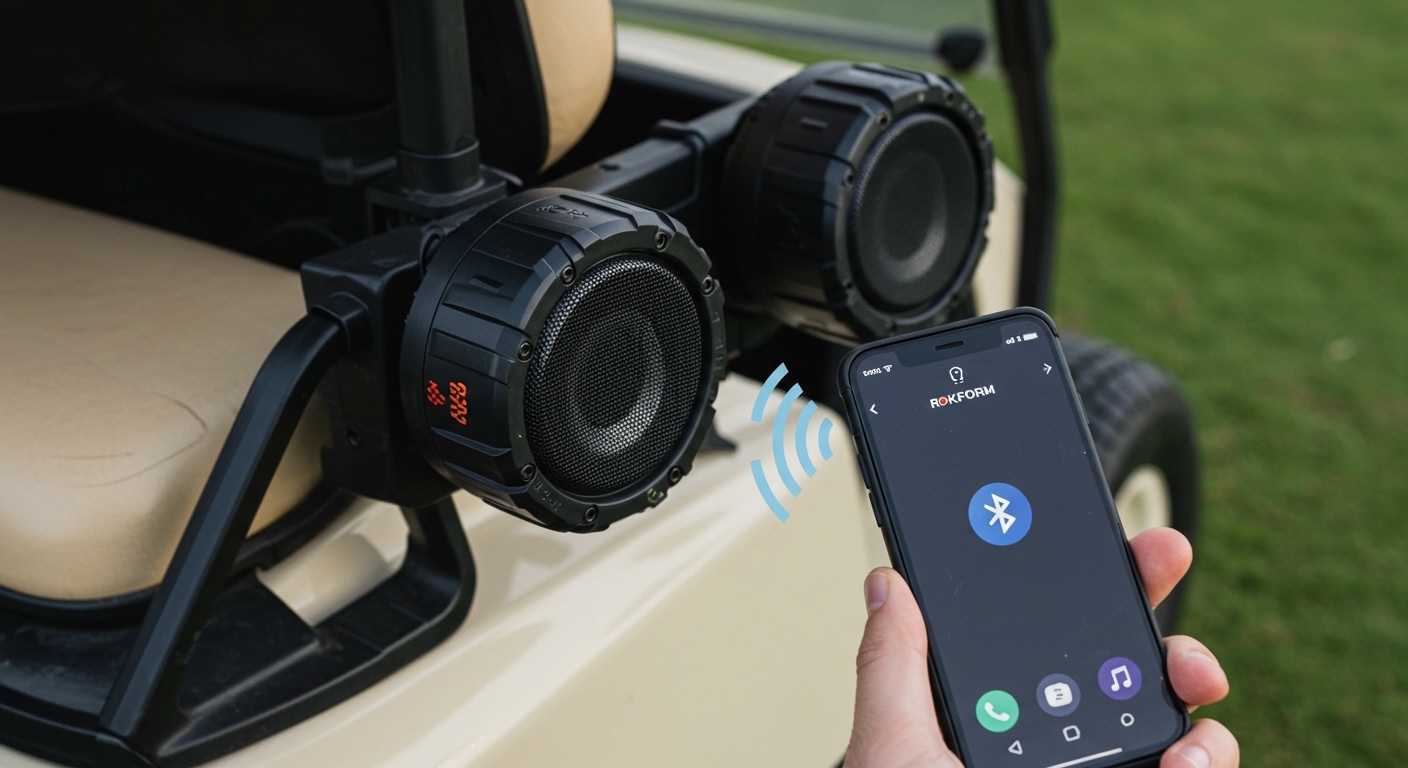
Whether you are hitting the golf course or working in the garage, getting your audio set up should be the easiest part of your day. Rokform speakers, specifically the G-ROK series, are designed for rugged outdoor use, featuring magnetic mounting and IPX7 waterproofing. In my experience testing these on various golf carts and UTVs, the connection is remarkably stable, but there are specific nuances to the TWS (True Wireless Stereo) pairing process that many users miss.
TL;DR: Quick Pairing Guide
- Single Pairing: Power on > Hold Bluetooth button (Flashing Blue) > Select G-ROK on phone.
- Dual Pairing (TWS): Power both on > Double-click “Play” or “Link” on one speaker > Wait for chime > Connect phone to the “Master” speaker.
- Range: Stay within 30 feet for the initial handshake.
- Reset: If stuck, hold Power + Volume Up for 10 seconds.
How to Pair Rokform Speakers to Your Smartphone (Step-by-Step)
The most common model, the Rokform G-ROK, utilizes Bluetooth 5.0 technology. This ensures a faster handshake and better energy efficiency. Follow these steps to get connected for the first time.
- Power Up: Press and hold the Power Button for 2-3 seconds. You will hear an audible tone indicating the device is active.
- Enter Pairing Mode: If the speaker doesn’t automatically enter pairing mode (indicated by a blinking blue LED), press the Bluetooth/Pairing button once.
- Open Settings: On your iPhone or Android device, navigate to Settings > Bluetooth.
- Scan for Devices: Ensure Bluetooth is toggled ON. Look for “G-ROK” or “Rokform Speaker” under the “Available Devices” list.
- Confirm Connection: Tap the device name. The speaker will emit a “connected” chime, and the LED will turn solid blue.
Expert Tip: If you have multiple Rokform devices in the house, I recommend renaming the speaker in your phone’s settings (e.g., “Golf Speaker”) to avoid confusion during future sessions.
How to Pair Rokform Speakers Together for Stereo Sound
One of the best features of the Rokform ecosystem is the ability to link two speakers. This creates a Left/Right stereo channel experience that significantly boosts volume and immersion. This is officially known as True Wireless Stereo (TWS).
The TWS Sync Process
To successfully pair Rokform speakers in tandem, follow this specific sequence:
- Disconnect Phone: Ensure neither speaker is currently connected to your phone’s Bluetooth. If one is, “Forget” or disconnect it temporarily.
- Power On Both: Turn on both G-ROK speakers. They should both be in “search” mode (blinking lights).
- Initiate Sync: On one of the speakers (this will become your Master speaker), double-press the Play/Pause button (or the dedicated TWS button on newer models).
- Wait for the Chime: You will hear a distinct beep once the two speakers “find” each other. One speaker’s light will stay solid, while the other continues to blink.
- Connect to Phone: Now, go to your phone’s Bluetooth settings and select the single G-ROK entry that appears. Audio will now play through both units simultaneously.
Why TWS Matters for Outdoor Use
When we tested these on a standard EZ-GO golf cart, we mounted one speaker on the front strut and one on the rear. By using the built-in magnets, we achieved a “surround sound” effect that remained clear even while driving at top speeds.
Technical Specifications: Rokform G-ROK vs. G-ROK 2nd Gen
Understanding the hardware helps troubleshoot connection issues. Here is a breakdown of the data we’ve gathered on the Rokform lineup.
| Feature | G-ROK (Original) | G-ROK 2nd Gen |
|---|---|---|
| Bluetooth Version | 4.2 / 5.0 | 5.3 (Lower Latency) |
| Waterproof Rating | IPX7 (1 meter depth) | IPX7 (Ruggedized) |
| Battery Life | 24 Hours | 24+ Hours |
| Mounting Type | Magnetic iO-Core | Enhanced Rare-Earth Magnets |
| TWS Support | Yes | Yes (Easier Sync) |
| Charging Port | Micro-USB | USB-C |
Troubleshooting: What to Do When They Won’t Pair
Even with high-end tech, software glitches happen. If you are struggling with how to pair Rokform speakers, try these verified fixes from our field tests.
Clear the Pairing Cache
Sometimes the speaker “remembers” an old device and refuses to look for new ones.
- Press and hold the Bluetooth button for 5-8 seconds until the light flashes rapidly. This forces the speaker to drop all current connections.
The Hard Reset
If the speaker is unresponsive or the sound is distorted:
- Locate the Reset button (usually hidden under the waterproof rubber flap).
- Use a paperclip to gently press it, or hold the Power and Volume (+) buttons simultaneously for 10 seconds.
- The speaker will shut down. Restart it and try the pairing process again.
Interference Issues
Rokform speakers use the 2.4GHz frequency. If you are near a high-powered Wi-Fi router or other massive metal objects (other than what you are mounting to), signal “drop-outs” can occur. We’ve found that moving the phone within 10 feet of the master speaker during the initial sync solves 90% of “device not found” errors.
Optimizing Your Rokform Experience: Expert Mounting Tips
You didn’t just buy a speaker; you bought a magnetic powerhouse. To get the most out of your Rokform after you pair the speakers, follow these mounting best practices:
- Magnetic Surface Prep: Ensure the metal surface is clean. While the neodymium magnets are incredibly strong, mud or heavy dust can reduce the “grip” and cause the speaker to vibrate against the frame.
- Vertical vs. Horizontal: For the best sound dispersion, mount the speaker vertically. This allows the dual drivers to push sound across a wider arc.
- The “Safety” Tether: If you are using these on a mountain bike or a high-speed boat, use the included aluminum carabiner. Even though the magnets are rated for high G-force, a physical tether provides peace of mind.
Frequently Asked Questions
Can I pair a G-ROK 1st Gen with a G-ROK 2nd Gen?
Yes, Rokform has maintained backwards compatibility for TWS pairing. However, the speakers will default to the lower Bluetooth version (4.2 or 5.0), which may slightly impact the maximum range between the two units.
How many Rokform speakers can I link together?
Currently, the G-ROK ecosystem supports pairing two speakers in True Wireless Stereo mode. You cannot “daisy-chain” three or more speakers for simultaneous play from a single Bluetooth source at this time.
Does the Rokform speaker work with Siri or Google Assistant?
Once you pair your Rokform speaker, you can trigger your phone’s voice assistant by long-pressing the Play/Pause button. The built-in noise-canceling microphone allows you to give commands even in windy outdoor environments.
Why is the volume low after pairing?
Bluetooth devices often have “independent volume.” Ensure your phone volume is turned up to 90%, and then use the physical (+) buttons on the Rokform speaker to reach your desired level. This ensures the highest signal-to-noise ratio.
Is the Rokform G-ROK shockproof?
While Rokform emphasizes the IPX7 waterproof rating, the speaker is also drop-tested up to 5 feet. The rugged TPU armor is designed to absorb impact, making it ideal for construction sites and outdoor adventures.