Mastering Live Sound: How to Position PA Speakers for Perfect Clarity
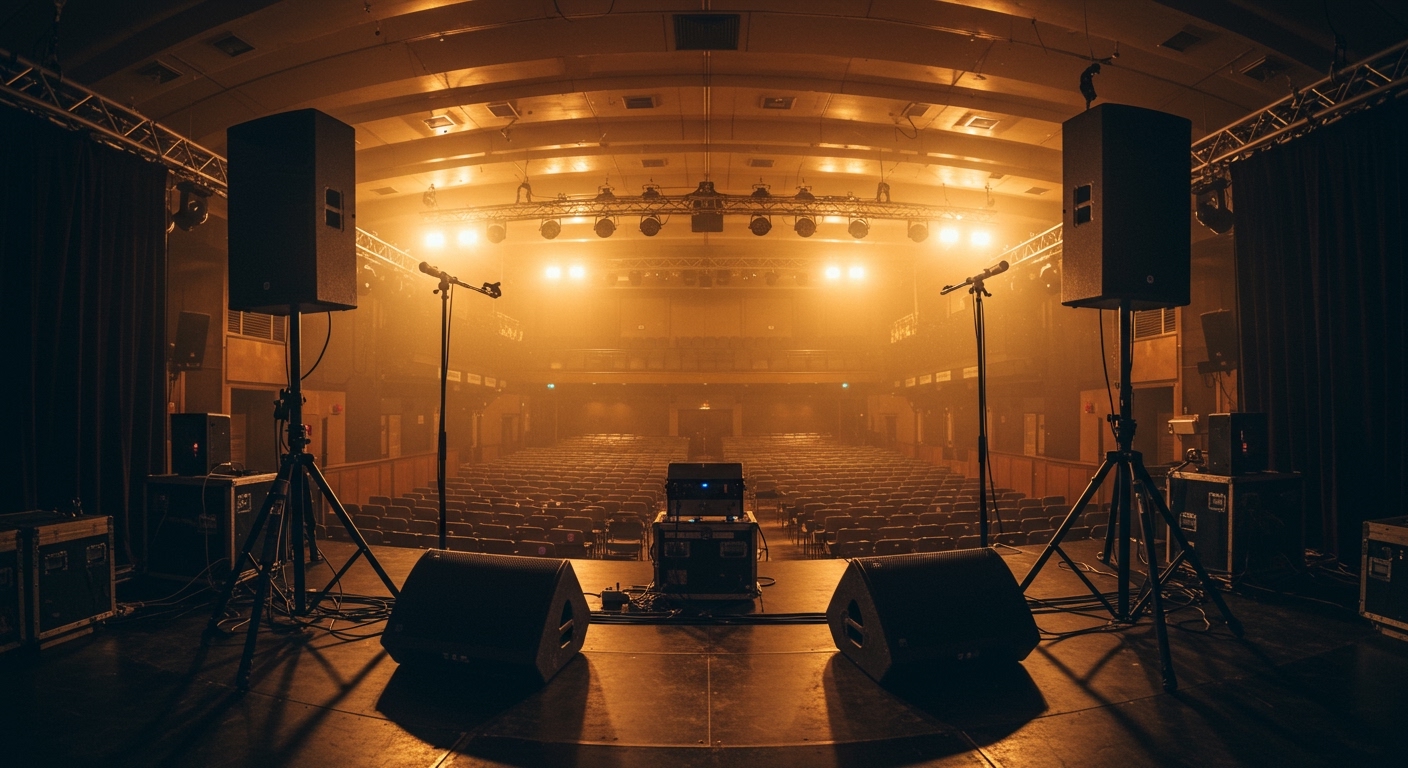
To effectively learn how to position pa speakers, you must place the high-frequency drivers (tweeters) at least 6-12 inches above the audience’s head level, angle them slightly toward the center of the listening area, and ensure they are positioned forward of any live microphones to prevent feedback. In my 15 years as a live sound engineer for touring bands and corporate events, I have found that speaker placement impacts sound quality more than the price tag of the speakers themselves.
TL;DR: Quick PA Setup Guide
- Height: Tweeters should be 1-2 feet above the tallest person’s head.
- Angle: “Toeing in” speakers toward the center of the room improves stereo imaging.
- Feedback Control: Keep speakers in front of the microphone line.
- Subwoofers: Place them on the floor, ideally coupled together for a 3dB gain.
- Safety: Always use sandbags on tripod stands in high-traffic areas.
The Science of Sound Coverage
When learning how to position pa speakers, you have to account for the “Inverse Square Law.” This law states that sound pressure levels (SPL) drop by 6dB every time you double the distance from the source. To combat this, we use height and tilt to ensure the people in the back can hear clearly without deafening the people in the front row.
Understanding Dispersion Patterns
Most modern PA speakers, like the Yamaha DXR series or QSC K12.2, have a specific dispersion pattern, such as 90° horizontal by 60° vertical. If you point these directly at a back wall, you create massive reflections that muddy the sound.
- Horizontal Spread: Ensures the entire width of the room is covered.
- Vertical Spread: Determines how much sound hits the ceiling (which you want to avoid).
Step-by-Step: How to Position PA Speakers for Maximum Impact
Identify the “Critical Distance”
Before setting up your stands, walk the room. The critical distance is the point where the direct sound from the speakers is equal to the reflected sound from the walls. Your goal is to keep the majority of your audience within the “direct sound” zone.
Set the Ideal Height
I cannot stress this enough: sound does not travel well through human bodies. If your speakers are at shoulder height, the first row of people will absorb all the high-frequency energy, leaving the rest of the room with a “muffled” or “muddy” experience.
- Use high-quality speaker stands (like Ultimate Support or K&M).
- Elevate the speakers so the bottom of the cabinet is roughly 6 to 7 feet off the ground.
- If your speakers have a “dual-pole socket,” use the downward tilt (usually 7.5 degrees) to aim the energy at the back half of the crowd.
The “Forward of Mics” Rule
This is the most common mistake I see at small venues. To avoid the dreaded “screech” of acoustic feedback, your PA speakers must be physically closer to the audience than the microphones are.
If the speakers are behind the singer, the microphone will pick up the output of the speaker, create a loop, and result in feedback. Always keep your Main FOH (Front of House) speakers at least 3-5 feet in front of the microphone line.
Advanced Placement: Dealing with Room Acoustics
Managing Room Reflections
In a rectangular room, avoid placing speakers parallel to the side walls. Instead, “toe” them in (angle them slightly toward the center). This reduces the amount of sound bouncing off the side walls, which can cause comb filtering—a phenomenon where certain frequencies cancel each other out, making the mix sound “hollow.”
Boundary Loading and Bass
If you place a speaker or subwoofer directly against a wall, you get a 3dB boost in bass. If you place it in a corner, you get a 6dB boost. While this sounds like a “free” volume increase, it often results in “boomy” or “one-note” bass. I recommend keeping main speakers at least 2 feet away from corners to maintain clarity.
Speaker Placement Comparison Table
| Venue Type | Recommended Height | Tilt Angle | Speaker Spacing |
|---|---|---|---|
| Small Bar / Cafe | 6 Feet | 0° (Flat) | 10-15 Feet |
| Wedding Ballroom | 7 Feet | 7.5° Downward | 20-30 Feet |
| Outdoor Festival | 8+ Feet | 10-15° Downward | 40+ Feet |
| Narrow Hallway | 6.5 Feet | 10° Toe-In | 12 Feet |
Positioning Subwoofers for “Power Alley” Management
When you place two subwoofers on opposite sides of a stage, you often create a “Power Alley.” This is a narrow strip down the center of the room where the bass is incredibly loud, while the sides of the room have almost no bass due to phase cancellation.
Pro Tip: Center-Clustered Subs
In my experience, the best way to avoid “dead zones” is to center-cluster your subwoofers. Placing two subs side-by-side in front of the stage creates a single, coherent point source. This results in:
- Smoother bass distribution throughout the room.
- Increased “impact” and “punch” (coupling gain).
- Fewer phase issues with the main top speakers.
Stage Monitor Positioning (Foldback)
Your performers need to hear themselves, but monitor wedges are a primary source of feedback.
- Cardioid Mics: If using a standard Shure SM58 (cardioid), place the monitor directly behind the microphone (at the 180-degree mark).
- Supercardioid Mics: If using a Beta 58A (supercardioid), place two monitors at 120-degree angles to the side, as these mics have a “pickup lobe” directly at the back.
Troubleshooting Common Positioning Issues
The “Dead Zone” in the Front
If your speakers are spread too wide, the people directly in front of the stage won’t hear anything but the drums. To fix this, use a Front Fill. This is a smaller, lower-volume speaker placed in the center of the stage lip to “fill” the gap for the front row.
Excessive Reverb
If the room is very “live” (lots of glass or concrete), the best strategy for how to position pa speakers is to move them closer to the audience and lower the volume. Reducing the distance between the source and the listener minimizes the amount of room energy you excite.
Dealing with “Comb Filtering”
If you are using two speakers per side (splaying), ensure they are angled away from each other so their coverage patterns do not overlap. Overlapping coverage causes “interference patterns” that make the audio sound “swirly” as people move through the room.
Summary Checklist for your Next Gig
- Safety First: Ensure stands are on level ground and legs are fully extended.
- Height: Get those tweeters above the crowd’s heads.
- Alignment: Check that your speakers are in front of the microphones.
- Angle: Toe-in the speakers slightly to focus energy on the listeners.
- Listen: Walk the room with a familiar track to check for dead spots.
Frequently Asked Questions
Should I put my PA speakers on the floor?
No. Placing full-range speakers on the floor causes the high frequencies to be absorbed by the floor and the audience’s legs. Always use speaker stands to elevate them to ear level or higher.
How far apart should PA speakers be?
A general rule of thumb is the Equilateral Triangle rule. The distance between the two speakers should be roughly the same as the distance from each speaker to the middle of the audience. For most small to medium rooms, this is between 15 and 25 feet.
Does the “Toe-In” angle really matter?
Yes. Angling speakers inward helps focus the sound on the audience and away from reflective side walls. This significantly improves speech intelligibility and stereo imaging for the listeners.
Can I use different brands of speakers together?
You can, but it is not recommended for your main left/right pair. Different brands like Electro-Voice and Mackie have different “phase responses” and “tonal signatures,” which can cause clarity issues when mixed.
Why does my sound change when I move my subwoofers?
Subwoofers interact heavily with the room’s boundaries (walls and floor). Moving a sub just a few feet can change how the low-end waves reflect and combine, either increasing the bass or creating “nulls” where the bass disappears completely.

![Is Behringer Speakers a Good Brand? [2024 Expert Review]](https://bestsounds.net/wp-content/uploads/2026/03/is-behringer-speakers-a-good-brand-2024-expert-review-featured-1774149096.jpg "Is Behringer Speakers a Good Brand? [2024 Expert Review]")