Why Understanding How to Set Up Component Speakers Changes Everything
To set up component speakers, you must mount the woofers and tweeters separately and route their signals through an external crossover network to ensure each driver receives the correct frequencies. This process provides superior soundstage imaging and clarity compared to standard coaxial speakers by allowing you to position the high-frequency drivers closer to ear level.
I have spent over a decade in custom car audio shops, and I can tell you that the transition from factory “muddy” sound to a dedicated component speaker system is the single best upgrade you can make. The challenge isn’t just the wiring; it is the acoustic placement and signal management. If you want a “live concert” feel on your dashboard, following a precise installation workflow is non-negotiable.
TL;DR: Quick Setup Checklist
- Mounting: Install woofers in lower doors and tweeters at dash/pillar height.
- Crossover Wiring: Connect the amplifier output to the crossover “Input,” then route separate lines to the woofer and tweeter.
- Phase Check: Ensure positive (+) and negative (-) terminals match perfectly to avoid bass cancellation.
- Sound Treatment: Apply butyl-based sound deadening to the door cavity for maximum mid-bass impact.
- Tuning: Set your high-pass filter (HPF) on your head unit or amp to roughly 80Hz.
Essential Tools and Materials for Your Installation
Before you pull your door panels off, you need the right kit. Based on my experience, using cheap electrical tape or thin wire will lead to “engine whine” or signal degradation within six months.
| Tool/Material | Purpose | Recommended Type |
|---|---|---|
| Speaker Wire | Transfers signal from amp to crossover | 14-gauge or 16-gauge OFC (Oxygen Free Copper) |
| Crossover Network | Splits frequencies between drivers | Included with your component set |
| Sound Deadener | Reduces resonance and improves bass | Noico or Dynamat (Butyl-based) |
| Multimeter | Checks for continuity and correct voltage | Digital with an Ohms setting |
| Wire Strippers | Prepares wire ends for connection | Self-adjusting strippers |
| Heat Shrink | Protects and seals wire connections | Marine-grade (adhesive lined) |
Step 1: Strategic Placement and Imaging
The primary advantage of how to set up component speakers is the ability to manipulate the soundstage. In a standard setup, the high frequencies (tweeters) are stuck at your ankles.
Tweeter Positioning
I recommend “dry-fitting” your tweeters using Blue-Tack or double-sided tape before doing any permanent drilling. For the best imaging, aim the tweeters toward the opposite headrest (the passenger tweeter points at the driver’s ear). This creates a wider, more balanced soundstage that makes your dashboard feel like a stage.
Woofer Mounting
The woofer handles your mid-bass and vocals. Usually, these go into the factory 6.5-inch or 6×9-inch door locations. However, the factory plastic bracket is often flimsy. Use HDPE (High-Density Polyethylene) or treated MDF speaker rings to create a rigid mounting surface. A rigid mount ensures the energy moves the speaker cone, not the car door.
Step 2: Wiring the Crossover Network
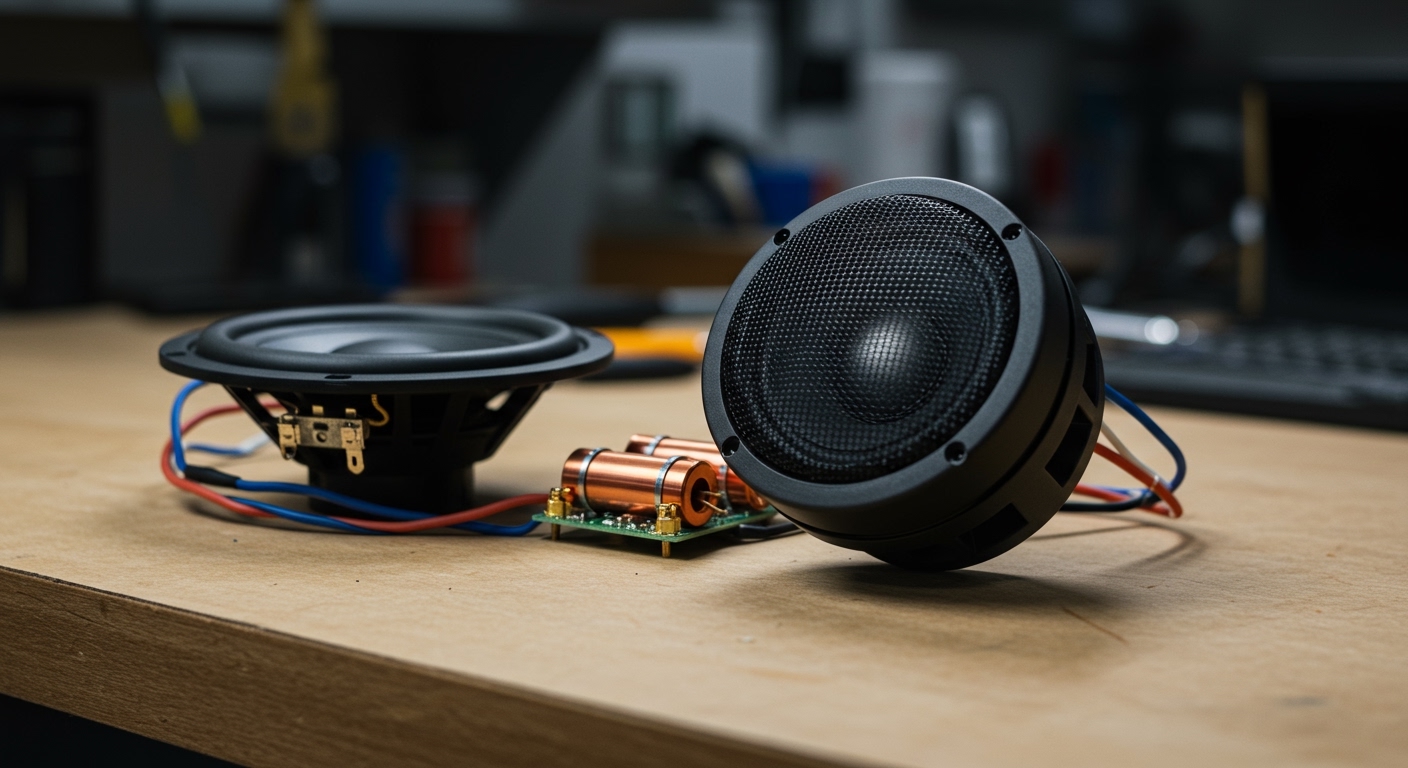
The passive crossover is the “brain” of your component system. It takes one full-range signal and filters it into two distinct paths: High Pass for the tweeter and Low Pass for the woofer.
- Input: Run the speaker wire from your amplifier or head unit to the “IN” terminals on the crossover.
- Woofer Output: Connect the “W” or “WF” terminals to the large door speakers. Use 16-gauge wire to ensure current flow for mid-bass hits.
- Tweeter Output: Connect the “T” or “TW” terminals to the small tweeters.
- DB Adjustments: Many high-end crossovers (like those from Focal or JL Audio) have a jumper for 0dB, -3dB, or -6dB. If your tweeters are mounted high on the A-pillar, they may sound too “bright.” Switch the jumper to -3dB to smooth them out.
Pro-Tip: Always mount your crossovers inside the car cabin (under the dash or in the kick panels) rather than inside the door. Moisture inside door cavities is the #1 killer of crossover electronics.
Step 3: Door Preparation and Sound Deadening
If you learn how to set up component speakers without treating the door, you are wasting 40% of your money. A car door is essentially a thin metal “leaky box.”
I always apply at least 25% coverage of sound-deadening material to the inner and outer metal skins of the door. This stops the metal from vibrating at the same frequency as your music. After applying the deadener, use closed-cell foam (CCF) gaskets around the face of the woofer. This “couples” the speaker to the door panel, forcing all the sound through the grille rather than letting it leak behind the plastic paneling.
Step 4: Final Mounting and Phase Calibration
Once the wiring is routed through the door boots—which is often the hardest part of the job—it is time for the final mount.
Mounting the Drivers
- Tweeters: Use the included flush-mount cups for a factory look or surface-mount pods if you want to aim them precisely.
- Woofers: Ensure there are no air gaps between the speaker ring and the door. Air gaps kill low-end frequency response.
The Phase Test
If your speakers are “out of phase,” one speaker moves out while the other moves in. This results in a complete loss of bass. To test this, I use a 9V battery. Briefly touch the battery leads to the speaker wires; the cone should pop outward if the polarity is correct. If it pulls inward, reverse your wires.
Step 5: System Tuning and Gain Setting
After everything is bolted down, do not just turn the volume to 100. You need to “gain match” your system.
- Set Head Unit EQ to Flat: Turn off any “Loudness” or “Bass Boost” settings.
- Adjust the High-Pass Filter (HPF): Set your amp’s HPF to around 80Hz. This prevents the door woofers from trying to play deep sub-bass, which they aren’t designed for.
- Level Matching: Slowly turn up the amplifier gain until you hear slight distortion, then back it off 5%. This ensures you are getting the maximum RMS power without clipping the signal.
Comparison: Component vs. Coaxial Setup
| Feature | Component Speakers | Coaxial Speakers |
|---|---|---|
| Soundstage | Elevated, Realistic | Low, “Muddy” |
| Customization | High (Tweeter placement) | Low (Fixed position) |
| Installation Difficulty | Moderate to High | Easy (Drop-in) |
| Crossover Quality | Dedicated External | Integrated Capacitor |
| Best For | Audiophiles & High-End Systems | Budget Upgrades |
Frequently Asked Questions
Can I run component speakers without an amplifier?
Yes, you can run them off a factory head unit, but they will be severely underpowered. Most component sets require 50W to 100W RMS to sound their best. A standard car radio only puts out about 15W to 20W, which can lead to signal clipping and potential damage.
Where is the best place to mount tweeters?
The “Sweet Spot” is usually on the A-pillars or the sails (the triangular plastic piece by the mirrors). Keeping them at ear level improves the clarity of vocals and high-frequency instruments like cymbals.
What gauge wire should I use for a component setup?
For runs up to 15 feet from an amplifier, 16-gauge OFC wire is the industry standard. If you are pushing over 150W per channel, I recommend stepping up to 14-gauge to minimize resistance and heat.
Do I need a crossover if my amp has one?
Yes. Your amplifier’s crossover (active) usually filters out low-end bass for the whole system. The passive crossover included with your speakers is specifically tuned to the “crossover point” where the woofer stops playing and the tweeter starts. Without it, you will likely blow your tweeters instantly.