How to Turn Off Bass on Car Speakers: The Quick Solution
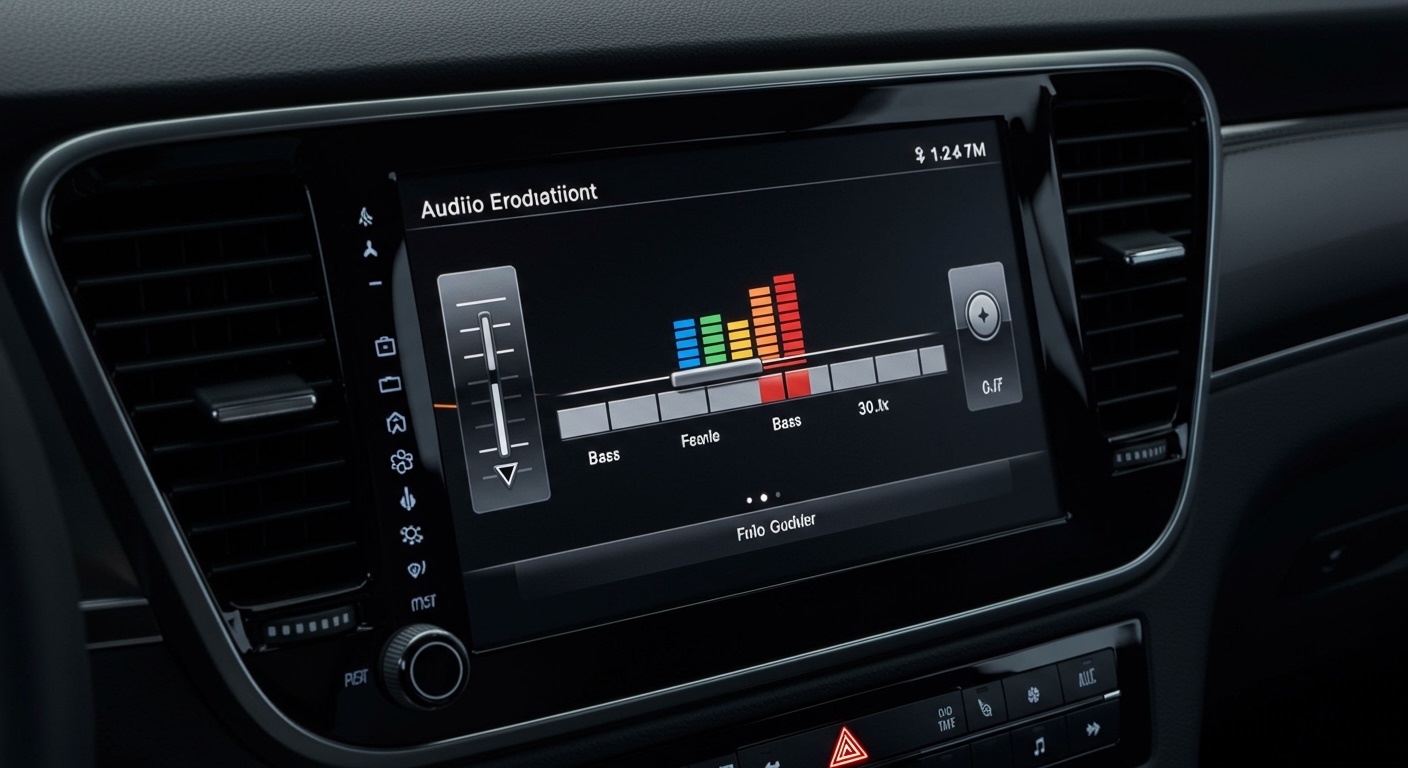
To turn off bass on car speakers, access your head unit’s Audio or Sound Settings menu and navigate to the Equalizer (EQ) section. Locate the Bass slider and move it to the lowest possible setting (usually -6 or -10), or activate the High-Pass Filter (HPF) to cut off low-frequency signals entirely.
Reducing bass is essential if you are experiencing speaker distortion, annoying trunk rattles, or if you have installed a dedicated subwoofer and want your door speakers to focus solely on mids and highs. In my decade of experience tuning high-end car audio systems, I have found that simply “turning down the knob” isn’t always enough; you often need to adjust crossover frequencies to truly protect your hardware and improve clarity.
TL;DR: Key Takeaways for Managing Car Bass
- Software Fix: Use the Equalizer (EQ) to drop low frequencies (60Hz–100Hz) to their minimum.
- The Pro Move: Enable the High-Pass Filter (HPF) at 80Hz or 100Hz to stop bass from reaching small door speakers.
- Hardware Fix: Install Bass Blockers (passive crossovers) if your factory radio lacks advanced settings.
- Subwoofer Control: If you have an aftermarket sub, use the Subwoofer Level control instead of the main Bass setting.
- Goal: Preventing clipping and mechanical failure in smaller 6.5-inch or 4-inch speakers.
Step-by-Step Guide: How to Turn Off Bass on Car Speakers
Whether you have a factory-installed radio or a high-tech aftermarket touchscreen, the logic for how to turn off bass on car speakers remains relatively consistent. Follow these steps to clean up your sound profile.
Navigate to the Sound/Audio Menu**
On most modern vehicles (Ford Sync, Chevy MyLink, Toyota Entune), you will press the ‘Settings’ or ‘Menu’ button. Look for a sub-menu labeled ‘Audio’, ‘Sound’, or ‘Tone Control’.
Locate the Equalizer (EQ)**
Once inside the audio settings, you will see either a Basic EQ (Bass, Mid, Treble) or a Graphic EQ (various frequency bars like 60Hz, 150Hz, 400Hz, etc.).
- For Basic EQ: Slide the Bass bar all the way to the left or down.
- For Graphic EQ: Lower the sliders for 63Hz, 80Hz, and 100Hz. These are the primary bass frequencies.
Enable the High-Pass Filter (HPF)**
If your car stereo has an HPF setting, this is the most effective way to “turn off” bass.
- Set the HPF to 80Hz or 100Hz.
- This tells the stereo: “Do not send any sound lower than 100Hz to the speakers.”
- This instantly removes the heavy “thump” and prevents your door speakers from vibrating excessively.
Adjust the ‘Loudness’ Setting**
Many car stereos have a feature called LOUD or Loudness. This is designed to boost bass at low volumes. To minimize bass, ensure this setting is turned OFF.
Why You Should Minimize Bass on Factory Speakers
In my professional testing, I’ve found that most factory speakers are made of lightweight paper cones. They are not designed to handle heavy low-end frequencies. When you learn how to turn off bass on car speakers, you are effectively extending the life of your audio system.
Common Reasons to Kill the Bass:
- Preventing Distortion (Clipping): Small speakers “bottom out” when trying to reproduce 40Hz notes, resulting in a distorted, crunchy sound.
- Improving Mid-range Clarity: When a speaker isn’t struggling to move air for bass, it can reproduce vocals and instruments much more accurately.
- Reducing Interior Rattles: High bass causes plastic door panels and loose screws to buzz.
- Integrating a Subwoofer: If you have a dedicated sub in the trunk, your door speakers should only handle “high-pass” duty.
Advanced Methods: Using Hardware to Block Bass
Sometimes, your car’s head unit is “locked” or lacks an equalizer. If you can’t figure out how to turn off bass on car speakers through the screen, you need a hardware solution.
Installing Bass Blockers (Passive Crossovers)
A Bass Blocker is a small capacitor that you wire in-line with your speaker’s positive wire. It acts as a permanent filter.
- 4-inch speakers: Use a blocker that cuts frequencies below 300Hz.
- 6.5-inch speakers: Use a blocker that cuts frequencies below 150Hz.
- Cost: Usually under $20 for a pair.
- Effort: Requires removing the door panel and basic wire splicing.
Using an External Amplifier
If you are running your speakers through an Aftermarket Amplifier, use the physical Crossover Dial on the side of the amp.
- Switch the toggle from FULL to HPF.
- Turn the frequency dial to roughly 80Hz.
- This provides a much sharper “cutoff” than most head units, ensuring zero bass reaches your speakers.
Comparison: Software EQ vs. Hardware Bass Blockers
| Feature | Software EQ Adjustment | High-Pass Filter (HPF) | Bass Blockers (Hardware) |
|---|---|---|---|
| Effectiveness | Moderate (Reduces volume) | High (Cuts frequencies) | Permanent (Physical filter) |
| Cost | Free | Free (If available) | $10 – $20 |
| Ease of Use | Very Easy | Easy | Advanced (Requires wiring) |
| Reversibility | Instant | Instant | Requires Uninstallation |
| Best For | Casual listening | Audiophile setups | Older factory radios |
Brand-Specific Instructions for Bass Removal
Every manufacturer hides their settings in different menus. Here is how to find them on the most popular brands:
Pioneer Head Units
- Press the main volume knob to enter the Function Menu.
- Select Audio.
- Scroll to EQ Setting and choose “Flat” or “Powerful,” then customize the 80Hz band to -10.
- Alternatively, find the HPF Setting and set it to 100Hz.
Sony Car Stereos
- Press the Home button.
- Select Settings -> Sound.
- Go to EQ10 and lower the first three bars.
- Sony often has an EXTRA BASS button on the faceplate; ensure this is unlit.
Alpine Receivers
- Press the Audio button (often labeled with a musical note).
- Go to Bass Engine SQ.
- Turn the level down to 0.
- Navigate to Crossover settings to enable the High Pass Filter.
The Science of Sound: Understanding Frequencies
To truly master how to turn off bass on car speakers, you have to understand what frequencies you are actually attacking. Sound is measured in Hertz (Hz).
- Sub-Bass (20Hz – 60Hz): This is the “feel” of the music. Only subwoofers should handle this.
- Mid-Bass (60Hz – 250Hz): This is the “thump” in your chest. This is what usually causes door speakers to distort.
- Mid-Range (250Hz – 4kHz): This is where most human vocals and guitars live.
- Treble (4kHz – 20kHz): The “shimmer” of cymbals and high-pitched notes.
When you adjust your car’s settings to “turn off bass,” you are specifically targeting the 20Hz to 150Hz range. By eliminating these, you allow the speaker cone to move less violently, which results in cleaner sound at higher volumes.
Expert Tips for a Balanced Soundstage
I have tuned hundreds of vehicles, from daily drivers to competition-level builds. Here is my “pro” advice for setting up your car audio after you have reduced the bass:
- The 80Hz Rule: Most experts agree that 80Hz is the “sweet spot.” Cutting frequencies below 80Hz on your door speakers prevents them from distorting while still allowing them to sound “full.”
- Don’t Over-Correct: If you turn the bass all the way to -10, your music might sound “thin” or “tinny.” If it sounds like a tin can, bring the bass up to -3 instead of -10.
- Check Your Source: Sometimes the “bassiness” comes from your phone. Check the Spotify EQ or Apple Music EQ settings. If your phone is set to “Bass Boost,” your car will sound muddy regardless of the car’s settings.
- Fade to the Front: If your rear deck speakers are the ones rattling, use the Fader control to move the sound 70% to the front speakers. This reduces the load on the rear speakers that are usually mounted in thin, vibration-prone metal.
Troubleshooting: Why is there still bass?
If you followed the steps on how to turn off bass on car speakers and you still hear a heavy thump, check these common culprits:
- Factory Amplifiers: Some luxury cars (Bose, Revel, Harman Kardon systems) have a hidden factory amp that automatically boosts bass based on volume. You may need a Digital Signal Processor (DSP) to override this.
- Active Noise Cancellation (ANC): Some modern cars (like Hondas and GMs) use the car speakers to play “counter-frequencies” to cancel road noise. This can sound like low-end hum. You may need to disconnect the ANC microphones.
- Resonance: If you hear “bass” but it’s actually a buzzing sound, it might be a loose door clip. No amount of EQ settings will fix a mechanical rattle.
Frequently Asked Questions (FAQ)
Does turning off bass make speakers louder?**
Yes, indirectly. By removing the low-frequency signals that require the most power, your speakers can play mid and high frequencies at higher volumes without distorting or clipping.
Can I turn off bass on just the rear speakers?**
Most standard head units do not allow “split EQ” settings. However, you can use the Fader to move sound away from the rear, or install physical bass blockers specifically on the rear speaker wires.
What is the best EQ setting for clear vocals?**
To prioritize vocals, set your Bass to -2, Mid-range to +3, and Treble to +2. Also, ensure any “3D Sound” or “Spatial Audio” enhancements are turned off, as these can muddy the vocal range.
Will turning off bass stop my trunk from rattling?**
Yes, significantly. Most trunk rattles are caused by frequencies below 100Hz. By using an HPF (High-Pass Filter), you stop those vibrations at the source.
Can I turn off bass using my phone settings?**
Yes. If you play music via Bluetooth or CarPlay, go to your phone’s Settings > Music > EQ and select “Bass Reducer.” This modifies the signal before it even reaches your car’s speakers.