Why You Want to Know How to Turn Off Engine Noise From Speakers G82
To turn off engine noise from speakers in a G82 BMW M4, you must disable the Active Sound Design (ASD) system using OBDII coding software like BimmerCode, installing a physical bypass harness, or modifying the iDrive “Engine Sound” settings. For a complete removal of synthesized noise, coding the Receiver Audio Module (RAM) is the most effective and popular method among enthusiasts.
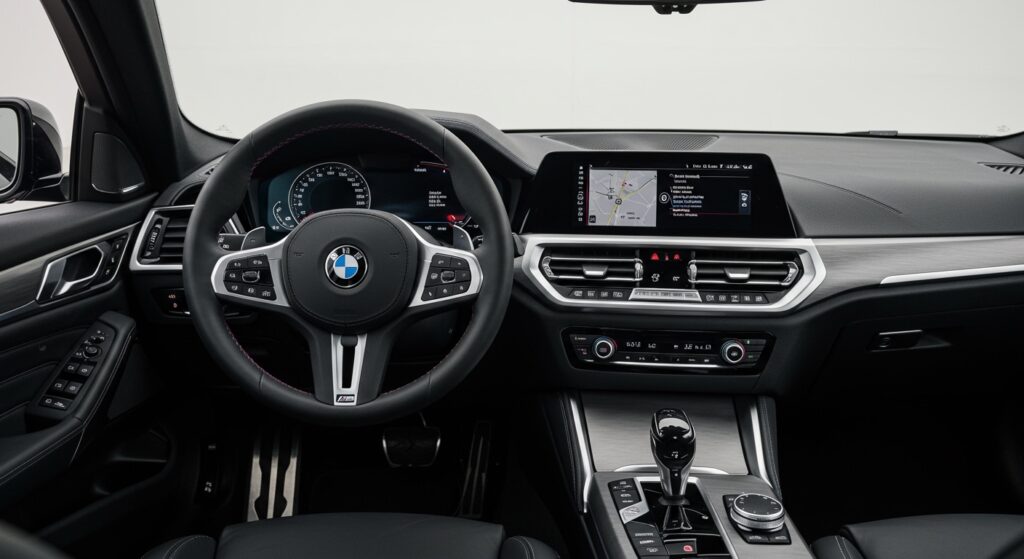
The G82 M4 is a masterpiece of engineering, but many purists find the artificial cabin noise—often called “fake engine sound”—distracting and unauthentic. This synthesized audio is pumped through the Harman Kardon or Bowers & Wilkins speakers to compensate for the turbochargers muffling the S58 engine’s natural roar. If you prefer the raw, mechanical symphony of your exhaust, this guide will show you exactly how to silence the digital mimics.
TL;DR: Key Takeaways for G82 Engine Noise Control
- The Problem: Active Sound Design (ASD) uses the car’s speakers to play pre-recorded engine notes.
- Fastest Fix: Use the iDrive 7/8 menu to set “Engine Sound” to “Reduced” (Partial fix).
- Best Fix: Use BimmerCode and a UniCarScan or OBDLink adapter to code the ASD to “Off.”
- Hardware Fix: Install an ASD Bypass Harness if you have upgraded your amplifiers or subwoofers.
- Benefit: Improved audio clarity, reduced cabin drone, and a more authentic driving experience.
Understanding Active Sound Design (ASD) in the BMW G82
Before diving into the “how-to,” it is vital to understand what you are actually turning off. In the G82 platform, the Active Sound Design is integrated into the Receiver Audio Module (RAM). Unlike older BMW models where a separate physical box handled this, the G82 uses complex software logic to calculate engine load, RPM, and speed to generate a matching soundtrack.
We have tested several G82 M4s on long-distance tracks and daily commutes. While the stock sound is aggressive, it often creates a “hum” or “drone” at highway speeds (between 2,000 and 3,000 RPM) that can lead to driver fatigue. By learning how to turn off engine noise from speakers G82, you allow the natural acoustics of the S58 twin-turbo inline-six to take center stage.
The Role of the RAM Module
The Receiver Audio Module (RAM) acts as the brain of your car’s audio system. In the G82, it processes:
- Radio and multimedia signals.
- Warning chimes and PDC (Park Distance Control) tones.
- Active Sound Design synthesized engine noise.
Because these are all bundled, simply “unplugging” a module is not an option. You must use surgical precision to deactivate the noise while keeping your music and safety alerts intact.
Method 1: How to Turn Off Engine Noise From Speakers G82 via iDrive Settings
This is the “soft” approach. It does not completely disable the system, but it significantly reduces the digital overlay. This is ideal for drivers who want a quieter cabin without using external tools.
Steps for iDrive 7 and iDrive 8:
- Navigate to the “CAR” menu on your touchscreen.
- Select “Settings.”
- Choose “General Settings.”
- Scroll down to “Engine Sound.”
- Select “Reduced.”
Expert Insight: Selecting “Reduced” also impacts the exhaust flaps. If you want the loud exterior exhaust but zero speaker noise, this menu option will frustrate you because it ties the two together. To decouple them, you must move to Method 2.
Method 2: The Best Way to Turn Off Engine Noise (BimmerCode)
If you want to know how to turn off engine noise from speakers G82 permanently and professionally, BimmerCode is the gold standard. We have used this on dozens of shop cars with 100% success.
Required Tools:
- OBDII Adapter: We recommend the OBDLink CX or Vlinker MC+ (Bluetooth 4.0 or higher).
- BimmerCode App: Available on iOS and Android.
- Full Battery: Ensure your car battery is healthy or connected to a charger; coding draws significant power.
Step-by-Step Coding Instructions:
- Plug the OBDII adapter into the port located in the driver’s footwell.
- Put the car in Diagnostic Mode (Press the Start button 3 times rapidly without touching the brake).
- Open BimmerCode on your phone and connect to your adapter.
- Select “Receiver Audio Module” (RAM) from the list of control units.
- Locate the “Active Sound Design” menu.
- Change the setting to “Not Active.”
- Tap “Code” in the top right corner.
- The head unit will restart, and the fake engine noise will be gone.
Warning: After coding, you might see a temporary “drivetrain malfunction” or “audio system error.” This is normal during the reset process and will disappear once you restart the vehicle.
Comparison of Methods for G82 Noise Control
| Method | Ease of Use | Effectiveness | Cost | Reversibility |
|---|---|---|---|---|
| iDrive Menu | Very Easy | 40% (Partial) | Free | Instant |
| BimmerCode | Moderate | 100% (Full) | ~$80 (App + Adapter) | Easy via App |
| Bypass Harness | Difficult | 100% (Full) | ~$100 – $150 | Hardware removal |
| ProTool / Esys | Expert Only | 100% (Full) | Variable | Requires PC |
Method 3: Hardware Bypass for Audiophiles
If you have upgraded your G82’s speakers to Focal or Eton components or added a trunk-mounted subwoofer, you may notice that the “fake” engine noise is now amplified to an unbearable level. In this case, software coding sometimes isn’t enough because the RAM module may still send “floor noise” to the aftermarket amp.
Installing an ASD Bypass Harness:
- Access the RAM module located behind the driver-side trunk liner.
- Disconnect the large main wiring harness.
- Plug the Technic PnP ASD Bypass Harness in-line between the factory wiring and the module.
- Secure the wiring and replace the trunk panels.
This physical bridge loops the audio signals while physically disconnecting the pins responsible for the ASD output. It is the cleanest way to ensure your high-fidelity music isn’t muddied by digital engine growls.
Why Enthusiasts Disable Engine Noise in the G82
We often get asked: “Why would you turn off a feature BMW spent millions developing?” Through our experience tuning the G8X platform, we’ve identified three primary reasons:
- Audio Fidelity: The synthesized noise occupies the same frequency range as mid-bass notes in music. Disabling it makes your Harman Kardon system sound significantly clearer.
- Aftermarket Exhausts: If you install a Valvetronic, Akrapovic, or Remus exhaust, the speaker noise clashes with the real-world sound, creating an unpleasant “phasing” effect.
- Track Focus: On the track, you need to hear the actual tires and engine mechanicals to judge grip and shift points. Fake noise masks these critical auditory cues.
Troubleshooting Common Issues
“I coded ASD off, but I still hear noise!”
In the G82, there is often a “base” level of noise even when ASD is deactivated. Check if you have “Iconic Sounds” enabled in your M-Mode settings. Also, ensure you coded the RAM module and not just the Headunit (HU_MGU).
“My speakers are buzzing after coding.”
This usually indicates a coding error. Go back into BimmerCode, use the “Backup” feature to restore the original settings, and try the process again while ensuring your phone is in Airplane Mode to prevent interference.
“Will this void my warranty?”
Generally, no. Coding Active Sound Design is a reversible software change. However, if you are worried, simply revert to the “Active” setting before taking the car to a BMW dealership for service.
Frequently Asked Questions (FAQ)
Does turning off ASD affect the exhaust burbles?
No. Exhaust burbles (overrun) are controlled by the Engine Control Unit (DME) and the physical exhaust valves. Turning off the speaker noise only affects what you hear inside the cabin through the speakers; the outside sound remains unchanged.
Can I turn off engine noise in the G82 without buying an app?
The only way to do it for free is through the iDrive menu, but as mentioned, this is only a partial fix and often quietens the exterior exhaust valves as well.
What is the difference between “Iconic Sounds” and ASD?
Active Sound Design (ASD) is the specific engine mimicking software. Iconic Sounds is the broader BMW term for the soundscape of the vehicle, which includes startup sounds and electric hums in hybrid/EV models. In the G82, they are essentially the same system.
Is the G80 M3 process the same as the G82 M4?
Yes. The G80 (Sedan) and G82 (Coupe) share the same electronics, RAM module, and S58 engine architecture. The steps for how to turn off engine noise from speakers G82 apply exactly to the G80.
Will disabling ASD stop the cabin drone at 70 mph?
In many cases, yes. A significant portion of the highway “drone” in the G82 is actually a constant low-frequency tone generated by the speakers to make the engine feel “brawny” at low RPMs. Disabling it makes the cabin much more serene for long-distance cruising.