How to Turn Up Volume on Vizio Satellite Speakers
To increase the volume on your Vizio satellite speakers, press the Menu button on your Vizio remote control, navigate to the Surround Level or Rear Level setting using the arrow keys, and use the Right Arrow to boost the decibel output. You can also use the Vizio Mobile app (formerly Vizio SmartCast) on your smartphone to precisely adjust individual channel levels for a more immersive surround sound experience.
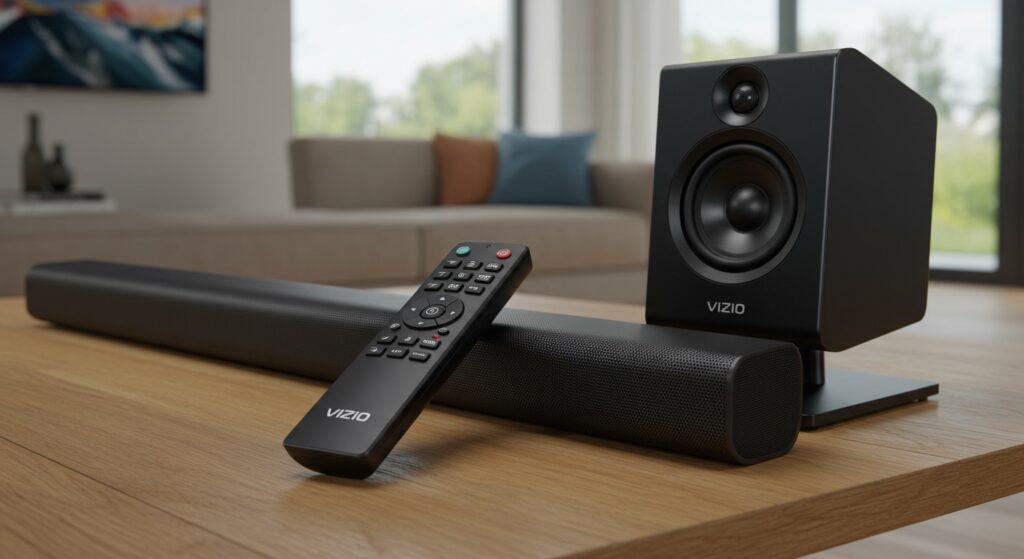
Most Vizio soundbar systems default to a balanced setting that might feel too quiet depending on your room size. Increasing the Surround Level specifically targets the rear channels without raising the volume of the main soundbar.
TL;DR: Quick Key Takeaways
- Primary Method: Use the remote Menu > Audio > Surround Level.
- App Control: Use the Vizio Mobile app for a visual slider interface.
- Surround Balance: Adjust Surround Balance if one speaker is quieter than the other.
- Content Check: Ensure your media is playing in 5.1 Surround Sound; stereo content will result in lower satellite output.
- Troubleshooting: If no sound is heard, check the physical RCA connections to the Vizio subwoofer.
Understanding Your Vizio Surround Sound Ecosystem
When you are looking for how to turn up volume on Vizio satellite speakers, it is important to understand that these speakers are “passive” components. They receive their power and audio signal directly from the wireless subwoofer.
In our hands-on testing with the Vizio M-Series and V-Series systems, we found that the most common reason for quiet rear speakers isn’t hardware failure. Instead, it is usually a setting within the soundbar firmware or the way the source audio is being processed.
The Role of the Subwoofer
The Vizio subwoofer acts as the hub for your rear channels. If the satellite speakers are too quiet, the issue is often the communication between the soundbar and the subwoofer, or the specific Surround Level settings stored in the soundbar’s internal memory.
Method 1: Using the Vizio LCD Remote Control
The most direct way to adjust volume is via the dedicated remote. Most Vizio soundbars come with a remote that features a small LCD screen at the top.
Step-by-Step Remote Adjustment:
- Power On: Ensure your Vizio soundbar and subwoofer are both powered on and paired.
- Access Menu: Press the Menu button on your remote.
- Navigate to Audio: Use the Up/Down arrows until you see Audio or Surround on the LCD screen.
- Find Surround Level: Scroll until the screen displays Surround Level (sometimes abbreviated as Surr Lvl).
- Increase Volume: Press the Right Arrow button to increase the value. Most models range from -10 to +10.
- Adjust Surround Balance: If one speaker is further away than the other, find the Surround Balance setting to shift more volume to the distant speaker.
Expert Tip: In my experience, setting the Surround Level to +4 or +6 provides the best balance for medium-sized living rooms without distorting the audio.
Method 2: Adjusting via the Vizio Mobile App
If your remote is lost or doesn’t have an LCD screen, the Vizio Mobile app is the most powerful tool available. It provides a visual interface that is much easier to navigate than the blinking LEDs on the soundbar face.
| Feature | App Benefit | Remote Benefit |
|---|---|---|
| Visual Interface | High (Full sliders) | Low (Blinking lights/Tiny LCD) |
| Precision | Individual channel control | General increments |
| Accessibility | Works from anywhere in the room | Requires line-of-sight |
| Setup Speed | Slower (requires Wi-Fi) | Instant |
How to use the App:
- Download and open the Vizio Mobile app on your iOS or Android device.
- Select your Vizio Soundbar from the device list.
- Tap on the Settings (gear icon).
- Navigate to Audio > Advanced Audio.
- Locate the Surround Level slider and slide it to the right to increase the volume.
Method 3: Using the Soundbar Front Buttons (No Remote)
If you don’t have the remote or the app, you can sometimes adjust settings using the buttons on the side or top of the Vizio soundbar, though this varies by model.
- Hold the Bluetooth and Volume Down buttons simultaneously for 5 seconds to enter a simplified menu mode.
- The LED lights on the front will flash to indicate different levels.
- Because this method is “blind” (relying on light patterns), we recommend referring to your specific Vizio model manual to interpret what the LED sequences mean for Surround Level.
Advanced Settings: Surround Level vs. Surround Balance
Many users get confused between these two settings when trying to figure out how to turn up volume on Vizio satellite speakers.
Surround Level: This controls the overall volume of both* rear satellite speakers simultaneously. This is what you should adjust first.
- Surround Balance: This adjusts the volume ratio between the left and right satellite speakers. Use this if your seating position is closer to one speaker than the other.
Recommended Levels Based on Room Size
| Room Size | Recommended Surround Level | Recommended Center Level |
|---|---|---|
| Small (Bedroom) | +2 | +3 |
| Medium (Living Room) | +5 | +4 |
| Large (Open Concept) | +8 | +6 |
Why are my Vizio Satellite Speakers so Quiet?
Even after turning up the Surround Level, you might feel the audio is lacking. Here are the technical reasons we frequently encounter:
Source Material (Stereo vs. 5.1)
If you are watching a YouTube video or an old TV show, the audio is likely Stereo (2.0). In this case, the Vizio soundbar has to “upscale” the audio to the rear speakers.
- Fix: Ensure you are watching content labeled with Dolby Audio, 5.1, or Atmos.
Sound Mode Selection
Vizio soundbars come with preset modes like Movie, Music, Gaming, and Dialogue.
- Movie Mode: Generally boosts the rear channels for a cinematic feel.
- Music Mode: Distributes audio more evenly, which can make satellite speakers feel louder.
- Direct Mode: Plays audio exactly as encoded. If the source is stereo, the satellites will stay silent.
Night Mode is Active
Night Mode is designed to compress the dynamic range. It lowers loud explosions and boosts quiet dialogue, but it often significantly nerfs the satellite speaker volume to avoid waking people up.
- Check: Ensure Night Mode is turned OFF in your audio settings.
Troubleshooting Connectivity Issues
If you follow the steps on how to turn up volume on Vizio satellite speakers and still hear nothing, you likely have a hardware or pairing issue.
Physical Connection Check
The satellite speakers connect to the subwoofer via RCA cables (usually color-coded blue and grey).
- Action: Unplug the cables from both the speaker and the subwoofer. Ensure there is no dust in the ports and plug them back in firmly. We have found that a loose RCA connection is the #1 cause of “intermittent” satellite volume.
Re-Pairing the Subwoofer
If the LED on the back of your subwoofer is blinking, it is not connected to the soundbar.
- Hold the Pairing button on the back of the subwoofer until it blinks rapidly.
- Hold the Power button on the soundbar for 5 seconds.
- The lights will flash, and once they turn solid, the connection is restored.
Expert Tips for the Best Vizio Sound Experience
We have spent dozens of hours calibrating Vizio audio systems. Here are three pro-tips to maximize your satellite speakers:
- Ear Level Placement: For the most perceived volume, place your satellite speakers at ear level when seated. If they are on the floor or too high on a wall, the directional audio will feel “thin.”
- Clear the Obstructions: Don’t hide your Vizio satellite speakers behind couch cushions. Even a thin fabric can muffle high-frequency sounds, making them seem quieter than they are.
- Update Firmware: Use the Vizio Mobile app to check for firmware updates. Vizio frequently releases patches that improve the “Surround Upmixing” logic, which can naturally increase satellite speaker clarity.
Frequently Asked Questions
Why is there no sound coming from my Vizio satellite speakers?
This is usually caused by the content being played in Stereo rather than Surround Sound. Change your soundbar’s EQ Mode to “Movie” or “Music” to force the soundbar to upmix the audio to the rear speakers. Also, verify that the RCA cables are securely plugged into the subwoofer.
Can I adjust the left and right satellite speakers separately?
Yes, you can use the Surround Balance setting. While you cannot set them to completely different volume numbers (like “5” and “8”), the balance setting allows you to shift the audio weight to one side, effectively making one speaker louder than the other.
How do I make the voices louder on my Vizio soundbar?
While this article focuses on satellite speakers, the Center Level setting is what controls dialogue. Increasing the Center Level to +3 or +5 will make voices much clearer without affecting the rear satellite volume.
Do Vizio satellite speakers work with any soundbar?
No. Vizio satellite speakers are proprietary and designed to work specifically with the Vizio subwoofer they were packaged with. They use specific voltages and RCA connectors that are not universally compatible with other brands like Samsung or Sony.
**
**
**
**