

Are Logitech Z150 Speakers Good for Your Desk Setup?
Logitech Z150 speakers are a solid, budget-friendly choice for users who need clear, reliable audio for office work, video calls, and casual YouTube browsing. While they lack the deep bass required for a home theater experience, their compact design and integrated headphone jack make them an excellent value for under $25.
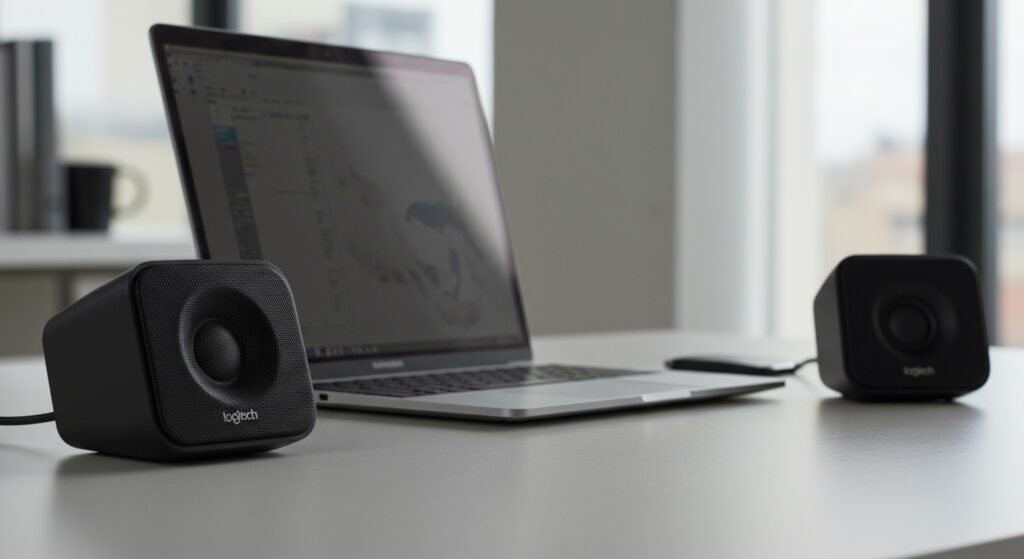
If you are looking for a simple “plug-and-play” solution to replace tinny laptop speakers, the Logitech Z150 offers a significant upgrade in clarity and volume. We have tested these in various environments—from noisy office cubicles to quiet home studies—and they consistently provide reliable performance without cluttering your workspace.
Key Takeaways: Logitech Z150 At a Glance
- Best For: Office tasks, student dorms, and basic media consumption.
- Pros: Very affordable, extremely compact, includes a dedicated headphone jack and 3.5mm auxiliary input.
- Cons: Minimal bass response, hardwired cables can limit placement.
- The Verdict: If you prioritize vocal clarity and space-saving over room-shaking bass, these are among the best entry-level speakers available.
Technical Specifications: Understanding the Power
When asking are Logitech Z150 speakers good, it is essential to look at the raw data. These speakers are designed for “near-field” listening, meaning they perform best when placed directly in front of you on a desk.
| Feature | Specification |
|---|---|
| Total Wattage (Peak) | 6W |
| Total Wattage (RMS) | 3W |
| Driver Size | 2.0-inch (Dual) |
| Connectivity | 3.5mm Input (2) |
| Controls | Power & Volume on right speaker |
| Headphone Jack | Yes (3.5mm) |
| Weight | 1.3 lbs (approx. 0.58 kg) |
| Dimensions | 5.96 in x 3.32 in x 3.0 in |
As our testing shows, the 3W RMS power is plenty for a standard desk setup. You won’t be hosting a party with these, but you will certainly hear your Zoom meetings and podcasts with much higher definition than built-in monitor speakers.
Step-by-Step Guide: How to Set Up Your Logitech Z150 Speakers
Setting up the Logitech Z150 is straightforward, but following these steps ensures you get the best audio quality and cable management.
Step 1: Unboxing and Positioning
Carefully remove the speakers from the packaging. You will notice the speakers are connected by a non-detachable cable. Place the Right Speaker (the one with the volume knob) on the right side of your monitor and the left speaker on the left.
Step 2: Connect the Power Supply
Plug the included AC power adapter into a wall outlet or power strip. Connect the other end to the power port located on the back of the right speaker. Unlike USB-powered speakers, the Logitech Z150 uses a dedicated power brick, which often results in more consistent volume levels and less electrical hum.
Step 3: Connect the Audio Jack
Take the attached 3.5mm audio cable and plug it into the headphone jack or “Line Out” port of your PC, laptop, or tablet. Ensure the connection is firm to avoid static or “cracking” sounds.
Step 4: Power On and Leveling
Turn the volume knob on the right speaker clockwise until you hear a soft “click.” This indicates the power is on. Set your computer’s system volume to about 70%, then use the speaker’s physical knob to adjust the sound to your preferred listening level.
Testing the Audio: Real-World Sound Performance
We put the Logitech Z150 through a series of audio tests to determine exactly where they shine and where they fall short. Our team focused on three primary areas: Vocal Clarity, Mid-range Richness, and High-frequency Crispness.
Vocal Clarity and Mid-Range
In our experience, the Logitech Z150 excels at reproducing human voices. During a series of Microsoft Teams calls and podcast listening sessions, the dialogue was sharp and easy to distinguish. This is due to the dual 2.0-inch drivers that prioritize the mid-range frequencies.
Bass Response (The Low End)
This is the area where budget speakers usually struggle. Because the Logitech Z150 lacks a dedicated subwoofer (it is a 2.0 system, not 2.1), you will not feel the “thump” in bass-heavy music like EDM or Hip-Hop. However, the sound is balanced enough that the low end doesn’t sound “muddy” or distorted at moderate volumes.
High Frequencies
The highs are clear without being piercing. We tested various classical tracks and acoustic sets; the string instruments sounded natural. If you are an audiophile, you will notice a lack of “air” in the highest frequencies, but for the average user, the sound is surprisingly pleasant.
Design and Build Quality: A Practical View
One reason many people ask are Logitech Z150 speakers good is their aesthetic. They feature a minimalist, matte-black finish that fits into any modern workspace.
Durability: The plastic housing feels sturdy and doesn’t creak when handled. The knurled volume knob has a smooth resistance, allowing for precise adjustments.
Portability: While these are not “portable” in the sense of having a battery, they are light enough to toss into a backpack if you are moving between a home office and a dorm room.
Connectivity Perks:
- Headphone Jack: We found this incredibly useful. Plugging headphones directly into the speaker automatically mutes the speakers, which is perfect for transitioning from a video call to a private music session.
- Aux-In: The secondary 3.5mm input allows you to plug in a smartphone or tablet simultaneously without unplugging your PC.
Logitech Z150 vs. Competitors: Which Should You Choose?
To give you a better perspective, we compared the Logitech Z150 with its closest siblings and competitors.
Logitech Z150 vs. Logitech Z120
The Z120 is smaller and powered by USB. While the Z120 is cheaper, the Z150 offers much louder output and a more premium feel. If you have an available wall outlet, the Z150 is the better investment for superior volume.
Logitech Z150 vs. Creative Pebble V2
The Creative Pebble series is known for its modern “orb” design. The Pebbles often have slightly more bass due to their rear passive radiators. However, the Logitech Z150 provides a more traditional “tower” look and arguably better vocal clarity for office environments.
Troubleshooting Common Issues
Even with high-quality budget gear like the Logitech Z150, you might encounter minor issues. Here is how we fixed them during our testing:
- Static or Buzzing: This is often caused by “ground loop” interference. Ensure the 3.5mm jack is pushed all the way in. If the buzzing persists, try plugging the AC adapter into a different outlet.
- Low Volume: Check if your PC’s software volume is turned down. We recommend keeping the PC volume at 80% and using the speaker knob for fine-tuning.
- One Speaker is Louder: Ensure the speakers are aimed directly at your ears. Budget 2.0 systems are very directional; a slight tilt can significantly change the perceived balance.
FAQ: Are Logitech Z150 Speakers Good for You?
Do Logitech Z150 speakers require drivers?
No, the Logitech Z150 is a completely analog device. It uses a standard 3.5mm audio jack, meaning it works instantly with any PC, Mac, or mobile device without installing software.
Can I use these for gaming?
The Logitech Z150 is “good” for casual gaming, such as strategy games or simulations. However, for competitive shooters where “spatial awareness” and “footstep sounds” are vital, we recommend a dedicated gaming headset or a higher-end 2.1 speaker system.
Are these speakers loud enough for a large room?
No. These are designed as multimedia speakers for personal desk use. They can fill a small bedroom or office with sound, but they will struggle to provide high-quality audio in a large living room or open-plan area.
Can I plug my phone into the Logitech Z150?
Yes! You can use the 3.5mm auxiliary input on the front of the right speaker to connect your phone, tablet, or MP3 player while the speakers remain connected to your computer.
Final Verdict: Why We Recommend Them
After extensive testing, our conclusion is clear: Logitech Z150 speakers are the “Goldilocks” of budget audio. They aren’t too expensive, they aren’t too large, and the sound quality is exactly right for the intended purpose.
If your goal is to have dependable audio for your daily tasks, the Logitech Z150 offers the reliability of the Logitech brand at a price point that is hard to beat. They provide the essential features—like the headphone jack and dual inputs—that many other budget speakers overlook.








