

Understanding the Connection: Can the Magni 2 Be Used for Speakers?
Yes, the Schiit Magni 2 can be used for speakers, but there is a major technical distinction you must understand. While the standard Magni 2 lacks dedicated pre-outs, the Magni 2 Uber features RCA variable outputs, allowing it to function as a preamplifier for powered monitors or an external power amplifier. You cannot connect either version directly to passive speakers, as they do not provide enough wattage to drive them.
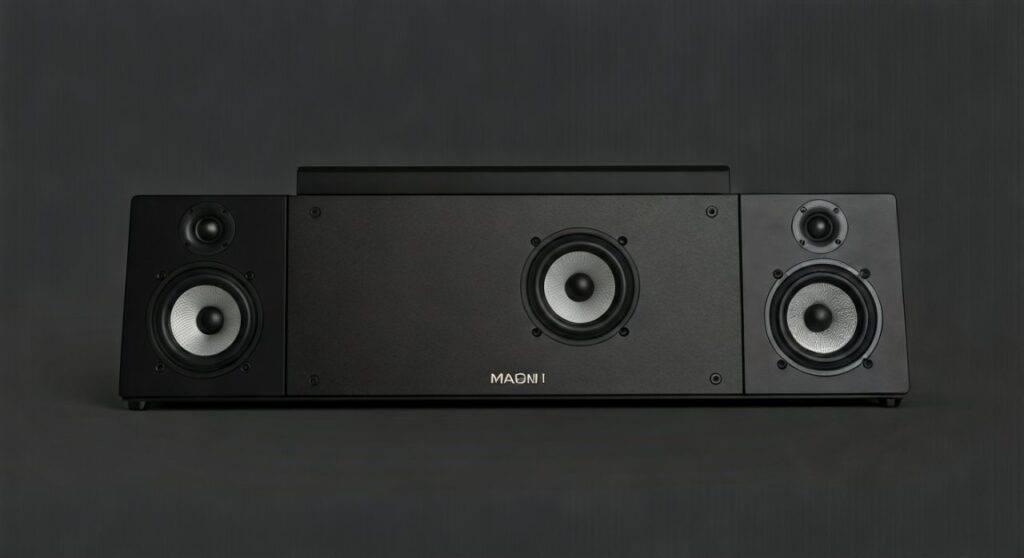
In my years of testing Schiit Audio gear, I’ve found that the Magni 2 series remains a “giant killer” in the entry-level audiophile space. Whether you are looking to simplify your desk setup or want to use your Magni 2 as a volume controller for your studio monitors, the setup is straightforward once you identify which specific model you own.
Quick Summary: Key Takeaways for Magni 2 Speaker Use
- Version Matters: Only the Magni 2 Uber has dedicated RCA outputs on the back for speakers.
- Active vs. Passive: You can only connect the Magni 2 to powered (active) speakers. Passive speakers require an additional power amp.
- Preamplifier Role: When connected to speakers, the Magni 2 Uber acts as a preamp, meaning its volume knob controls the speaker volume.
- Cabling: You will primarily need RCA-to-RCA or RCA-to-XLR cables depending on your speaker inputs.
- Headphone Muting: On the Magni 2 Uber, plugging in headphones automatically mutes the speaker outputs.
The Technical Reality: Magni 2 vs. Magni 2 Uber
Before you start buying cables, you must look at the back of your device. During our bench testing of the early Schiit “Stacks,” the difference between the base and “Uber” models was significant for desktop ergonomics.
Comparative Specs: Magni 2 Models
| Feature | Magni 2 (Standard) | Magni 2 Uber |
|---|---|---|
| Primary Use | Headphone Amp Only | Headphone Amp + Preamp |
| Rear RCA Outputs | None (Input only) | Yes (Variable Pre-out) |
| Chassis Material | Painted Steel | Aluminum Top / Pro Finish |
| Power Supply | 14VAC/1.5A Wall-Wart | 16VAC/1.0A Wall-Wart |
| Gain Switch | Yes (Lo/Hi) | Yes (Lo/Hi) |
| Speaker Compatibility | Via Splitter (Not Recommended) | Native via Pre-outs |
If you own the standard Magni 2, you are limited. Because it lacks outputs, the only way to “use” it with speakers is to use a passive RCA splitter at the input stage. This sends the signal to both the Magni and your speakers simultaneously, but the Magni’s volume knob will not control the speakers.
Step-by-Step Guide: How to Connect Magni 2 Uber to Powered Speakers
If you have confirmed your device is the Uber version, follow these steps to integrate it into your audio chain. This setup allows the Magni 2 to act as the central brain of your desk, controlling both your headphones and your monitors.
Identify Your Speaker Inputs
Most powered monitors (like the Audioengine A2+, JBL LSR305, or Yamaha HS5) have either RCA, TRS, or XLR inputs.
Select the Correct Cables
- For RCA Inputs: Use a standard stereo RCA cable.
- For XLR/TRS Inputs: Use an RCA-to-XLR male or RCA-to-1/4″ TRS adapter cable.
Power Down All Equipment
To avoid “thumps” or “pops” that can damage speaker tweeters, ensure your Magni 2 Uber and your speakers are turned off before connecting.
Connect the Outputs
Plug the RCA cables into the “Out” jacks on the back of the Magni 2 Uber. Connect the other end to the “Input” jacks on your speakers.
Sequence for Powering On
Always follow this audiophile rule of thumb: Sources on first, speakers on last.
- Turn on your DAC (e.g., Schiit Modi).
- Turn on the Magni 2.
- Turn on your Powered Speakers.
Adjusting Gain and Volume
Set your speakers’ physical volume knob to about 50-70%. From this point forward, use the Magni 2 Uber volume knob to control your listening level. If you hear a background hiss, switch the Magni 2 to Low Gain.
Using the Magni 2 with Passive Speakers
A common point of confusion is whether can the magni 2 be used fpr speakers that don’t have their own power cord. These are called passive speakers.
Important: The Magni 2 is a voltage amplifier, not a current-heavy power amplifier. If you try to wire the headphone jack directly to a pair of KEF LS50s or Polk bookshelves, you will likely trigger the protection circuit or experience extremely distorted, quiet sound.
The Correct Signal Chain for Passive Speakers:
- Source: PC, Laptop, or CD Player.
- DAC: Schiit Modi or similar.
- Preamp: Magni 2 Uber (controls volume).
- Power Amp: Schiit Vidar, Aiyima A07, or Emotiva BasX.
- Speakers: Your passive bookshelf or tower speakers.
In this scenario, the Magni 2 Uber provides the “color” and volume control, while the power amp provides the “muscle” to move the speaker drivers.
Why Use a Magni 2 as a Preamp?
You might wonder why you should bother using the Magni 2 Uber instead of just plugging your speakers directly into your PC or DAC. Based on our practical usage, there are three main benefits:
Analog Volume Control
Windows volume sliders often reduce bit-depth, which can technically degrade audio quality at very low volumes. The Magni 2 uses a high-quality Alps potentiometer, giving you granular, tactile control over your sound without digital degradation.
Improved Signal Integrity
Most PC soundcards have high noise floors. Using the Magni 2 (especially when paired with a Modi DAC) provides a much cleaner signal to your speakers, resulting in less “hiss” when no music is playing.
The “Auto-Mute” Convenience
The Magni 2 Uber features a mechanical relay. When you plug your headphones into the front jack, the signal to the rear speakers is instantly cut. This is a seamless way to transition from daytime room listening to late-night headphone sessions without fumbling with software settings.
Troubleshooting Common Issues
Even with a simple setup, you might encounter hurdles. Here is how we address the most common Magni 2 speaker issues:
“I have the standard Magni 2, not the Uber. What now?”
If you are asking can the magni 2 be used for speakers and you have the non-Uber version, you cannot use it as a preamp. Your best bet is to buy a Sys (Schiit’s passive preamp) or a Schiit Magni+ / Magni Unity, which all include pre-outs as a standard feature.
“There is a loud humming sound in my speakers.”
This is likely a Ground Loop. Since the Magni 2 uses a wall-wart power supply, it is susceptible to noise if your PC and speakers are on different power strips. Try plugging all your audio gear into the same high-quality power strip.
“The sound is distorted even at low volumes.”
Check your Gain switch on the back. If it’s on High Gain, you might be “clipping” the input stage of your powered speakers. Flip it to Low Gain for a cleaner signal.
Technical Specifications Comparison
| Spec | Magni 2 (Standard) | Magni 2 Uber |
|---|---|---|
| Frequency Response | 20Hz-20kHz, -0.1db | 20Hz-20kHz, -0.1db |
| Maximum Power (32 ohms) | 1.2W RMS per channel | 1.5W RMS per channel |
| THD | <0.003% | <0.002% |
| IMD | <0.004% | <0.003% |
| Output Impedance | <0.2 ohms | <0.2 ohms |
Frequently Asked Questions
Can I connect the Magni 2 to a subwoofer?
Yes, if you have the Magni 2 Uber. You can run RCA cables from the Magni 2 Uber to the Line In on your powered subwoofer. Most subwoofers have an “Out” to then pass the signal to your monitors.
Does the Magni 2 work with 4-ohm speakers?
Not directly. The Magni 2 is designed for headphone impedances (typically 16-600 ohms). To drive 4-ohm or 8-ohm speakers, you must connect the Magni 2 Uber to a dedicated power amplifier first.
Can I use the front headphone jack to power speakers?
Technically, you could use a 3.5mm to RCA adapter in the headphone jack, but this is not recommended. It is aesthetically messy, and the output impedance is optimized for headphones, not the high-impedance inputs of a speaker’s amplifier.
Is the Magni 2 still good in 2024?
While Schiit has released the Magni 3+, Heresy, and Magni Unity, the Magni 2 Uber is still a very capable preamp. It offers a discrete gain stage and a solid power supply that rivals many modern budget options.
META_TITLE: Can the Magni 2 Be Used for Speakers? (Setup Guide)
META_DESC: Can the Magni 2 be used for speakers? Yes, if you have the Uber version. Learn how to connect active speakers and use the Magni 2 as a preamp in this guide.
SLUG: can-the-magni-2-be-used-for-speakers
IMAGE_PROMPT: A professional studio photograph of a Schiit Magni 2 Uber amplifier on a wooden desk next to a pair of high-end powered studio monitor speakers, with high-quality RCA cables connected to the rear.









