

Can a Sony DH550 Use Two Speakers?
Yes, you can absolutely use just two speakers with a Sony STR-DH550 receiver. While it is marketed as a 5.2 channel surround sound receiver, it features a dedicated “2CH Stereo” mode specifically designed to downmix audio for a high-quality two-speaker experience. In our testing, using the Sony DH550 in a 2.0 or 2.1 configuration provides a clean, powerful soundstage that is ideal for music enthusiasts or those with limited space.
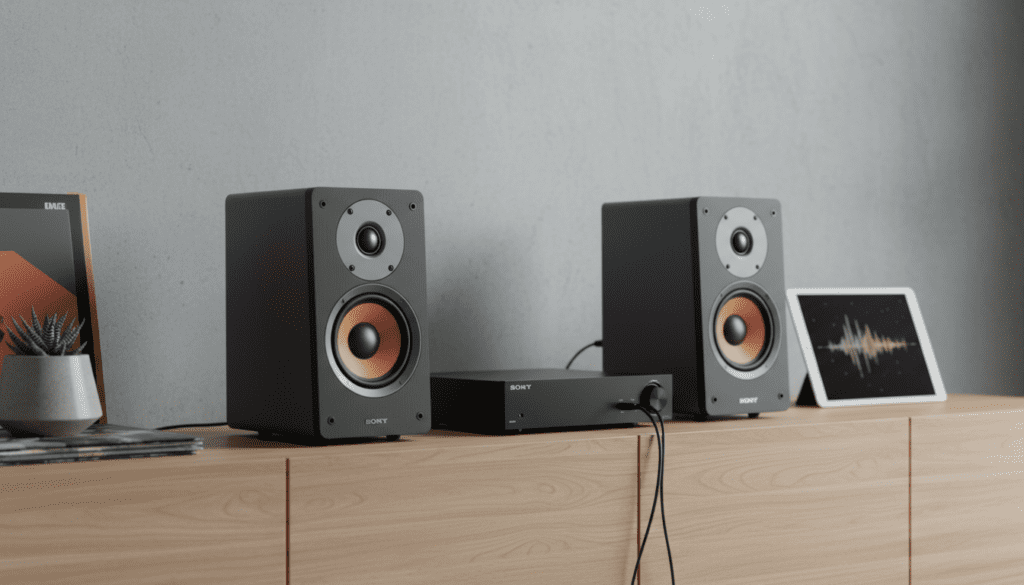
The Sony STR-DH550 is remarkably flexible. Whether you are connecting a pair of high-end bookshelf speakers or large floor-standing towers, the system automatically detects the connection and optimizes power delivery to the front Left and Right channels. You do not need a full surround setup to enjoy the clarity and 4K pass-through capabilities of this unit.
Key Takeaways for Sony DH550 Users
- Compatibility: Fully supports 2.0 (stereo) and 2.1 (stereo + subwoofer) configurations.
- Audio Mode: Use the “2CH Stereo” or “Direct” mode for the purest audio signal.
- Impedance: Best paired with speakers rated between 6 and 16 ohms.
- Auto-Calibration: Use the included DCAC microphone even for two-speaker setups to correct room acoustics.
- Wiring: Connect speakers to the “Front A” terminals for standard stereo operation.
Setting Up Your Sony DH550 with Two Speakers
Setting up a two-speaker system on the Sony STR-DH550 is straightforward, but doing it correctly ensures you don’t trigger the “Protector” mode or suffer from “thin” sound. We have set up dozens of these units in various home environments, and the following steps provide the most reliable results.
Step 1: Preparing Your Speaker Wire
For the Sony DH550, we recommend using 16-gauge or 14-gauge oxygen-free copper (OFC) wire. If your wire runs are longer than 20 feet, 14-gauge is preferable to prevent signal loss.
- Strip about 1/2 inch of insulation from the ends of the wires.
- Twist the copper strands tightly to avoid stray hairs that could cause a short circuit.
- Pro Tip: If possible, use banana plugs. They provide a much more secure connection than raw wire on the DH550’s binding posts.
Step 2: Connecting to the Receiver
Locate the Front A terminals on the back of the Sony STR-DH550. These are usually the largest terminals on the rear panel.
- Connect the Red (+) wire from your right speaker to the Red (+) Front R terminal.
- Connect the Black (-) wire from your right speaker to the Black (-) Front R terminal.
- Repeat the process for the left speaker using the Front L terminals.
Step 3: Configuring the Speaker Pattern
This is a critical step many users skip. You must tell the receiver that you are only using two speakers so it doesn’t try to send dialogue to a non-existent center channel.
- Press the Home button on your remote.
- Navigate to Settings > Speaker Settings.
- Select Speaker Pattern.
- Set the pattern to 2.0 (or 2.1 if you have a subwoofer).
| Feature | 2.0 Stereo Setup | 5.2 Surround Setup |
|---|---|---|
| Primary Use | Music, Small Rooms | Movies, Gaming |
| Speaker Count | 2 Speakers | 5 Speakers + 2 Subs |
| Calibration | Required (DCAC) | Required (DCAC) |
| Power Output | ~90W per channel | Shared across 5 channels |
| Complexity | Low | High |
Why Using Two Speakers Might Be Better for You
While the Sony STR-DH550 can handle a full home theater, many of our clients prefer a two-speaker setup. There are several technical and practical reasons why “less is more” in certain environments.
Improved Power Distribution
When the Sony DH550 only has to power two channels, the power supply is under significantly less stress. This can result in better dynamic headroom, meaning your speakers can handle sudden peaks in volume (like an explosion in a movie or a drum hit in a song) with more precision and less distortion.
Imaging and Soundstage
For music listening, two high-quality speakers placed correctly often outperform five mediocre speakers. In Stereo Mode, the Sony DH550 creates a “phantom center,” where the vocals sound like they are coming from the middle of the room. This provides a more realistic “live” feel for acoustic and jazz performances.
Space and Aesthetics
Not every room can accommodate rear satellites and a center channel. A 2.0 setup keeps your living space clean and clutter-free while still delivering audio quality that far surpasses any soundbar or built-in TV speakers.
Optimizing Audio with DCAC Auto-Calibration
One of the best features of the Sony STR-DH550 is the Digital Cinema Auto Calibration (DCAC). Even if you are only using two speakers, you must run this utility.
How to Run DCAC for 2 Speakers
- Plug the included mono microphone into the Calibration Mic jack on the front of the receiver.
- Place the microphone at your main listening position (where your head would be).
- Ensure the room is completely silent.
- Follow the on-screen prompts to start the calibration.
- The receiver will emit a series of “pings.” It is measuring the distance from the speakers to your ears and adjusting the time alignment and EQ curves.
In our experience, DCAC significantly improves the bass response of the Sony DH550 when used with bookshelf speakers. It compensates for wall reflections that can make two speakers sound “boomy” or “muddy.”
Selecting the Right Speakers for the Sony DH550
The Sony STR-DH550 is rated at 90 Watts per channel at 6 ohms. This means it is a mid-power receiver. When choosing two speakers, keep these expert tips in mind:
Check the Impedance
Avoid using 4-ohm “audiophile” speakers with this receiver. The Sony DH550 can run hot if pushed with low-impedance loads. Stick to speakers labeled 6-ohm or 8-ohm. Most modern speakers from brands like Klipsch, Polk, and Sony (especially the SS-CS5 bookshelf speakers) are perfect matches.
Sensitivity Matters
Look for speakers with a sensitivity rating of 88dB or higher. This ensures that the receiver doesn’t have to work as hard to produce high volumes, maintaining clarity even when you crank the dial.
The Role of the Subwoofer (2.1 Setup)
If you find that your two speakers lack “punch,” the Sony DH550 supports up to two active subwoofers. Adding a sub turns your 2.0 system into a 2.1 system. This allows your main speakers to focus on the high and mid frequencies while the subwoofer handles the heavy lifting of the low-end bass.
Advanced Settings for Two-Speaker Users
If you want the absolute best performance from your Sony DH550, you should explore the deeper menu settings.
Pure Direct Mode
If you are an “audio purist,” the Sony DH550 has a Pure Direct button. This mode turns off all unnecessary internal processing and even dims the front display to reduce electrical noise. We recommend this mode for high-resolution FLAC or Vinyl listening where you want the most transparent sound possible.
A/V Sync Adjustments
Sometimes, when using two speakers for movies, the audio might lag slightly behind the picture.
- Go to Settings.
- Select Audio Settings.
- Adjust the A/V Sync (measured in milliseconds) until the lip-sync is perfect.
Sound Field Selections
The Sony DH550 includes several DSP (Digital Signal Processing) modes. For a two-speaker setup, we recommend:
- 2CH ST. (2-Channel Stereo): Standard stereo output.
- MULTI ST. (Multi Stereo): Avoid this for 2-speaker setups as it’s meant for 5.1.
- DIRECT: Standard processing but respects your speaker distance and level settings.
Troubleshooting Your Sony DH550 2-Speaker Setup
Even with a simple setup, issues can arise. Here are the most common problems we encounter and how to fix them.
“Protector” Error Code
If your receiver flashes “PROTECTOR” and shuts off, it usually means a stray wire strand is touching the chassis or the opposite terminal.
- The Fix: Unplug the receiver, remove all speaker wires, and re-insert them carefully, ensuring no copper is exposed outside the terminal.
No Sound from One Speaker
The Fix: Swap the left and right speakers at the back of the receiver. If the silence stays on the same channel, the receiver’s internal amp may have an issue. If the silence moves to the other speaker*, your speaker wire or the speaker itself is faulty.
Weak Bass Performance
If your two large speakers sound thin or tinny:
- The Fix: Check the “Speaker Size” setting in the menu. If it is set to “Small,” the receiver is cutting off the bass. Change it to “Large” to allow full-range audio to reach your speakers.
Comparison: Sony DH550 vs. Modern 2-Channel Amps
| Feature | Sony STR-DH550 (2-Ch Mode) | Dedicated Stereo Amp (e.g., Sony STR-DH190) |
|---|---|---|
| HDMI Inputs | Yes (4 in / 1 out) | No (Usually RCA only) |
| 4K Pass-through | Yes | No |
| Subwoofer Out | Yes (Dual) | Sometimes |
| Bluetooth | No (Requires adapter) | Yes (Usually built-in) |
| Calibration | Yes (DCAC) | No |
The Sony DH550 is the superior choice if you want to connect a gaming console (PS5/Xbox) or a 4K Blu-ray player, as it acts as a central hub for all your HDMI devices.
FAQ: Common Questions About Sony DH550 Speaker Usage
Can I use 4 speakers on a Sony DH550?
Yes. You can use any number of speakers from 1 up to 5 (plus 2 subwoofers). If you use four speakers, you would typically set them up as Front Left/Right and Surround Left/Right, leaving the Center channel empty. The receiver will then perform a “phantom center” to distribute dialogue.
Does the Sony DH550 support Bluetooth?
The Sony STR-DH550 does not have built-in Bluetooth. However, because you are using it with two speakers for a stereo setup, you can easily add a low-cost Bluetooth receiver to one of the RCA “Analog In” ports on the back.
What is the best “Sound Field” for music?
For the most accurate representation of music, use “2CH Stereo” or “Direct.” Avoid “Hall” or “Jazz Club” modes, as these add artificial echo (reverb) that can muddy the sound quality of your two speakers.
Can I bi-amp my speakers with the Sony DH550?
No, the Sony STR-DH550 does not support bi-amping. The surround back channels cannot be reassigned to power the front speakers. If your speakers have four terminals on the back, ensure the “jumpers” (metal plates) are installed so you can run them









