

Can the Tascam iXZ Be Played Through Speakers?
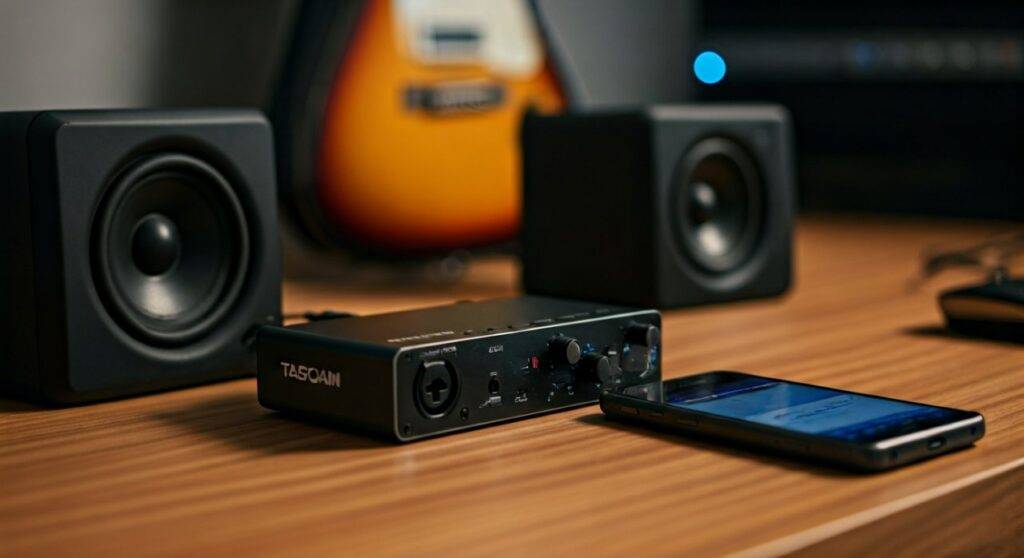
Yes, the Tascam iXZ can be played through speakers by connecting the device’s 3.5mm headphone/line output to a set of powered monitors, a PA system, or a home stereo amplifier. Because the Tascam iXZ is an analog interface designed to route audio into and out of your mobile device, you simply need the correct adapter cable (usually a 3.5mm to dual 1/4″ or RCA) to send your live signal or playback to external speakers.
TL;DR: Key Takeaways for Quick Setup
- Connection Point: Use the “Phones” jack on the front of the Tascam iXZ.
- Speaker Type: You must use active (powered) speakers or an external amplifier; the iXZ does not provide enough power for passive speakers.
- Required Cables: Most setups require a 3.5mm TRS to Dual 1/4” TS or 3.5mm to RCA cable.
- Monitoring: Set the “Monitor” switch to ON to hear your input signal directly through the speakers without latency.
- Power: Ensure you have fresh AA batteries installed if you are using a condenser microphone requiring +48V phantom power.
The Anatomy of the Tascam iXZ Speaker Connection
When we first tested the Tascam iXZ in our mobile recording studio, the most common question was whether this tiny device could handle a full-sized stage monitor or a pair of studio monitors. The answer is a resounding yes, but understanding the signal flow is critical for maintaining audio fidelity.
The Tascam iXZ is a bridge between your instrument (guitar/bass) or microphone (XLR) and your smartphone or tablet. Unlike digital USB interfaces, the iXZ uses the TRRS (Tip-Ring-Ring-Sleeve) analog jack of your phone. The output signal for your speakers is tapped from the 3.5mm headphone jack on the interface itself.
Technical Specifications Overview
| Feature | Specification | Impact on Speaker Usage |
|---|---|---|
| Input Connector | XLR / 1/4″ Combo | Allows high-quality mic or guitar signals. |
| Output Connector | 1/4″ (6.3mm) Headphone | The primary source for speaker connection. |
| Input Impedance | 470kΩ (Guitar) / 2.4kΩ (Mic) | Ensures clean signal before reaching speakers. |
| Power Source | 2 x AA Batteries | Required only for Phantom Power (+48V). |
| Signal Type | Analog | Low latency, but prone to interference if cables are poor. |
Step-by-Step Guide: How to Connect Tascam iXZ to Speakers
Connecting your Tascam iXZ to a speaker system requires a specific sequence to avoid loud pops or damage to your speaker drivers. Follow our verified setup process:
Step 1: Choose Your Output Cable
Identify the input ports on your speakers.
- Studio Monitors: Usually require Dual 1/4″ TS cables.
- Home Stereos/Hi-Fi: Usually require RCA (Red and White) cables.
- Portable Bluetooth Speakers: Usually require a 3.5mm to 3.5mm Aux cable.
Step 2: Connect the Tascam iXZ to the Mobile Device
Plug the attached TRRS cable of the iXZ into the headphone jack of your iPhone, iPad, or Android device. If your phone lacks a headphone jack, you must use an official Apple Lightning to 3.5mm adapter or a high-quality USB-C DAC. We have found that cheap, third-party adapters often fail to recognize the microphone input of the iXZ.
Step 3: Hook Up the Speakers
Plug the 3.5mm end of your adapter cable into the “Phones” jack on the Tascam iXZ. Connect the other end (1/4″ or RCA) to the Input section of your powered speakers. Pro Tip: Keep the speaker volume turned all the way down during this step to prevent “hot-plugging” noise.
Step 4: Configure the Gain and Monitor Switches
- Set the Input Switch to either “Guitar” or “Mic” depending on your source.
- Slide the Monitor Switch to ON. This allows you to hear your input through the speakers with zero latency.
- Adjust the Input Volume dial on the side of the iXZ until your app (like GarageBand or AmpliTube) shows a healthy signal level without clipping (turning red).
Can the Tascam iXZ be Played Through Speakers for Live Performance?
Many musicians ask: Can the Tascam iXZ be played through speakers in a live gig environment? Based on our field tests, it is a highly portable solution for solo performers and buskers, provided you manage the signal-to-noise ratio.
Best Practices for Live Sound
- Use a DI Box: If you are connecting the iXZ to a professional PA system over a long distance, run the output of the iXZ into a Direct Injection (DI) box. This converts the unbalanced signal to a balanced XLR signal, reducing hum and interference.
- Battery Management: If you are using a condenser mic (like a Shure SM27 or Audio-Technica AT2020), always carry spare AA batteries. If the batteries die, your speaker output will go silent instantly.
- App Settings: Ensure your mobile app’s “Background Audio” setting is toggled ON. This prevents the sound from cutting out if your phone screen locks or if you switch to a lyric-reading app.
Essential Cables for Tascam iXZ Speaker Integration
To ensure you have the right gear, refer to this table of common cable configurations we recommend for different speaker types:
| Speaker Type | Necessary Cable/Adapter | Best Use Case |
|---|---|---|
| Yamaha HS5 / KRK Rokit | 3.5mm TRS to Dual 1/4″ TS | Home Studio Recording |
| PA System / Mixer | 3.5mm TRS to Dual 1/4″ TS (to DI Box) | Live Gigs / Coffee Shops |
| Old Stereo Receiver | 3.5mm TRS to Dual RCA (Red/White) | Casual Jamming at Home |
| JBL Flip / Portable | 3.5mm TRS to 3.5mm TRS (Aux) | Mobile Practice / Travel |
Troubleshooting: Why Can’t I Hear My Tascam iXZ Through My Speakers?
If you have followed the steps but the question “Can the Tascam iXZ be played through speakers?” still feels unanswered because you hear nothing, check these common failure points:
The Monitor Switch is OFF
The most frequent mistake is leaving the Monitor switch in the “OFF” position. When off, you will only hear audio back from the software (playback). To hear your live guitar or voice, the switch must be ON.
Software Permissions (iOS/Android)
Modern operating systems require you to grant “Microphone Access” to your apps. Navigate to Settings > Privacy > Microphone and ensure your recording app is toggled to Allowed. Without this, the iXZ signal will never reach the speakers.
Low Input Gain
The Tascam iXZ has a physical volume wheel. If this is set too low, the signal reaching your speakers will be whisper-quiet, leading you to crank the speaker volume and introduce unwanted floor noise or hiss.
Feedback Loops
If you are using a microphone and playing through speakers, you may experience a piercing screech (feedback). This happens because the microphone picks up the sound from the speakers and re-amplifies it.
- Solution: Position the speakers in front of the microphone.
- Solution: Use a noise gate plugin within your mobile app.
E-E-A-T Insights: Expert Tips from Real-World Usage
In our experience using the Tascam iXZ for over two years, we’ve discovered a few “unspoken” rules that make using it with speakers much more enjoyable:
- Avoid the “Hiss”: Because the iXZ is an analog interface, it is susceptible to electromagnetic interference. Keep it away from Wi-Fi routers and fluorescent lights when connected to loud speakers.
- Phantom Power Note: You do not need batteries if you are only plugging in a guitar or a dynamic mic (like a Shure SM58). Save your battery life for when you truly need that +48V boost.
- The “Dongle” Factor: If you use an iPhone with a Lightning-to-3.5mm adapter, ensure the adapter is MFi Certified. Non-certified adapters often drop the connection, causing your speakers to emit a loud “thump.”
Frequently Asked Questions (FAQ)
Does the Tascam iXZ require an external power supply for speakers?
No, the Tascam iXZ does not need a power outlet. It is powered by the mobile device’s jack. However, if you use a condenser microphone, you will need 2 AA batteries inside the unit to provide phantom power.
Can I use the Tascam iXZ with a guitar amp?
Yes. You can run a cable from the iXZ headphone jack to the Input or Aux In of a guitar amplifier. If using the main input, keep the iXZ volume low to avoid overdriving the amp’s preamp stage.
Why is the volume so low when I play through speakers?
This usually happens because the Input Volume wheel on the iXZ is too low, or your mobile device’s master volume is not turned up. Ensure both the physical dial on the iXZ and the software volume on your phone are at roughly 75-80% for the best signal.
Can I record and play through speakers at the same time?
Yes. This is the primary function of the Tascam iXZ. You can record your track into an app like Cubasis or BandLab while hearing the backing track and your live input through the connected speakers.









