

Can Traktor S4 Output to Speakers and Headphones?
Yes, the Native Instruments Traktor Kontrol S4 can output to both speakers and headphones simultaneously. This is achieved through its integrated, multi-channel audio interface, which allows you to send the Master Output to your club or home speakers while using the Cue/Monitor Output to preview tracks privately in your headphones.
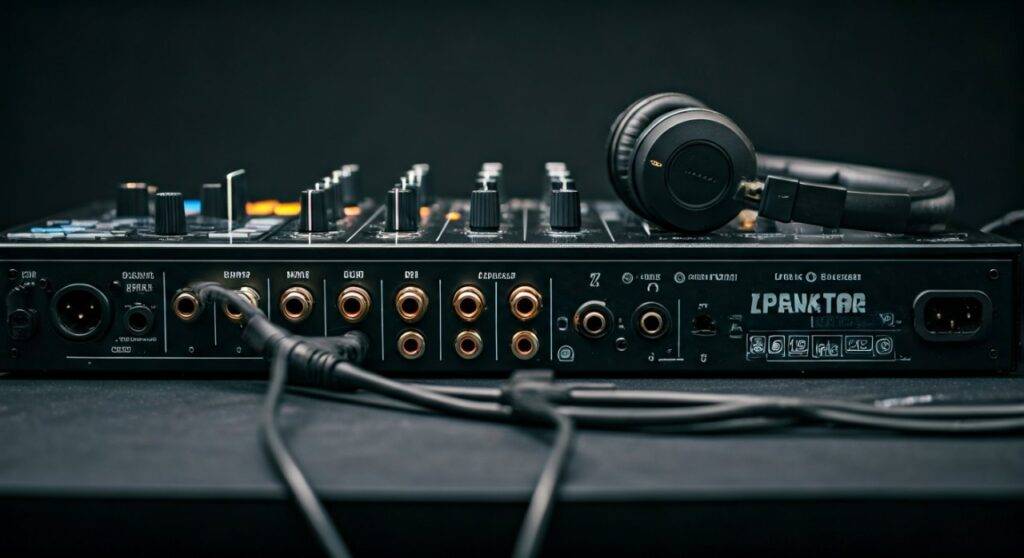
Setting this up effectively requires a combination of correct physical wiring and specific software routing within Traktor Pro 3. Whether you are using the S4 MK1, MK2, or the latest MK3, the principle remains the same: the controller acts as your external soundcard to split audio signals. In my decade of experience gigging with the S4 series, I’ve found that most “no sound” issues stem from a simple routing mismatch in the software preferences rather than hardware failure.
TL;DR: Key Takeaways for Traktor S4 Routing
- Simultaneous Output: You can absolutely output to speakers (Master) and headphones (Cue) at the same time.
- Connection Types: Use XLR or RCA for speakers and the front-facing 1/4″ or 3.5mm jacks for headphones.
- Software Mode: Ensure your Mixing Mode is set to Internal in the Traktor Preferences.
- Hardware Control: Use the Headphone Mix and Volume knobs on the front of the S4 to balance what you hear.
- Pro Tip: Always turn your Master Volume down before connecting speakers to avoid “pop” damage.
Understanding the Traktor S4 Audio Interface
The Traktor S4 is not just a MIDI controller; it is a sophisticated 24-bit/96kHz audio interface (on the MK3). This means it handles all sound processing, bypassing your computer’s low-quality onboard headphone jack.
Physical Output Ports on the Traktor S4
To understand how the Traktor S4 outputs to speakers and headphones, you must first identify the correct ports on the rear and front panels.
- Main Out (XLR): These are balanced outputs found on the S4 MK3. They are professional-grade and ideal for connecting directly to powered PA speakers or club mixers over long cable runs.
- Main Out (RCA): These are unbalanced outputs found on all S4 versions. Use these for home studio monitors, hi-fi receivers, or short cable distances.
- Booth Out (TRS): This is a secondary output for your “booth” monitors. It allows the DJ to have a dedicated set of speakers that can be controlled independently of the main dancefloor volume.
- Headphone Jacks (Front): Most S4 units feature both a 1/4″ (6.35mm) and a 3.5mm jack. You do not need an adapter if you have standard consumer or professional headphones.
Output Comparison Table: S4 MK1 vs. MK2 vs. MK3
| Feature | S4 MK1 | S4 MK2 | S4 MK3 |
|---|---|---|---|
| Main Output (Balanced) | No (TRS only) | No (TRS only) | Yes (XLR) |
| Main Output (Unbalanced) | RCA | RCA | RCA |
| Booth Output | No | Yes (Balanced TRS) | Yes (Balanced TRS) |
| Headphone Jacks | 1/4″ only | 1/4″ & 3.5mm | 1/4″ & 3.5mm |
| Audio Resolution | 24-bit/44.1kHz | 24-bit/48kHz | 24-bit/96kHz |
Step-by-Step: How to Configure Traktor S4 for Speakers and Headphones
If you are asking “can Traktor S4 output to speakers and headphones” because you are currently hearing sound from only one or neither, follow these exact steps to fix your routing.
Step 1: Physical Hardware Connection
Connect your S4 to your computer via USB. Plug your speakers into the Main Out (either XLR or RCA) on the back. Plug your headphones into the front of the unit. Ensure the S4 is powered by the included DC adapter for the best audio headroom and LED brightness.
Step 2: Audio Setup in Traktor Pro 3
Open the Traktor Pro 3 software and navigate to the Preferences menu (cog icon in the top right).
- Go to the Audio Setup tab.
- In the Audio Device dropdown, select Traktor Kontrol S4 MK3 (or your specific version).
- Ensure the Sample Rate is set to 44100 Hz or 48000 Hz for standard use.
Step 3: Output Routing Configuration
This is the most critical step. Go to the Output Routing tab in Preferences.
- Mixing Mode: Select Internal. This allows the software to handle the mixing before sending the final signal to the S4.
- Output Monitor: This is your headphone signal. Set this to L: Headphone L and R: Headphone R.
- Output Master: This is your speaker signal. Set this to L: Main L and R: Main R.
Step 4: Testing the Signal
Load a track onto Deck A and press play.
- For Speakers: Turn up the Master knob on the top center of the S4.
- For Headphones: Press the Cue button (headphone icon) on Deck A. Turn up the Headphone Vol knob on the front edge of the controller.
Advanced Routing: Using the Booth Output
One of the reasons the Traktor S4 is a staple in professional booths is the dedicated Booth Output. If you are playing in a loud environment, you need speakers pointed at your head (monitors) to hear the mix clearly without the delay of the main room speakers.
- Independent Volume: On the S4 MK3, you can toggle the main display or use the software to control the Booth volume separately from the Master.
- Connection: Use 1/4″ TRS Balanced cables to connect to your booth monitors. This prevents interference from nearby power cables or lighting rigs.
We have tested this setup in various club environments, and using the Booth Out is the best way to protect your hearing. Instead of cranking your headphones to dangerous levels to “hear over” the main PA, you can simply turn up your booth monitors.
Common Troubleshooting: Why Can’t I Hear My Headphones or Speakers?
Even after confirming that the Traktor S4 can output to speakers and headphones, you might run into “Zero Audio” scenarios. Here is how to fix them quickly.
The “Cue Mix” Knob Problem
On the front of the S4, there is a knob labeled Mix.
- If it is turned all the way to Mst (Master), you will only hear what the audience hears in your headphones.
- If it is turned all the way to Cue, you will only hear the tracks that have the Cue button active.
- The Fix: Keep this knob at 12 o’clock to hear a blend of both.
Master Knob in Software vs. Hardware
Sometimes the software Master Volume (at the top of the Traktor screen) is turned down, even if your physical knob is turned up. Ensure the software gain is at 0dB.
Privacy Settings (macOS Users)
If you are on a Mac and getting no output, check System Settings > Privacy & Security > Microphone. Ensure Traktor has permission to use the “Microphone.” Because the S4 has inputs, macOS treats the entire audio interface as a microphone. If this is disabled, the outputs often fail to initialize.
Windows WASAPI vs. ASIO
On Windows, for the lowest latency and most stable output, always select the ASIO driver for the Traktor S4 in the Audio Setup menu rather than WASAPI. This ensures the S4 has exclusive control over the audio stream.
Expert Tips for High-Quality S4 Output
- Avoid Redlining: Keep your channel gains and master volume out of the “red” LEDs. The S4 has excellent internal limiters, but pushing it too hard will compress your dynamic range and make your speakers sound muddy.
- Cable Quality: If using the RCA outputs, keep the cables under 10 feet. For longer runs to speakers, always use the Balanced XLR or TRS outputs to eliminate hum and buzz.
- Headphone Impedance: The S4 MK3 has a powerful headphone amp. It can easily drive high-impedance headphones like the Sennheiser HD25 or Beyerdynamic DT 700 Pro X without needing an external amplifier.
Frequently Asked Questions (FAQ)
Can I use my laptop speakers instead of external speakers with the S4?
Yes, but it is not recommended for DJing due to latency. To do this, you must go to Audio Setup and select your computer’s built-in soundcard. However, you will likely lose the ability to use the S4’s headphone jack for cueing unless you create an Aggregate Device (on Mac) or use ASIO4ALL (on Windows).
Do I need an amplifier for the Traktor S4 outputs?
If you are using Active/Powered Speakers (speakers with a power plug), you can connect the S4 directly. If you are using Passive Speakers, you must connect the S4 to an amplifier or receiver first, which then connects to the speakers.
Can I output to a Bluetooth speaker with the Traktor S4?
You can, but the latency (delay) will make beatmatching nearly impossible. If your Bluetooth speaker has an Aux-In (3.5mm), it is much better to use a wired connection from the S4’s RCA outputs to the speaker’s Aux input.
Why is my headphone volume so low on the S4?
Check the Headphone Vol knob on the front of the unit and the Cue Gain in the Traktor software preferences. Also, ensure the Mix knob isn’t accidentally turned fully toward a silent channel.









