We’ve all been there: you’re getting ready to deliver a critical business presentation, set up a classroom lecture, or host a movie night, only to realize your HDMI cable isn’t long enough. Even worse, you end up having to arrange your room or office layout around where the cable ports are located, resulting in a cluttered, awkward mess of wires that people trip over. For years, the promise of “wireless HDMI” was plagued by lagging video, dropping connections, complicated network configurations, and hefty price tags.
Fortunately, wireless video transmission technology has evolved rapidly. Today, compact, affordable kits are capable of sending high-definition audio and video across rooms and halls without skipping a beat. Enter the VENTION Wireless HDMI Transmitter and Receiver (165FT/50M). This dual-device system promises to eliminate physical cords entirely, delivering smooth 1080P Full HD video at 60Hz directly to your target screen. Whether you want to stream from a laptop to a projector, a TV box to a wall-mounted monitor, or even a smartphone to an HDTV, Vention claims to offer a seamless, lag-free plug-and-play solution. In this comprehensive product review, we’ll break down its key features, dive deep into its pros and cons, analyze real-world customer experiences, and help you decide if this wireless HDMI extender is the right choice for your space.
An In-Depth Product Overview
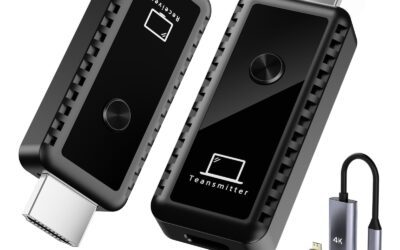
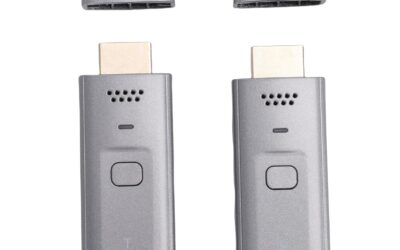
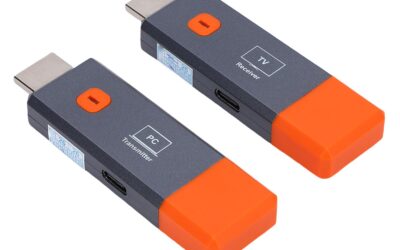
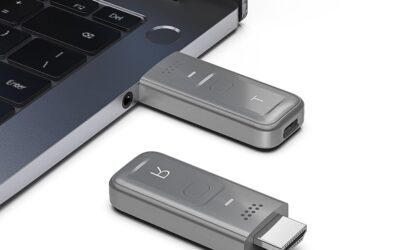
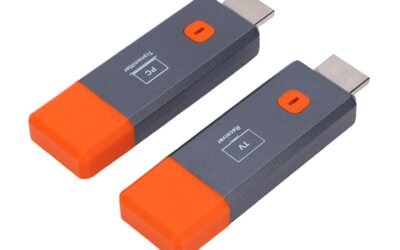
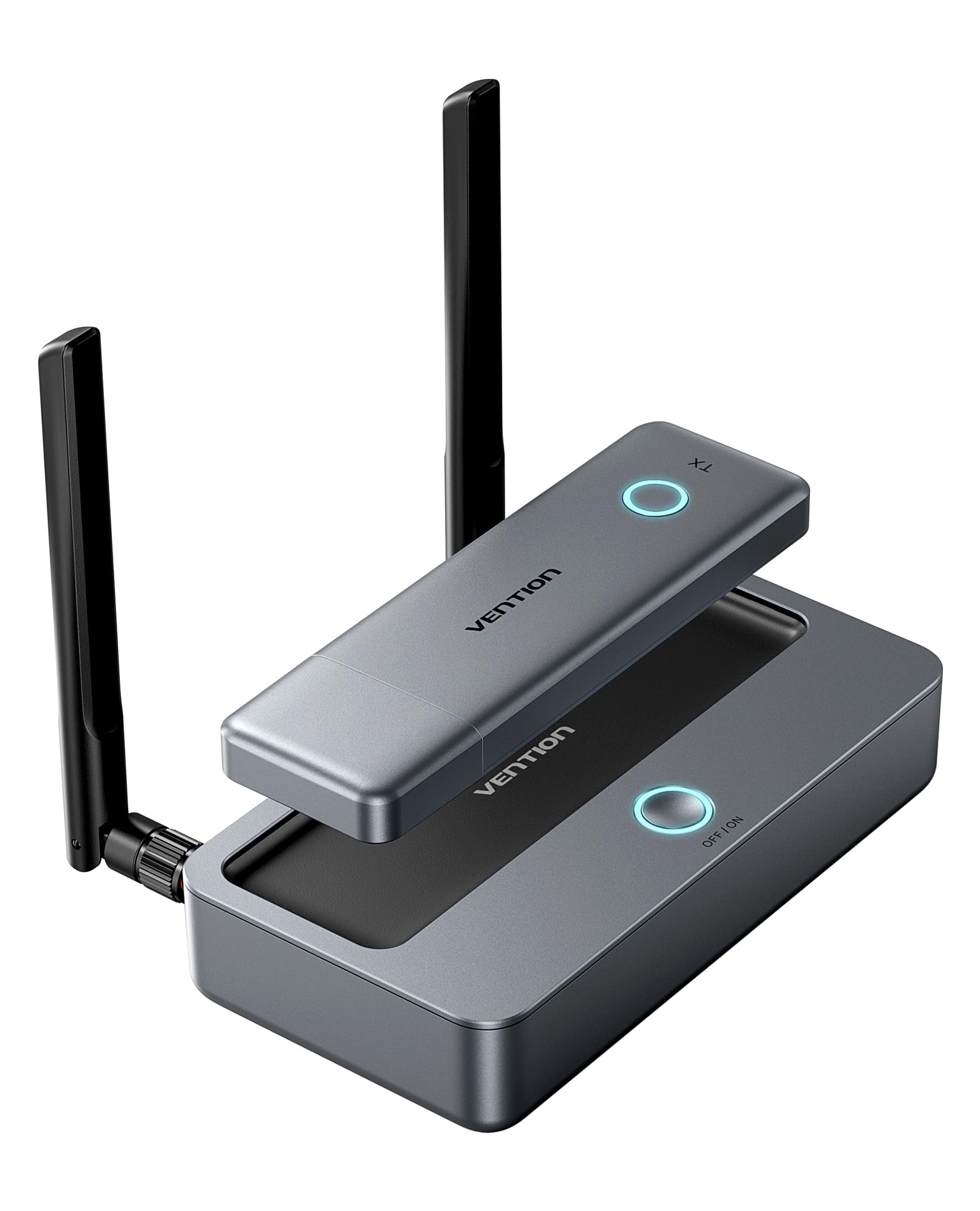
The VENTION Wireless HDMI Transmitter and Receiver Kit is designed to act as an invisible, high-performance HDMI cable. The product consists of two primary hardware components: the Transmitter (TX) and the Receiver (RX). The transmitter connects directly to your source device (such as a laptop, PC, gaming console, DSLR camera, or TV streaming box), while the receiver plugs into your target display device (such as an HDTV, projector, or standalone monitor).
Operating on a fast and stable 5GHz wireless frequency band, this kit is engineered to transmit signals up to an impressive 165 feet (50 meters) in clear, open environments. Rather than using compressed, lag-heavy casting methods, it uses direct hardware-to-hardware wireless streaming, allowing it to maintain a consistent 1080P resolution at 60Hz. This ensures that video remains sharp and motion looks exceptionally fluid, making it suitable for fast-paced video playback and real-time cursor tracking.
What truly separates the Vention wireless HDMI extender from its competitors is its dual-connectivity architecture. In addition to standard HDMI, the system supports VGA display interfaces on both ends. This means you can cast from a modern HDMI-equipped laptop and output the signal to an older, legacy VGA projector without purchasing additional active adapters. Furthermore, the receiver supports direct Wi-Fi connections from smartphones and tablets, transforming it into a versatile casting hub. Add to this a magnetic, snap-on structural design and the ability to support up to 8 transmitters talking to a single receiver, and you have a highly versatile piece of AV gear.
Key Technical Specifications
- Maximum Transmission Range: 165 feet (50 meters) in an open, line-of-sight environment.
- Wireless Frequency: 5GHz band for minimal signal interference and high bandwidth.
- Supported Video Resolution: Up to 1080P Full HD (1920×1080) at 60Hz.
- Ports on Transmitter (TX): HDMI Input, VGA Input, USB-C Power Port.
- Ports on Receiver (RX): HDMI Output, VGA Output, 3.5mm Audio Jack, USB-C Power Port.
- Power Supply: Supports USB-C power input (USB-C cables included).
- Multi-Device Pairing: Supports up to 8 Transmitters connected to 1 Receiver.
- Direct Casting Range: Up to 33 feet (10 meters) for direct phone/tablet casting via Wi-Fi.
- Special Features: Magnetic snap-together storage, physical button for instant disconnect/reconnect.
How to Set Up the Vention Wireless HDMI Kit: Step-by-Step
To showcase just how straightforward this device is, here is the basic step-by-step connection process:
- Connect the Receiver (RX): Plug the receiver dongle into the HDMI or VGA port of your target display (such as your TV, monitor, or projector).
- Power the Receiver: Attach the included USB-C cable to the RX unit and plug the other end into an available USB port on your display or a 5V/2A wall charger.
- Connect the Transmitter (TX): Plug the transmitter dongle into the HDMI port of your source device (like your laptop or TV Box).
- Power the Transmitter: Connect the second USB-C cable to the TX unit and plug it into a USB port on your laptop or computer.
- Wait for Synchronization: Within a few seconds, the LED indicators on both units will turn solid, and your screen will automatically begin duplicating.
- Optional (VGA Output): If you are using a VGA connection on the receiver, plug a 3.5mm audio cable into the auxiliary port on the RX and connect it to your external speakers to stream synchronized sound.
Why Choose Wireless HDMI Over Direct Wi-Fi Casting?
Many users ask: “Why should I buy a hardware transmitter and receiver kit when I can just use a Chromecast or an Apple TV to cast my screen?” While software-based casting is great for casual home use, it falls short in professional and demanding scenarios for several reasons:
- No Network Dependency: Software casting requires both your laptop and the display device to be connected to the exact same local Wi-Fi network. In corporate settings, guest Wi-Fi networks often have strict security protocols that block device-to-device communication. The Vention kit creates its own secure, direct wireless connection, completely bypassing local network restrictions.
- Zero Network Congestion Lag: When you cast over a home or office Wi-Fi network, your video quality suffers whenever someone else on the network downloads a large file or streams a video. Vention’s point-to-point 5GHz connection is dedicated solely to your video stream, ensuring lag-free performance even on congested networks.
- True Hardware Mirroring: Direct Wi-Fi casting often causes a noticeable delay when you move your mouse cursor or type text. This hardware-based transmitter replicates your HDMI output instantly, providing a near-zero latency experience that feels like you are using a physical cable.
The Pros: Why the VENTION Wireless HDMI Extender Shines
To help you understand why this device is highly rated, let’s explore the most outstanding advantages of the VENTION Wireless HDMI system. These pros highlight the product’s design, usability, performance, and versatility.
True Plug-and-Play Simplicity
One of the biggest pain points of wireless display adapters is the complex setup process. Many devices require you to download proprietary apps, install drivers, or force your devices onto a specific local Wi-Fi network. The VENTION kit completely bypasses these hurdles. Because the transmitter and receiver are pre-paired at the factory, they work instantly out of the box. You simply plug the transmitter into your laptop, the receiver into your projector, connect their USB-C power cables, and your screen is mirrored in seconds. There is no software to crash, no firmware updates to stall your meeting, and no need to ask your office IT department for permission to install new drivers.
Exceptional 1080P@60Hz Visual Quality & Low Latency
Wireless streaming is only as good as its stability. Thanks to its utilization of the 5GHz wireless band, this extender provides a remarkably fast, robust signal. Unlike older 2.4GHz wireless devices that easily suffer from interference due to nearby Wi-Fi routers and Bluetooth gadgets, the 5G band used here keeps your connection clean. Video plays back at a crisp 1080P Full HD resolution at 60 frames per second. The lag (latency) is barely perceptible, making it perfect for smooth PowerPoint slide transitions, web browsing, high-definition movie streaming, and even casual gaming where timing matters.
Outstanding Dual Interface Compatibility (HDMI & VGA)
Many offices, schools, and older lecture halls still rely on legacy VGA displays and projectors. Usually, trying to connect a modern, HDMI-only laptop to a VGA projector requires carrying around active signal converters that are prone to failing. Vention solves this issue directly. Since both units support VGA alongside HDMI, you can bridge the gap between modern and legacy systems with ease. You can plug your HDMI source into the transmitter and let the receiver output video directly to a VGA monitor. This dual-output capability is incredibly rare in this price bracket and saves users from buying extra dongles.
Efficient 8-to-1 Multi-Transmitter Collaboration
In collaborative environments like corporate boardrooms, training centers, and university lecture halls, multiple people often need to share their screens in rapid succession. Typically, this involves a chaotic dance of unplugging and passing around a single HDMI cord. The VENTION system elegantly solves this by allowing up to 8 separate transmitters to pair with a single receiver. Once set up, anyone can take control of the main display with a single click of the physical button on their respective transmitter. It instantly halts the current feed and displays the new one, making collaborative brainstorming sessions and multi-speaker panel discussions incredibly clean and organized.
Independent Wireless Casting for Mobile Devices
If you don’t have a transmitter nearby, or if you want to share a document or video directly from your smartphone or iPad, Vention has you covered. The receiver (RX) has a built-in Wi-Fi module that can accept direct casting signals. You do not need to connect the transmitter to your phone; instead, you simply connect your mobile device directly to the receiver’s local Wi-Fi hotspot. It supports native casting protocols like AirPlay and Miracast within a 10-meter (33-foot) range. This means you can cast photos, documents, or streaming video from your iOS or Android device directly to the TV with absolute ease.
Innovative Magnetic Snap-On Design
It is surprisingly easy to misplace small, separate electronics when you are constantly moving between conference rooms, classrooms, and hotel rooms. Vention designed the transmitter and receiver with a clever magnetic body. When you are done using the system, the two components magnetically snap together, turning them into a single, compact block. This thoughtful engineering detail keeps your gear organized, prevents the loss of individual components, and makes it extremely convenient to slide the kit into a pocket or a small accessory pouch.
The Cons: Areas That Could Be Improved
While the VENTION Wireless HDMI kit is an outstanding performer, no product is perfect. To give you an honest, balanced perspective, we’ve highlighted some of its limitations and design trade-offs that you should keep in mind before making a purchase.
Signal Strength Significantly Degrades Through Walls
The advertised maximum range of 165 feet (50 meters) is highly accurate, but only under optimal, open-space conditions (line-of-sight). Because the device relies on the 5GHz frequency band, its signal can struggle when trying to penetrate thick obstacles. If you try to transmit the signal through heavy concrete walls, brickwork, or metal studs, the range drops significantly, and you may experience occasional stuttering or loss of signal. For the best, most stable performance, you should keep the transmitter and receiver in the same room or ensure they have a relatively clear line of sight.
VGA Output Requires an External Audio Cable
While the inclusion of VGA compatibility is a massive benefit for legacy displays, it is important to remember the physics of the connection. HDMI carries both high-definition video and audio, but VGA is strictly a video-only format. If you choose to connect the receiver to a monitor or projector using a VGA cable, the sound will not automatically travel through that wire. To get synchronized audio, you must connect a separate 3.5mm auxiliary audio cable from the receiver’s audio jack to your speakers or sound system. Vention notes this in their instructions, but it is a necessary extra step to keep in mind if you plan on using legacy hardware.
No Support for Split-Screen or Simultaneous Multi-Screen Displays
Although the system allows you to connect up to 8 transmitters to a single receiver, it does not support split-screen or multi-window displays. Only one transmitter’s signal can be active on the display screen at any given time. While switching between transmitters is incredibly fast and only requires a single click, users looking to display multiple presentations side-by-side on a single monitor will have to look elsewhere. The system is designed strictly for sequential source switching, not simultaneous multi-screen broadcasting.
Continuous Power is Required via USB-C
Some users might assume that “wireless HDMI” means the dongles are completely self-powered or run on rechargeable batteries. This is not the case. Both the transmitter and the receiver require continuous power to operate, which is supplied via USB-C cables. This means the transmitter must be plugged into a USB port on your laptop, and the receiver must be connected to a USB port on your TV or a nearby wall outlet. While this is standard for high-performance wireless HDMI extenders, it does mean you still have to deal with power cables, even though you have eliminated the long video cables.
Customer Reviews and Real-World Performance Analysis
At the time of writing, the VENTION Wireless HDMI Transmitter and Receiver has maintained a stellar track record among early buyers. Though it is a specialized piece of hardware, customer feedback highlights the practical real-world benefits of the device, with users expressing high satisfaction regarding its execution and build quality.
The overwhelming majority of positive customer feedback focuses on the perfect synchronization between audio and video. Several reviewers have noted that, unlike cheaper wireless dongles they have tried in the past, the Vention kit keeps sound and visuals in flawless sync, even when playing high-definition video or tracking a fast-moving mouse cursor. Users have also highly praised the true plug-and-play setup. One customer pointed out that they were able to get the system running in under a minute without needing to touch a router, download a mobile application, or install any background software.
In terms of criticisms, the minor complaints typically align with standard wireless limitations. A few users mentioned that they had to make sure the devices were powered correctly; if they plugged the USB-C power cables into under-powered USB ports (such as older, low-amperage USB 2.0 ports on legacy PCs), the signal would occasionally flicker or fail to pair. However, once connected to a standard 5V/2A power source or a modern USB 3.0 port, these stability issues disappeared entirely. Overall, the consensus points to a highly reliable, premium-grade solution that delivers precisely what it promises on the box.
Who is the VENTION Wireless HDMI Kit Best For?
To help you determine if this device fits your specific workflow, here is a quick breakdown of who will benefit the most from integrating the VENTION Wireless HDMI Extender into their setup:
- Corporate Professionals & Conference Presenters: If you are tired of dealing with messy conference tables, passing around sticky cables, or scrambling for adapters during boardroom meetings, this kit is an absolute lifesaver. The 8-to-1 transmitter switching streamlines presentations and keeps meetings moving smoothly.
- Educators, Teachers, & Lecturers: Teachers who like to walk around the classroom with their laptops while teaching can maintain complete mobility. By plugging the transmitter into their laptop, they can stream educational content directly to the classroom projector from anywhere in the room.
- Home Theater Enthusiasts: If you want to mount your television on the wall but dread the idea of drilling holes and routing long HDMI cables through your drywall, this kit provides a clean, cable-free alternative to stream movies, sports, and TV shows from your media box, Blu-ray player, or PC.
- Owners of Legacy VGA Hardware: Many churches, small businesses, and schools still have fully functional projectors and monitors that only support VGA connections. This kit is one of the few premium solutions that natively bridges the gap between modern HDMI laptops and legacy VGA displays without requiring additional active converters.
Final Verdict
The VENTION Wireless HDMI Transmitter and Receiver (165FT/50M) is an incredibly polished, reliable, and versatile solution for anyone looking to eliminate the physical constraints of traditional HDMI cables. Priced at a highly competitive point of $109, it offers a robust set of features that are typically reserved for much more expensive enterprise-grade systems.
With its exceptionally stable 5GHz wireless transmission, fluid 1080P@60Hz video rendering, and flawless audio-video synchronization, it easily handles both business presentations and casual home entertainment. The added benefits of HDMI and VGA dual-compatibility, direct mobile device casting, collaborative 8-to-1 transmitter linking, and a clever magnetic snap-on design make it a standout choice in its product category.
While you do have to keep in mind the physical limitations of wireless signals passing through thick walls and the need to power both units via USB-C, these are minor trade-offs for the incredible freedom and neatness this system brings to your space. If you want a dependable, high-quality, and easy-to-use wireless display solution, the VENTION Wireless HDMI Extender is highly recommended and worth every penny.