Why Your Victrola Needs External Speakers
To how to connect external speakers to victrola record player, you primarily use the RCA output ports located on the back of the unit or the Bluetooth Out function for wireless models. While Victrola players are famous for their vintage aesthetic and “all-in-one” convenience, their built-in speakers often lack the depth and bass required for a true vinyl experience. By connecting external hardware, you unlock the full analog warmth hidden in your records’ grooves.
Key Takeaways (TL;DR)
Wired Connection: Use an RCA-to-RCA cable for powered speakers or an RCA-to-3.5mm cable for portable speakers.
Bluetooth Pairing: Ensure your Victrola has Bluetooth Out (VPC-100 technology) to stream to wireless speakers.
Passive Speakers: You must use an external amplifier or receiver if your speakers do not have their own power cord.
Rock Speakers: Victrola’s outdoor line requires a specific Master/Satellite syncing process for stereo sound.
Essential Tools for Victrola Speaker Connection
Before you begin, identify whether your speakers are Active (Powered) or Passive (Unpowered). This determines if you need extra gear like an amplifier.
| Equipment Type | Connection Method | Best For |
|---|---|---|
| Active Speakers | RCA Cables | Edifier, Klipsch, or Micca powered monitors. |
| Passive Speakers | Speaker Wire + Amp | High-end home theater setups. |
| Bluetooth Speakers | Wireless Pairing | Bose, Sonos, or JBL portable units. |
| Victrola Rock Speakers | Bluetooth Sync | Outdoor patios and garden areas. |
How to Connect External Speakers to Victrola Record Player (Wired)
Connecting via wires is the most reliable way to how to hook up speakers to victrola record player. This method provides a stable signal without the latency or compression often found in wireless setups.
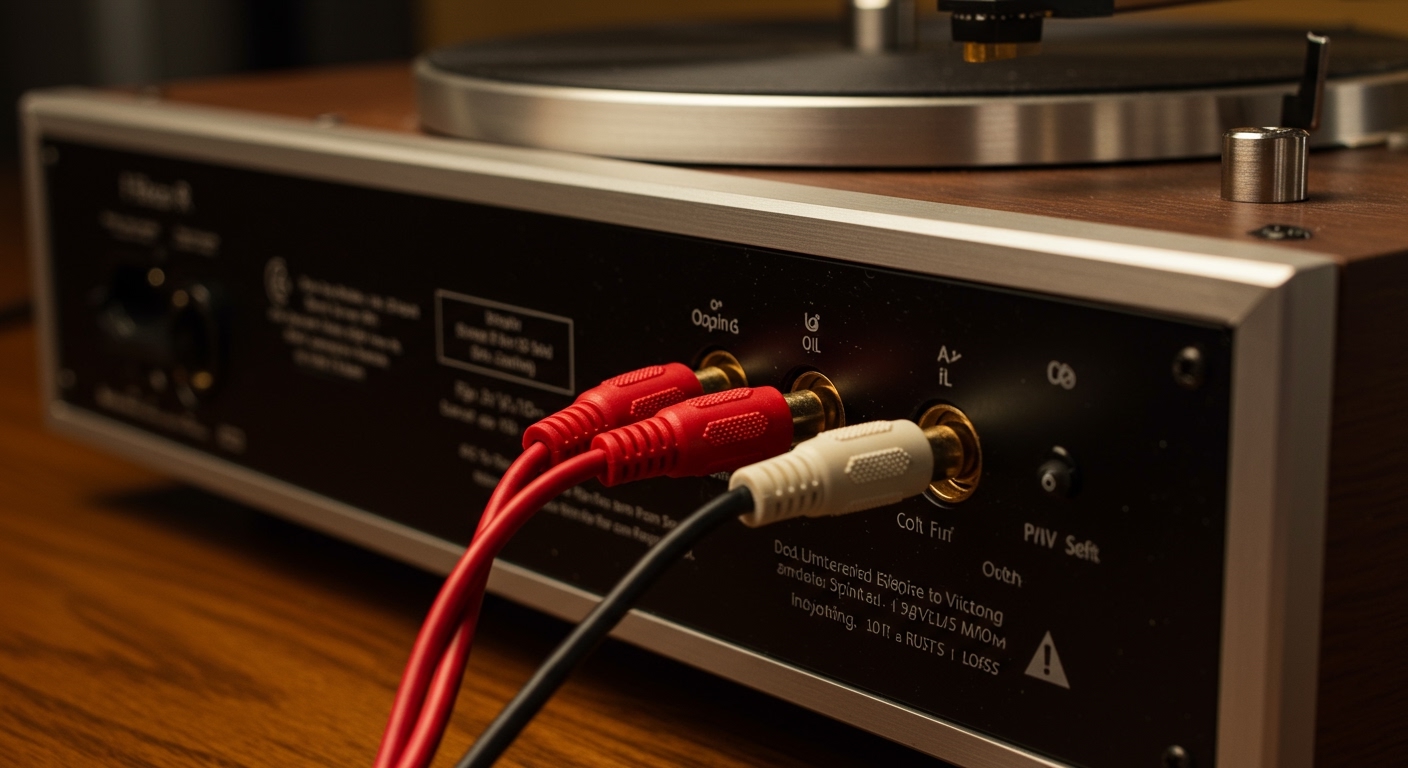
Step 1: Locate the RCA Outputs
Turn your Victrola turntable around. Look for two circular ports labeled “Line Out” or “Audio Out”. These are color-coded: Red for the Right channel and White for the Left channel.
Step 2: Choose the Correct Cable
If your speakers have the same Red/White ports, use a standard RCA cable.
If you are connecting to a computer speaker or a small portable unit, use an RCA-to-3.5mm (AUX) adapter.
Step 3: Plug and Power On
Insert the cables firmly into the Victrola and the corresponding ports on your speakers. Ensure your Victrola is set to “Phono” mode. Turn the volume down on both devices before powering them on to avoid a loud “pop” that could damage the drivers.
Step 4: Adjust the Switch (If Applicable)
Some high-end Victrola models have a Phono/Line switch. If you are plugging directly into powered speakers, set this to “Line”. This uses the Victrola’s internal preamp to boost the signal to a level the speakers can handle.
How to Connect Speakers to Victrola Turntable via Bluetooth
Modern Victrola models, such as the Victrola Journey or Empire, often feature Bluetooth Out technology. This allows you to how to connect speakers to victrola without messy wires.
Step 1: Enable Pairing Mode on Speakers
Put your Bluetooth speaker (like a Bose SoundLink) into pairing mode. Usually, this involves holding the Bluetooth button until a light flashes blue.
Step 2: Activate Victrola Bluetooth Out
Locate the Bluetooth button on your Victrola. Note that many models have a switch for “Bluetooth” which is meant for receiving music from your phone. You need the “Bluetooth Out” function. Hold the pairing button until the indicator light on the turntable flashes.
Step 3: Establish the Link
Keep the speaker and the turntable within 3 feet of each other during the initial sync. The lights on both devices should turn solid once the Victrola speaker connection is successful.
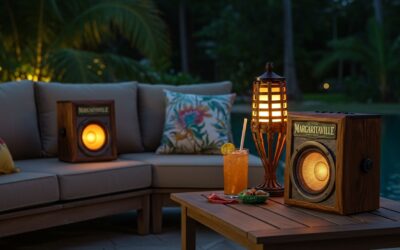
How to Link Victrola Rock Speakers
The Victrola Outdoor Rock Speaker series is a popular choice for backyard entertainment. Many users struggle with how to link victrola rock speakers because they require a specific sequence to play in stereo.
Step 1: Power On Both Speakers
Ensure both your Master and Satellite rock speakers are fully charged. Press and hold the power button on both simultaneously.
Step 2: How to Pair Victrola Rock Speakers Together
Before connecting to your phone or turntable, you must how to sync victrola rock speakers to each other. Double-click the “Pairing” button on the Master speaker. You will hear a voice prompt or a beep indicating they are linked.
Step 3: Connect to the Audio Source
Once the two rocks are “talking” to each other, find “Victrola Rock Speaker” in your turntable’s Bluetooth settings or your smartphone’s menu. This ensures audio plays from both speakers simultaneously.
Can You Connect Bose Speakers to Victrola Record Player?
A common question among audiophiles is: can you connect bose speakers to victrola record player? The answer is yes, but the method depends on the Bose model.
Bose Smart Speakers (Home Speaker 500, etc.): Use the Bluetooth pairing method described above.
Bose Computer Speakers (Companion series): Use an RCA-to-3.5mm cable to plug the Victrola directly into the Bose “Aux In” port.
Bose Passive Speakers: If you have older Bose bookshelf speakers, you cannot plug them directly into the Victrola. You must run a cable from the Victrola to a Stereo Receiver, then use speaker wire to connect the Bose units.
Whether you are trying to can you connect bosse speakers to victrola record player (a common misspelling) or other high-end brands, the principle remains the same: match the output of the player to the input of the speaker.
Expert Advice for Better Sound Quality
As someone who has set up dozens of vinyl systems, I’ve found that the Victrola speaker connection is only half the battle. To truly improve your sound, follow these pro tips:
Avoid the “Vibration Loop”: Never place your external speakers on the same surface as the Victrola turntable. The bass from the speakers will cause the needle to jump, creating a feedback loop that sounds like a low hum.
Upgrade Your Cables: The thin RCA cables that come in the box are often poorly shielded. Spending $15 on a shielded gold-plated RCA cable can significantly reduce background hiss.
Level Your Turntable: Even with great speakers, your music will sound distorted if the record player isn’t perfectly flat. Use a bubble level app on your phone to check.
Clean Your Needle: A dusty stylus will make even the most expensive Bose speakers sound muffled. Use a stylus brush after every 10-15 hours of play.
Troubleshooting Common Connection Issues
If you followed the steps on how to connect speakers to victrola but hear no sound, check these common failure points:
- Wrong Bluetooth Mode: Many Victrolas only have “Bluetooth In.” This means you can play Spotify from your phone through the Victrola, but you cannot send the vinyl sound out* to a speaker. Check your manual for “Wireless Out” or “VPC-100” branding.
- Volume Conflict: Ensure the volume knob on the Victrola is turned up to at least 50%, and then use the external speaker’s remote to control the final output.
- The “Phono” vs “Line” Mistake: If the sound is incredibly quiet even at max volume, your speakers are “Passive” and need an amplifier. If the sound is horribly distorted, you have a “Line” signal going into a “Phono” input.
FAQs: Victrola Speaker Connection
How do I know if my Victrola has Bluetooth Out?
Look for a button labeled “BT Out” or a light that flashes specifically when the turntable is in Phono mode. Most entry-level suitcase models (under $60) only feature Bluetooth “In,” meaning they act as a speaker but cannot transmit to others.
Why is the sound so quiet when I connect my speakers?
This usually happens because you are using passive speakers without an amplifier. Victrola players have a small internal preamp, but it isn’t strong enough to move the large drivers in unpowered bookshelf speakers. You will need a small Class D amplifier to bridge the gap.
Can I connect my Victrola to a soundbar?
Yes. Most soundbars have an Optical or HDMI input, but they also usually have a 3.5mm Aux input. Use an RCA-to-3.5mm cable to connect the Victrola’s back ports to the soundbar’s Aux hole.
How do I reset the Bluetooth on my Victrola Rock Speakers?
To how to sync victrola rock speakers again after a glitch, “Forget” the device on your phone’s Bluetooth list. Power off both speakers, then hold the power buttons for 10 seconds. This usually clears the memory and allows for a fresh Victrola rock speakers link.
Final Thoughts on Upgrading Your Sound
Learning how to connect external speakers to victrola record player is the single best way to respect the music you love. While the convenience of a Victrola is unmatched, the hardware is designed to be a gateway into the world of vinyl. By using RCA cables for a warm analog signal or Bluetooth for a modern, cable-free lifestyle, you ensure your records sound exactly as the artist intended.
Ready to enhance your setup? Start by checking your speaker’s input types and grab a high-quality RCA cable today. Your ears will thank you.