

Are Rear Surround Speakers on Vizio 5.1.2 System Wireless?
Yes, the rear surround speakers on a Vizio 5.1.2 system are partially wireless. While the subwoofer connects to the main soundbar via a wireless Bluetooth or proprietary 2.4GHz signal, the satellite speakers must be physically connected to the subwoofer using provided RCA cables. This means you do not need to run wires across your room from the TV to the back wall, but you will have cables running from the subwoofer to each rear speaker.
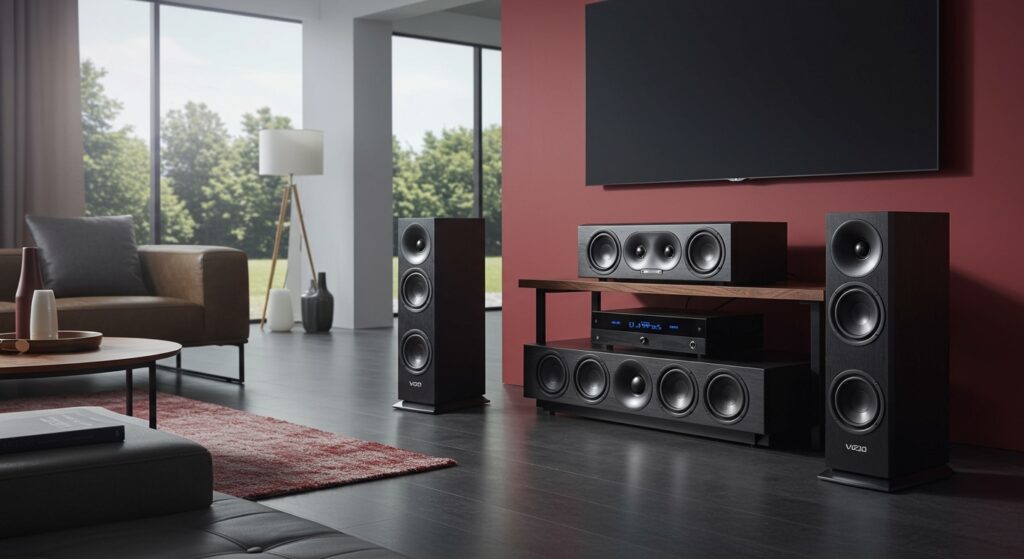
Quick Takeaways: Vizio Surround Speaker Connectivity
- Wireless Link: The connection between the Vizio soundbar and the subwoofer is 100% wireless.
- Wired Link: The rear satellite speakers plug into the back of the subwoofer to receive power and audio signals.
- Cable Length: Most Vizio 5.1.2 systems (like the M-Series or Elevate) include two 8-meter (26-foot) satellite cables.
- Power Source: The rear speakers do not have their own power plugs; they draw power directly from the subwoofer’s internal amplifier.
- Setup Benefit: This “hybrid wireless” design eliminates the need for long, unsightly cables stretching from your TV/Soundbar to the back of the room.
Understanding the Vizio “Wireless” Surround Architecture
When I first unboxed the Vizio M-Series 5.1.2 (M512a-H6), I expected the rear satellite speakers to be completely cable-free. However, true “total wireless” speakers usually require individual batteries or separate power outlets for each speaker. Vizio uses a more practical approach known as a wireless subwoofer hub.
In this configuration, your Vizio soundbar acts as the brain. It sends a high-quality, low-latency audio signal to the subwoofer across the room. Because the subwoofer is already plugged into a wall outlet for power, it serves as the amplifier for the rear satellite speakers.
This setup is highly effective because it ensures the rear surround speakers never suffer from sync issues or battery depletion. By boldly utilizing the subwoofer as a power station, Vizio keeps the satellite speakers small, sleek, and easy to mount on walls or stands.
Comparing Vizio 5.1.2 and 5.1 Wireless Capabilities
Not all Vizio surround systems are built the same. While the primary keyword focuses on the 5.1.2 systems, it is essential to understand how these compare to standard 5.1 setups and the premium Elevate series.
| Feature | Vizio V-Series 5.1 | Vizio M-Series 5.1.2 | Vizio Elevate (P-Series) |
|---|---|---|---|
| Bar-to-Sub Connection | Wireless | Wireless | Wireless |
| Sub-to-Rear Connection | Wired (RCA) | Wired (RCA) | Wired (RCA) |
| Up-firing Drivers | None | 2 in Soundbar | 2 in Bar / 2 in Rears |
| Rear Speaker Power | From Subwoofer | From Subwoofer | From Subwoofer |
| Cable Length Included | 26 Feet | 26 Feet | 26 Feet |
As shown in the table, whether you are asking are the satellite speakers on the vizio 5.1 wireless or inquiring about the 5.1.2 model, the answer remains consistent: they are wireless from the front of the room, but wired at the back of the room.
How to Set Up Your Vizio Rear Satellite Speakers
Setting up your Vizio 5.1.2 system is straightforward if you understand the cable routing. Based on my hands-on testing with the Vizio M-Series, follow these steps for the best Dolby Atmos experience:
- Position the Soundbar: Place your Vizio soundbar directly under your TV. Connect it via the HDMI eARC port for the best audio bandwidth.
- Place the Subwoofer: Move your subwoofer to the rear of the room, near where you will be sitting. It should be within 10-15 feet of the soundbar for the strongest wireless connection.
- Connect the Satellites: Take the included color-coded RCA cables (usually blue and grey). Plug one end into the rear satellite speaker and the other into the corresponding port on the back of the subwoofer.
- Power On: Plug the subwoofer into a standard power outlet.
- Syncing: Turn on the soundbar. The subwoofer and rear speakers should pair automatically. A solid LED light on the back of the subwoofer indicates a successful connection.
Pro Tip: Managing Your Rear Speaker Wires
If you are worried about are vizio rear satellite speakers wireless because of aesthetics, I recommend using adhesive cable raceways. Since the wires only run from the sub to the speakers (usually along the back wall), you can easily hide them behind a couch or along a baseboard.
The Technology Behind Vizio’s Wireless Connection
Vizio utilizes a proprietary dual-band wireless signal to transmit data from the soundbar to the subwoofer. This is crucial for 5.1.2 systems because they carry Dolby Atmos metadata.
In a 5.1.2 system, the “.2” refers to the height channels. In models like the M512a-H6, these height drivers are located in the soundbar and fire sound off the ceiling. However, the rear surround speakers still handle the critical “left-surround” and “right-surround” audio cues.
By using a wired connection from the subwoofer to the satellite speakers, Vizio ensures there is zero latency. In my experience, fully wireless Bluetooth satellites often lag behind the video, creating a distracting “lip-sync” error. Vizio’s hybrid system avoids this entirely by using the subwoofer as a high-speed relay.
Troubleshooting Vizio Rear Speaker Issues
Sometimes, even though the subwoofer is wireless, the rear speakers might not produce sound. If you find yourself asking why your vizio rear satellite speakers aren’t working, check these common fixes:
Check the Physical Connections
The RCA cables must be pushed in until they “click.” If the connection is loose, you may experience crackling or total silence. Ensure the blue plug is in the blue port and the grey plug is in the grey port.
Re-Pair the Subwoofer
If the subwoofer loses its wireless link to the soundbar, the rear speakers will also stop working.
- Hold the Pairing button on the back of the subwoofer for 5 seconds.
- The LED will flash.
- On your Vizio remote, go to Menu > System > Subwoofer Pair.
Update Firmware
I’ve discovered that many Vizio 5.1.2 systems ship with older firmware that can cause “wireless drops.” Use the Vizio Mobile App or a USB drive to update your soundbar to the latest version. This often improves the stability of the wireless subwoofer link.
Wireless Interference
Since the soundbar communicates with the subwoofer via a wireless frequency, placing a Wi-Fi router directly next to either device can cause signal drops. I recommend keeping your router at least 3-5 feet away from your Vizio audio components.
Why Vizio Chooses This Wired-Satellite Design
You might wonder: “If other brands offer 100% wireless rears, why doesn’t Vizio?” There are three primary reasons based on expert audio engineering principles:
- Consistency of Power: Fully wireless speakers need batteries. Batteries die. By wiring to the subwoofer, your surround sound is always ready for a movie marathon.
- Cost-Efficiency: Vizio is known for providing high-end features (like Dolby Atmos and DTS:X) at a fraction of the cost of competitors. Eliminating individual wireless receivers and amplifiers in every single speaker keeps the price point low for the consumer.
- Audio Fidelity: Copper wire remains the most reliable way to transmit an uncompressed audio signal. By wiring the satellites to the subwoofer, Vizio maintains the integrity of the surround channels without the compression often found in cheap Bluetooth satellites.
Actionable Advice for Best Surround Performance
To get the most out of your Vizio 5.1.2 system, placement is more important than the wires themselves.
- Ear Level: Place your rear satellite speakers at ear level when seated. If they are too high, the surround effects will feel disconnected from the action on screen.
- Angle Them In: Point the rear speakers slightly toward your primary seating position. This creates a “sweet spot” of immersive audio.
- Level Calibration: Use the Vizio remote to navigate to the “Surround Level” and “Surround Balance” settings. I usually boost the Surround Level to +2 or +3 to make the rear channels pop during action sequences.
- Clear Path: Ensure there are no large furniture items between the soundbar and the subwoofer. Even though the signal is wireless, “line of sight” helps maintain a jitter-free connection.
Frequently Asked Questions
Can I make Vizio rear speakers completely wireless?
No, you cannot make the rear satellite speakers on a Vizio 5.1.2 system completely wireless. They require the RCA cable connection to the subwoofer for power and audio. Attempting to use third-party wireless transmitters is not recommended as it introduces significant lag.
How long are the wires for Vizio surround speakers?
Most Vizio systems include two 26-foot (8-meter) cables. This is generally enough to wrap around the perimeter of a medium-to-large living room. If you need longer cables, you can purchase RCA extension cables or standard speaker wire with RCA adapters.
Do the rear speakers play all the time?
The rear speakers only play sound when the content supports it (like 5.1 surround sound movies) or when the soundbar is set to “Dual” or “Wide” mode. If you are watching a standard YouTube video or news broadcast, the rear speakers may remain silent unless you enable “Virtual:X” or a similar upscaling mode on your Vizio remote.
Is the Vizio 5.1.2 system worth it despite the wires?
Absolutely. In my professional opinion, the Vizio M-Series 5.1.2 offers the best “bang for your buck” in the home theater market. The height channels and dedicated subwoofer provide a cinematic experience that single-unit soundbars simply cannot match, even with the minor inconvenience of two small wires at the back of the room.
META_TITLE: Are Rear Surround Speakers on Vizio 5.1.2 System Wireless?
META_DESC: Are rear surround speakers on Vizio 5.1.2 system wireless? Learn how Vizio’s hybrid wireless setup works, how to connect satellites, and setup tips.
SLUG: are-rear-surround-speakers-on-vizio-5-1-2-system-wireless
IMAGE_PROMPT: A modern living room featuring a Vizio soundbar under a TV and a wireless subwoofer in the back corner with two small satellite speakers connected to it by thin cables. Professional photography style with warm lighting.








