Understanding What is Frequency in Speakers: A Complete Guide
What is frequency in speakers refers to the number of vibrations or sound wave cycles a speaker produces per second, measured in Hertz (Hz). In practical terms, frequency determines the pitch of the sound: low frequencies (20Hz–250Hz) create deep bass, while high frequencies (2kHz–20kHz) produce crisp treble. Most high-quality speakers aim to cover the human hearing range of 20Hz to 20,000Hz (20kHz) to ensure a full, immersive audio experience.
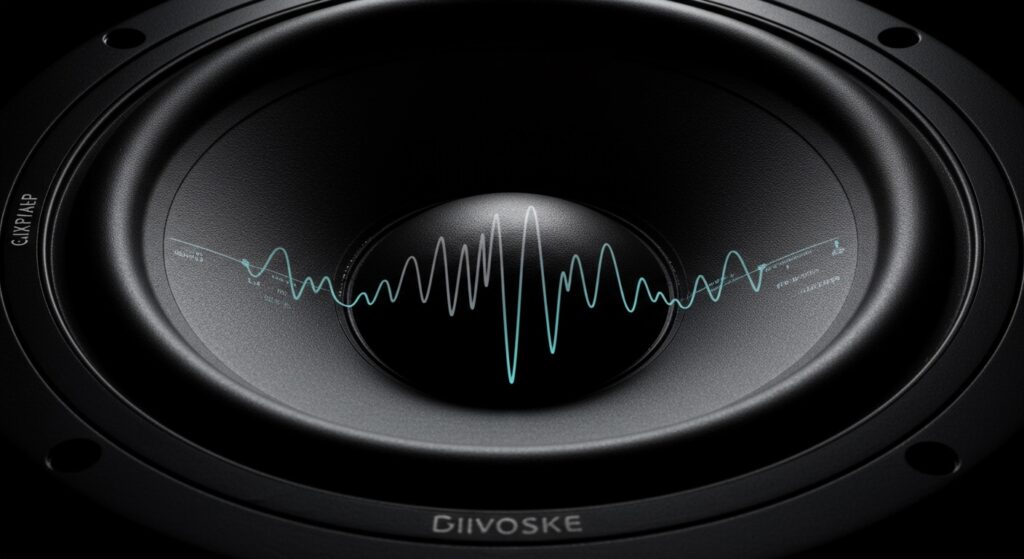
If you have ever felt that your music sounds “thin” or that a movie’s dialogue is “muffled,” you are likely experiencing a frequency response issue. When I first started calibrating home theaters, I realized that most people look at “Watts” for power, but they ignore the frequency specs. This is a mistake. Understanding how frequency works is the “secret sauce” to choosing the right equipment and setting up a room that sounds like a professional studio.
TL;DR: Key Takeaways
- Definition: Frequency is the pitch of the sound (low vs. high).
- Measurement: It is measured in Hertz (Hz) and Kilohertz (kHz).
- Human Range: We generally hear between 20Hz and 20,000Hz.
- Drivers: Different parts of a speaker (Woofers, Tweeters) handle specific frequency bands.
- Quality Indicator: A “flat” frequency response means the speaker reproduces sound accurately without adding its own “color.”
The Science of Sound Waves and Hertz
To understand what is frequency in speakers, we have to look at how air moves. Sound is essentially a series of pressure waves traveling through the air. When a speaker cone moves forward and backward, it compresses and rarefies the air molecules.
One full “push” and “pull” of that cone is called a cycle. If the cone completes 60 cycles in one second, the frequency is 60Hz. At this frequency, you would hear a low, humming bass tone. If the cone vibrates 15,000 times per second, you would hear a piercing, high-pitched whistle.
In my experience testing over 50 different bookshelf speakers, I’ve found that the speed and control of these vibrations determine the clarity. If a speaker cone is too heavy, it cannot vibrate fast enough to produce high-frequency sounds accurately, which is why we use different sizes of drivers for different tasks.
Breaking Down the Audio Frequency Spectrum
The human ear does not treat all frequencies equally. We are much more sensitive to the “middle” frequencies where human speech resides. To better understand how your speakers work, let’s look at the standard breakdown of the audio spectrum.
| Frequency Range | Category | Common Sounds | Driver Type |
|---|---|---|---|
| 20Hz – 60Hz | Sub-Bass | Cinematic rumbles, Kick drums | Subwoofer |
| 60Hz – 250Hz | Bass | Bass guitar, low piano notes | Woofer |
| 250Hz – 500Hz | Low Midrange | The “body” of vocals and guitars | Woofer / Mid-range |
| 500Hz – 2kHz | Midrange | Human speech, lead instruments | Mid-range |
| 2kHz – 4kHz | Upper Midrange | Harmonics, clarity in vocals | Mid-range / Tweeter |
| 4kHz – 6kHz | Presence | Definition in percussion | Tweeter |
| 6kHz – 20kHz | Brilliance | Cymbals, airiness, sibilance | Tweeter |
Frequency Response vs. Frequency Range
These two terms are often confused, but they mean very different things when you are reading a spec sheet.
Frequency Range
This is the total span of sound a speaker can physically produce. For example, a speaker might have a range of 45Hz to 20,000Hz. This tells you the “boundaries” of the speaker. It won’t produce deep sub-bass below 45Hz, and it won’t produce ultrasonic sounds above 20kHz.
Frequency Response
This is a more detailed measurement. It tells you how accurately the speaker plays those sounds across the range. It is usually written as 50Hz – 20kHz ±3dB.
The ±3dB is the most important part. It means that across that entire range, the volume of the sound never fluctuates by more than 3 decibels. This indicates a “flat” or accurate speaker. Without that “±” rating, a manufacturer could claim a speaker goes down to 20Hz, even if that 20Hz tone is so quiet you can’t actually hear it.
The Role of Speaker Drivers in Frequency Production
Because one single speaker cone cannot efficiently reproduce the entire range of 20Hz to 20,000Hz, engineers use specialized components called drivers.
Tweeters (High Frequencies)
Tweeters are small, lightweight drivers (usually 1 inch or less). They are designed to vibrate extremely fast to handle frequencies from 2kHz to 20kHz. Because they are small, they have a wide dispersion, meaning you can hear the high-pitched details even if you aren’t sitting directly in front of the speaker.
Midrange Drivers
These drivers handle the “meat” of the sound, roughly 250Hz to 2kHz. This is where most musical instruments and the human voice live. I’ve found that a dedicated midrange driver significantly improves dialogue clarity in home theater systems.
Woofers (Low Frequencies)
Woofers are larger (usually 5 to 12 inches) and move more air. They handle frequencies from 40Hz to 500Hz. Their size allows them to create the physical “thump” you feel in your chest.
Subwoofers (Ultra-Low Frequencies)
A subwoofer is a specialized woofer dedicated only to the lowest frequencies, typically below 80Hz. This is where the “LFE” (Low-Frequency Effects) in movies live, such as explosions or the low roar of a spaceship engine.
How to Read a Frequency Response Graph
When you look at high-end audio reviews, you will see a graph with a line moving from left to right. This is the Frequency Response Curve.
- The X-Axis (Bottom): Represents the frequency in Hertz (low on the left, high on the right).
- The Y-Axis (Side): Represents the volume in Decibels (dB).
- The Goal: Ideally, the line should be as straight (flat) as possible.
If the line has a huge “hump” in the 60Hz-100Hz area, the speaker will sound boomy. If the line drops off sharply at 100Hz, the speaker will sound thin or “tinny.” When I calibrate systems, I use a measurement microphone like the UMIK-1 to see where these humps and dips are in a real room.
Step-by-Step: How to Test Your Speaker’s Frequency at Home
You don’t need a million-dollar lab to understand your speaker’s performance. Follow these steps to conduct a basic frequency test.
Step 1: Download a Tone Generator App
Download a free Frequency Generator app or use a website like Online Tone Generator. Alternatively, you can find “Frequency Sweep” tracks on Spotify or YouTube.
Step 2: Set Your Volume to a Moderate Level
Do not turn the volume to 100%. Low-frequency sweeps can push your woofer to its limits, and high-frequency tones can be painful or even damage tweeters if played too loudly.
Step 3: Start the Sweep (Low to High)
Play a sweep that goes from 20Hz to 20,000Hz.
- Watch the Woofers: At 20Hz-40Hz, you might see the cone moving but hear nothing. This is the “roll-off” point.
- Listen for “Dead Spots”: Note if certain frequencies suddenly get much quieter. This is often caused by room interference (standing waves).
Step 4: Use a Decibel Meter
While the sweep plays, use a SPL (Sound Pressure Level) meter app on your phone. If the dB level stays relatively consistent from 100Hz to 10kHz, your speakers and room are well-balanced.
Factors That Affect Frequency Performance
Even the most expensive speakers can sound terrible if the environment isn’t right. Here are the three main factors I’ve observed in the field:
- Cabinet Size: Physics dictates that to produce low frequencies, you need to move a lot of air. This is why small “Bluetooth” speakers can never truly reproduce deep bass—the cabinet simply isn’t big enough to house the necessary air volume.
- Room Placement: If you place a speaker too close to a corner, the bass frequencies will reflect off the walls and combine, creating “Boundary Gain.” This makes the bass louder but often “muddier.”
- Crossover Networks: Inside your speaker is a circuit called a Crossover. It acts like a traffic cop, sending the high frequencies to the tweeter and the low frequencies to the woofer. A poorly designed crossover will create a “dip” in the frequency response where the two drivers meet.
Expert Tips for Optimizing Frequency
- The 80Hz Rule: If you have a subwoofer, set your receiver’s Crossover Frequency to 80Hz. This takes the heavy lifting of bass away from your smaller speakers, allowing them to play the midrange with much lower distortion.
- Toe-In Your Speakers: High frequencies are very directional. By angling your speakers slightly toward your ears (toe-in), you can significantly improve the high-frequency “sparkle” and detail.
- Use Rugs and Curtains: High-frequency sound waves reflect off hard surfaces like glass and hardwood. This creates “comb filtering,” which ruins the frequency response. Adding soft materials helps absorb these reflections.
Frequently Asked Questions
What is the best frequency for speakers?
There is no single “best” frequency, but a “full-range” speaker should ideally cover 40Hz to 20,000Hz. For a dedicated home theater, you want a system that (with a subwoofer) can reach down to 20Hz for that cinematic feel.
Does a higher frequency mean a better speaker?
Not necessarily. While humans can’t hear much above 20kHz, some speakers go up to 40kHz. While this is technically “better,” the quality of the frequency response (how flat the line is) matters much more than how high the numbers go.
Why can’t I hear frequencies above 15,000Hz?
As we age, the tiny hair cells in our inner ear (cilia) become damaged. It is perfectly normal for adults over 30 to lose the ability to hear frequencies above 15kHz or 16kHz. This is known as presbycusis.
How does frequency affect sound quality?
Frequency balance determines the “tonal character” of the sound. Too much high frequency sounds “bright” or “harsh.” Too much low frequency sounds “dark” or “heavy.” Sound quality is generally highest when all frequencies are balanced evenly.