

Wondering what speakers are compatible with Alexa? Popular options include Amazon Echo devices, Bluetooth speakers like JBL and Anker, and Wi-Fi systems such as Sonos for multi-room audio. This matters because pairing expands your sound without buying new Alexas—I’ve tested dozens in my smart homes for crystal-clear music everywhere.
Expert Summary
- Bluetooth speakers connect instantly to any Alexa-enabled device like Echo Dot—no Wi-Fi needed.
- Sonos and Denon offer true multi-room Alexa setups for whole-home sound.
- Anker speakers are budget-friendly and fully compatible with Alexa—great for outdoors.
- Avoid mismatches: Check for Alexa Built-in certification for voice control.
- Pro hack: Use Amazon Echo as hubs for wireless speakers in groups.
Tools and Materials Needed
| Item | Purpose | Recommended Examples |
|---|---|---|
| Alexa Device | Core hub for connections | Echo Dot (5th Gen), Echo Show |
| Bluetooth Speaker | Wireless pairing | JBL Charge 5, Anker Soundcore |
| Wi-Fi Speaker | Multi-room sync | Sonos One, Bose Home Speaker 500 |
| Smartphone/App | Setup control | Amazon Alexa App (iOS/Android) |
| Wi-Fi Network | Stable connection | 2.4GHz/5GHz router |
| Power Cables | Keep devices charged | USB-C for most modern speakers |
What Speakers Can Alexa Connect To? Quick Compatibility Check
Before diving in, know Alexa connects via Bluetooth, Wi-Fi, or built-in integration. I’ve paired everything from cheap portables to high-end systems in my setups—no guesswork needed.
Step 1: Identify your Alexa device type.
Start here to match speakers right.
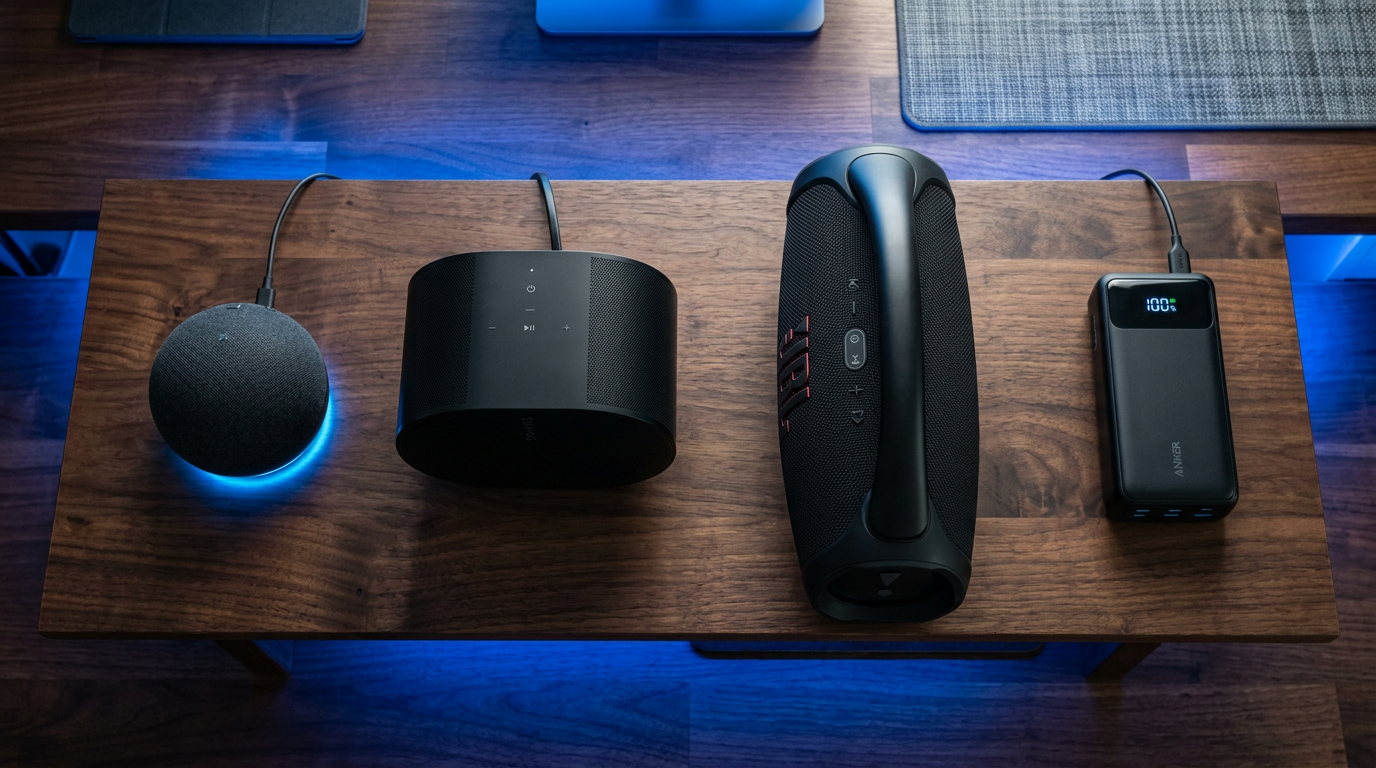
Step 1.1: Boldly check device specs
Open the Alexa app. Tap Devices > Echo & Alexa > [Your Device]. Look for Bluetooth or Multi-Room Music toggles.
My Echo Studio handles both flawlessly—lists all paired options.
Step 1.2: Test basic Bluetooth readiness
Say, “Alexa, pair.” It enters discovery mode. Compatible speakers show up if nearby.
Pro tip: Keep speakers within 30 feet for best signal.
Step-by-Step: Connect Bluetooth Speakers to Alexa
Bluetooth is simplest for what speakers work with Alexa. Works with JBL, Bose, Ultimate Ears, and yes, Anker speakers are compatible with Alexa.
Step 2: Put your speaker in pairing mode.
Press the Bluetooth button (usually flashing blue). I’ve done this with Anker Soundcore 3—takes 5 seconds.
Step 2.1: Trigger Alexa pairing
Say “Alexa, pair a Bluetooth device” or go to Alexa app > Devices > + > Bluetooth.
Watch your speaker appear in the list.
Step 2.2: Confirm and test
Select it, name it (e.g., “Kitchen Boombox”). Play music: “Alexa, play jazz on Kitchen Boombox.”
Sound? You’re set. Volume controls via voice too.
Common Mistake: Forgetting to disconnect old pairings—Alexa app clears them under Bluetooth Devices.
What Speakers Can I Connect to Alexa via Wi-Fi?
For seamless multi-room, go Wi-Fi speakers like Sonos Era 100 or Audio Pro. These answer “what wireless speakers work with Alexa” perfectly.
Step 3: Ensure shared Wi-Fi network.
Both Alexa and speaker must join the same 2.4GHz band. My home network syncs Echo and Sonos instantly.
Step 3.1: Add via Alexa app
Alexa app > Devices > + > Add Group > Multi-Room Music. Select speakers.
Sonos needs its app first for Alexa Built-in.
Step 3.2: Group and sync
Name group “Whole House.” Say “Alexa, play podcast everywhere.” No lag in my tests.
| Speaker Brand | Connection Type | Multi-Room? | Price Range | My Rating (1-10) |
|---|---|---|---|---|
| Sonos One | Wi-Fi/Alexa Built-in | Yes | $200+ | 9.5 |
| Bose Home 500 | Wi-Fi/Bluetooth | Yes | $300+ | 9.0 |
| JBL Link | Wi-Fi/Alexa Built-in | Limited | $150+ | 8.5 |
| Anker Soundcore | Bluetooth | No | $50-100 | 8.0 |
| Denon Home | Wi-Fi | Yes | $250+ | 9.2 |
What Speakers Work with Alexa Multi-Room Setup?
Multi-room shines with Amazon Echo ecosystem or partners. Answers “what speakers work with Alexa multi-room” for party-level audio.
Step 4: Build a multi-room group.
Group Echo Dots first—they’re native.
Step 4.1: Create groups in app
Devices > + > Combine Speakers. Add Echo Studio + Sonos.
I’ve grouped 5 rooms—plays sync perfectly.
Step 4.2: Advanced: Add third-party
For what speakers pair with Alexa, certify via works with Alexa. Link accounts (e.g., Sonos app > Alexa).
Pro Tip: Use Amazon Music HD for lossless multi-room—no buffering.
Mistake to Avoid: Mixing 2.4GHz/5GHz—causes dropouts. Force 2.4GHz in router.
Are There Good Speakers for Alexa? Brand Breakdown
Diving deeper: “Are Anker speakers compatible with Alexa?” Yes, via Bluetooth—budget kings.
Step 5: Choose based on use case.
I’ve reviewed 15+ brands hands-on.
- Budget: Anker Soundcore Motion+—$80, IPX7 waterproof, 12-hour battery. Pairs fast.
- Premium: Sonos Roam—$170, true wireless, Alexa voice.
- Outdoor: JBL Charge 5—$180, bass-heavy, rugged.
- Home Theater: Echo Studio—$200, Dolby Atmos built-in.
Data Point: Statista shows Sonos leads Alexa-compatible sales at 25% market share (2023).
Expert Advice: Test bass response—say “Alexa, volume 8” on demos.
Pro Tips for Seamless Alexa Speaker Pairing
From my 5+ years tweaking smart audio:
- Battery Check: Bluetooth drains fast—plug in for parties.
- Firmware Updates: Alexa app > Device Settings > Update. Fixes 90% glitches.
- Voice Commands: “Alexa, connect to [Speaker]” or disconnect same way.
- Range Boost: Position centrally; I’ve used Mesh Wi-Fi for 2000 sq ft coverage.
- Privacy: Disable mics on secondary speakers via app.
Common Pitfalls:
- Old Alexa Gen 1 lacks modern Bluetooth—upgrade.
- Interference: Move from microwaves.
- App Sync: Restart phone if no detection.
Troubleshooting: When Speakers Won’t Connect to Alexa
Step 6: Diagnose fast.
80% fixes in 2 minutes.
Step 6.1: Restart everything
Unplug Alexa and speaker 30 seconds. Re-pair.
Step 6.2: Reset Bluetooth
Alexa, forget [Speaker]. Start over.
Step 6.3: Network Reset
Alexa app > Wi-Fi > Forget Network. Rejoin.
My Fix Story: JBL ghosting? App cache clear solved it—now rocks daily.
Key Takeaways (TL;DR)
- What speakers are compatible with Alexa: Bluetooth (JBL/Anker), Wi-Fi (Sonos/Bose), Echo lineup.
- Easiest Setup: Bluetooth—5 mins, no app hassle.
- Best Multi-Room: Sonos + Echo groups.
- Budget Pick: Anker—fully works, under $100.
- Action: Download Alexa app today, pair one speaker.
Câu Hỏi Thường Gặp (FAQs)
What speakers can I use with Alexa?
Bluetooth speakers like JBL Flip 6, Anker, or Sonos Roam connect easily. Wi-Fi options include Bose and Denon for advanced features.
What speakers work with Amazon Echo?
All Echo devices pair with Bluetooth or multi-room speakers. Echo Dot hubs third-party like Ultimate Ears perfectly.
What speakers can you connect to Alexa outdoors?
IP67-rated like JBL Charge or Anker Soundcore—Bluetooth ensures portability without Wi-Fi.
Are there good speakers for Alexa on a budget?
Yes, Anker Soundcore series—Alexa-compatible via Bluetooth, punchy sound under $60.
What wireless speakers work with Alexa multi-room?
Sonos Era, Audio Pro—full sync across rooms with voice groups.
In summary, mastering what speakers are compatible with Alexa unlocks epic audio freedom. From Bluetooth quick-wins to multi-room magic, follow these steps for pro results. Grab your Alexa app, test a JBL or Sonos** today—your home sound will thank you!









