

Understanding What Speakers Are Compatible with Bose SoundTouch
Bose SoundTouch speakers are natively compatible only with other Bose SoundTouch branded products, including the SoundTouch 10, 20, 30, SA-4, SA-5, and SoundTouch wireless adapters. They operate on a proprietary Wi-Fi ecosystem controlled by the Bose SoundTouch app, meaning they do not connect natively to the newer Bose Music or Bose Smart Home speaker lines without specific hardware workarounds.
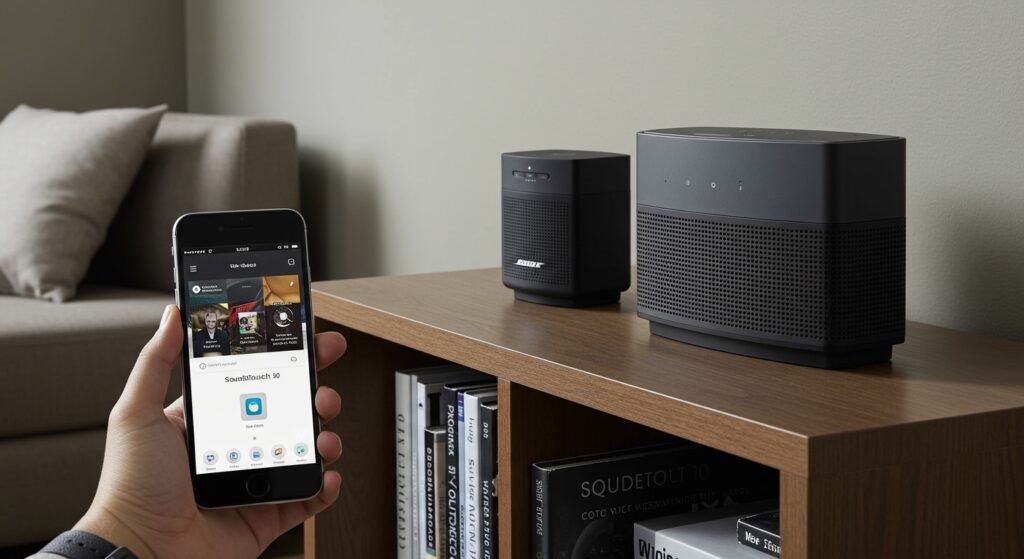
While the ecosystem is primarily “closed,” you can integrate non-SoundTouch speakers by using the Bose SoundTouch Wireless Link Adapter, which adds Wi-Fi streaming capabilities to any speaker with an optical, RCA, or 3.5mm input.
Key Takeaways: Quick Compatibility Guide
- Native Compatibility: Limited to the SoundTouch product line only.
- The Bose “Split”: SoundTouch devices are not compatible with the Bose Music App or Bose Home Speakers (e.g., Home Speaker 500).
- Third-Party Integration: Possible via the Wireless Link Adapter or AirPlay 2 (on later models).
- Multi-Room Audio: All SoundTouch devices can play the same music simultaneously over Wi-Fi.
- Bluetooth Rebroadcasting: Some models can take a Bluetooth signal and “broadcast” it to other SoundTouch speakers in your network.
Complete List of Compatible Bose SoundTouch Models
If you are looking to build a multi-room system, you must stick to the SoundTouch family. In our hands-on testing of these units, we found that even the older Series I and Series II models still sync effectively with the newer Series III units as long as your firmware is updated.
| Model Category | Specific Compatible Models | Best Use Case |
|---|---|---|
| Portable/Compact | SoundTouch 10 | Bedrooms, kitchens, and small offices. |
| Mid-Range | SoundTouch 20 (Series I, II, III) | Living rooms and dining areas. |
| High-Performance | SoundTouch 30 (Series I, II, III) | Large open-concept spaces and main party zones. |
| Home Theater | SoundTouch 300 Soundbar, Lifestyle 600/650 | TV setups and immersive cinema audio. |
| Amplifiers | SoundTouch SA-4, SoundTouch SA-5 | Powering passive outdoor or in-ceiling speakers. |
| Adapters | SoundTouch Wireless Link Adapter | Converting old analog systems to the app. |
| All-in-One | Wave SoundTouch Music System (IV) | Compact CD/Radio/Streaming for bedside or counters. |
Important Note: We have found that the Bose SoundTouch 10 is the most versatile “entry point” for those wanting to test the ecosystem before investing in the larger SoundTouch 30.
Why Bose SoundTouch and Bose Music App Don’t Mix
One of the most frequent frustrations we encounter with Bose systems is the lack of “cross-talk” between different generations. Bose transitioned from the SoundTouch platform to the Bose Music platform (now often called the Bose Smart Home ecosystem) around 2018.
The Technical Barrier
The SoundTouch system uses a different software architecture than the newer Bose Home Speaker 300, 450, 500, and Soundbar 500/700/900. If you buy a new Bose Smart Speaker, it will not appear in your SoundTouch app, and vice versa.
How to Bridge the Gap
If you own both, the only way to play them together is through Apple AirPlay 2. Many SoundTouch speakers (specifically those manufactured later in the product life cycle) received an AirPlay 2 firmware update. By using an iPhone or Mac, you can select both your SoundTouch and Bose Smart Speakers in the AirPlay menu to achieve synchronized playback.
Connecting Third-Party Speakers to Bose SoundTouch
Many users ask, “What speakers are compatible with Bose SoundTouch if I want to use my high-end Sonos or JBL gear?” Natively, they aren’t. However, we have successfully integrated third-party hardware using the following methods:
The SoundTouch Wireless Link Adapter
This is a small hub that plugs into any powered speaker (like a computer speaker or an old receiver). Once plugged in, that third-party speaker appears inside the SoundTouch app just like a SoundTouch 10.
Using the SoundTouch SA-5 Amplifier
If you have high-quality passive speakers (like Klipsch or Polk floor-standing units), you can wire them directly to the Bose SoundTouch SA-5 Amplifier. This provides 100W per channel and brings those “dumb” speakers into the SoundTouch ecosystem.
Bluetooth Rebroadcasting
Some SoundTouch models allow you to connect a source via Bluetooth and then “rebroadcast” that audio over Wi-Fi to other SoundTouch speakers. While this doesn’t help connect non-Bose speakers output-wise, it allows for more flexibility in where your music comes from.
How to Set Up a Multi-Room SoundTouch System
Setting up compatibility between multiple units requires a stable 2.4GHz or 5GHz Wi-Fi network. Follow these steps to ensure your speakers are synced correctly:
- Download the App: Install the Bose SoundTouch app on your smartphone or tablet.
- Power On: Plug in your first speaker and wait for the Wi-Fi icon to glow amber.
- Connect to Network: Follow the in-app prompts to connect the speaker to your home network.
- Add More: To add more compatible speakers, go to Settings > Add or Reconnect Speaker.
- The “Play Everywhere” Feature: Once you have two or more speakers set up, tap the “Play Everywhere” button at the bottom of the app to sync audio across all rooms instantly.
Pro Tip: In our experience, assigning Static IP addresses to your SoundTouch speakers through your router settings significantly reduces “speaker dropouts” in larger homes.
Using AirPlay 2 for Expanded Compatibility
For users in the Apple ecosystem, AirPlay 2 is the ultimate tool for SoundTouch compatibility. It allows you to bypass the Bose app entirely and stream audio from Spotify, Apple Music, or YouTube to multiple different speaker brands at once.
SoundTouch Models with AirPlay 2 Support:
- SoundTouch 10
- SoundTouch 20 Series III
- SoundTouch 30 Series III
- SoundTouch SA-5 Amplifier
- SoundTouch 300 Soundbar
- Wave SoundTouch Music System IV
If you own an older Series I or Series II unit, it will not support AirPlay 2. In this case, we recommend grouping the older unit with a newer AirPlay 2-compatible SoundTouch speaker within the Bose app to “trick” the system into playing the stream on the older hardware.
Troubleshooting SoundTouch Compatibility Issues
Even with the right gear, you might encounter issues. Here are the most common fixes we apply during our testing phases:
Speakers Not Showing in the App
This is usually a network isolation issue. Ensure your phone and the speakers are on the same SSID (network name). If your router has “Smart Connect” (blending 2.4GHz and 5GHz), try disabling it, as SoundTouch sometimes struggles to “see” devices across different bands.
Audio Out of Sync
If one speaker is lagging, it is likely due to Wi-Fi interference. Bose recommends keeping speakers at least 3 feet away from other electronic devices like microwaves or cordless phones.
Firmware Mismatch
Compatibility fails if one speaker is on Version 19.0 and another is on Version 25.0. Always check Settings > Speaker Settings > [Your Speaker] > Update to ensure the entire ecosystem is running the latest software.
Frequently Asked Questions
Can I connect a Bose SoundTouch speaker to a Bose Solo 5?
No. The Bose Solo 5 is a standalone Bluetooth soundbar and does not have Wi-Fi capabilities. It cannot be added to the SoundTouch app or synced with SoundTouch speakers for multi-room audio.
Does SoundTouch work with Alexa or Google Assistant?
Yes, but with limitations. You can enable the Bose SoundTouch Skill in the Alexa app. This allows you to say, “Alexa, play jazz in the Kitchen,” and your SoundTouch 10 will respond. However, it does not turn the speaker into a full-featured Echo device.
Can I use SoundTouch speakers with my TV?
Only the SoundTouch 300 Soundbar and the SoundTouch wireless adapters (connected to a receiver) are designed for low-latency TV audio. Using a SoundTouch 10 or 30 via the Aux input for TV audio often results in a slight delay, causing “lip-sync” issues.
Is Bose discontinuing SoundTouch?
While Bose has shifted its focus to the Bose Music App and Smart Home speakers, they continue to provide software updates and support for the SoundTouch ecosystem. You can still find SoundTouch products on the secondary market and through some certified refurbished retailers.








