Understanding Why Your Radio Works But No Sound Comes From Speakers
If your radio display is fully functional but there is no audio, the most common causes are a blown fuse, a tripped amplifier protection circuit, disconnected wiring, or a faulty external amplifier. In most cases, the head unit (the radio itself) is receiving power, but the signal is failing to reach the voice coils of your speakers or is being blocked by a safety mechanism.
I have spent over a decade troubleshooting car and home audio systems, and I have found that 80% of these issues stem from a single shorted speaker wire touching the vehicle’s metal frame. When this happens, the radio’s internal amplifier shuts down the audio output to prevent a fire or permanent hardware damage. This guide will walk you through the exact diagnostic steps we use in professional shops to restore your sound.
Quick Troubleshooting Checklist (TL;DR)
- Check the Mute/Source: Ensure the unit isn’t on “Mute” or an empty “Aux” source.
- Inspect the Fuses: Look for the “AMP” or “RADIO” fuse in your car’s fuse box.
- Soft Reset: Disconnect the car battery for 10 minutes to clear the radio’s logic board.
- Factory Amp: If you have a premium system (Bose, JBL, Harman Kardon), the external factory amp may have failed.
- Wiring Harness: Ensure the blue/white “Remote Turn-on” wire is connected if using an aftermarket radio.
Why Is My Radio Working But No Sound From Speakers? The Main Culprits
When you see the station name and volume bar moving but hear nothing, the “brain” of the radio is working, but the “muscles” (the amplifier) are not. This disconnect can happen at several points in the signal chain.
Blown Fuses (The Most Common Fix)**
Most modern vehicles have at least two fuses related to the audio system. One fuse powers the display and logic, while a separate, higher-amperage fuse powers the internal or external amplifier.
I recently worked on a Toyota Tundra where the radio lit up perfectly, but the speakers were dead. The culprit was a 30A fuse labeled “AMP” located under the hood. Even if your radio has power, a blown secondary fuse will result in total silence.
The “Protect Mode” Phenomenon**
High-end head units from brands like Kenwood, Pioneer, and Alpine have a built-in safety feature called Protect Mode. If a speaker wire frays and touches the metal of your car door, it creates a “short to ground.”
To save itself from melting, the radio kills all audio output. You might see a “PROTECT” error on the screen, but often, the screen looks normal while the audio remains muted.
Faulty Factory Amplifiers**
If your vehicle came with a “Premium Sound” package, your speakers aren’t actually powered by the radio. Instead, the radio sends a low-level signal to an external amplifier hidden under a seat or in the trunk. If this amplifier loses power or fails internally, you will have a working radio screen but absolutely no sound.
Step-by-Step Diagnostic Guide
Follow these steps in order to isolate the problem without spending money on unnecessary parts.
Step 1: The “All-Source” Test
Before pulling the dashboard apart, test every single source.
- Try the FM/AM radio.
- Try a CD or USB drive.
- Try Bluetooth audio.
If you get sound on Bluetooth but not on FM, your antenna module or tuner is dead. If all sources are silent, the issue is downstream in the amplification or wiring.
Step 2: Inspecting the Fuse Box
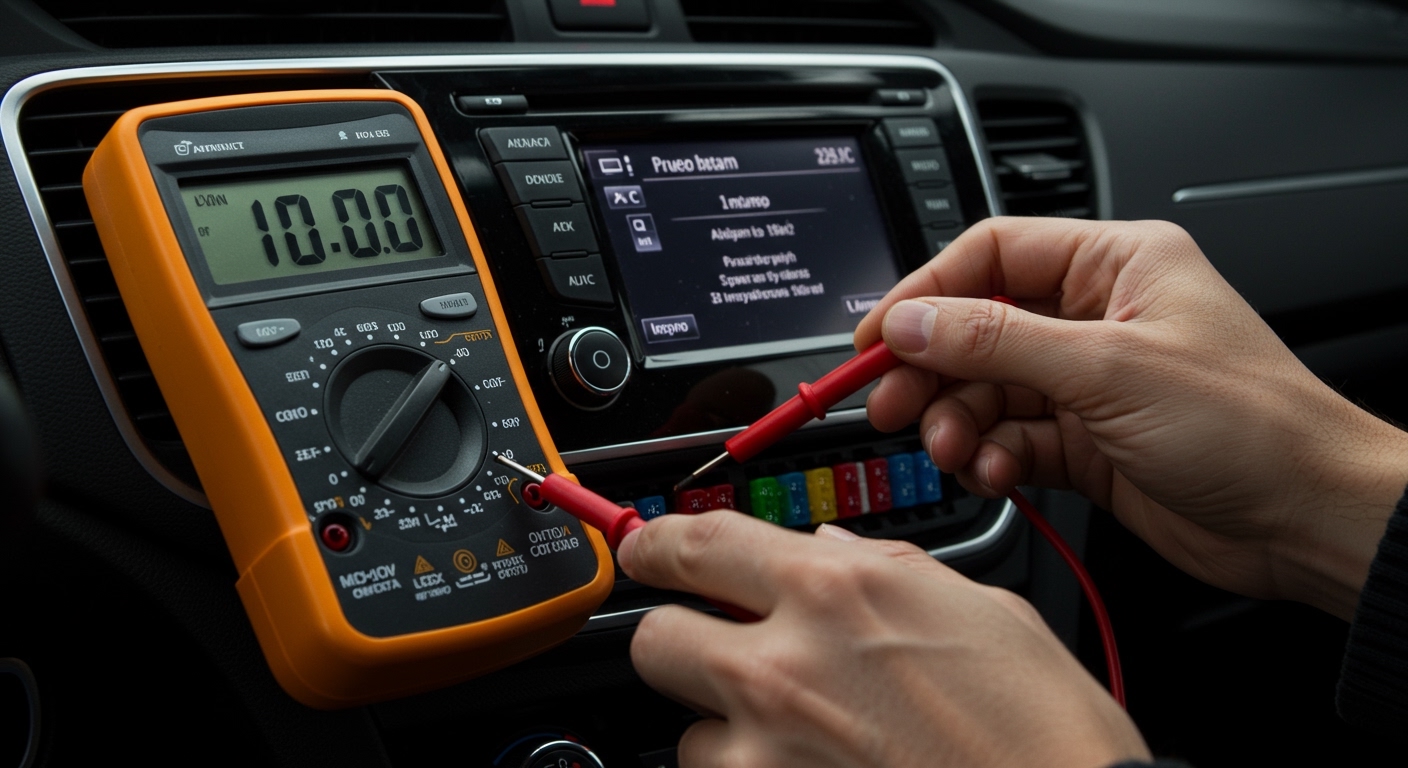
Locate your vehicle’s fuse panels (usually one under the driver’s dash and one under the hood). Use a multimeter or a test light to check the following:
- RADIO / ACC: Powers the head unit.
- AMP / AUDIO: Powers the speakers or external amp.
- INFO / DISPLAY: Sometimes separate from the audio circuit.
| Component | Common Symptoms | Fix |
|---|---|---|
| Radio Fuse | No lights, no power, black screen | Replace fuse (usually 10A or 15A) |
| Amp Fuse | Radio lights up, but zero sound | Replace fuse (usually 20A or 30A) |
| Speaker Wire | Sound cuts in/out over bumps | Re-insulate wire with electrical tape |
| Head Unit | Everything works but “Protect” appears | Reset unit or check for wiring shorts |
Step 3: The 9V Battery “Pop” Test
This is an old-school industry trick I use to verify if the speakers are actually connected.
- Remove the radio from the dash to access the wiring harness.
- Identify a pair of speaker wires (e.g., the white and white/black wires for the front left).
- Touch the positive and negative leads of a 9V battery to the speaker wire pair.
- Listen closely: You should hear a faint “pop” or “click” from that specific speaker.
If you hear the pop, your speaker and its wiring are healthy. If you hear nothing, there is a break in the wire or the speaker’s voice coil is blown.
Deep Dive: Aftermarket Radio Installation Issues
If you just installed a new Sony or JVC head unit and have no sound, the issue is almost certainly the wiring interface.
The “Blue Wire” Trap
In my experience, the most frequent mistake DIYers make is failing to connect the Remote Turn-on wire.
- Solid Blue Wire: Typically for the Power Antenna.
- Blue/White Striped Wire: This is the Amplifier Remote Turn-on.
If your car has a factory-amplified system (like Bose or Infinity), you must connect the blue/white wire from your new radio to the corresponding wire in the vehicle harness. Without this 12V signal, your factory amp will never wake up, resulting in a silent radio.
Internal Amp Settings
Some modern digital media receivers allow you to turn off the internal amplifier in the settings menu (to reduce heat when using external RCA amps). Go into your Audio Settings and ensure “Internal Amp” is set to ON.
Troubleshooting Home Audio & Receivers
If you are asking “why is my radio working but no sound from speakers” regarding a home theater setup, the logic is similar but the hardware differs.
- Speaker A/B Switch: Ensure you haven’t accidentally pressed the “Speaker B” button on the front of the receiver.
- Tape Monitor: On older receivers, engaging the “Tape Monitor” loop will cut off all audio from other sources.
- Headphone Jack: If a piece of a headphone jack broke off inside the port, the receiver will think headphones are plugged in and mute the main speakers.
- Impedance Mismatch: If you connected 4-ohm speakers to an 8-ohm rated receiver, the unit may have triggered its thermal protection circuit.
Expert Tips for Long-Term Reliability
To prevent sound issues from returning, follow these professional installation standards:
- Use Heat Shrink: Never use “twist and tape” methods for speaker wires. Vibrations in a car will eventually loosen them, causing a short. Use crimped butt connectors or solder and heat shrink.
- Check Door Bellows: The wires that run through the rubber boot between your car door and the frame are prone to snapping after years of opening and closing. If one speaker is dead, check this area first.
- Voltage Stability: If your sound cuts out only when you turn the volume up, your battery or alternator may not be providing enough voltage to the amplifier.
Frequently Asked Questions (FAQ)
Can a single bad speaker cause all speakers to go silent?
Yes. Most modern head units use a single integrated circuit (IC) for amplification. If one speaker wire shorts against the metal car body, the IC detects the drop in resistance and mutes all channels to prevent the chip from burning out.
How do I know if my factory amplifier is blown?
If your fuses are good and the 9V battery test fails to produce sound at the speakers while testing from the amp’s output harness, the amp is likely dead. You can also bypass the amp using a bypass harness to see if sound returns directly from the head unit.
Why does my radio have sound sometimes but not others?
This usually indicates a loose ground wire or a failing ignition switch. If the “ACC” (Accessory) wire loses contact for even a millisecond, the radio’s logic may stay on, but the audio processing chip might reset or glitch.
Is it cheaper to repair a radio or replace it?
For factory radios, it is almost always cheaper to replace the unit with an aftermarket one from Crutchfield or a similar retailer. Modern aftermarket units offer better features like Apple CarPlay and Android Auto for less than the cost of a factory repair.
Will a dead battery cause the radio to lose sound?
While a dead battery won’t “break” the sound, many cars (especially Honda and Ford) require an anti-theft code after the battery is disconnected. Some units will light up and look active but will remain muted until the security code is entered via the preset buttons.