The Wireless HDMI Revolution: Cord-Cutting for Presentations, Media, and Monitoring
We have all been there: you are in the middle of a high-stakes board meeting, a classroom presentation, or just setting up a backyard movie night, and you are trapped in “cable spaghetti” hell. You are searching for the right adapter, trying to figure out if your HDMI cable is long enough, or taped down to a conference room table so no one trips over it. Cable clutter is not just an eyesore; it is a productivity killer.
Enter the Wireless HDMI Transmitter and Receiver Kit. Designed to bridge the gap between ultimate portability and robust video transmission, this plug-and-play extender kit promises to transmit lag-free video and audio up to 196 feet (60 meters) using advanced dual-band 2.4G/5G technology. Packed with hardware-level controls, multi-transmitter support, and a suite of included adapters, this $62 kit aims to replace expensive enterprise systems at a fraction of the cost.
But does it actually deliver on its promise of a “rock-solid, real-time 1080P signal” with ultra-low latency, or is it just another overhyped dongle? With 117 reviews on Amazon and a solid 4.0-star rating, we decided to put this wireless display adapter to the test. In this comprehensive, honest, and balanced review, we will unpack everything you need to know to decide if this wireless HDMI kit deserves a spot in your tech bag.
—
Product Overview: What is in the Box and Under the Hood?
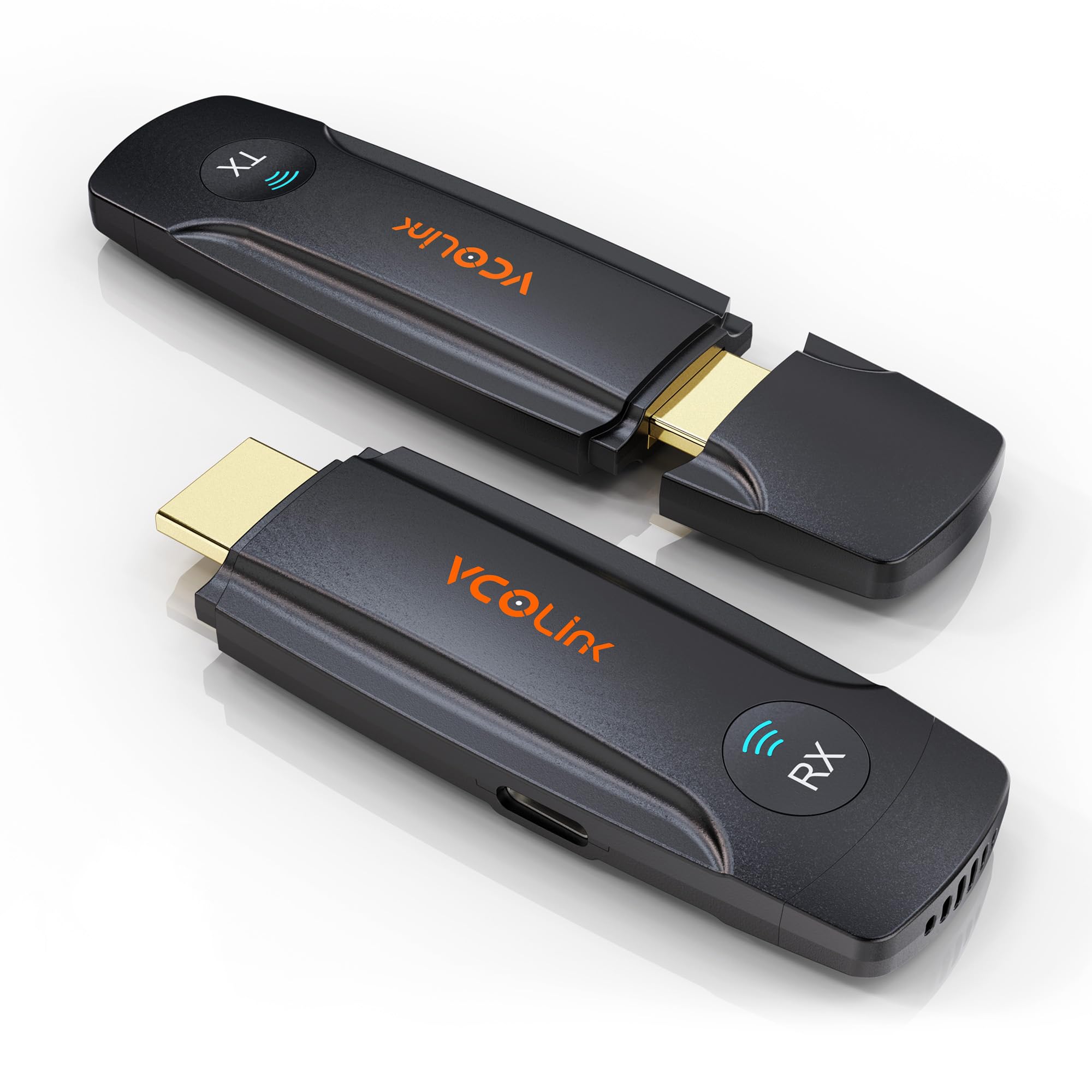
At its core, this system is a hardware-based wireless video transmission kit. It does not rely on your office Wi-Fi, nor does it require you to download proprietary apps, scan QR codes, or install background drivers. It creates its own dedicated, encrypted wireless network between the transmitter (TX) and the receiver (RX).
The kit is highly comprehensive. Out of the box, you receive:
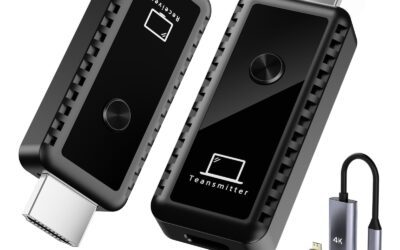
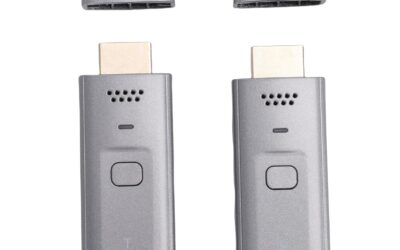
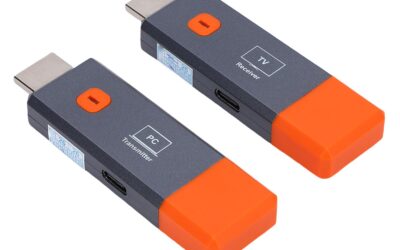
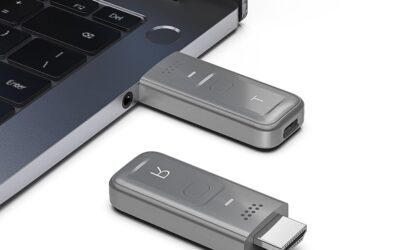
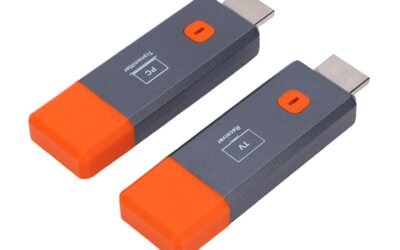
- The Wireless Transmitter (TX): Features a male HDMI connector, a physical pairing/disconnection button, and a USB-C power port.
- The Wireless Receiver (RX): Features a male HDMI connector (to plug directly into your TV, monitor, or projector) and a USB-C power port.
- Extensive Adapters: Includes a high-quality Micro HDMI adapter and a Mini HDMI adapter, ensuring compatibility with DSLRs, older laptops, action cameras, and tablets.
- USB-C Power Cables: To power both dongles.
Key Technical Specifications
- Transmission Distance: Up to 196 feet (60 meters) line-of-sight.
- Wireless Frequency: Smart dual-band 2.4GHz & 5GHz.
- Video Compatibility: Accepts up to 4K @ 30Hz input; downscales to output a stable 1080P @ 60Hz HD signal.
- Latency: Ultra-low delay (<0.05 seconds).
- Multi-TX Expansion: Supports pairing up to 8 separate transmitters to 1 receiver.
- Hardware Control: Single physical button on the transmitter for instant connect/disconnect.
Note on USB-C compatibility: If you plan to stream directly from a USB-C port, your device’s interface must support USB 3.1 Gen 1 or Thunderbolt 3, as well as the DP (DisplayPort) video protocol. If your device does not support this, you will need to use the standard HDMI output.
—
The Pros: Why This Wireless HDMI Kit Stands Out
After testing and synthesizing feedback from long-term users, there are several key areas where this wireless extender kit punches well above its weight class. Here are the primary advantages of incorporating this system into your workflow:
Hardware-Level Privacy and Seamless Handoffs
In a professional meeting setting, privacy is paramount. Traditional software-based casting systems (like Chromecast or Miracast) often leave your desktop exposed or require navigating menus to stop sharing. This transmitter features a physical, hardware-level button right on its chassis. One click instantly cuts the connection, turning the display black so you can type passwords or check private messages. Another click instantly restores the feed. If you are collaborating with multiple team members, this button allows you to hand off presentations instantly without fumbling with cables.
Multi-Transmitter Support (Up to 8:1)
Speaking of collaboration, this kit can support up to 8 individual transmitters paired to a single receiver. This means you can buy extra transmitters for your team, plug them into different laptops, and transition between speakers with a single click. It mimics the functionality of enterprise wireless presentation setups that usually cost thousands of dollars, making it incredibly accessible for small businesses and schools.
Real Plug-and-Play Simplicity
You do not need to be a network administrator to use this kit. It does not hook into your local Wi-Fi, meaning it bypasses strict corporate firewalls and guest network restrictions. You simply power on the receiver at your TV/projector, plug the transmitter into your laptop, and within seconds, your screen is mirrored. No drivers, no software, and no configuration required.
Comprehensive Adapter Pack Included
Too often, tech companies sell you a device and then expect you to buy three different dongles to make it work. This kit thoughtfully includes Micro HDMI and Mini HDMI adapters. This is highly convenient for videographers who want to use the transmitter with a DSLR or mirrorless camera to feed video to a remote director’s monitor without running dangerous trip-hazard cables across the set.
Advanced Dual-Band Frequency with Great Range
Operating on both 2.4GHz and 5GHz bands allows the device to dynamically jump to the clearest channel to avoid interference. While the 5GHz band ensures speedy, low-latency transmission up to 1080P @ 60Hz, the 2.4GHz band offers excellent signal penetration through drywall and across larger distances. At a rated range of up to 196 feet (60 meters), it easily handles large living rooms, conference halls, and classrooms.
4K Input Compatibility
While the receiver outputs at 1080P @ 60Hz, the transmitter is fully compatible with 4K @ 30Hz inputs. This means you do not have to manually adjust your gaming console, modern laptop, or media player settings down to 1080P before plugging it in—the upgraded chip handles the downscaling automatically and smoothly.
—
The Cons: Areas for Improvement
No product is perfect, especially at this price range. To keep this review balanced and honest, here are the drawbacks and quirks you should expect before purchasing:
“Wireless” Still Requires Power Cables
The term “wireless HDMI” can sometimes lead to the misconception that the dongles run on magic or internal batteries. They do not. Both the transmitter (TX) and receiver (RX) require external USB power to function. If your TV or laptop has a powered USB port nearby, you can easily plug the included USB cables into them. However, if those ports are missing or underpowered, you will have to run USB cables to wall bricks, which slightly undercuts the “completely wireless” aesthetic.
Not Native 4K Output
Because the product title prominently displays “4K HD,” some casual buyers might assume they are getting a true, native 4K @ 60Hz wireless link. To be clear: the device *inputs* 4K, but it *outputs* 1080P @ 60Hz. If you are a home theater enthusiast demanding native 4K HDR playback on an 85-inch OLED TV, this is not the right tool for you. For presentation slides, spreadsheets, 1080P video streaming, and casual gaming, however, the 1080P output is exceptionally sharp.
Strict USB-C Requirements
If you plan to use this via a direct USB-C connection, your device’s port must support DisplayPort Alt Mode (DP video protocol) or Thunderbolt 3/4. Many budget Windows laptops, older phones, and legacy tablets feature USB-C ports that are strictly designed for data transfer and charging, not video output. If you plug the transmitter into one of these incompatible USB-C ports, it simply won’t work, forcing you to use the standard HDMI output instead.
Pairing Reset Can Be Quirky
While the units come paired from the factory, some users have noted that if you lose connection or add additional transmitters, the pairing sequence requires a precise timing of button presses. It is not difficult once you know how, but it is not entirely intuitive without looking at the manual.
Insider Tip: How to Re-Pair Your Units
If your transmitter and receiver lose connection, follow these steps to manual sync:
1. Power on the Receiver (RX) and connect it to your TV.
2. Hold down the physical button on the RX for 3 seconds until the screen says “Ready to pair.”
3. Hold down the button on the Transmitter (TX) for 5 seconds until the screen displays “Pairing.”
4. Wait for a green checkmark “√” and a “Pairing OK” message on your display to confirm the sync is complete.
—
Customer Reviews Analysis: What Real Buyers Are Saying
With 117 ratings and an average score of 4.0 out of 5, the consensus on this wireless HDMI kit is largely positive, highlighting its value and functional design.
Many reviewers express surprise at how easy it was to integrate into their setups. A reviewer named JZ remarked that they are “not a techy person, but this was easy to set up,” highlighting its simple plug-and-play nature. Another buyer, AZ, praised its convenience, confirming that the plug-and-play advertising is 100% accurate. When it comes to performance, users like AA tested the limits of the wireless signal, writing that they “tested out the range on this and it goes far,” corroborating the advanced 5G dual-band stability.
On the flip side, some users faced initial hurdles. A reviewer named JR described the system as “a bit quirky” and noted “some initial hiccups with my first unit,” though they concluded that it ultimately “works as expected.” A small percentage of buyers ran into frustration when they tried to connect devices without verifying if their USB-C ports supported DP Alt Mode, which led to complaints about the unit not transmitting. However, multiple reviews mention that customer support is highly responsive and helpful in troubleshooting these issues.
—
Who Should Buy This Product?
This wireless HDMI kit is a highly versatile tool, but it is best suited for specific use cases.
The Perfect Fit For:
- Business Professionals and Collaborative Teams: If you frequently host meetings, pitch clients, or share screens, the multi-TX support and physical one-click pause button make this an absolute game-changer for transitions.
- Teachers and Lecturers: Walk around the classroom with your laptop in hand while casting your presentation directly to the projector without being chained to the teacher’s desk.
- Videographers and Content Creators: Use the included Micro or Mini HDMI adapters to wirelessly beam your camera’s live view to a director’s monitor or a client-facing screen up to 196 feet away.
- Casual Home Entertainment: Perfect for connecting a laptop or streaming box to a projector on the opposite side of the room, or for streaming video to a TV on the patio during a summer BBQ.
Who Should Pass:
- Competitive Gamers: While the <0.05-second latency is incredible for casual games and streaming, competitive eSports players who rely on sub-millisecond response times should stick to high-end wired HDMI cables.
- Home Theater Purists: If you are looking to stream native 4K HDR Blu-rays or high-bitrate Dolby Atmos content to your main home theater display, you will want to invest in a premium, native 4K wireless kit (which will cost significantly more than $62).
—
Final Verdict
At $62, this Wireless HDMI Transmitter and Receiver Kit represents an incredibly high-value solution to a very annoying problem. It bridges the gap between unreliable, network-dependent casting options and overly expensive enterprise presentation gear.
Its standout features—specifically the hardware-level one-click button for immediate connection/disconnection, the capability to link up to 8 transmitters to 1 receiver, and its robust 196-foot range—make it a stellar choice for offices, classrooms, and independent film sets alike. While you must keep in mind its power requirements and the fact that it outputs at 1080P rather than native 4K, the actual video delivery is bright, stable, and remarkably clear.
If you are tired of dealing with messy cables, finding adapters, or worrying about on-screen privacy during meetings, this kit is an affordable, reliable, and future-proof tool that deserves a permanent spot in your setup.