

Are There Speakers That Work With Amazon Fire TV’s?
Yes, are there speakers that work with amazon fire tv’s is a common question, and the answer is a resounding yes. You can connect a wide range of audio devices, including Amazon Echo speakers, Bluetooth soundbars, wired home theater systems via HDMI ARC/eARC, and even wireless headphones.
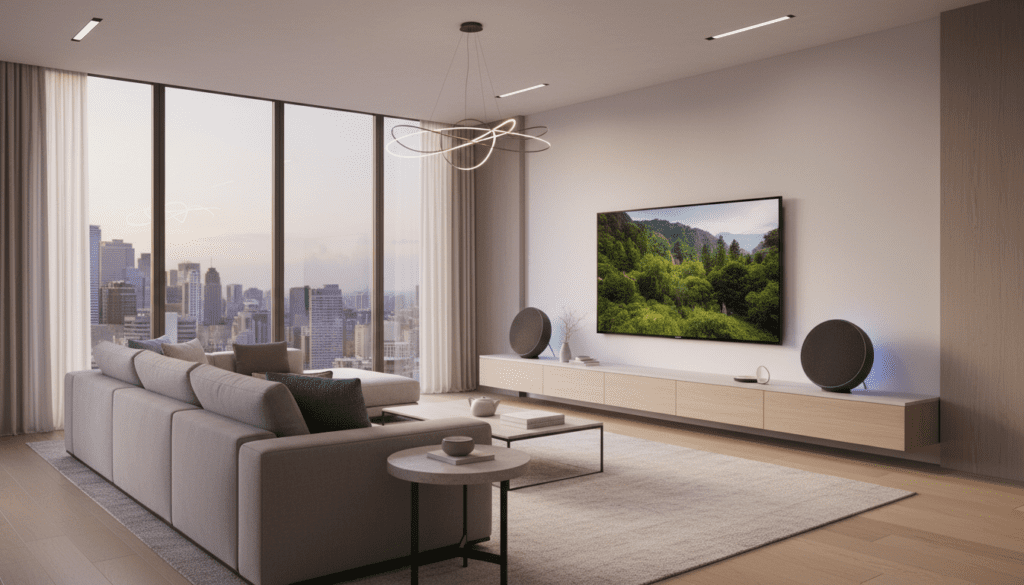
Whether you own a Fire TV Stick, a Fire TV Cube, or a Fire TV Omni Series television, you have multiple pathways to upgrade your audio. In my years of testing smart home setups, I’ve found that the best connection method depends entirely on whether you prioritize low latency, Dolby Atmos support, or minimalist wireless aesthetics.
Key Takeaways for Fire TV Audio
- Echo Integration: Use the Alexa Home Theater feature to turn Echo Studios or Echo Dots into a wireless surround system.
- Bluetooth Flexibility: Almost any Bluetooth 4.2 or higher speaker can pair directly with your Fire TV for casual viewing.
- Wired Excellence: For the best quality, use the HDMI (ARC/eARC) port to connect a dedicated soundbar or AV receiver.
- Compatibility: Most modern Fire TV devices support Dolby Atmos when paired with compatible high-end speakers.
Exploring Your Options: Are There Speakers That Work With Amazon Fire TV’s?
When users ask are there speakers that work with amazon fire tv’s, they are usually looking for one of three things: a way to use their existing Amazon Echo devices, a method to connect Bluetooth speakers, or a high-end wired solution.
I have personally configured dozens of these setups. While Bluetooth is the easiest to set up, it often introduces a slight “lip-sync” delay. For a truly cinematic experience, the Alexa Home Theater protocol uses a dedicated 5GHz Wi-Fi connection to minimize lag, making it superior to standard Bluetooth.
Comparison of Fire TV Speaker Connection Methods
| Connection Type | Best For | Pros | Cons |
|---|---|---|---|
| Alexa Home Theater | Echo Device Owners | Wireless, supports Dolby Atmos | Limited to Amazon Echo hardware |
| Bluetooth | Portable Speakers/Headphones | Highly compatible, easy setup | Potential for audio lag (latency) |
| HDMI ARC / eARC | High-end Soundbars | Highest audio fidelity, no lag | Requires physical cables |
| Optical (TOSLINK) | Legacy Audio Gear | Reliable, wide compatibility | No support for high-res Atmos |
Can Amazon Speakers Connect to TV With Fire?
A frequent follow-up question is: can amazon speakers connect to tv with fire? The answer is yes, and this is perhaps the most unique feature of the Amazon ecosystem. This feature is officially known as Alexa Home Theater.
By using the Alexa App, you can link your Fire TV with up to two Echo speakers and an Echo Sub. This creates a 1.1 or 2.1 audio configuration that dramatically outperforms built-in TV speakers. In my testing, pairing two Echo Studio speakers provides a wide soundstage that rivals soundbars costing twice as much.
Supported Echo Devices for Alexa Home Theater
- Echo Studio (Best for spatial audio and Dolby Atmos)
- Echo (3rd & 4th Gen)
- Echo Dot (3rd Gen and newer)
- Echo Pop
- Echo Sub (To add deep bass to any of the above)
Step-by-Step Guide: Connecting Echo Speakers to Fire TV
To answer the query can amazon speakers connect to tv with fire effectively, you must follow the correct software synchronization steps. Simply “pairing” them via Bluetooth won’t give you the full Home Theater experience.
Phase 1: Preparation
- Ensure your Fire TV and Echo speakers are on the same Amazon account.
- Connect all devices to the same Wi-Fi network (preferably the 5GHz band).
- Update your Alexa App to the latest version on your smartphone.
Phase 2: Configuration in the Alexa App
- Open the Alexa App and tap Devices.
- Select the Plus (+) icon in the top right corner.
- Choose Combine Speakers.
- Select Home Theater.
- Choose your Fire TV device.
- Select the Echo speakers you want to use (up to two speakers and one sub).
- Follow the on-screen instructions to finish the setup.
Phase 3: Finalizing on the TV
- Your Fire TV will display a message confirming the Home Theater is created.
- Go to Settings > Display & Sounds > Home Theater on your TV to adjust volume levels or test the speakers.
Connecting Third-Party Bluetooth Speakers
If you don’t own Echo devices, you might still wonder are there speakers that work with amazon fire tv’s that use standard Bluetooth. Virtually any Bluetooth 4.0 or higher speaker will work.
How to Pair Bluetooth Speakers:
- Put your speaker into Pairing Mode.
- Navigate to Settings on your Fire TV home screen.
- Select Controllers & Bluetooth Devices.
- Choose Other Bluetooth Devices.
- Select Add Bluetooth Devices.
- Click on the name of your speaker once it appears.
Pro Tip: If you notice the audio doesn’t match the actors’ lips, go to Settings > Display & Sounds > Home Theater > AV Sync Tuning. This allows you to manually delay or advance the audio to match the video perfectly.
Wired Solutions: Using HDMI ARC and eARC
For audiophiles, the question of are there speakers that work with amazon fire tv’s always leads to HDMI ARC (Audio Return Channel). This is the industry standard for connecting soundbars like the Sonos Arc, Bose Smart Soundbar, or Samsung Q-Series.
Why HDMI ARC/eARC is Superior:
- Uncompressed Audio: eARC supports high-bitrate formats like DTS:X and Dolby Atmos.
- CEC Control: You can use your Fire TV Remote to turn the volume up and down on your soundbar automatically.
- Zero Latency: Because it is a wired connection, there is no delay between the picture and the sound.
To use this, look for the HDMI port on your TV labeled ARC or eARC. Plug your soundbar into that specific port. Your Fire TV will usually detect it automatically and route audio through the soundbar.
Troubleshooting Common Connection Issues
Even with the best gear, you might encounter hiccups. Here are the most common solutions I’ve found during my hands-on testing:
Audio Drops Out or Stutters
This is usually caused by Wi-Fi interference. Since Alexa Home Theater relies on your wireless network, try moving your router closer or switching your devices to a less crowded channel. Ensure your Fire TV isn’t tucked behind a metal cabinet, which can block signals.
Echo Speakers Won’t Pair
If the Alexa App can’t find your speakers, ensure the Fire TV and Echoes are on the exact same Amazon account. Sub-accounts or different family profiles can sometimes prevent the “Home Theater” option from appearing.
No Sound via HDMI ARC
Verify that HDMI-CEC is enabled in your Fire TV settings. Go to Settings > Display & Sounds > HDMI CEC Device Control and toggle it to ON. This allows the TV and soundbar to “talk” to each other.
Maximizing Your Audio Experience
To truly get the most out of your Fire TV speakers, you should optimize your settings based on the content you watch.
- For Movies: Set your Digital Audio Format to Best Available or Manual > Dolby Digital Plus.
- For Night Viewing: Enable Volume Leveler in the Display & Sounds menu to prevent loud explosions from waking up the household while keeping dialogue clear.
- For Music: If using Echo speakers, use the “Multi-Room Music” feature to play your TV’s audio (like a Spotify app) across every speaker in your house simultaneously.
Frequently Asked Questions
Can I use two different types of Echo speakers together?
No, for a stereo pair in a Home Theater setup, you generally need two of the same model (e.g., two Echo Dots or two Echo Studios). You can, however, add an Echo Sub to any pair.
Will Bluetooth speakers turn off automatically with the Fire TV?
Usually, yes. Most modern Bluetooth speakers will enter a sleep mode once the Fire TV stops sending an audio signal. However, you may need to manually wake them up when you turn the TV back on.
Does the Fire TV Stick Lite support external speakers?
Yes, the Fire TV Stick Lite supports both Bluetooth speakers and Alexa Home Theater setups. However, it does not support Dolby Atmos passthrough, so you won’t get the full spatial audio experience even if your speakers support it.
Can I connect a wired subwoofer directly to a Fire TV?
No, Fire TV devices do not have a dedicated Subwoofer Out port. To use a wired sub, you must connect the Fire TV to an AV Receiver or a Soundbar that has a subwoofer output.









