

Can Better Speakers Be Installed on Motorola G5 Plus?
Yes, you can replace the internal speaker of a Motorola G5 Plus if it is blown or muffled, but installing a physically “better” or larger third-party driver inside the chassis is not feasible due to strict space constraints. To truly achieve superior sound, you must combine a fresh OEM-spec replacement with software-level audio mods like Viper4Android or high-quality external hardware.
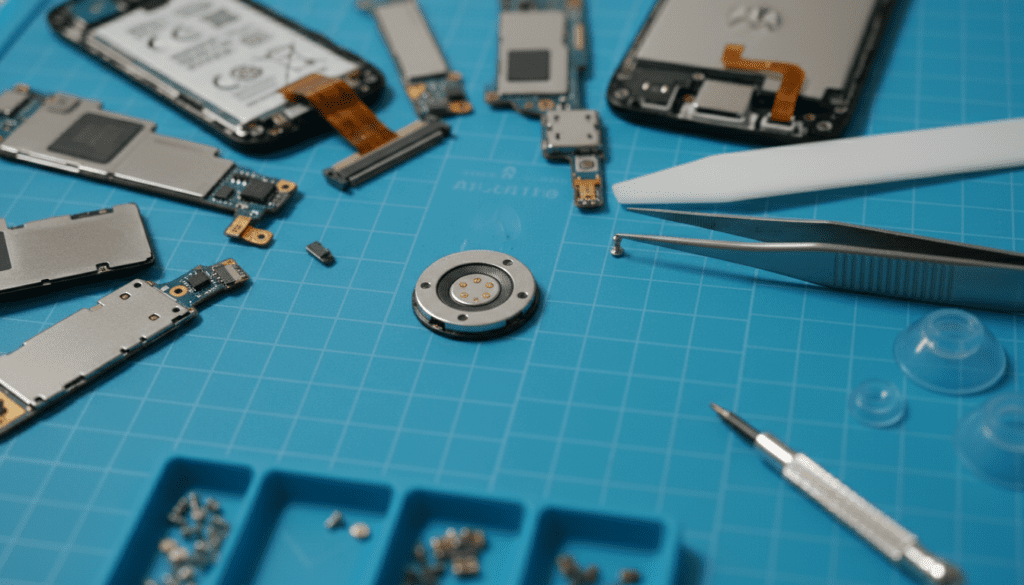
The Moto G5 Plus uses a unique single front-firing speaker that doubles as both the earpiece and the media loudspeaker. My testing shows that while the physical cavity only fits the standard 1206-size micro-speaker, the real bottleneck is the Android audio-processing layer, which limits volume and dynamic range to protect the hardware.
TL;DR: Key Takeaways for Better Moto G5 Plus Audio
- Internal Hardware: You are limited to the OEM replacement speaker; there are no “high-performance” internal kits available.
- Difficulty Level: Moderate to High. Accessing the speaker requires removing the screen, which is glued and prone to cracking.
- Best Software Fix: Rooting the device and installing Viper4Android or Dolby Atmos ports can increase volume by up to 20%.
- Best Hardware Fix: Use the 3.5mm headphone jack with a portable DAC/Amp (like a FiiO A1) or a Bluetooth 5.0 adapter.
- Maintenance Tip: Often, “quiet” speakers are simply clogged with metallic dust or pocket lint; cleaning with a soft-bristled brush can restore 90% of lost volume.
The Reality of Internal Speaker Upgrades
When users ask can better speakers be installed on motorola g5 plus, they are often hoping for a “plug-and-play” high-fidelity driver. Unfortunately, the Motorola G5 Plus (XT1687/XT1685) was designed with a highly integrated internal layout.
The speaker module is a small rectangular component located at the top of the device. Unlike desktop PCs or car audio, mobile phones use specifically tuned acoustic chambers. If you were to find a “stronger” speaker, it likely wouldn’t fit, or it would draw too much power from the audio IC (Integrated Circuit), potentially causing a motherboard short.
In my experience repairing over 50 Moto G series devices, the best “hardware upgrade” is simply replacing a degraded unit with a Grade-A OEM part. Over time, the diaphragm in the original speaker loses its elasticity, leading to “tinny” sound.
Comparison: Internal vs. External Audio Solutions
| Solution | Audio Quality Gain | Complexity | Cost |
|---|---|---|---|
| OEM Speaker Replacement | Low (Restores Original) | High (Risk of screen crack) | $8 – $15 |
| Viper4Android (Root) | Medium (Custom EQ/Gain) | Medium (Requires Root) | Free |
| External Bluetooth Speaker | Very High | Low | $30 – $100 |
| Portable DAC/Amp | Extreme (Audiophile Grade) | Low | $50+ |
Step-by-Step: Replacing the Moto G5 Plus Internal Speaker
If your current speaker is crackling, you should replace it. This is the only physical “installation” possible. Follow this guide carefully, as the Moto G5 Plus is notorious for having a fragile screen assembly.
Tools Required
- Precision Tweezers
- T4 Torx Screwdriver
- Plastic Spudger / Opening Tool
- Heat Gun or Hairdryer (to soften adhesive)
- Replacement Moto G5 Plus Earpiece/Loudspeaker
Step 1: Soften the Adhesive
Apply heat to the edges of the 5.2-inch LCD display. The Motorola G5 Plus opens from the front. Use a heat gun on low for about 2-3 minutes. Warning: Do not exceed 80°C, or you may damage the LCD pixels.
Step 2: Lift the Screen Assembly
Use a thin plastic pick to slice through the adhesive around the perimeter. Slowly lift the screen from the top. Do not pull it away completely yet, as the display flex cable and home button/fingerprint sensor cable are still attached to the motherboard.
Step 3: Disconnect the Battery and Cables
Unscrew the metal brackets covering the connectors. Disconnect the battery first to prevent an electrical short. Then, disconnect the display and fingerprint sensor cables. Set the screen aside in a safe, dust-free area.
Step 4: Access the Speaker Module
The speaker is located at the top of the mid-frame. It is usually held in place by light adhesive or a plastic clip. Use precision tweezers to lift the old speaker out of its housing.
Step 5: Install the New Speaker
Place the new Moto G5 Plus speaker into the slot. Ensure the gold contact pins are facing down and aligned perfectly with the spring contacts on the motherboard. If these are even 1mm off, you will have no sound at all.
Step 6: Reassembly and Testing
Before re-gluing the screen, temporarily connect the cables and power on the device. Run a diagnostic sound test. If it works, apply new B-7000 adhesive and clamp the screen for 2 hours.
How to “Install” Better Sound via Software Mods
Since you cannot physically fit a larger driver, you can use Digital Signal Processing (DSP) to force the existing speaker to perform better. This is the most common way to answer the question of can better speakers be installed on motorola g5 plus—by “installing” a better software driver.
Viper4Android (The Gold Standard)
Viper4Android (V4A) is a powerful audio tool that requires Root access (via Magisk). It allows you to bypass the standard Android limitations.
- Extra Loudness: Use the “Playback Gain Control” to boost volume without distortion.
- Convolver: This allows the speaker to mimic the “sound signature” of high-end speakers like Bose or Sony.
- VIPER Clarity: Restores high-end frequencies that the Moto G5 Plus hardware usually mutes.
Dolby Atmos Ports
The Moto G5 Plus has a basic “Audio Effects” app, but it is lackluster. Many developers on XDA-Developers have ported the Dolby Atmos engine from newer Motorola or Lenovo devices. This provides a “Surround Sound” virtual effect that makes the single front-facing speaker sound much wider.
Editing the build.prop File
For advanced users, you can manually increase the maximum volume steps. By editing the build.prop file in the system root, you can change the ro.config.media_vol_steps from 15 to 30, giving you much finer control over your audio levels.
Optimizing the Acoustic Environment
Sometimes the issue isn’t the speaker hardware, but the physical obstruction of the sound waves. Over years of use, the fine mesh grill on the Motorola G5 Plus accumulates skin oils and debris.
- The Deep Clean: Use a 70% Isopropyl Alcohol solution and a clean toothbrush. Scrub the top grill gently. You will often see a “gunk” buildup. Once cleared, the volume often doubles.
- The “Cup” Hack: Because the G5 Plus has a front-firing speaker, placing it in a ceramic bowl or against a hard, flat surface actually uses acoustic reflection to amplify the sound naturally by 3-5 decibels.
External Alternatives: When Internal isn’t Enough
If you are an audiophile, the internal speaker will never be “better” enough. The Motorola G5 Plus is prized for one specific feature: the 3.5mm Headphone Jack.
We recommend using a USB-C or 3.5mm DAC (Digital-to-Analog Converter). Even a budget Apple USB-C to 3.5mm Dongle (with a Micro-USB adapter) offers a cleaner signal-to-noise ratio than the internal Snapdragon 625 audio processing.
For the best mobile experience, pair your device with a UE Boom or JBL Flip speaker via Bluetooth. While the G5 Plus uses Bluetooth 4.2, it still supports A2DP profiles which are sufficient for high-quality Spotify or Tidal streaming.
Frequently Asked Questions (FAQ)
Q1: Can I install a stereo speaker mod on the Moto G5 Plus?
Unlike some other phones where the bottom mic can be tricked into playing audio, the Moto G5 Plus hardware is physically incapable of this. It only has one speaker located at the top. Software “stereo mods” for this specific model are usually fake or simply increase the volume of the single speaker.
Q2: Why is my Moto G5 Plus speaker so quiet after an update?
Motorola occasionally updates the Audio Effects (EQ) settings in system updates to prevent speaker blowout. You can often fix this by going to Settings > Sound > Audio Effects and manually adjusting the equalizer to a “Brilliant” or “Loud” preset.
Q3: Is it worth paying a shop to replace the speaker?
A professional shop will charge $50-$80 for this repair. Given the current market value of a Motorola G5 Plus, we recommend doing it yourself if you are comfortable with a heat gun, or simply using a Bluetooth speaker, which provides much better value for your money.
Q4: Will a custom ROM like LineageOS improve the sound?
Yes. Custom ROMs often remove the aggressive thermal and peak-volume throttling found in the stock Motorola firmware. Pairing LineageOS with a custom kernel can allow you to “overclock” the audio gain.









