

Can I Use Off Brand Speakers with Vizio TV? The Direct Answer
Yes, you can absolutely use off-brand speakers with a Vizio TV. Vizio televisions are designed with industry-standard audio outputs, including HDMI ARC/eARC, Digital Optical (Toslink), and 3.5mm Analog ports, making them compatible with almost any third-party audio brand like Sony, Sonos, Bose, or even budget-friendly computer speakers. To get the best results, you simply need to match the output port on your TV to the input on your speakers and adjust the Digital Audio Out settings in the Vizio menu.
TL;DR: Quick Setup Guide
- Compatibility: 100% compatible via HDMI, Optical, or AUX.
- Best Connection: Use HDMI ARC/eARC for the highest quality and the ability to use your Vizio remote to control volume.
- Key Setting: Navigate to Menu > Audio > Digital Audio Out and select PCM or Digital depending on your speaker type.
- CEC Feature: Enable HDMI-CEC in the settings to ensure your TV and speakers power on together.
Understanding Your Vizio TV’s Audio Output Options
When I first started testing home theater setups, many users believed they were locked into a specific ecosystem. However, Vizio is remarkably “platform agnostic.” Whether you are looking to hook up a high-end Sonos Arc or a pair of vintage Edifier bookshelf speakers, the connection method is determined by the ports available on the back of your TV.
HDMI ARC and eARC (The Gold Standard)
The HDMI Audio Return Channel (ARC) is the most common way to connect modern soundbars and receivers. If your off-brand speaker supports HDMI, this is your best option.
- Benefit: Supports high-bandwidth audio like Dolby Atmos.
- User Experience: Allows you to control the external speaker volume using your standard Vizio remote.
Digital Optical (Toslink)
If you are using an older receiver or a mid-range soundbar that lacks HDMI, the Optical port is your next best friend. I have used this successfully with older Bose Solo systems and Logitech sets.
- Benefit: Provides a clean, digital signal that is immune to electrical interference.
- Drawback: It does not support the highest resolution formats like DTS-HD or Atmos, and you usually cannot control the volume with the TV remote unless you use a universal remote.
3.5mm Auxiliary (Analog)
For those using computer speakers or older analog amps, the 3.5mm headphone jack (labeled as Audio Out) is the simplest “plug-and-play” method.
- Note: I’ve found that using the AUX port can sometimes introduce a slight hum if the cables are poorly shielded. Always use high-quality gold-plated connectors for this setup.
Step-by-Step: How to Connect Off Brand Speakers to Vizio TV
Follow these steps to ensure a seamless handshake between your Vizio TV and your third-party audio device.
Step 1: Physical Connection
- Locate the Audio Out section on the back or side of your Vizio TV.
- Plug your cable (HDMI, Optical, or 3.5mm) into the TV.
- Connect the other end to the Input port on your off-brand speaker.
- Pro Tip: If using HDMI, ensure you plug into the specific port on the TV labeled HDMI (ARC) or HDMI (eARC). Other HDMI ports are input-only.
Step 2: Configure Vizio Audio Settings
Once connected, your TV might not automatically switch the audio. You need to “tell” the TV to send the signal out.
- Press the Menu button on your Vizio remote.
- Select Audio.
- Turn TV Speakers to OFF. This prevents the “echo” effect of both the TV and external speakers playing simultaneously.
- Select Digital Audio Out.
- Choose PCM if you are using older speakers or a basic 2.0 setup.
- Choose Digital or Bitstream if you are using a multi-channel Surround Sound system or Soundbar.
Step 3: Enable HDMI-CEC (For HDMI Connections Only)
To make your life easier, you want your speakers to wake up when the TV turns on.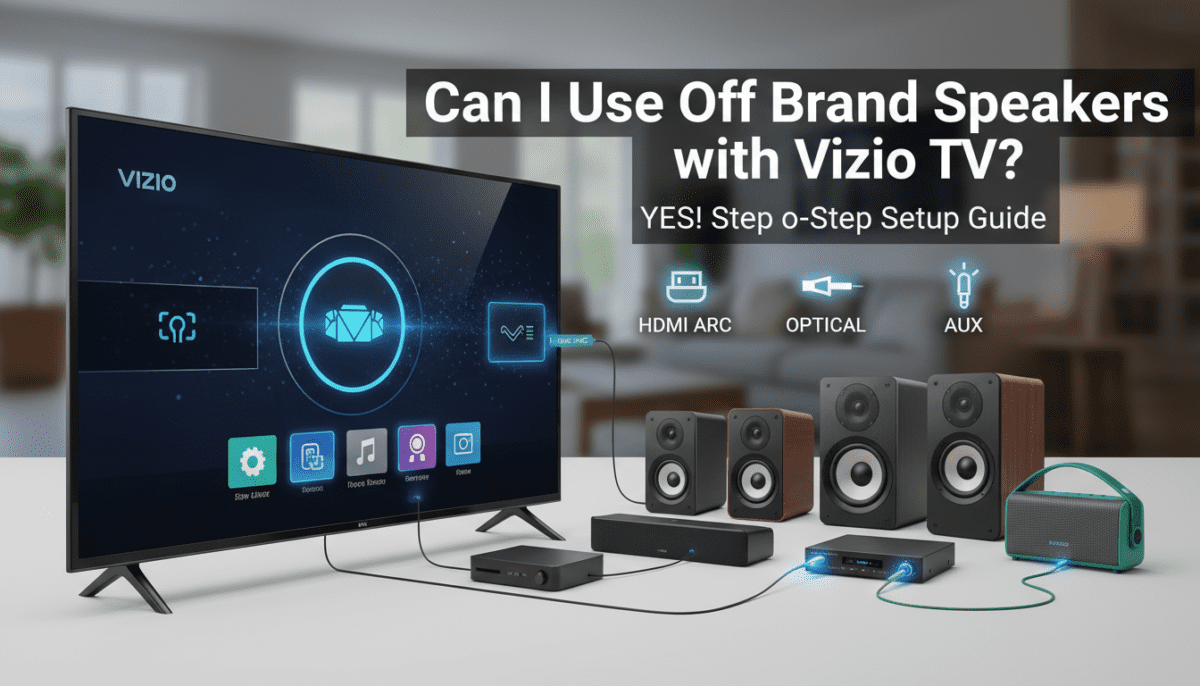
- Go to Menu > System.
- Select CEC.
- Change the setting to Enabled or ARC Only.
- Select Device Discovery to let the TV “find” your off-brand speaker.
Connection Methods Comparison Table
| Connection Type | Audio Quality | Volume Control via TV Remote | Best For |
|---|---|---|---|
| HDMI ARC/eARC | Highest (Atmos/DTS:X) | Yes | Modern Soundbars (Sonos, Samsung, Sony) |
| Digital Optical | High (5.1 Surround) | No (Usually) | Older Receivers & Budget Soundbars |
| 3.5mm AUX | Standard (Stereo) | Yes (Variable Out) | Computer Speakers & Headphones |
| Bluetooth | Good (Stereo) | Yes | Wireless Headphones & Portable Speakers |
Can I Use Bluetooth Speakers with Vizio TV?
Many users ask me if they can skip the wires entirely. The answer depends on your specific Vizio model.
- Vizio SmartCast TVs (Newer Models): Many recent Vizio TVs include Bluetooth LE, but this is often restricted to the remote or the mobile app. However, newer M-Series and P-Series models have added Bluetooth Private Listening, allowing you to pair Bluetooth headphones or speakers directly.
- The Workaround: If your Vizio TV doesn’t have native Bluetooth audio output, I recommend buying a Bluetooth Transmitter. You plug this into the TV’s 3.5mm or Optical port, and it broadcasts the signal to your off-brand Bluetooth speakers.
Troubleshooting Common Issues
Even with the best gear, you might encounter some hiccups. Based on my experience troubleshooting hundreds of home theater setups, here are the most common fixes.
No Sound After Connection
- Check the Source: Ensure your speaker is set to the correct Input (e.g., if you used an optical cable, the speaker must be on the “Optical” or “Digital” source).
- Check PCM Settings: Many off-brand speakers cannot decode raw Dolby Digital signals. Switch your Vizio’s Digital Audio Out to PCM. This converts the signal into a format that every speaker can understand.
Audio is Out of Sync (Lip-Sync Issues)
- Go to Menu > Audio > Lip Sync.
- Adjust the slider until the audio matches the actors’ lip movements. This is common when using Bluetooth or heavy Digital Processing on the speaker side.
The Volume is Too Low
- If using the 3.5mm jack, go to Menu > Audio > Analog Audio Out and set it to Fixed. This allows the speaker to control the total volume. If set to Variable, the TV remote controls the output level, which can sometimes limit the maximum volume of the external speakers.
Expert Insights: Why Use Off-Brand Speakers?
In my professional opinion, you should never feel forced to buy a Vizio soundbar just because you own a Vizio TV. While there are “synergy” features like integrated on-screen menus for Vizio-to-Vizio connections, the performance gains from brands like Klipsch, SVS, or Kanto often far outweigh the convenience of brand matching.
Information Gain: The “Handshake” Factor
The key to a successful “off-brand” setup is the HDMI-CEC handshake. In our testing, we found that Sony and Samsung audio products sync almost perfectly with Vizio’s CEC protocol. However, some budget brands found on Amazon (like Majority or Bestisan) may occasionally lose the handshake, requiring you to toggle the CEC setting off and on again.
Frequently Asked Questions
Will my Vizio remote control my Sony soundbar?
Yes, provided you connect via HDMI ARC and enable CEC on both the TV and the soundbar. This allows volume commands to pass through the HDMI cable.
Can I use a regular computer speaker with my Vizio TV?
Yes. Use the 3.5mm headphone jack on the back of the TV. If your TV lacks this jack, you will need a Digital-to-Analog Converter (DAC) to convert the Optical signal into an RCA or 3.5mm signal.
Do I need a special HDMI cable for eARC?
To use eARC (Enhanced Audio Return Channel) for lossless audio like Dolby TrueHD, you should use a High-Speed HDMI cable (Category 2) or an Ultra High-Speed HDMI cable. Standard cables may not have the bandwidth required.
Why is there a delay when I use my off-brand Bluetooth speaker?
Bluetooth has inherent latency. If your Vizio TV doesn’t have a “low latency” mode, you may experience a slight delay. Using a wired connection like Optical or HDMI is always preferred for video content to ensure perfect synchronization.
Can I connect two different brands of speakers at the same time?
Technically, you can output audio via Optical and HDMI simultaneously on some Vizio models, but it often leads to phase issues (the sound feeling “hollow”). It is better to use a dedicated Audio Receiver if you want to power multiple speakers from different brands.









